Remote Shutter: camera connect
Selfie remote & camera timer
Designed for iPhone, iPad, Mac, iPod touch
Free · In-app purchases
- Age rating4+
- CategoryPhoto & Video
- DeveloperSecurity Union LLC
- LanguagesEnglish+ 14 more
- Size19.1 MB
Links to the official App Store page
Download.org hosts no file of Remote Shutter: camera connect. The button opens its official App Store page, published by Security Union LLC. Listing last checked on Nov 23, 2026.
Screenshots

About
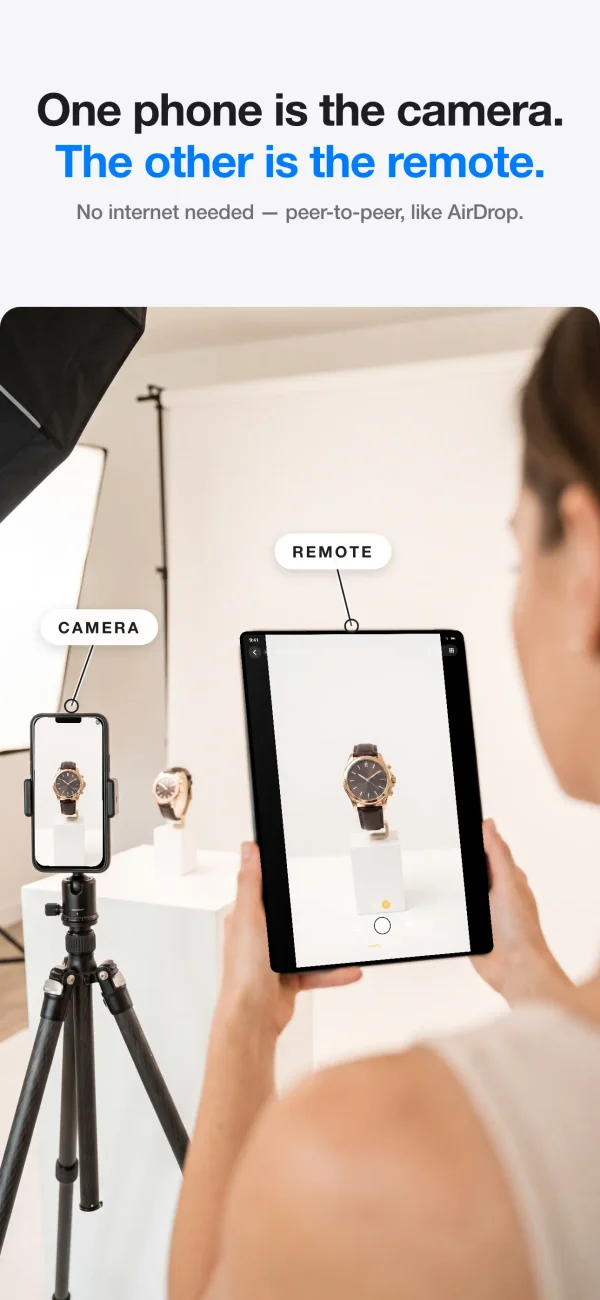
Turn any two devices into a wireless remote camera system — no internet, no router, no account needed. Just connect and shoot.
Remote Shutter uses peer-to-peer technology to link two devices directly. One becomes the camera, the other becomes your remote control with a live monitor. Perfect for group photos, selfies, tripod shots, creative angles, and hands-free photography.
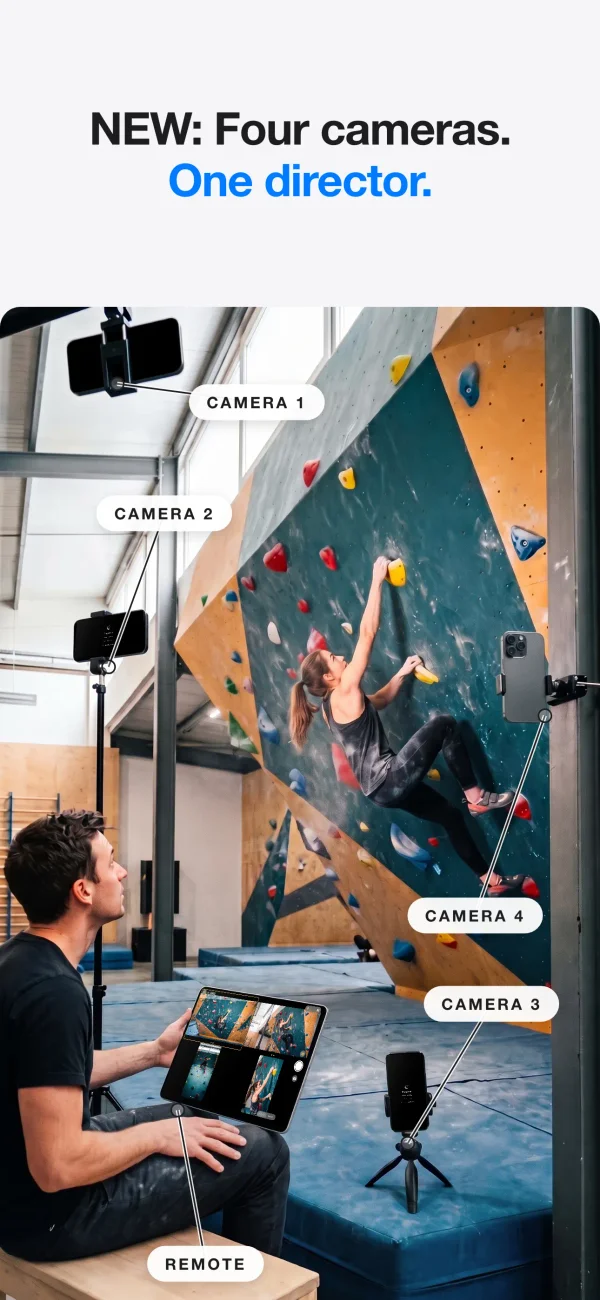
NEW — MULTICAM: UP TO FOUR CAMERAS, ONE DIRECTOR
- Connect up to four iPhones as cameras and see every angle live in a grid
- One synced shutter fires photos or video on every camera at the same instant
- Footage collects automatically to the director, time-aligned for editing
- Set frame rate, resolution, aspect ratio, HDR and focus for every camera from the director
- Interviews, music, sports, dance, unboxings — shoot every angle at once
FULL MAC SUPPORT
- Use your Mac as the camera: built-in, USB and pro webcams, even your iPhone via Continuity Camera
- Switch between every camera connected to your Mac, live from your iPhone
- Or flip it: use your Mac's big screen as a director's monitor for your iPhone camera
FEATURES
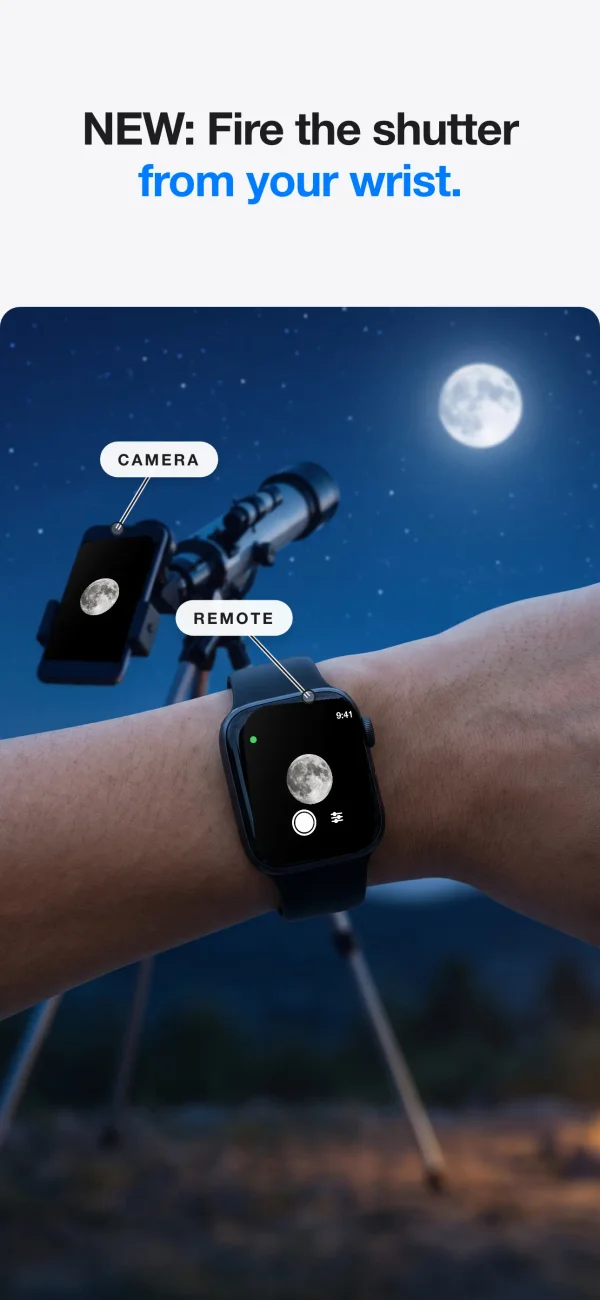
- Control your camera from your Apple Watch — trigger the shutter from your wrist
- Selfies and group shots on the sharp rear camera — frame yourself from the remote's live preview
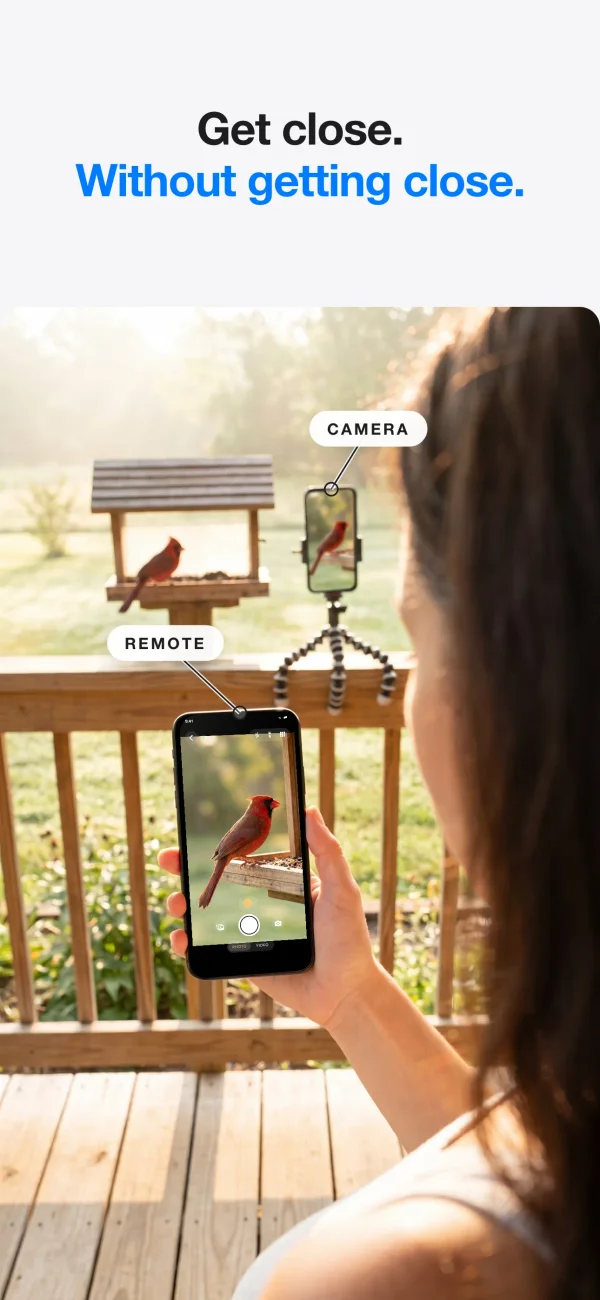
- Wireless remote shutter from up to 50 feet away
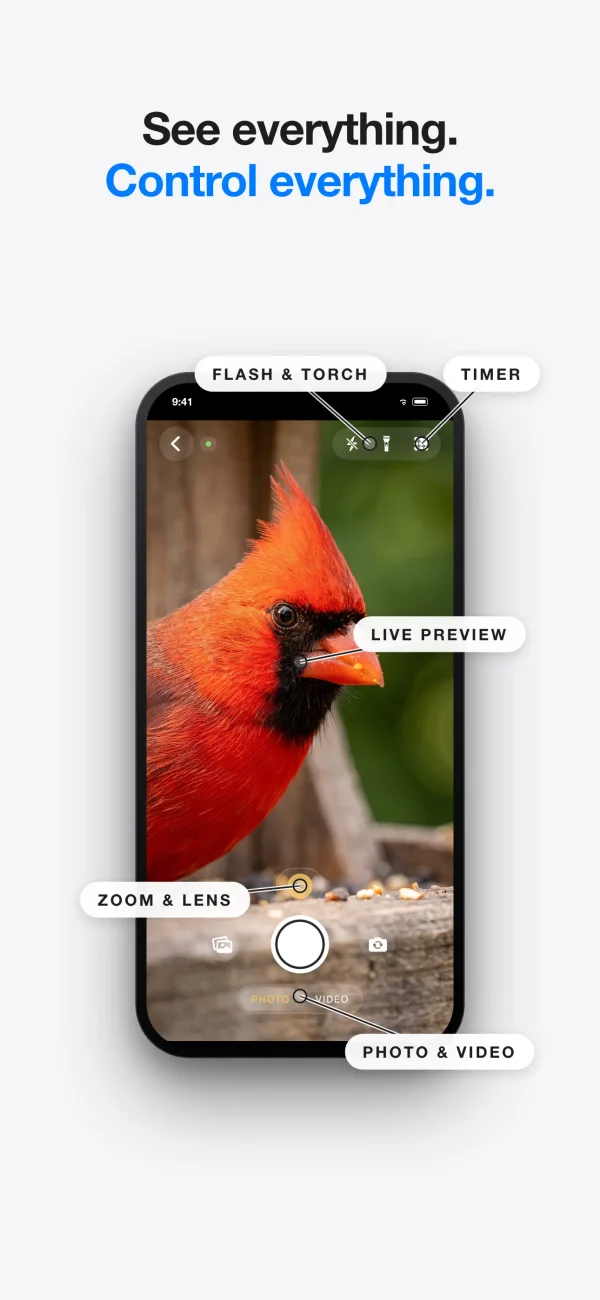
- Live camera preview on your remote device
- Switch cameras remotely — front/back on iPhone, any connected camera on Mac
- Camera flash control
- Adjustable photo timer
- Record video remotely — choose 24/30/60 fps, 1080p or 4K, aspect ratio and HDR from the remote
- Tap to focus on the remote's live preview (Pro)
- Works with iPhone, iPad, and Mac
- No internet or Wi-Fi network required — direct device-to-device connection (just keep Wi-Fi and Bluetooth turned on)
HOW TO USE
1. Open Remote Shutter on two devices
2. Devices connect automatically via peer-to-peer
3. Choose which device is the camera and which is the remote
4. Start shooting from anywhere in the room!
Whether you're directing four iPhones on a music video, shooting products with a pro camera on your Mac, directing from the big screen, or setting up a family photo, Remote Shutter gives you full wireless control of your camera from another device.
What’s new
Version 17.3.0 · Nov 23, 2026
• Multicam now directs up to 8 cameras at once, up from 4.
• Standby now dims the camera's screen all the way down, so phones on stands don't light up the stage.
• Name each device in Settings. File names now start with the camera's number and name, so each angle sorts together.
App privacy
What Security Union LLC declares on the App Store about how this app handles data.
-
Data not collected
The developer does not collect any data from this app.
Privacy practices may vary, for example with the features you use or your age.
Information
- Seller
- Security Union LLC
- Category
- Photo & Video
- Version
- 17.3.0
- Updated
- Nov 23, 2026
- Released
- Apr 29, 2013
- Size
- 19.1 MB
- Requires
- iOS 15.0 or later
- Age rating
- 4+
- Price
- Free
- In-app purchases
- Yes
- Languages
- English, Danish, French, German, Hindi, Italian, Japanese, Korean, Malay, Portuguese, Russian, Simplified Chinese + 3 more
- Copyright
- © 2026 Security Union
You might also like
-
 Remote Camera Control via AirManual camera settings
-
 SayCheese - Camera RemoteTwo iPhones, Wireless Shutter
-
 Camera Remote: Photos TogetherGroup selfies, both in frame
-
 Remote ShutterCamera connect
-
 CamRanger 2 - Camera ControlFor Canon, Fuji, Nikon, Sony
-
 Camera Connect & ControlConnect a wifi camera or DSLR
-
 Shutter+ Canon Camera RemotePhoto transfer, remote control
-
 Remote Camera: Unlimited RangeRemote shutter
-
 Shutter AppVirtual photo shoots
-
 Remote LegacyFilmic Remote Legacy