
Schedule Builder
Bell Schedules in Minutes
Designed for iPhone, iPad, iPod touch
Free · In-app purchases
- Age rating4+
- CategoryEducation
- DeveloperWilliam Nelson
- LanguagesEnglish
- Size112.4 MB
Links to the official App Store page
Download.org hosts no file of Schedule Builder. The button opens its official App Store page, published by William Nelson. Listing last checked on Nov 18, 2026.
Screenshots


About
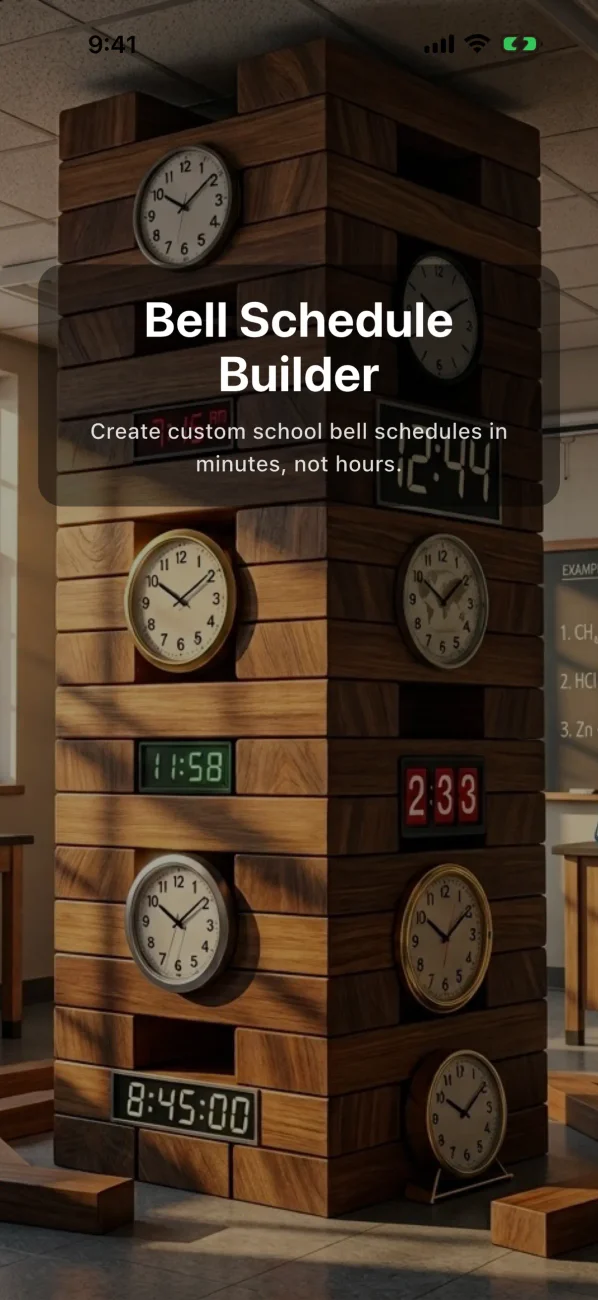
Create custom school bell schedules in minutes, not hours.
Tired of wrestling with spreadsheet formulas every time there’s an assembly, minimum day, or special event? Bell Schedule Builder was created by a school administrator who got tired of spending 20–30 minutes hand-calculating every schedule change. Now you can sit down with staff, ASB directors, and administrators and build a new bell schedule in minutes.
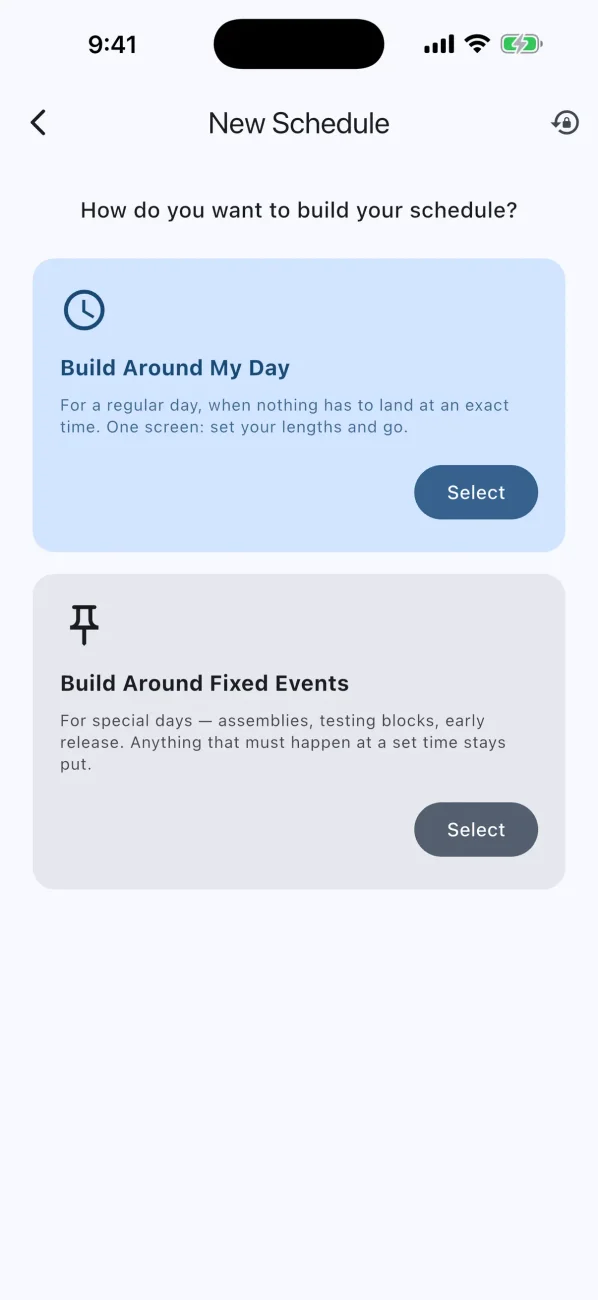
TWO WAYS TO BUILD
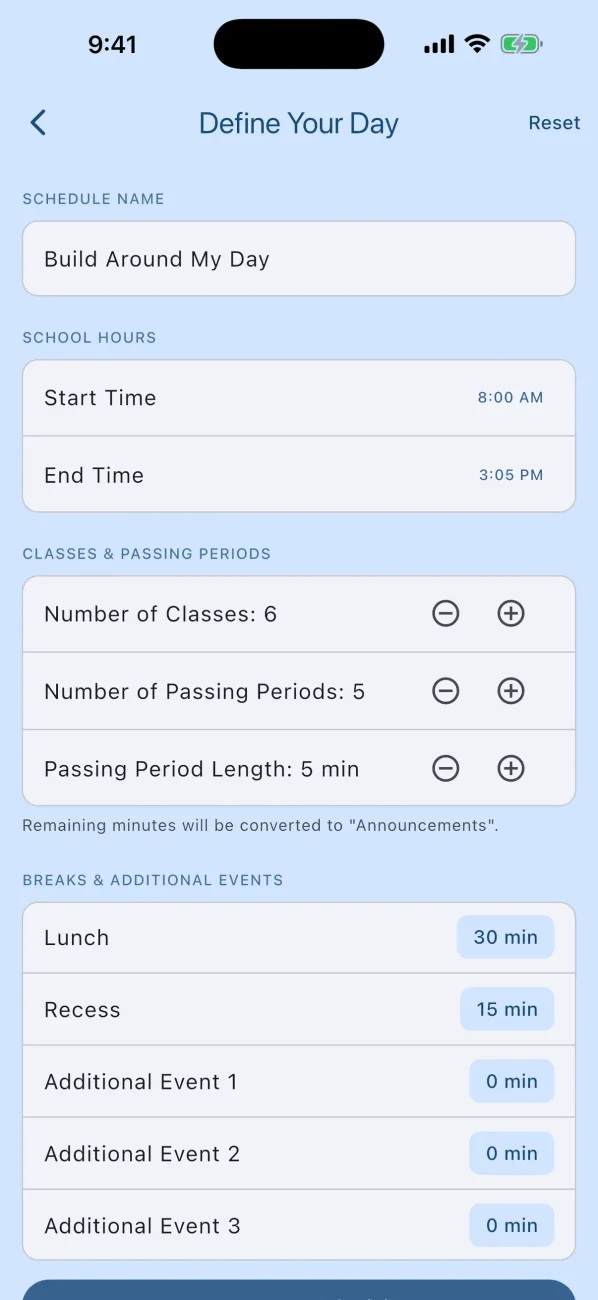
• Build Around My Day — for a regular day: set your start/end times, number of classes, and passing periods, and the app instantly calculates even class lengths.
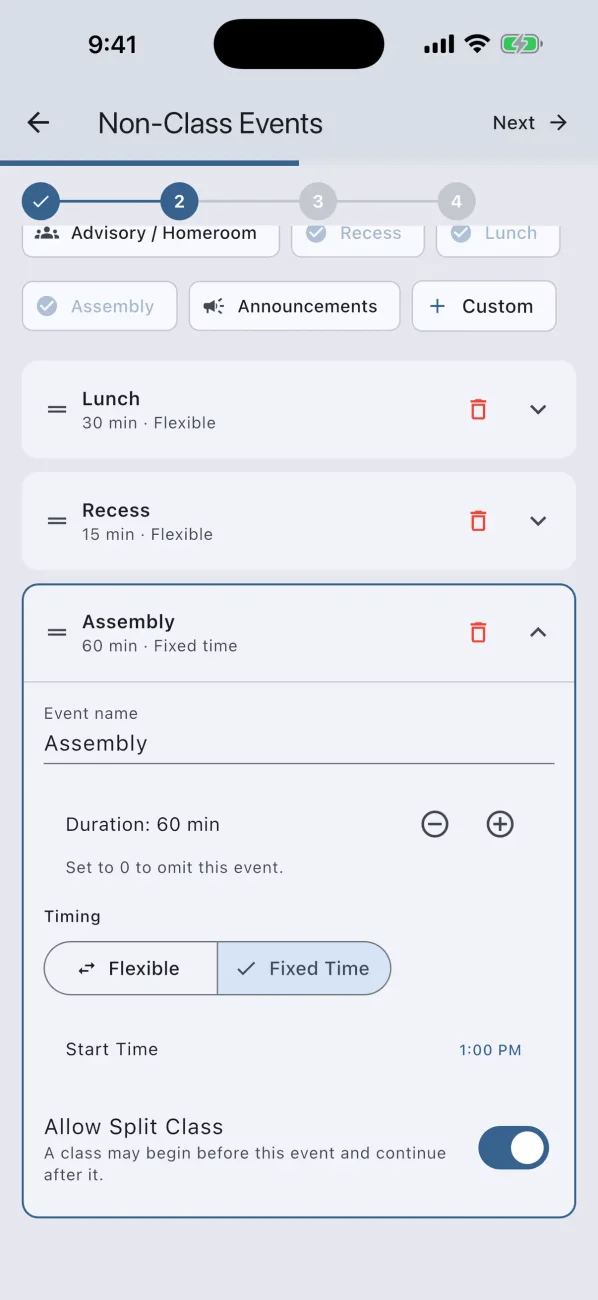
• Build Around Fixed Events — for special days: pin assemblies, testing blocks, or early release at exact times, and the app builds the rest of the day around them (it’ll even split a class around an event).
SMART MATH, DONE FOR YOU
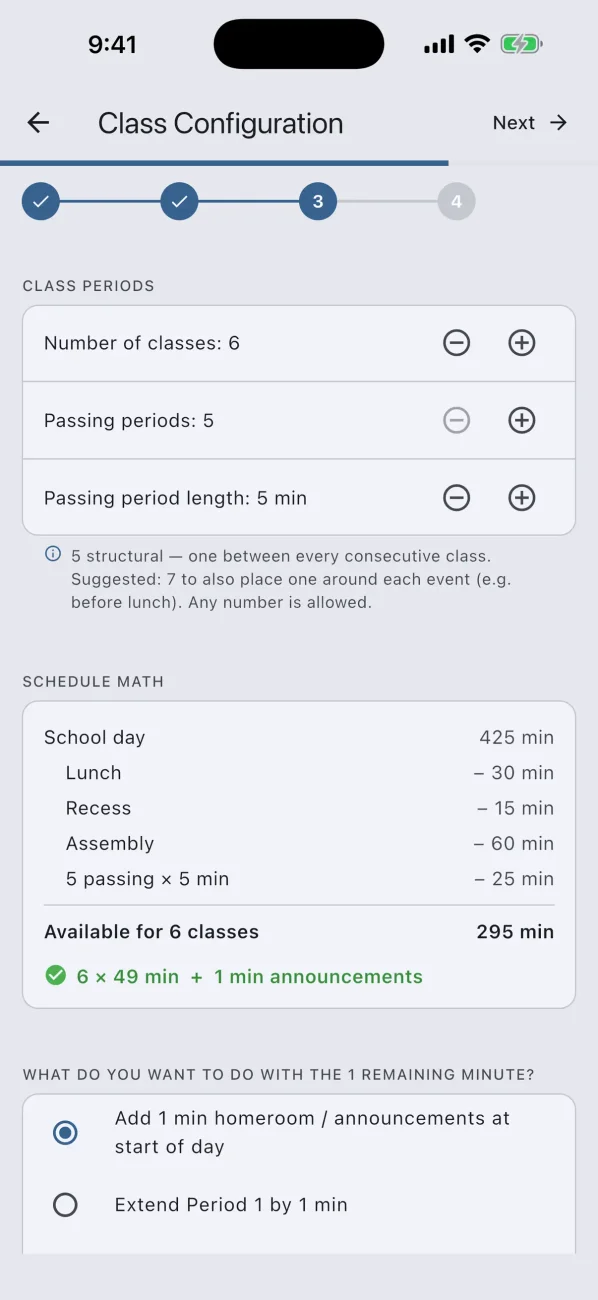
Enter your parameters — start/end times, classes, passing time, lunch, recess, advisory — and the app divides the day into even classes, places your passing periods, and turns any leftover minutes into “Announcements.” No formulas, no manual arithmetic.
ARRANGE IT VISUALLY
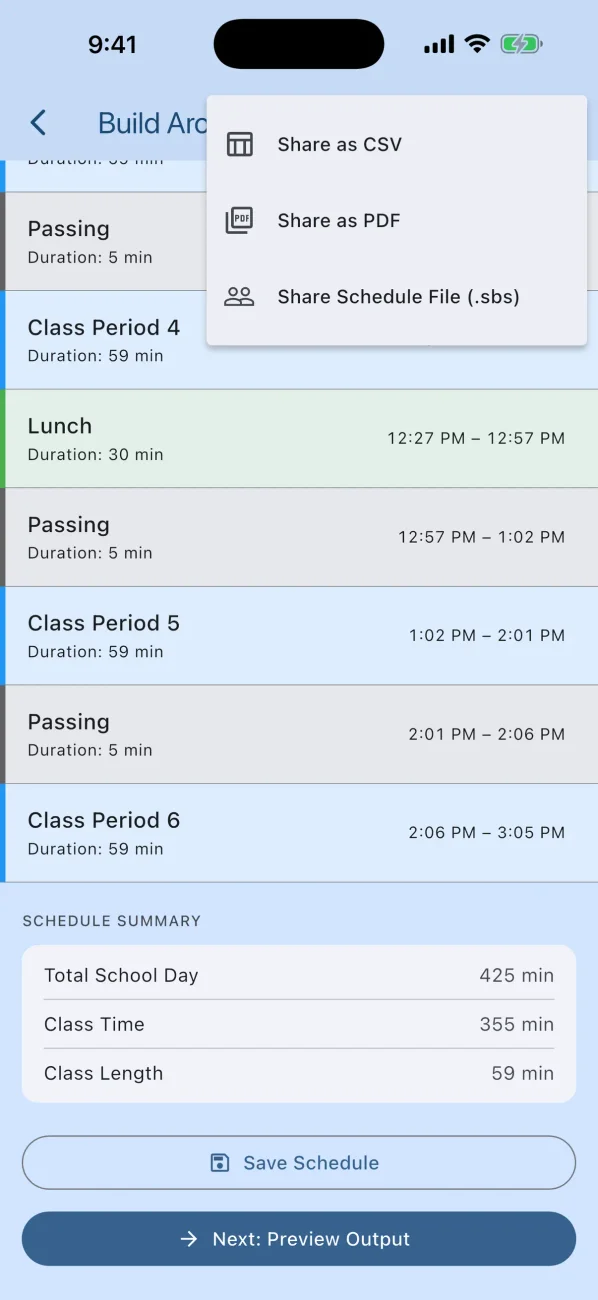
See your whole day as a stack of time blocks. Drag to rearrange — fixed events stay locked in place and the schedule re-tiles automatically.
SHARE WITH YOUR STAFF
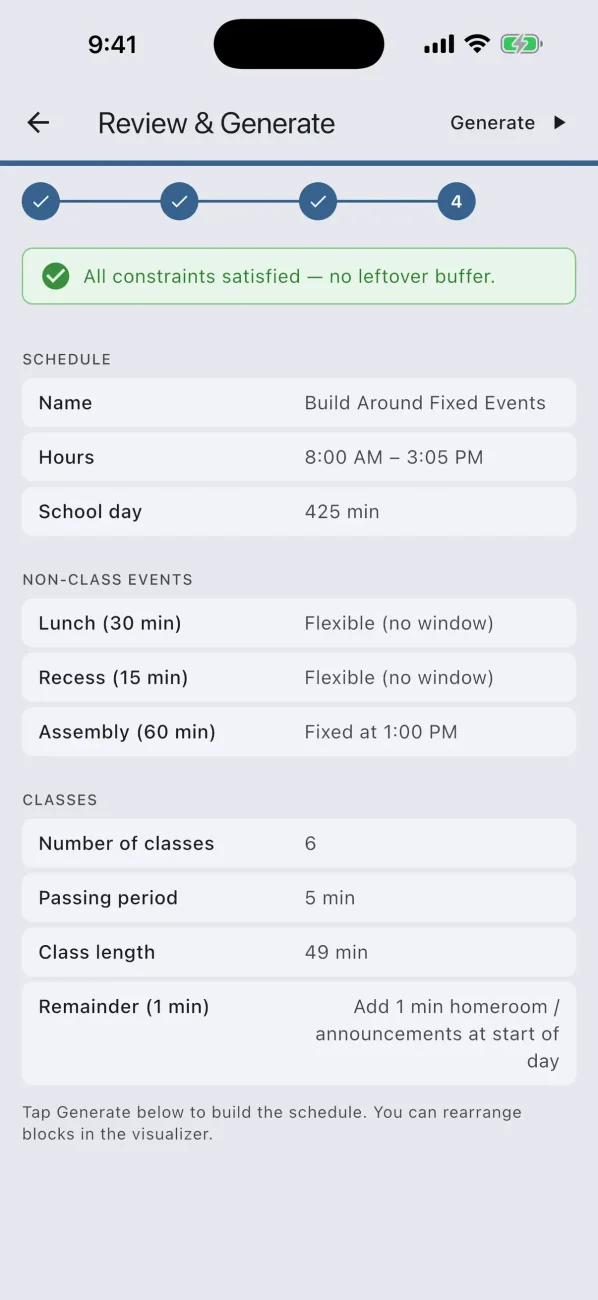
Preview the finished schedule, then export it as a CSV spreadsheet or a print-ready PDF. Save schedules to reopen and edit later, or share a schedule file that opens right back up in the app.
PERFECT FOR
• Daily bell schedules
• Modified schedules — assemblies, testing days, conferences
• Minimum days and early releases
• Multiple lunch periods
• Schools with complex scheduling needs
Free to build and preview your schedules. A one-time purchase unlocks unlimited exports and sharing — no subscription, ever.
No spreadsheets. No formulas. Just flexible scheduling that adapts to your school’s unique needs.
Dedicated to educators who value face time over screen time.
What’s new
Version 2.0.1 · Nov 12, 2026
Bell Schedule Builder is rebuilt from the ground up!
• Build a full bell schedule in minutes — set your times, classes, and passing periods, and let the app do the math.
• Two ways to build: around your normal day (1.0), or around fixed events like assemblies, testing blocks, and early release.
• A visual schedule you can rearrange by dragging — fixed events stay locked in place.
• Export and share as CSV or PDF, or save and reopen your schedules anytime.
• Share schedules with colleagues using the app with the unique SBS file type.
• A fresh new look throughout.
2.0.1 - Removed screenshots from version 1.0 for iPhone ProMax
App privacy
What William Nelson declares on the App Store about how this app handles data.
-
Data not collected
The developer does not collect any data from this app.
Privacy practices may vary, for example with the features you use or your age.
Information
- Seller
- William Nelson
- Category
- Education
- Version
- 2.0.1
- Updated
- Nov 12, 2026
- Released
- Feb 28, 2026
- Size
- 112.4 MB
- Requires
- iOS 15.0 or later
- Age rating
- 4+
- Price
- Free
- In-app purchases
- Yes
- Languages
- English
- Copyright
- © 2025 William Nelson
You might also like
-
 TeWinkle Bell ScheduleTMS Bell Schedule
-
 SchBellEducation
-
 AmberCueTimer for Talks & Classes
-
 CourseBellSchool Bell Schedule Tracker
-
 Frontend ProHTML, CSS, JS, React and more
-
 Learn Liquid GlassMaster SwiftUI Liquid Glass
-
 Translation Real-Time NowLing2Reference
-
 RCNJ ExperienceEducation
-
 Millard County Sheriff, UTMCSO
-
 Drawing SparkAd-free coloring for ages 3-7