ScreenNote - AI Auto Notes
Search screenshots with OCR
Designed for iPhone, iPad, Mac
Free · In-app purchases
- Age rating4+
- CategoryProductivity
- Developer江 吴
- LanguagesEnglish+ 7 more
- Size13.3 MB
Links to the official App Store page
Download.org hosts no file of ScreenNote - AI Auto Notes. The button opens its official App Store page, published by 江 吴. Listing last checked on Nov 23, 2026.
Screenshots



About
ScreenNote turns screenshots into notes you can search, reuse, and act on.
Capture a receipt, confirmation, message, or idea. ScreenNote reads text on-device, keeps important details close, and helps you find them again.
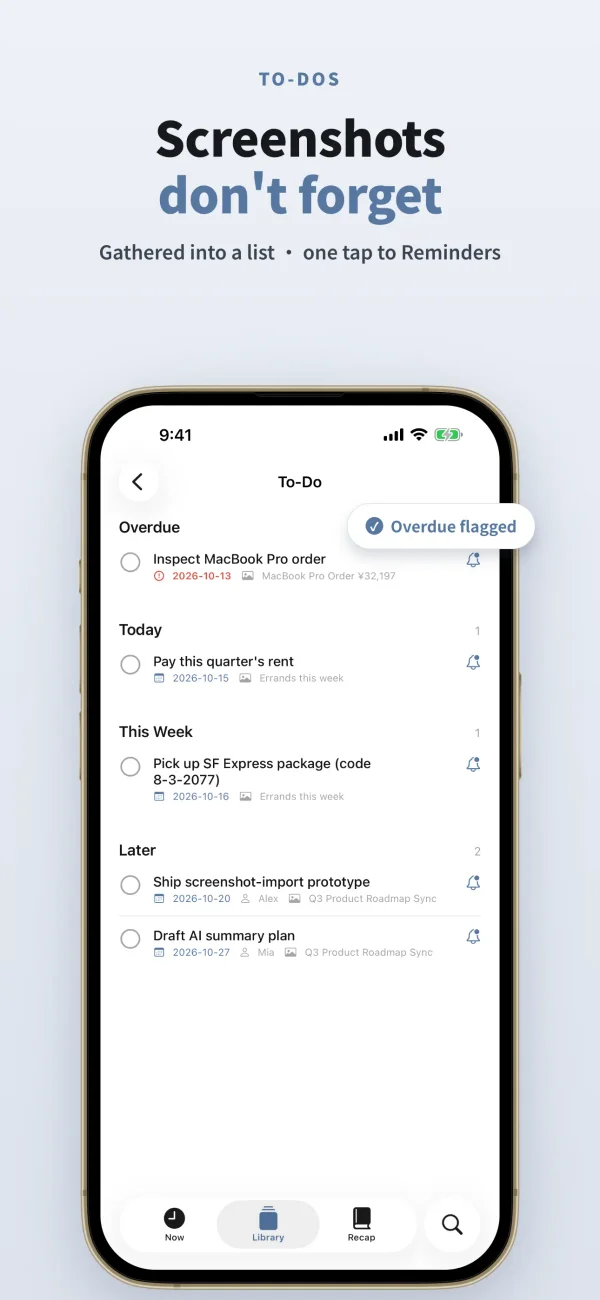
• Useful now: codes, due to-dos and upcoming charges as one list on Home, with one-tap Add Reminder, Copy or Done.
• On-device OCR: search words inside screenshots.
• Auto notes: titles, summaries, tags, and key takeaways you can act on.
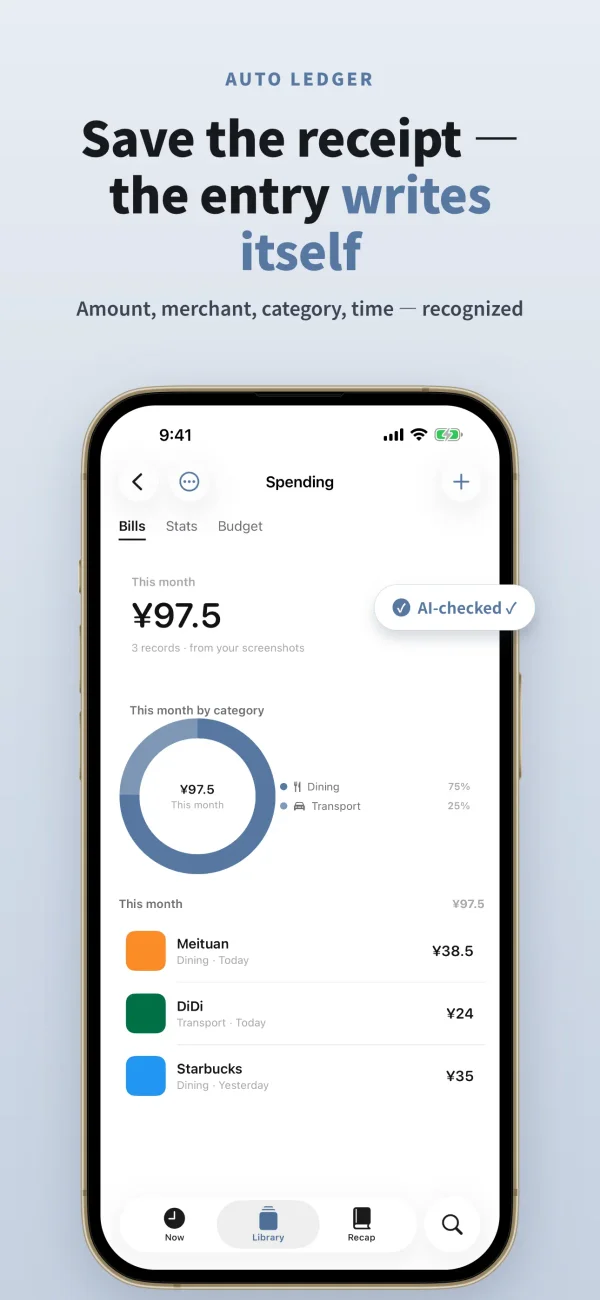
• Ledger: turn purchase screenshots into expense records.
• To-dos: collect actions and send them to Reminders.
• Fast search by text, title, tag, folder, or key field.
• Core processing happens on your device.
• Optional AI summaries when you want them.
ScreenNote is for the screenshots you meant to remember.
Terms of Use (EULA): https://www.apple.com/legal/internet-services/itunes/dev/stdeula/
What’s new
Version 2.8.0 · Nov 22, 2026
The first time you use it, once your screenshots are imported, ScreenNote lists what it found on one page, such as pickup codes, verification codes and order numbers, each one a tap to copy. It also offers a few search words to try. If AI is not on yet, you can turn it on right there.
App privacy
What 江 吴 declares on the App Store about how this app handles data.
-
Data linked to you
May be collected and linked to your identity.
- Contact info
- User content
-
Data not linked to you
May be collected but is not linked to your identity.
- Purchases
- Location
- Identifiers
- Usage data
- Diagnostics
Privacy practices may vary, for example with the features you use or your age.
Information
- Seller
- 江 吴
- Category
- Productivity
- Version
- 2.8.0
- Updated
- Nov 22, 2026
- Released
- Apr 8, 2026
- Size
- 13.3 MB
- Requires
- iOS 17.0 or later
- Age rating
- 4+
- Price
- Free
- In-app purchases
- Yes
- Languages
- English, French, German, Japanese, Korean, Simplified Chinese, Spanish, Traditional Chinese
- Copyright
- © 2026 Gatheon
You might also like
-
 ScanSeek AI: Photo SearchFind Photos,Docs & Screenshots
-
 Cutpics:截图,笔记,ObsidianProductivity
-
 QuickSave - Links, ScreenshotsSave links, images & notes
-
 RecallBoxTidy screenshots, effortlessly
-
 Don't Forget: Screenshot ItTurn screenshots to reminders
-
 LifeOps AssistantProductivity
-
 AI截图助手 - 看懂截图与智能总结Productivity
-
 Void Card - 我的卡片Productivity
-
 TaskMaker AIProductivity
-
 CaptureMobile AICreate Calendar Events with AI