
- Age rating4+
- CategoryProductivity
- DeveloperMaximilian Glasmacher
- LanguagesEnglish
- Size3.6 MB
Links to the official App Store page
Download.org hosts no file of CaptureMobile AI. The button opens its official App Store page, published by Maximilian Glasmacher. Listing last checked on Nov 20, 2026.
Screenshots

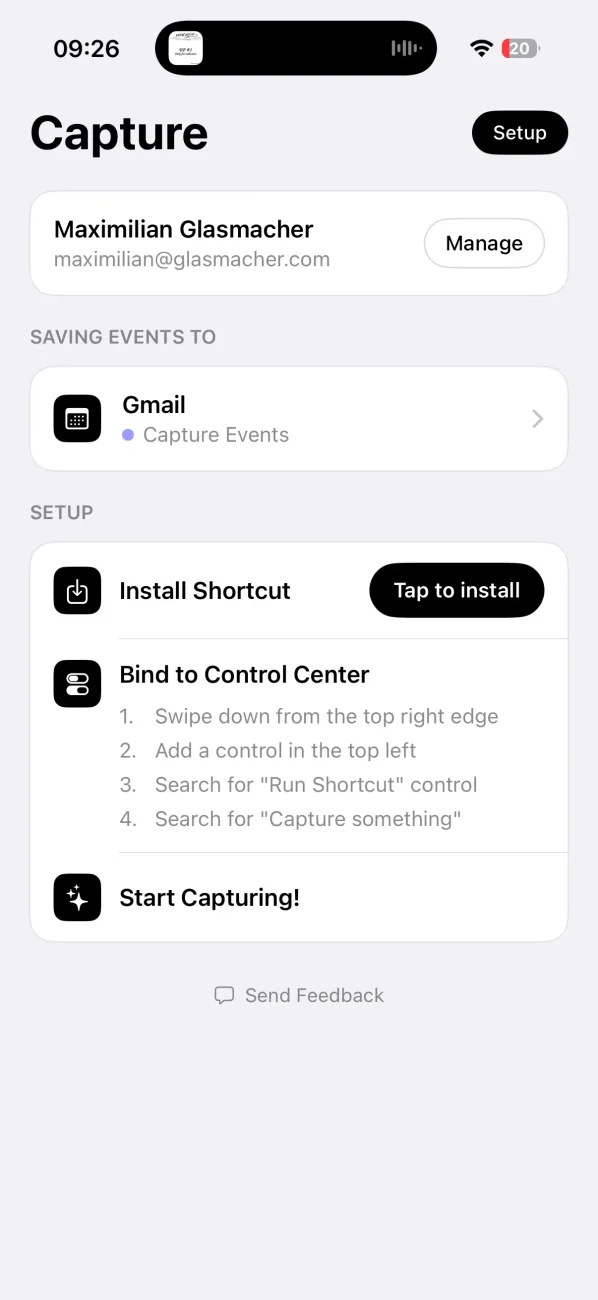
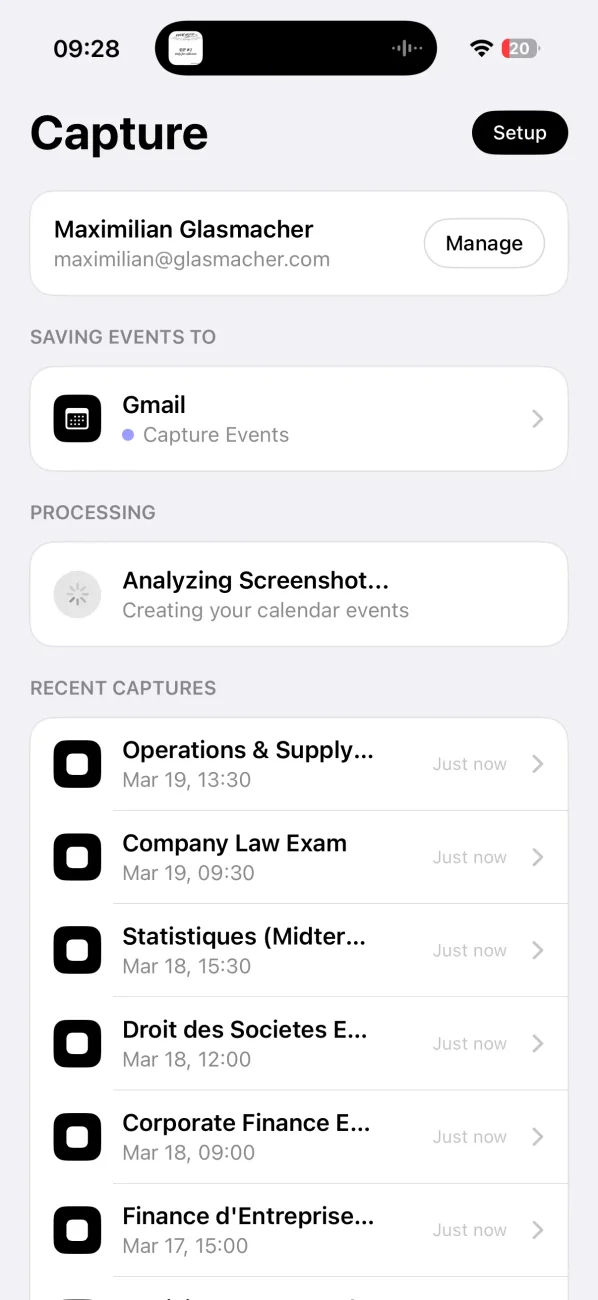
About
See an event in Whatsapp, Instagram or anywhere else you want to track? Add it to your calendar in one tap. Capture uses AI to read event details from a screenshot and create calendar events in your chosen Apple Calendar. No typing, no copy-paste.
How it works:
1. Install the shortcut: In the app, tap “Tap to install” to add the Capture shortcut to your device.
2. Add to Control Center: Add the “Run Shortcut” control and choose “Capture something” so you can run it with one tap.
3. Capture events: When you see an event, open Control Center, and run “Capture something” Your screenshot is sent to Capture.
4. Events in your calendar: Capture analyzes the screenshot, extracts title, date, time, and location, and creates the event in the calendar you selected in the app.
App privacy
What Maximilian Glasmacher declares on the App Store about how this app handles data.
-
Data linked to you
May be collected and linked to your identity.
- Contact info
- Identifiers
- Usage data
- Diagnostics
Privacy practices may vary, for example with the features you use or your age.
Information
- Seller
- Maximilian Glasmacher
- Category
- Productivity
- Version
- 1.0
- Updated
- Feb 24, 2026
- Released
- Feb 24, 2026
- Size
- 3.6 MB
- Requires
- iOS 16.6 or later
- Age rating
- 4+
- Price
- Free
- Languages
- English
- Copyright
- © 2026 Maximilian Glasmacher
You might also like
-
 TapNote AIBack Tap Screenshot Notes
-
 SnapActionScreenshots Into Actions
-
 ScanDat AIProductivity
-
 Carbon: Minimalist To Do ListSimple Tasks and Lists Manager
-
 ScreenNote - AI Auto NotesSearch screenshots with OCR
-
 Flodo - Flow TodoProductivity
-
 SnapCal: Screenshot CalendarPhoto or flyer to calendar
-
 Transcriber: Subtitles & NotesOn-device transcripts & SRT
-
 Maasvallei StudentThe living experience.
-
 CleanPadThe home for your thoughts