
Screet - Black Screen Camera
Silent Photos & Discreet Video
Designed for iPhone
Free · In-app purchases
- Age rating4+
- CategoryPhoto & Video
- DeveloperSemih Karakaya
- LanguagesEnglish+ 26 more
- Size40.9 MB
Links to the official App Store page
Download.org hosts no file of Screet - Black Screen Camera. The button opens its official App Store page, published by Semih Karakaya. Listing last checked on Nov 23, 2026.
Screenshots
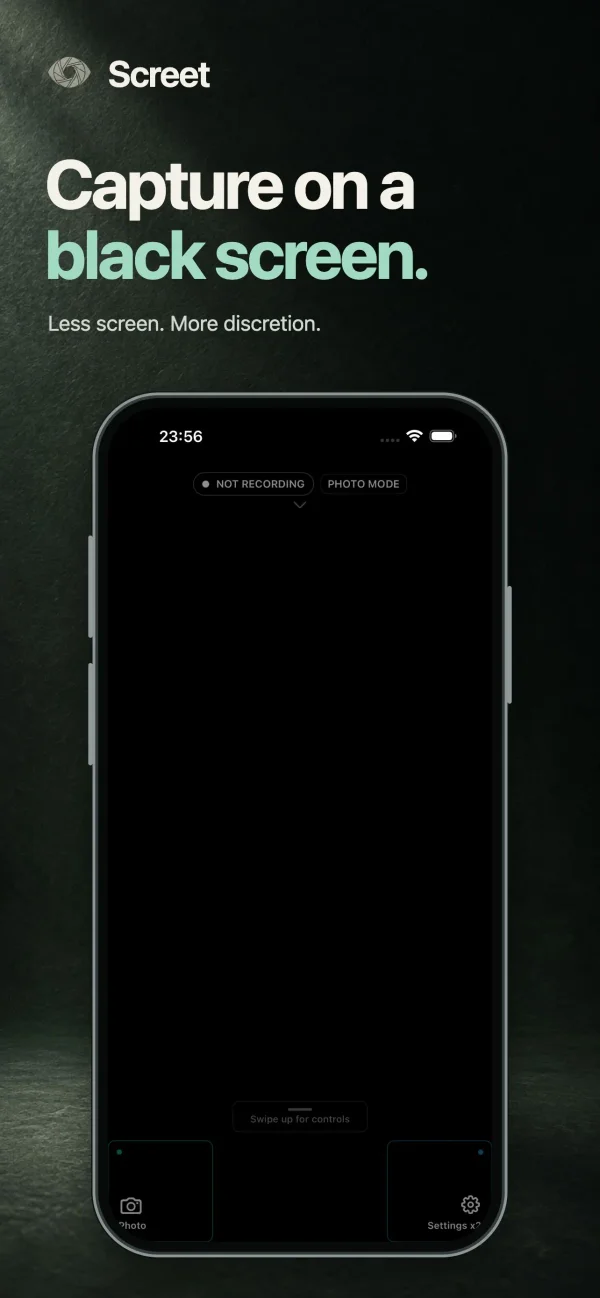


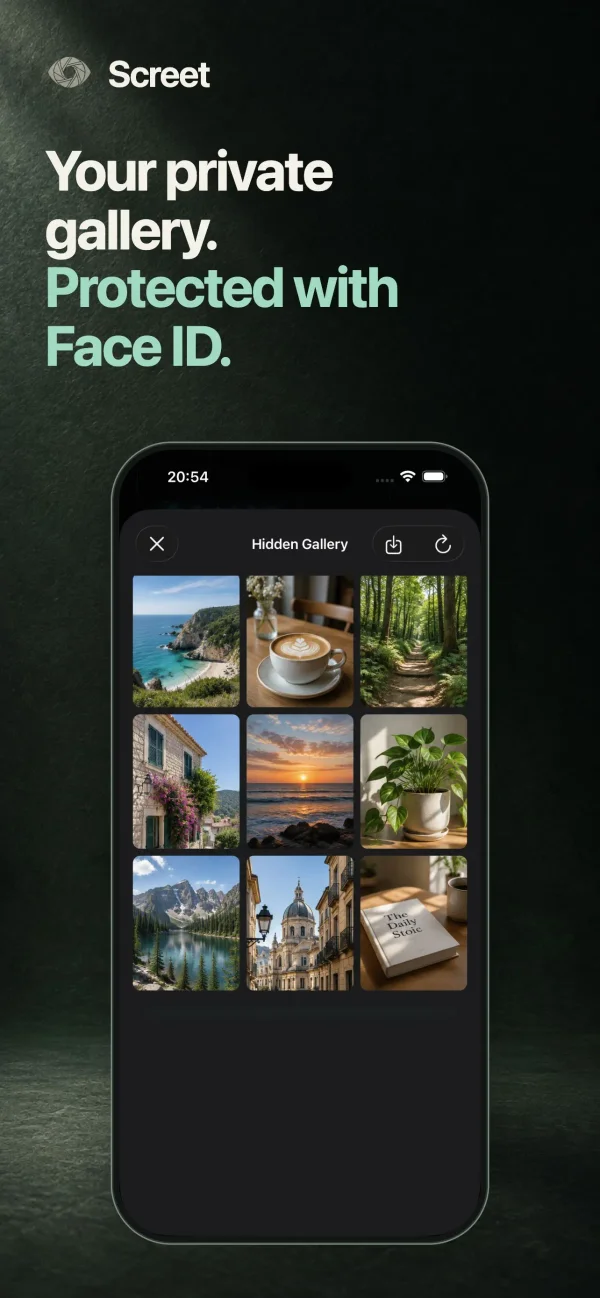
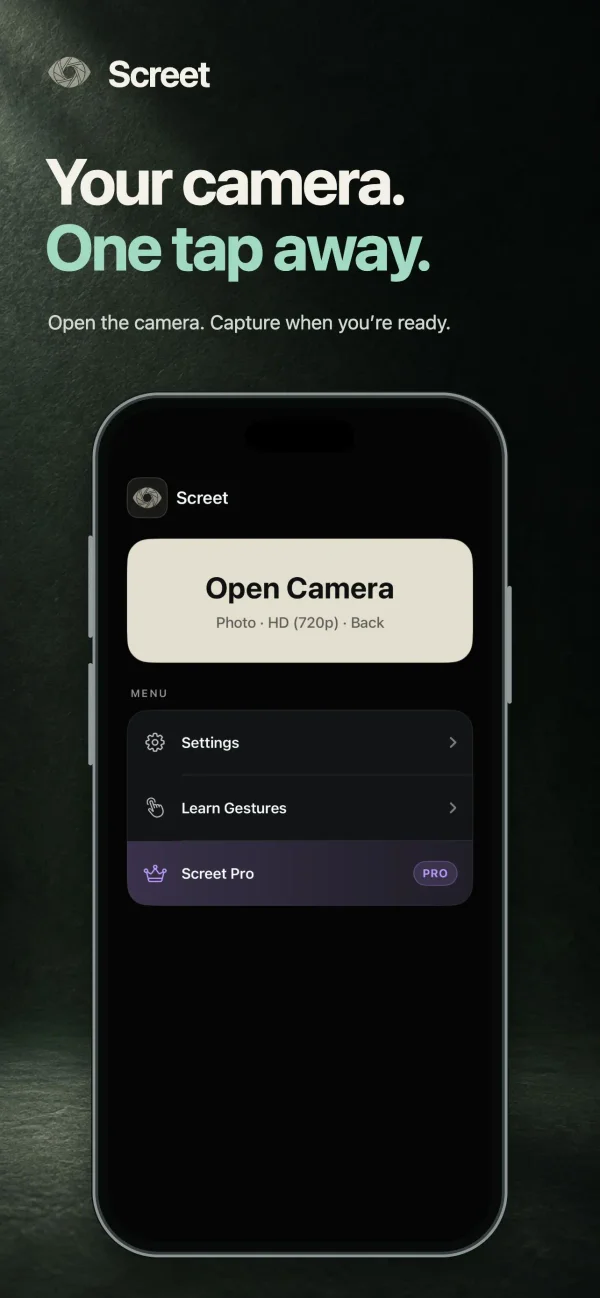
About
A black screen for less glare. Silent photos for quieter moments. Screet puts discreet photo and video controls within reach, so you can choose your camera setup and capture at your own pace.
BLACK SCREEN CAMERA
Keep the capture screen black or dim the display to reduce the bright camera preview. Choose the look that suits the moment while keeping control of when a photo or recording begins. Black screen changes the capture interface only; the iOS camera and microphone indicators remain visible.
SILENT PHOTOS
Silent Capture creates a still photo from a live video frame without the usual shutter sound. This Screet Pro mode is for photos, not silent video. Video may record microphone audio when you grant permission. Silent Capture does not use flash.
YOUR CAMERA, YOUR CONTROLS
• Switch between the front and rear cameras.
• Choose photo or video and your save destination before capture.
• Select HD or 4K, with 30 or 60 FPS on supported devices and formats.
• Adjust zoom up to 5× where supported.
• Use flash in compatible standard photo mode.
Available resolution, frame rate, zoom and flash depend on your iPhone, selected camera and capture format.
OPEN THE CAMERA, THEN CAPTURE
Widgets and shortcuts open the capture screen; they never start recording automatically. You start and stop capture yourself. Screet must stay open in the foreground and does not record in the background or while your iPhone is locked.
Standard photos are free. Video recording, Silent Capture and advanced controls such as 4K and 60 FPS require Screet Pro. Plan details and pricing are shown in the app.
Capture with the necessary consent and follow local laws and venue rules.
Terms of Use (Apple Standard EULA): https://www.apple.com/legal/internet-services/itunes/dev/stdeula/
What’s new
Version 1.3.4 · Nov 20, 2026
• Added an iOS 18+ Control Center and Lock Screen control plus Action Button shortcut to open Screet directly in the foreground camera
• Added direct Hidden Gallery access from Home, a one-tap Lock button, and an optional prompt to remove originals from Apple Photos after import
• Improved Silent Capture photo trial reliability and isolated top/bottom camera edge gestures from accidental shots
App privacy
What Semih Karakaya declares on the App Store about how this app handles data.
-
Data linked to you
May be collected and linked to your identity.
- Purchases
- User content
- Identifiers
- Usage data
Privacy practices may vary, for example with the features you use or your age.
Information
- Seller
- Semih Karakaya
- Category
- Photo & Video
- Version
- 1.3.4
- Updated
- Nov 20, 2026
- Released
- Feb 23, 2026
- Size
- 40.9 MB
- Requires
- iOS 17.0 or later
- Age rating
- 4+
- Price
- Free
- In-app purchases
- Yes
- Languages
- English, Arabic, Czech, Danish, Dutch, Finnish, French, German, Hindi, Hungarian, Indonesian, Italian + 15 more
- Copyright
- © 2026 Semih Karakaya
You might also like
-
 BlackOut: Black Screen CameraSilent Discreet Video Recorder
-
 Black Screen CameraREC indicator
-
 Black Screen Camera QuietCamSilent Screen Off Recorder
-
 Black Screen Video CameraCapture personal moments
-
 Blackout Camera: Black ScreenNight video & astrophotography
-
 Kemra - Black Screen CameraDiscreet Pro Photo Camera
-
 InviCam: Black Screen CameraHidden Spy & Secret Recorder
-
 NoLight: Black Screen CameraRecord Without Screen Glow
-
 Tiny Screen CameraSmall and Dark Screen Camera
-
 Float Cam - Background cameraUse phone while recording