Shift Planner & Calendar
Work Rota Calendar
Designed for iPhone, iPad
Free · In-app purchases
- Age rating4+
- CategoryProductivity
- DeveloperReece Charlton
- LanguagesEnglish
- Size32.5 MB
Links to the official App Store page
Download.org hosts no file of Shift Planner & Calendar. The button opens its official App Store page, published by Reece Charlton. Listing last checked on Nov 14, 2026.
Screenshots
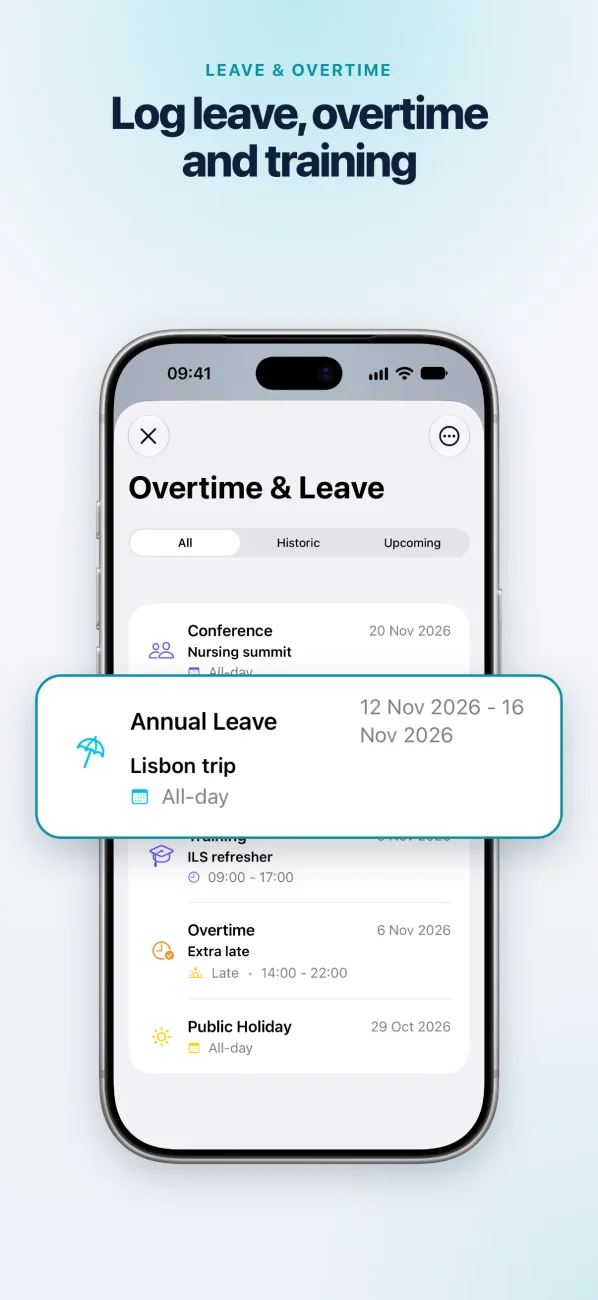


About
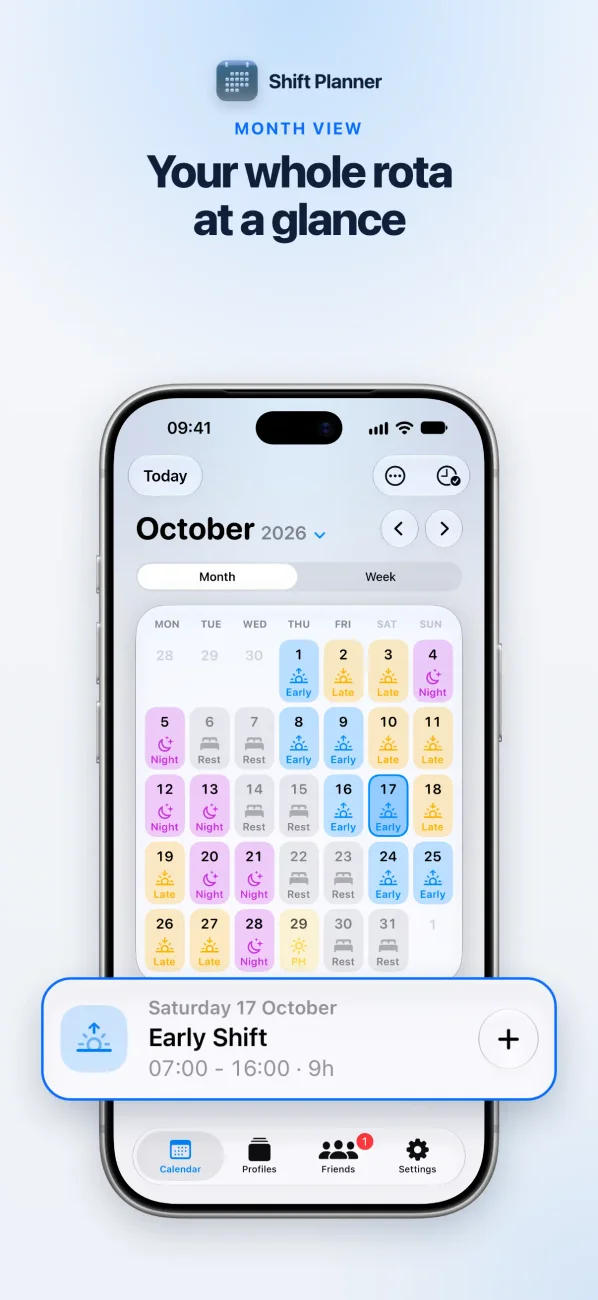
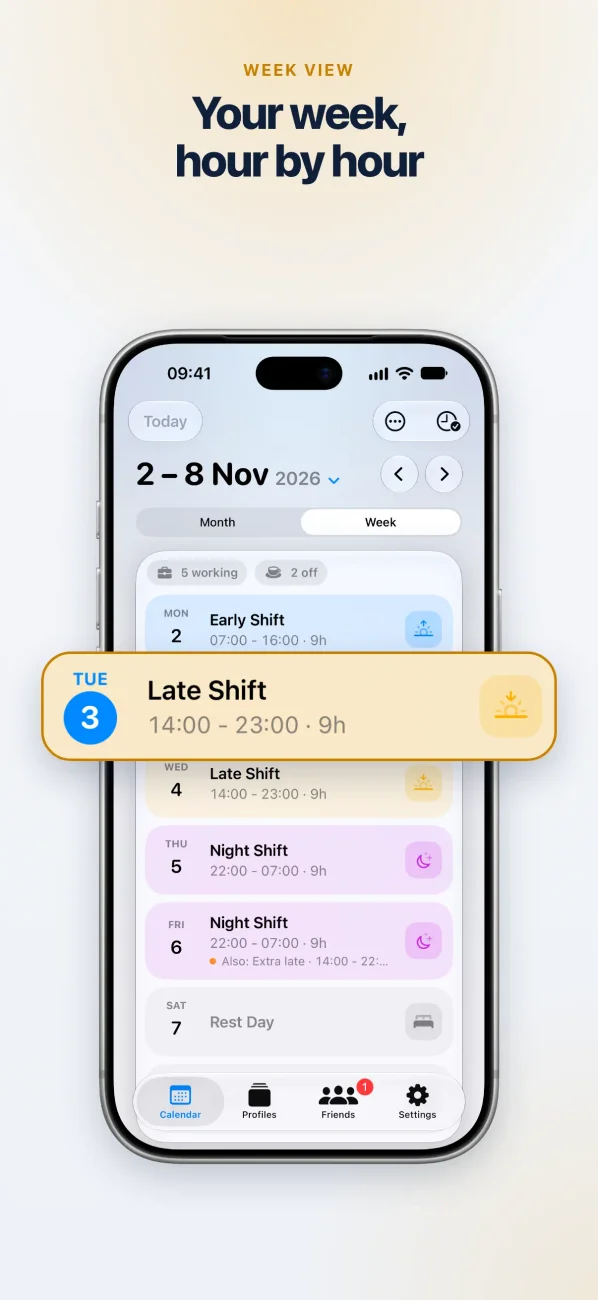
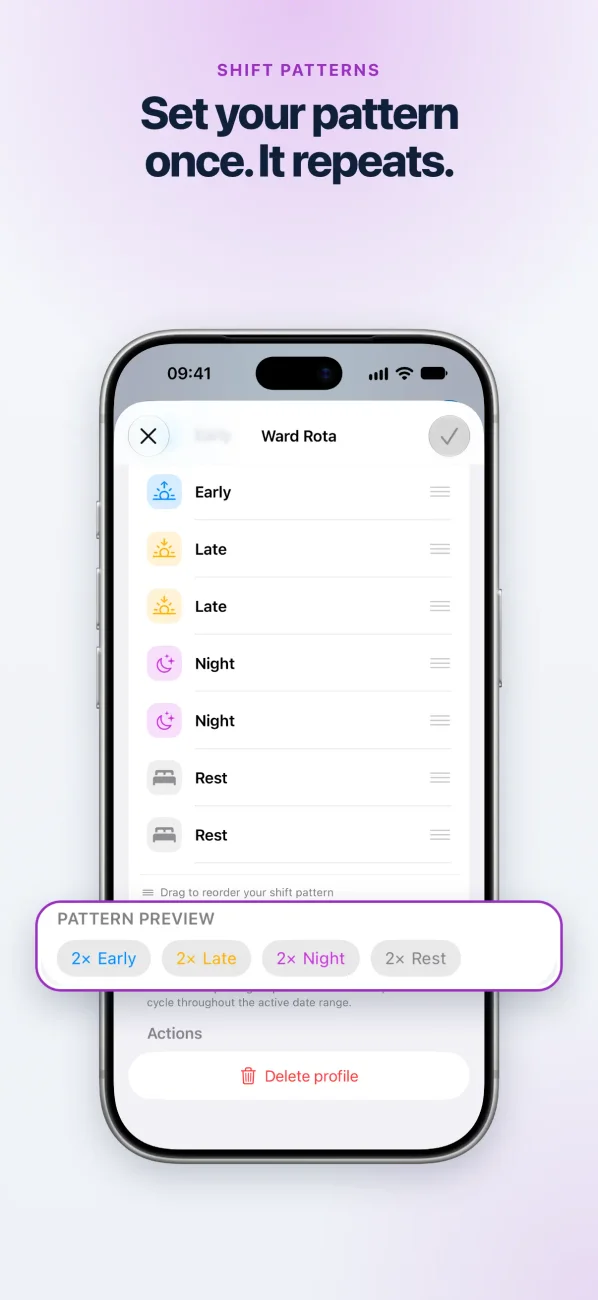
Shift Planner is a calendar for people who work shifts. Enter your pattern once and it fills in your rota for you, so you don’t have to type out every shift. Annual leave and overtime go on top.
No ads. You can use Shift Planner without an account.
FREE
• Early, Day, Late and Night shifts are built in, so you can start straight away.
• Add annual leave and overtime to your calendar.
• Filter by upcoming or past entries.
• Month and week views that you swipe through, plus a sidebar layout on iPad.
SHIFT PLANNER PRO
Pro is a one-time purchase, not a subscription. It adds:
• Share schedules with friends and compare overlapping shifts and days off. Friends requires an optional account using Sign in with Apple, and both people need Pro. You control whether each friend sees work times, shift details or nothing. The shared window covers four weeks back and 1, 3, 6 or 12 months ahead, as you choose.
• Unlimited shift patterns that you can switch between. This helps if your rota changes, you have a second job or you share a device.
• Scheduled changes. If you know your pattern is changing, set the date and the app will switch over on that day.
• Your own shift types, with your own names, icons and colours.
• TOIL, training days, bank holidays and re-rostered rest days, plus your own entry types with their own times and default behaviour.
• Sync to the iOS Calendar app, covering the last year and the next two.
• Calendar alerts. Set reminders for shifts and entries, including one-off alerts.
• iCloud sync between your iPhone and iPad.
What’s new
Version 2.0.1 · Nov 8, 2026
This update brings fixes and performance improvements for a smoother experience.
App privacy
What Reece Charlton declares on the App Store about how this app handles data.
-
Data linked to you
May be collected and linked to your identity.
- Purchases
- Contact info
- Contacts
- User content
- Identifiers
Privacy practices may vary, for example with the features you use or your age.
Information
- Seller
- Reece Charlton
- Category
- Productivity
- Version
- 2.0.1
- Updated
- Nov 8, 2026
- Released
- Nov 24, 2025
- Size
- 32.5 MB
- Requires
- iOS 26.0 or later
- Age rating
- 4+
- Price
- Free
- In-app purchases
- Yes
- Languages
- English
- Copyright
- © 2026 Reece Charlton
You might also like
-
 Shift Calendar Rota PlannerWork roster, hours & pay
-
 Hours Tracker: Shift ScheduleWork Calendar & Overtime Log
-
 ShiftRoster: Shift RotaRota, Hours & Overtime
-
 MeRota PlannerShift & Pay Tracker
-
 Rotaro: Shift Work CalendarRota, cycles and reminders
-
 Shift Calendar: Work ScheduleRotation Planner for Nurses
-
 Shiftlyx: Shift & Rota PlannerFatigue, Nights & Shift Pay
-
 My Shift Work CalendarRotating Schedule Planner
-
 Shift Calendar – ShiftCheckNurse Schedule, Rotation & Pay
-
 RotaCell: Shift PlannerOvertime Tracker, PTO & Pay