ShutterFlow
Photo & Video File Transfer
Designed for iPhone, iPad, Mac
In-app purchases
- Age rating4+
- CategoryPhoto & Video
- DeveloperDivya Kunthuru Reddy
- LanguagesEnglish
- Size7.6 MB
Links to the official App Store page
Download.org hosts no file of ShutterFlow. The button opens its official App Store page, published by Divya Kunthuru Reddy. Listing last checked on Nov 12, 2026.
Screenshots
About
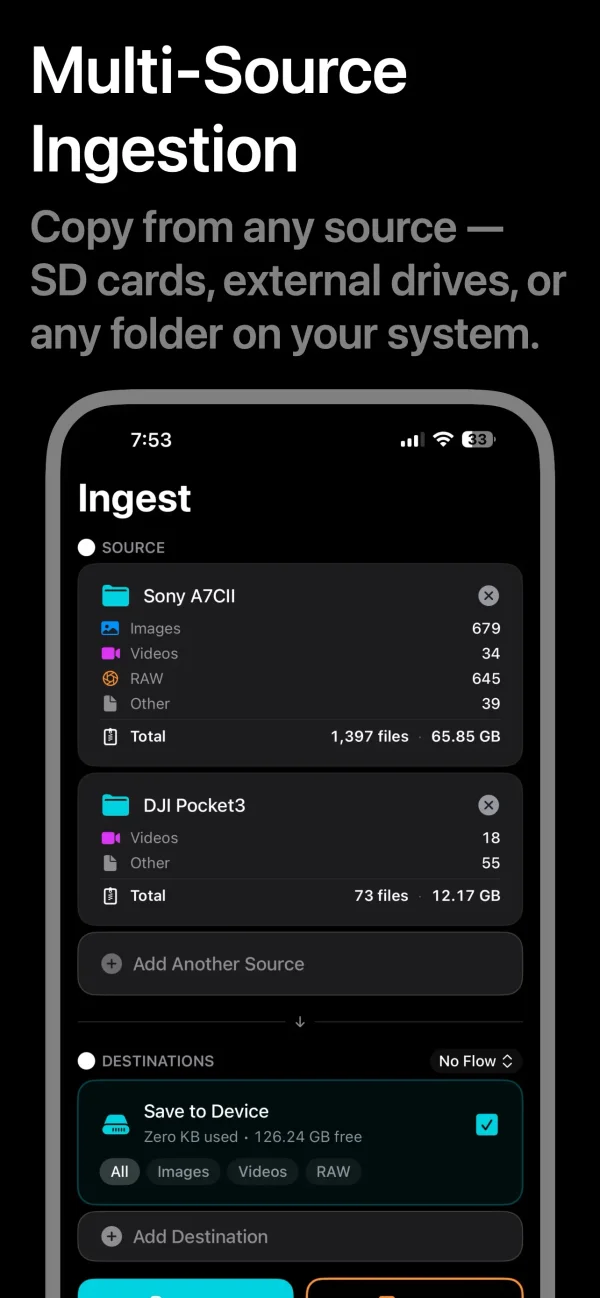
ShutterFlow is a fast, focused file transfer tool built for photographers and videographers. Copy or move photos and videos from SD cards, cameras, or any folder to your external drives, NAS, or device storage — with smart organization, duplicate detection, and checksum verification.
INGEST FROM ANYWHERE
Select one or multiple source folders, SD cards, or camera volumes. On Mac, removable drives are detected automatically. On iPad, connect external storage via USB-C and pick your source with the native file browser.
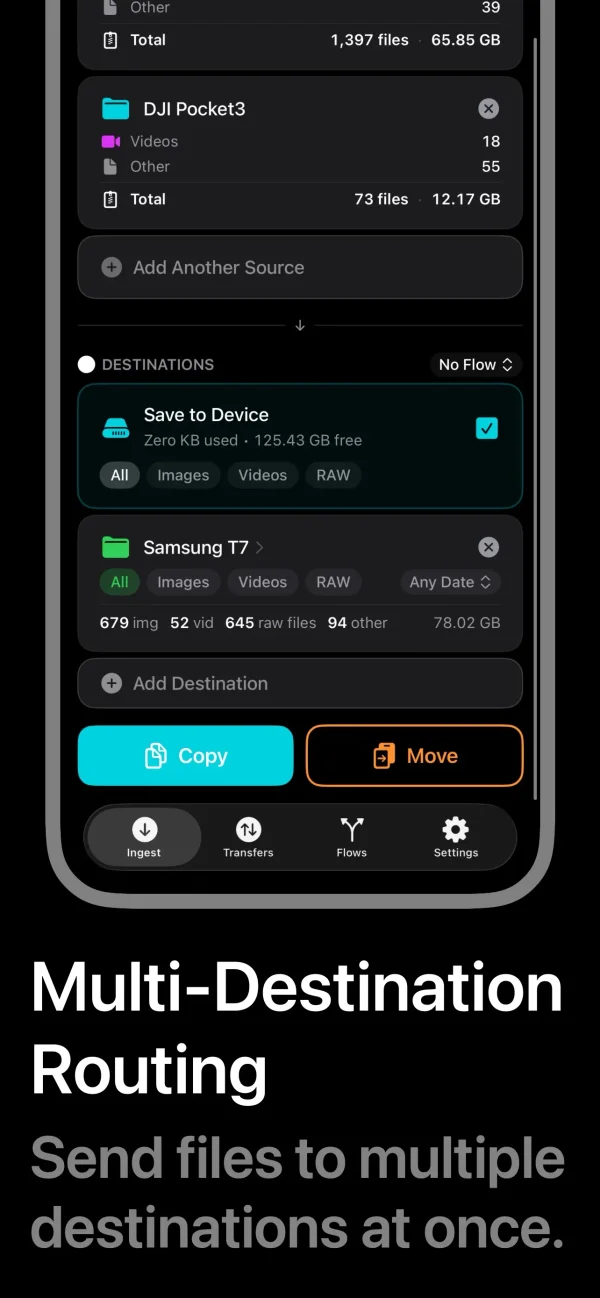
COPY TO MULTIPLE DESTINATIONS
Send files to several locations in a single operation. Each destination can have its own file type filter (Images, Videos, RAW, or All) and date filter, so the right files go to the right place every time.
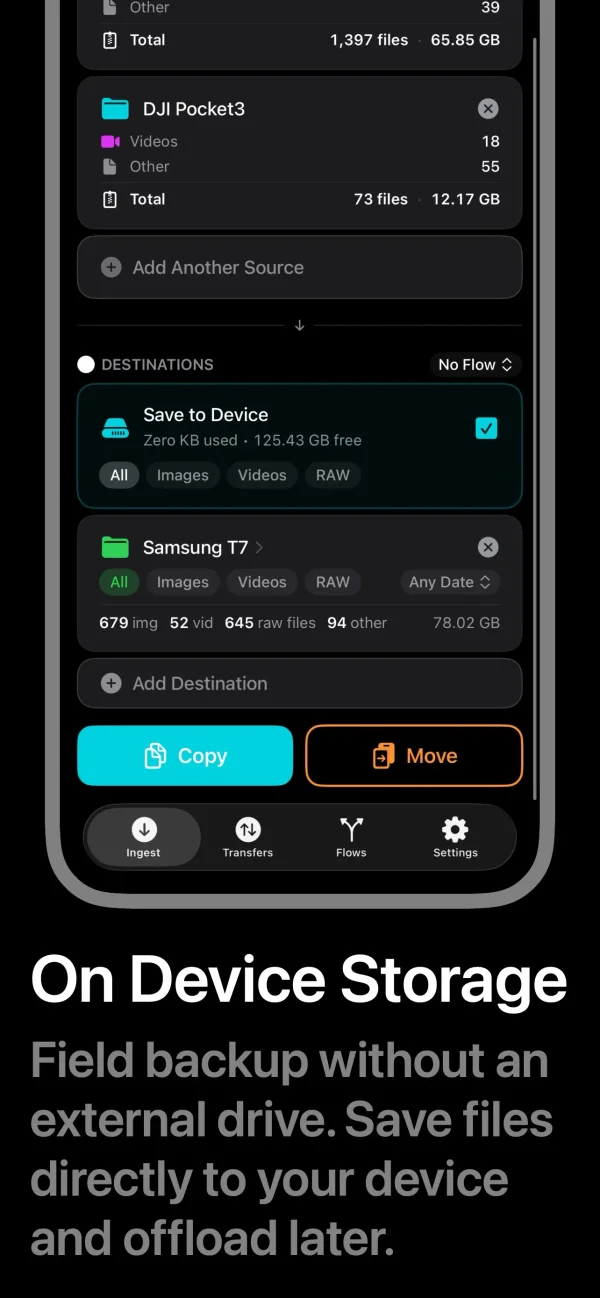
SAVE TO DEVICE
Use your iPhone or iPad as a portable backup hub. Copy files to on-device storage, then offload to an external drive later — perfect for shoots in the field when your main drive isn't available.
SMART FILE ORGANIZATION
Choose how your files are organized at the destination:
• Keep Original Structure — preserves your source folder layout
• Creation Date — auto-sorts into YYYY-MM-DD folders based on file dates
• Ingest Date — groups everything by today's date
FLEXIBLE FILE NAMING
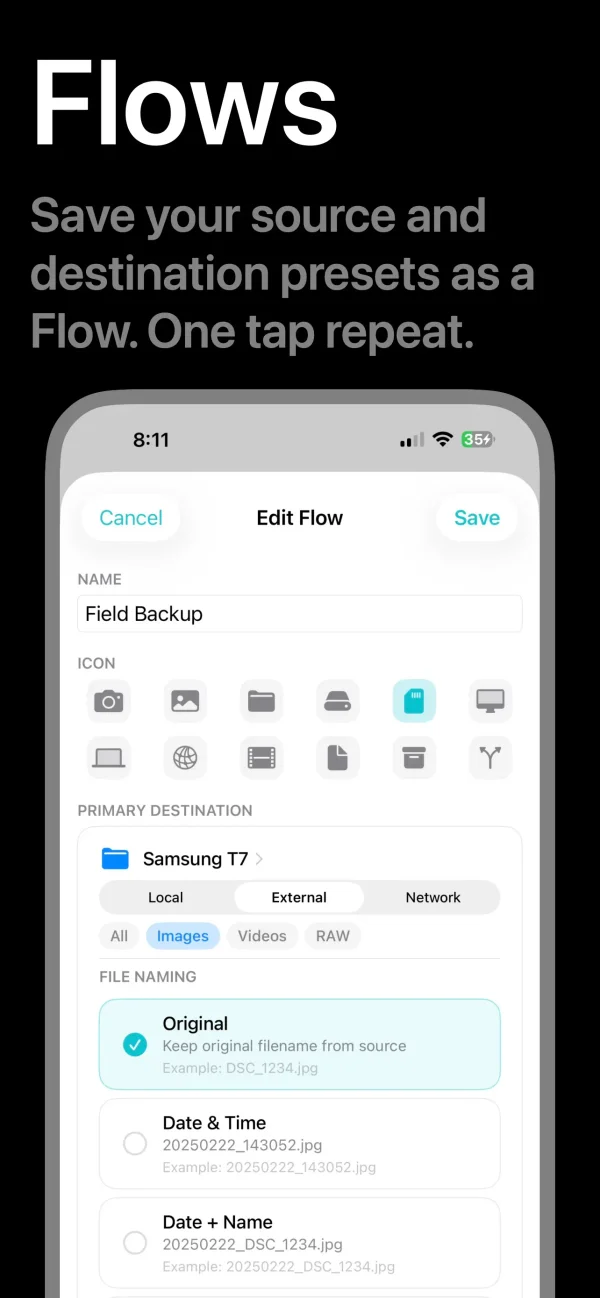
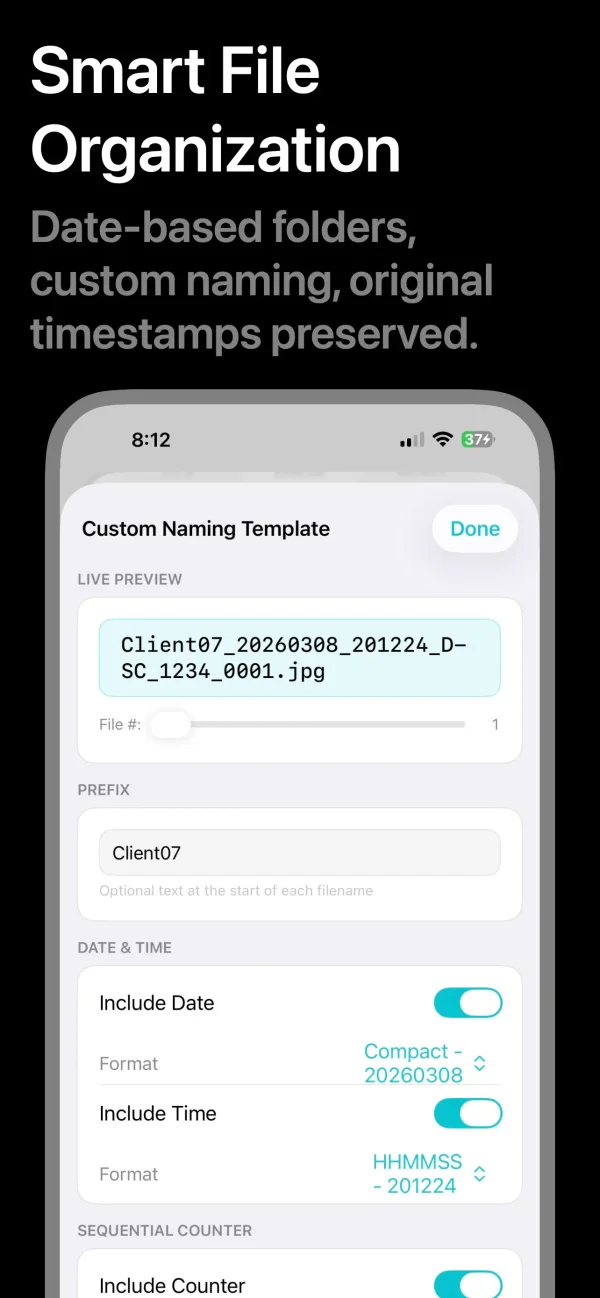
Rename files during transfer with six built-in naming conventions, or create your own custom template with date, time, sequential counter, prefix, and separator options.
DUPLICATE DETECTION
Files are compared by name and size. Re-run the same ingest anytime — ShutterFlow skips what's already there. Choose to skip, overwrite, or overwrite only if newer.
COPY OR MOVE
Two side-by-side buttons for every operation. Copy keeps your originals. Move deletes source files after a successful transfer — useful for clearing SD cards or offloading from device storage.
PAUSE, RESUME, CANCEL
Full control over active transfers. Pause mid-copy and resume right where you left off, or cancel safely at any point.
TRANSFER HISTORY
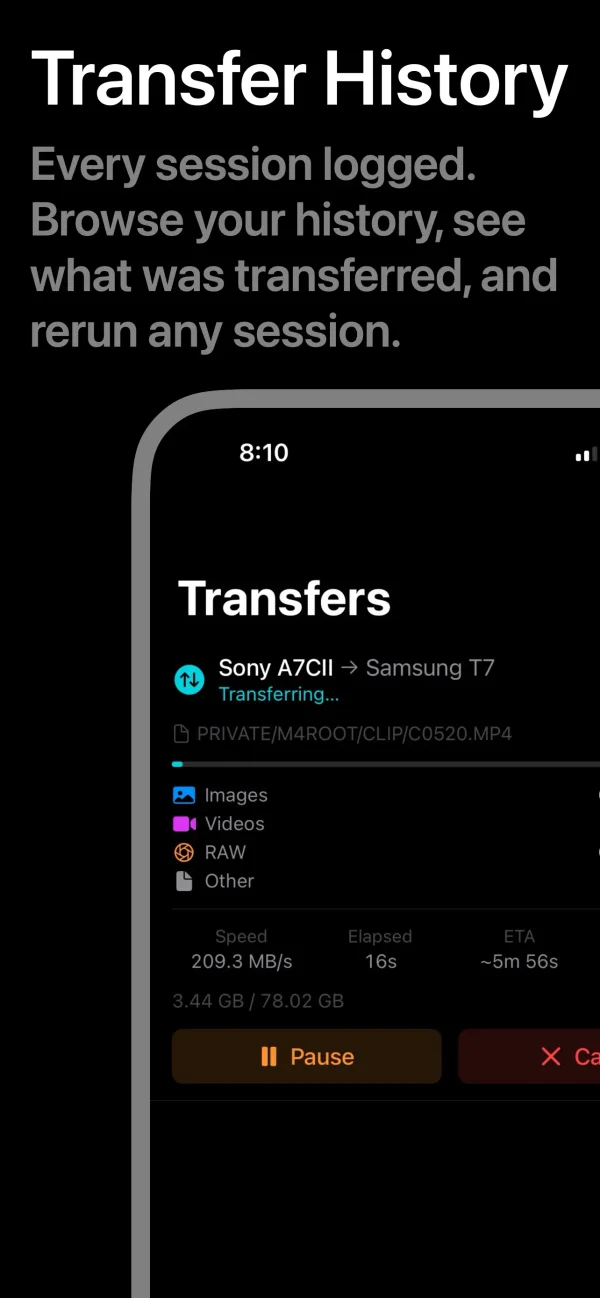
Every session is recorded with source, destination, file list, and timestamps. Rerun any past session with one tap.
SUPPORTED FILE TYPES
• Images: JPG, JPEG, PNG, HEIC, HEIF, TIFF, BMP, GIF, WebP
• Videos: MOV, MP4, M4V, AVI, MKV, MTS, M2TS, and more
• RAW: CR2, CR3, NEF, ARW, ORF, RW2, DNG, RAF, SRW, PEF
PRO FEATURES (yearly subscription):
• Workflows — save multi-destination presets and run complex ingestions with one tap
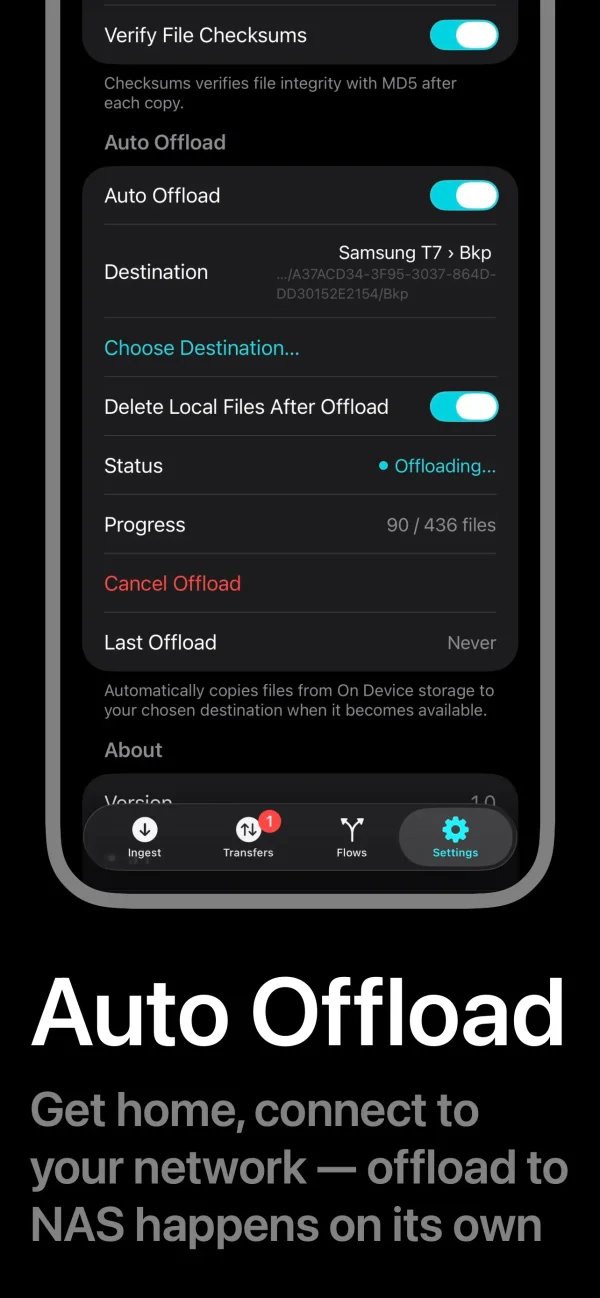
• Checksum Verification — MD5 hash comparison after every file copy to guarantee integrity
• Auto-Offload — automatically copies files from device storage to your external drive when it becomes available
• Custom Naming Templates — build your own file naming patterns with prefix, date, time, counter, and more
• Offline Queuing — queue destinations that are temporarily unavailable and sync later
ShutterFlow is a universal app for Mac, iPad, and iPhone. No account required. No cloud. Your files stay yours.
Terms of Use (EULA): https://www.pixelhauz.net/shutterflow/terms/
Privacy Policy: https://www.pixelhauz.net/shutterflow/privacy/
App privacy
What Divya Kunthuru Reddy declares on the App Store about how this app handles data.
-
Data not collected
The developer does not collect any data from this app.
Privacy practices may vary, for example with the features you use or your age.
Information
- Seller
- Divya Kunthuru Reddy
- Category
- Photo & Video
- Version
- 1.0
- Updated
- Mar 24, 2026
- Released
- Apr 15, 2026
- Size
- 7.6 MB
- Requires
- iOS 18.0 or later
- Age rating
- 4+
- In-app purchases
- Yes
- Languages
- English
- Copyright
- © 2025 Pixelhauz
You might also like
-
 Sync Shutter: SD Card BackupAuto copy to NAS, cloud & SSD
-
 Fieldbox BackupVerified Copies, 3-2-1 Status
-
 KeeperSafe: SD Card BackupEvery frame, kept and verified
-
 OffShoot SoloOffload, with verification.
-
 Night Atlas: Constellation IDIdentify stars in your photos
-
 Spectro - Video CompressorFast, Pro Quality, Small Size
-
 SDCullCull photos from SD cards
-
 CineMonVideo & Audio Monitor/Recorder
-
 VertigoZoomEnjoy Dolly Zoom effect
-
 ImageSpaceScan Big