- 対象年齢4+
- カテゴリ写真/ビデオ
- 開発元Divya Kunthuru Reddy
- 言語英語
- サイズ7.6 MB
App Storeの公式ページにリンクしています
Download.orgはShutterFlowのファイルを一切ホストしていません。ボタンを押すと、Divya Kunthuru Reddyが公開しているApp Storeのアプリページが開きます。ページの最終確認:2026/11/12。
スクリーンショット
概要
開発元はこのテキストをお使いの言語で提供していません。
ShutterFlow is a fast, focused file transfer tool built for photographers and videographers. Copy or move photos and videos from SD cards, cameras, or any folder to your external drives, NAS, or device storage — with smart organization, duplicate detection, and checksum verification.
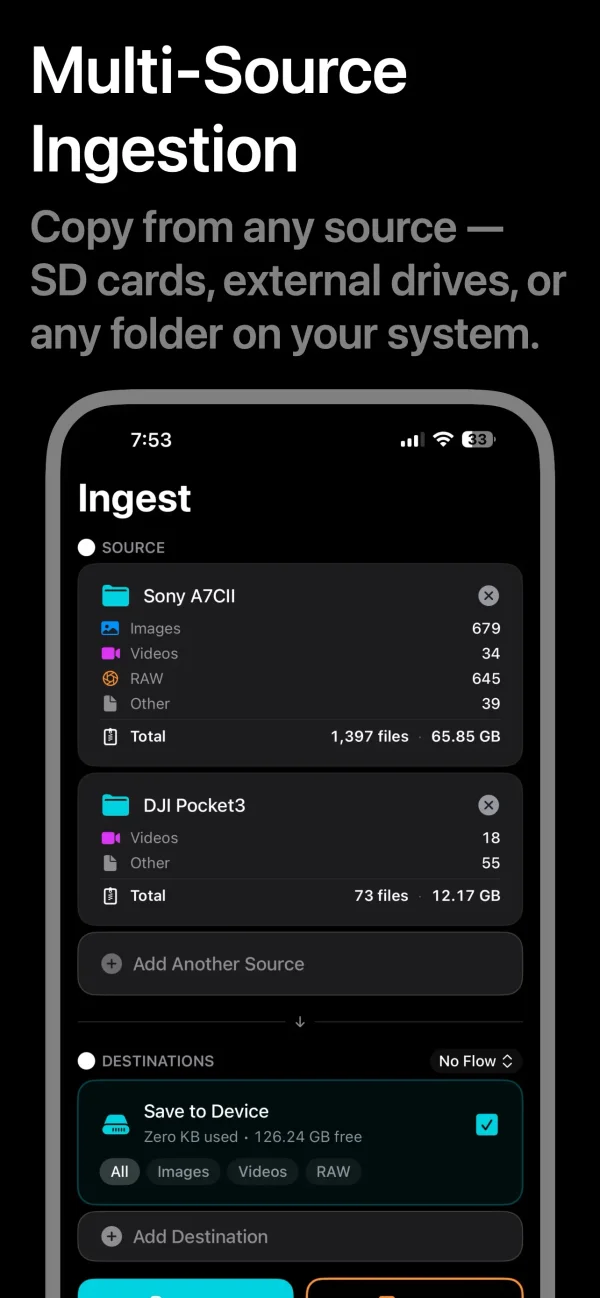
INGEST FROM ANYWHERE
Select one or multiple source folders, SD cards, or camera volumes. On Mac, removable drives are detected automatically. On iPad, connect external storage via USB-C and pick your source with the native file browser.
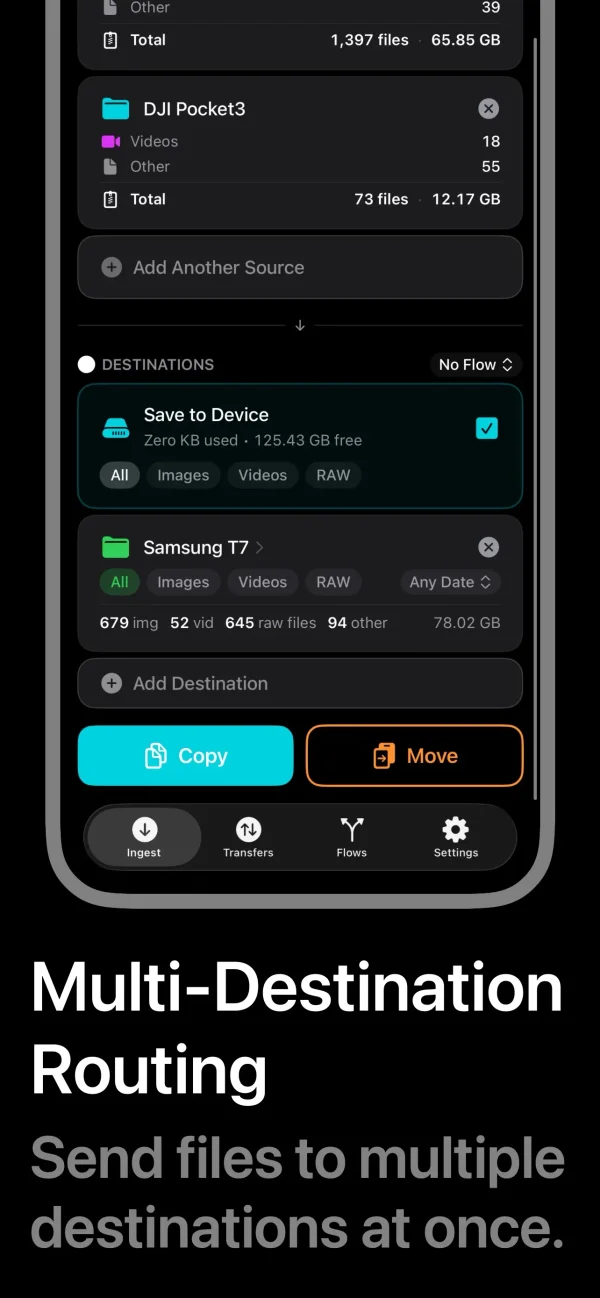
COPY TO MULTIPLE DESTINATIONS
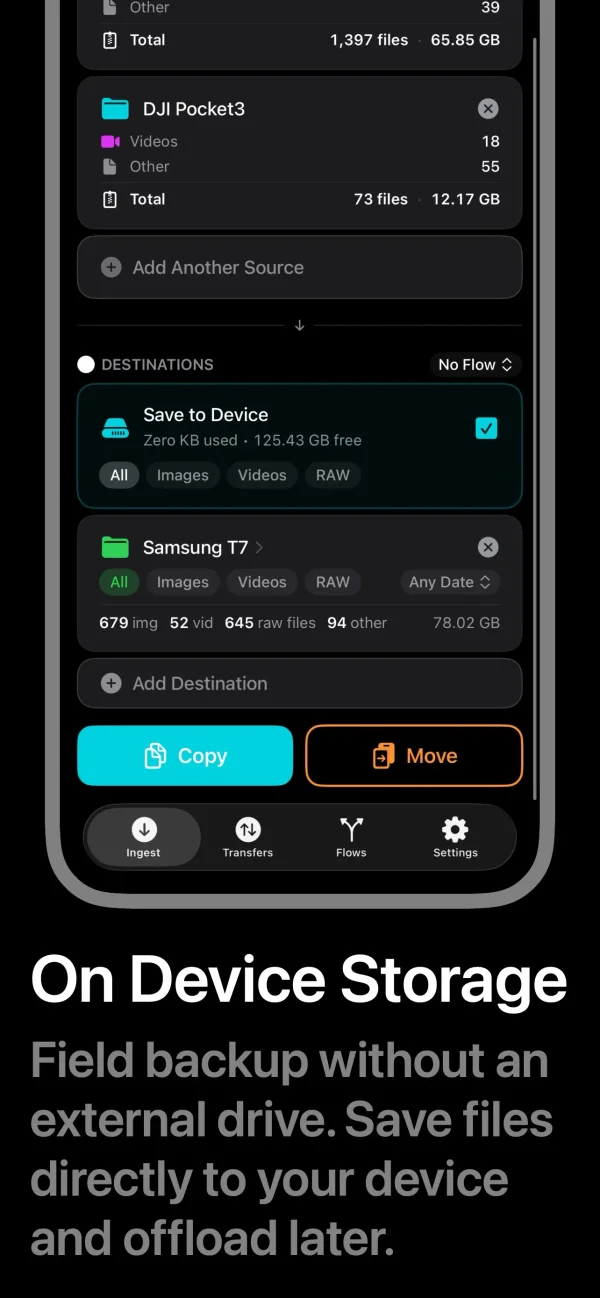
Send files to several locations in a single operation. Each destination can have its own file type filter (Images, Videos, RAW, or All) and date filter, so the right files go to the right place every time.
SAVE TO DEVICE
Use your iPhone or iPad as a portable backup hub. Copy files to on-device storage, then offload to an external drive later — perfect for shoots in the field when your main drive isn't available.
SMART FILE ORGANIZATION
Choose how your files are organized at the destination:
• Keep Original Structure — preserves your source folder layout
• Creation Date — auto-sorts into YYYY-MM-DD folders based on file dates
• Ingest Date — groups everything by today's date
FLEXIBLE FILE NAMING
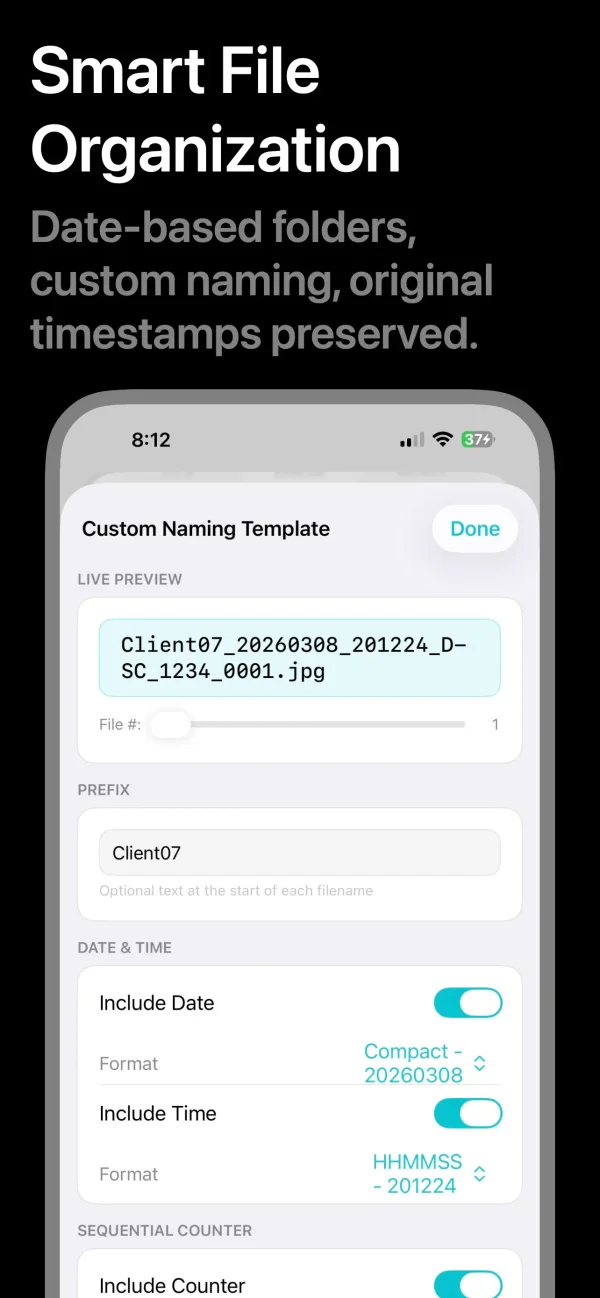
Rename files during transfer with six built-in naming conventions, or create your own custom template with date, time, sequential counter, prefix, and separator options.
DUPLICATE DETECTION
Files are compared by name and size. Re-run the same ingest anytime — ShutterFlow skips what's already there. Choose to skip, overwrite, or overwrite only if newer.
COPY OR MOVE
Two side-by-side buttons for every operation. Copy keeps your originals. Move deletes source files after a successful transfer — useful for clearing SD cards or offloading from device storage.
PAUSE, RESUME, CANCEL
Full control over active transfers. Pause mid-copy and resume right where you left off, or cancel safely at any point.
TRANSFER HISTORY
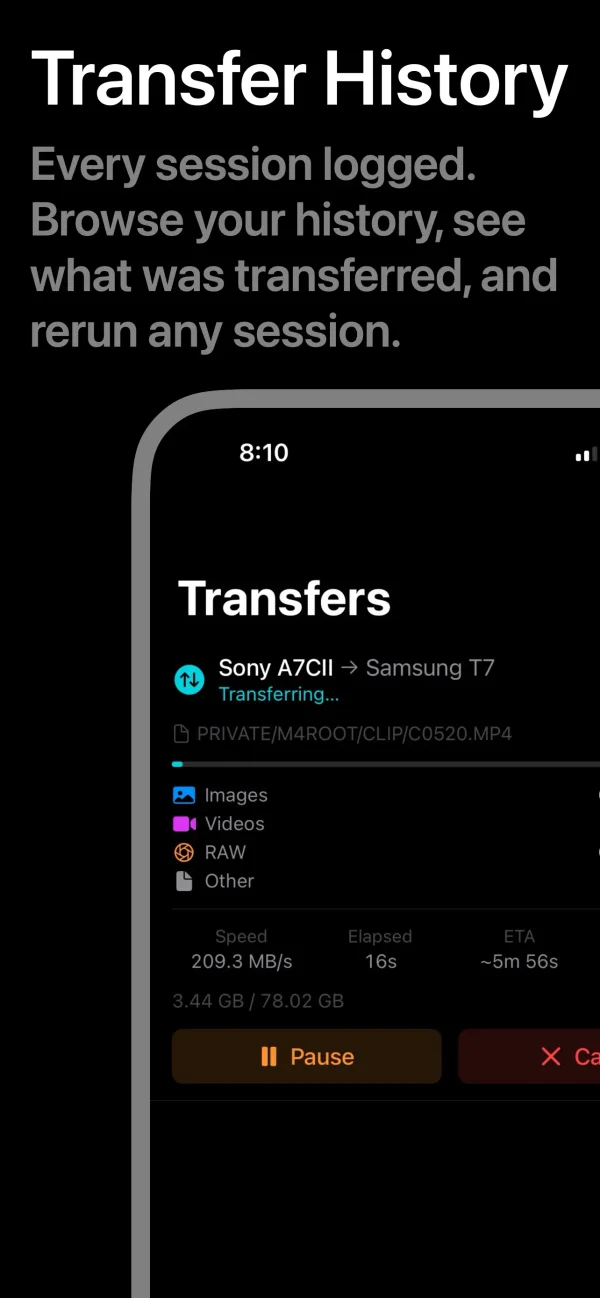
Every session is recorded with source, destination, file list, and timestamps. Rerun any past session with one tap.
SUPPORTED FILE TYPES
• Images: JPG, JPEG, PNG, HEIC, HEIF, TIFF, BMP, GIF, WebP
• Videos: MOV, MP4, M4V, AVI, MKV, MTS, M2TS, and more
• RAW: CR2, CR3, NEF, ARW, ORF, RW2, DNG, RAF, SRW, PEF
PRO FEATURES (yearly subscription):
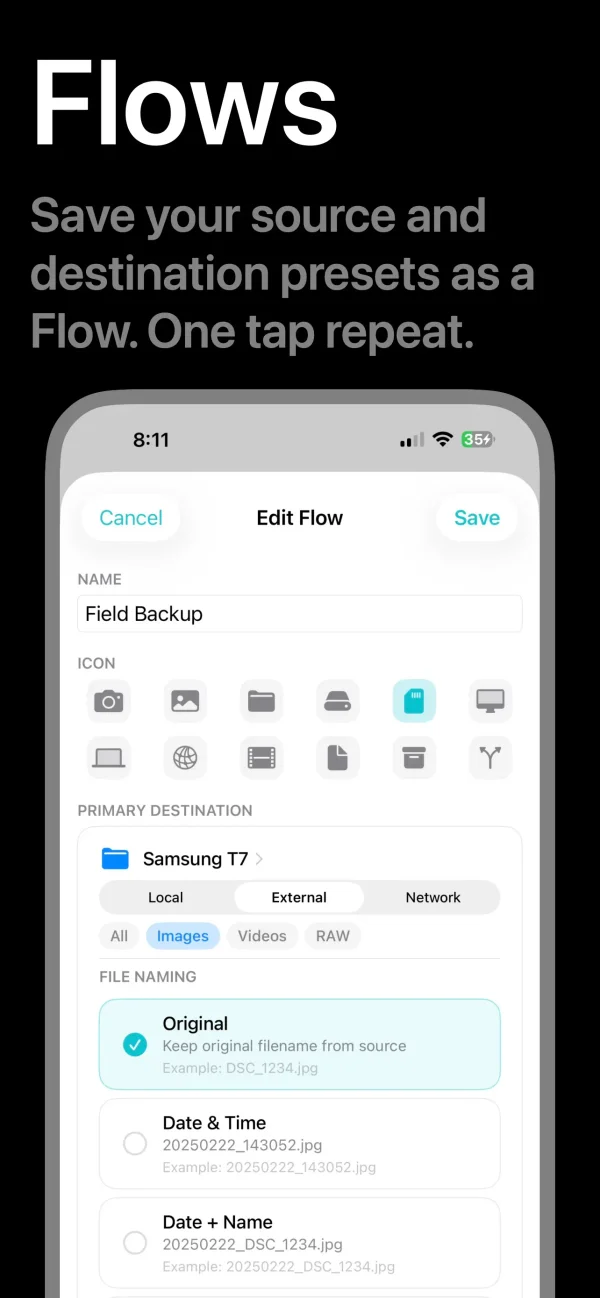
• Workflows — save multi-destination presets and run complex ingestions with one tap
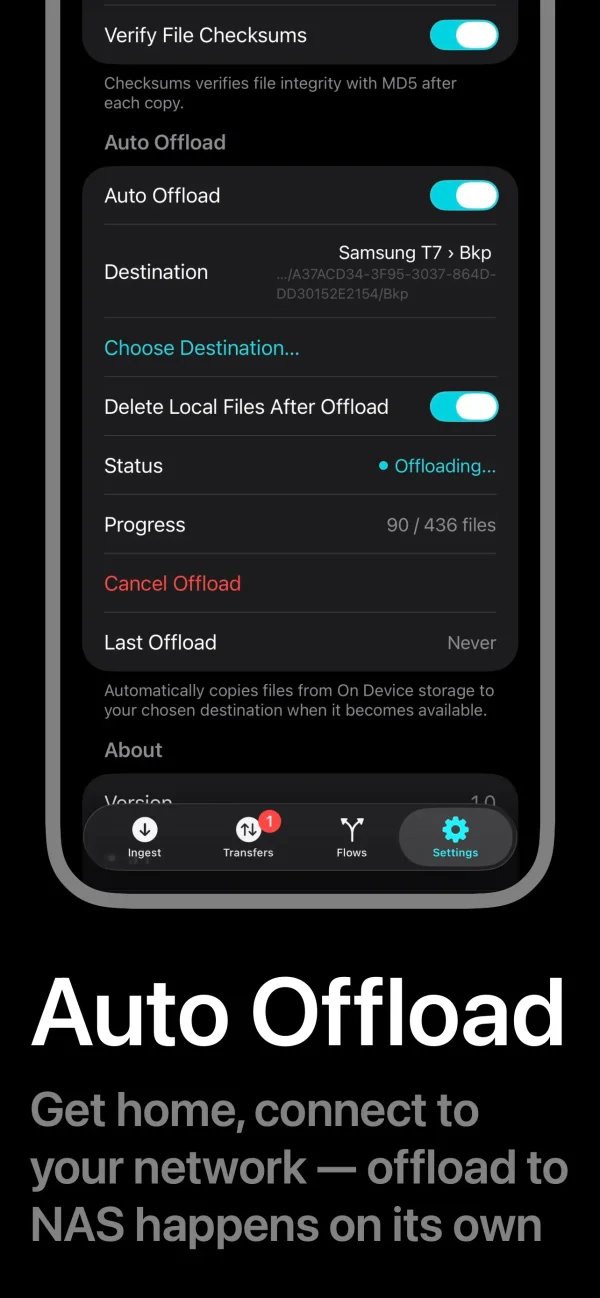
• Checksum Verification — MD5 hash comparison after every file copy to guarantee integrity
• Auto-Offload — automatically copies files from device storage to your external drive when it becomes available
• Custom Naming Templates — build your own file naming patterns with prefix, date, time, counter, and more
• Offline Queuing — queue destinations that are temporarily unavailable and sync later
ShutterFlow is a universal app for Mac, iPad, and iPhone. No account required. No cloud. Your files stay yours.
Terms of Use (EULA): https://www.pixelhauz.net/shutterflow/terms/
Privacy Policy: https://www.pixelhauz.net/shutterflow/privacy/
アプリのプライバシー
このアプリのデータの取り扱いについて、Divya Kunthuru ReddyがApp Storeで申告している内容です。
-
データの収集なし
開発元はこのアプリからデータを収集しません。
プライバシーの取り扱いは、ご利用の機能やお客様の年齢などに応じて異なる場合があります。
情報
- 販売元
- Divya Kunthuru Reddy
- カテゴリ
- 写真/ビデオ
- バージョン
- 1.0
- 更新日
- 2026/3/24
- リリース
- 2026/4/15
- サイズ
- 7.6 MB
- 必要条件
- iOS 18.0以降
- 対象年齢
- 4+
- 価格
- 無料
- アプリ内課金
- あり
- 言語
- 英語
- 著作権
- © 2025 Pixelhauz