SnapClip: PDF Document Scanner
OCR any photo, 100% private
Designed for iPhone, iPad
Free · In-app purchases
- Age rating4+
- CategoryProductivity
- Developer博宇 徐
- LanguagesEnglish+ 1 more
- Size9.9 MB
Links to the official App Store page
Download.org hosts no file of SnapClip: PDF Document Scanner. The button opens its official App Store page, published by 博宇 徐. Listing last checked on Nov 20, 2026.
Screenshots


About
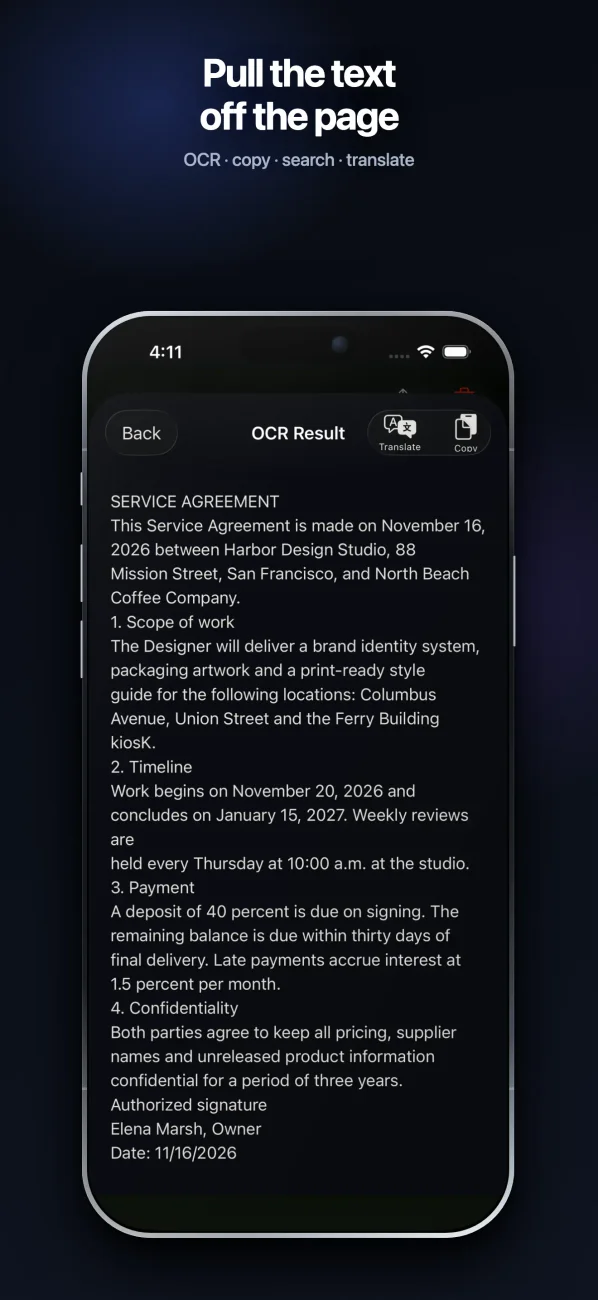
SnapClip is a local-first document scanner for iPhone. Scan a receipt, a contract, a passport or a whiteboard note, fix the perspective, pull the text out with OCR and export a clean PDF — everything runs on your device.
CORE
• Instant capture — open the app and the viewfinder is already there
• Auto perspective correction — drag four corners, or let it find the document
• Enhance — auto, black & white, or both
• OCR text — recognize, copy and translate in one tap
• Full-text search — find any word across all your scans
• Crop presets — A4, 16:9, card, square, grid
PREMIUM
• ID templates — ID card, driver license, passport, business card, Social Security card
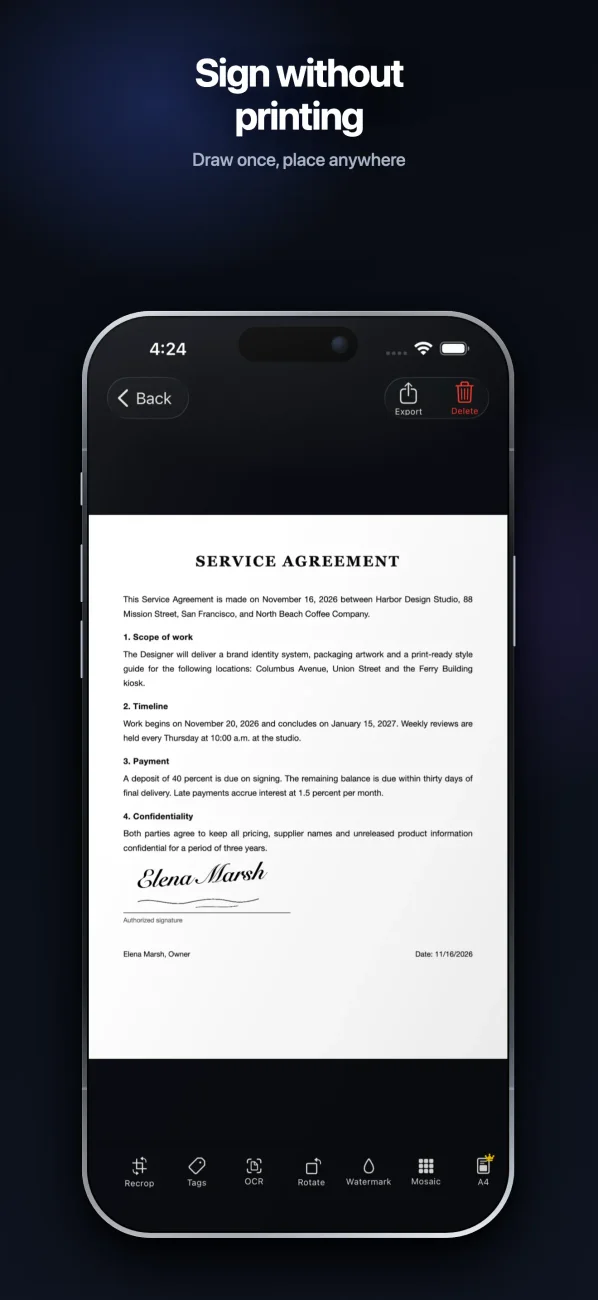
• Signature — draw once, drop it anywhere on a page
• Watermark — date, custom text, image or tiled privacy watermark
• Redact — pixelate sensitive areas before sharing
• Compress — shrink PDFs without losing legibility
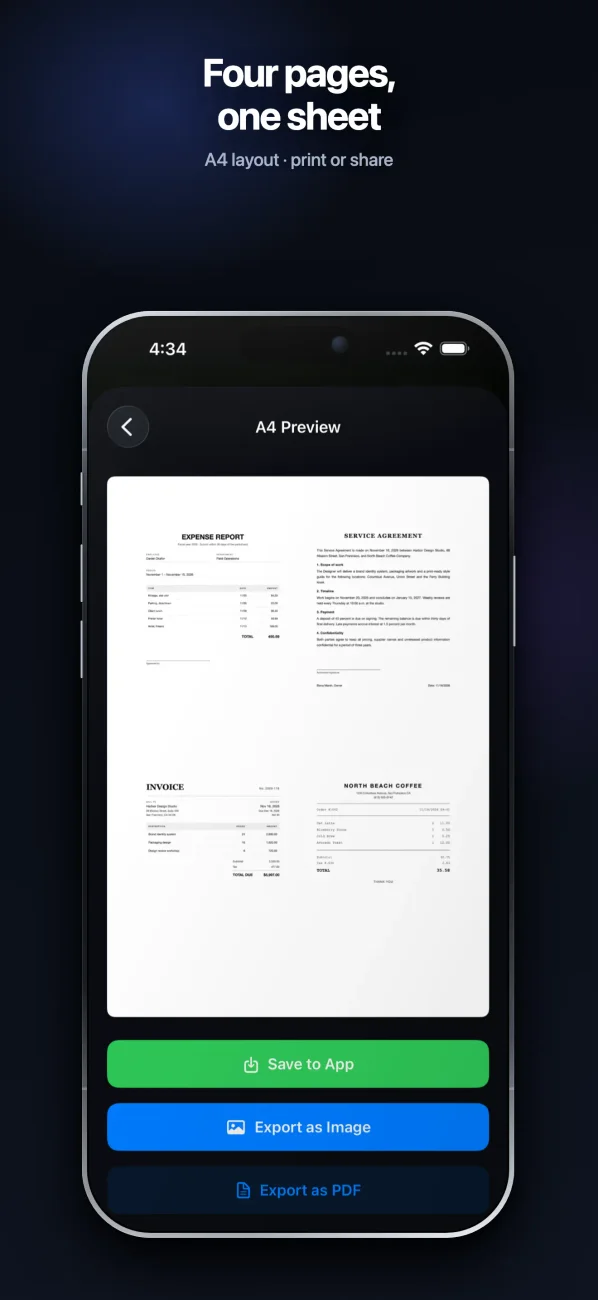
• A4 layout — 1, 2, 3 or 4 pages per sheet
PRIVACY
• Your documents never leave your device — scans and OCR text stay local
• Works offline — capture, correction, recognition and export all run on-device
• Anonymous usage stats only, and you can turn them off in Settings
• No account, no ads, no tracking
FREE & PREMIUM
• 5 free scans per day, photo import always free
• Yearly subscription or one-time lifetime purchase
• Cancel anytime · Terms: apple.com/legal/internet-services/itunes/dev/stdeula
What’s new
Version 1.0.13 · Nov 17, 2026
1. Fixed date headers and document timestamps so they follow the app language.
2. Button labels no longer get cut off in the English interface.
3. Various small refinements.
App privacy
What 博宇 徐 declares on the App Store about how this app handles data.
-
Data not linked to you
May be collected but is not linked to your identity.
- Identifiers
- Usage data
Privacy practices may vary, for example with the features you use or your age.
Information
- Seller
- 博宇 徐
- Category
- Productivity
- Version
- 1.0.13
- Updated
- Nov 17, 2026
- Released
- May 27, 2026
- Size
- 9.9 MB
- Requires
- iOS 17.4 or later
- Age rating
- 4+
- Price
- Free
- In-app purchases
- Yes
- Languages
- English, Simplified Chinese
- Copyright
- © 2026 boyuxu
You might also like
-
 Pagelo Scan: PDF Scanner & OCRScan docs, edit PDFs, OCR
-
 DocuLens – Smart PDF ScannerScan documents & OCR text
-
 SoloRankLog your real life
-
 Just Pomodoro - Stay FocusedFocus with pixel-art friends
-
 Tablo: Scan PDF & Photo to XLSTable OCR to Spreadsheet
-
 ID2PDF - ID & Doc ScannerFront & back on one page, 1:1
-
 SubSumProductivity
-
 SnapScan: PDF Scanner & OCREdit, Sign & Share Documents
-
 FlashScan - Simple doc scannerSignature · PDF · OCR
-
 证件夹|全家证件管家Productivity