
- Age rating4+
- CategoryProductivity
- LanguagesEnglish+ 1 more
- Size1.1 MB
Links to the official App Store page
Download.org hosts no file of 截记 SnapMark. The button opens its official App Store page, published by . Listing last checked on Nov 12, 2026.
Screenshots

About
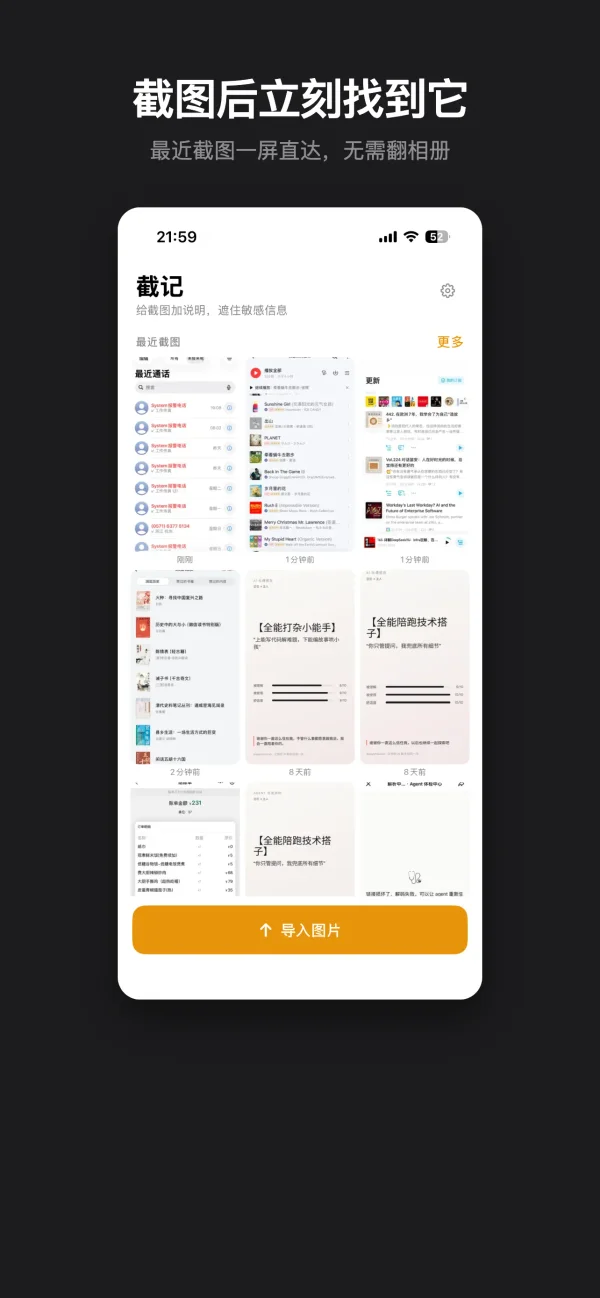
SnapMark is a clean, focused screenshot annotation tool.
Got a screenshot to share, but it contains something others shouldn't see? SnapMark lets you quickly add a mosaic over sensitive areas, stamp a
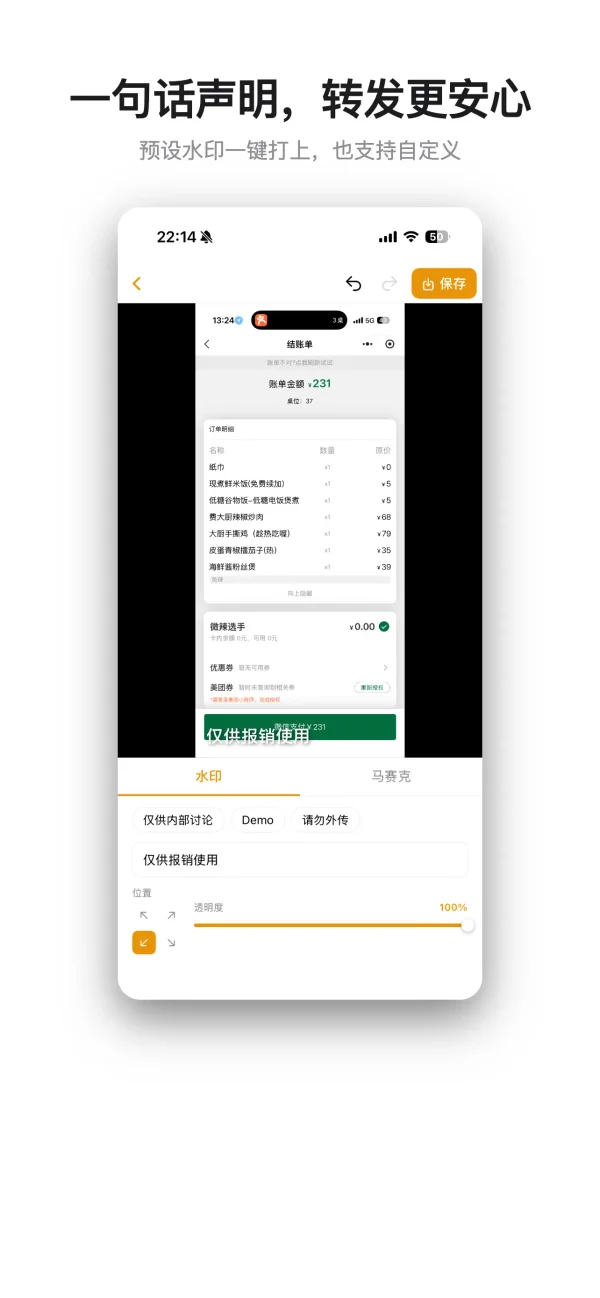
"Confidential" watermark, then save or share — all in a few taps.
KEY FEATURES
• Watermark: Built-in presets or fully custom text. Drag to position anywhere, or snap to a corner. Adjust opacity to taste.
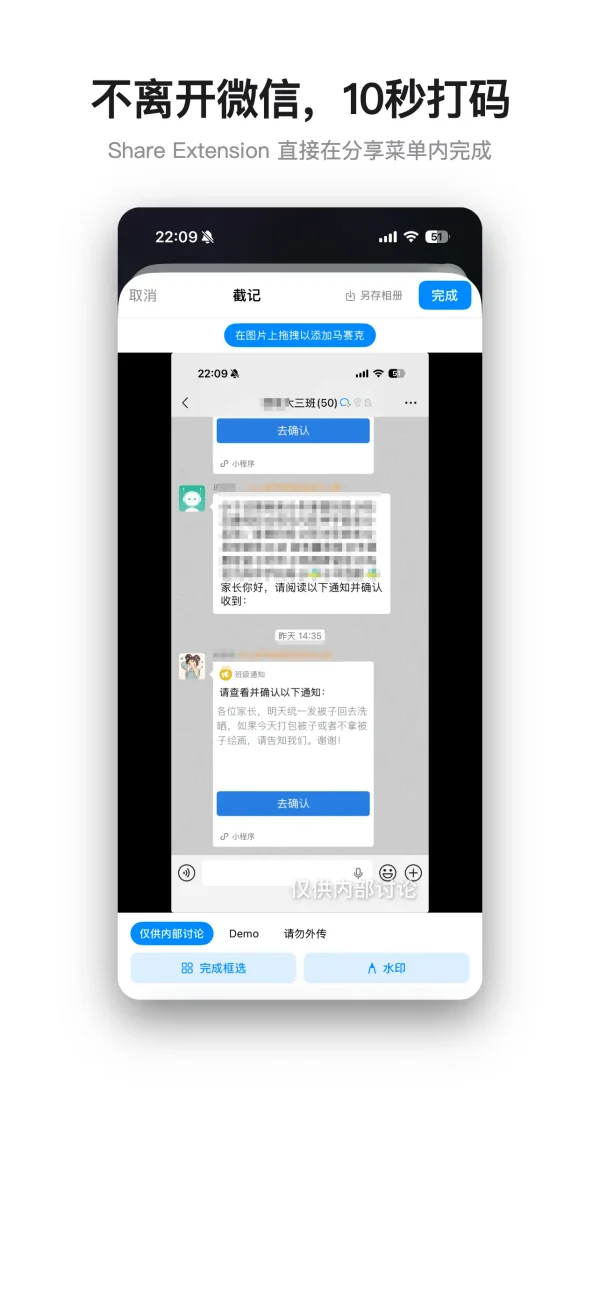
• Mosaic: Draw over any area to blur sensitive content.
• Batch: Long-press to select up to 9 screenshots and apply a watermark to all at once.
• Share Extension: Trigger SnapMark directly from the share sheet in any app — no switching required.
PRIVACY FIRST
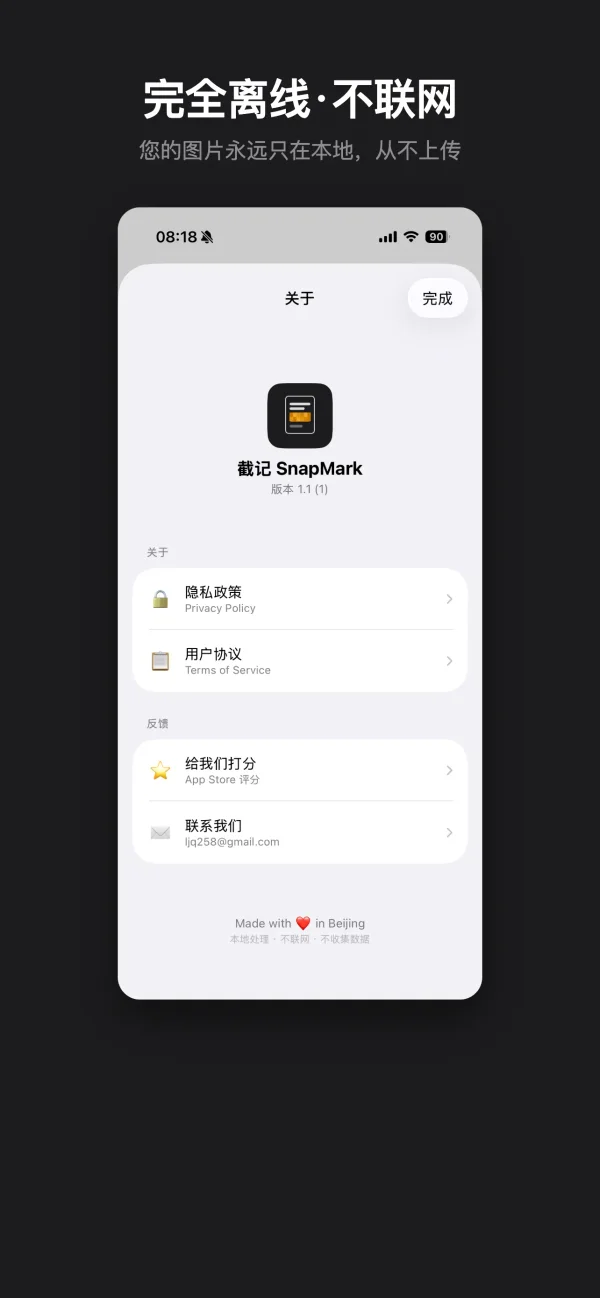
SnapMark runs completely offline. No network access, no data collection. Your images never leave your device.
What’s new
Version 1.3 · May 7, 2026
• Drag watermark to any position — corner shortcuts still available for quick placement
• Watermark presets: save your favorite configs and apply them in one tap
• Share button: send edited screenshots directly to WeChat, Notes, and more
• Batch processing: long-press to select up to 9 screenshots and watermark them all at once
• "All Screenshots" list with infinite scroll from the home screen
App privacy
What declares on the App Store about how this app handles data.
-
Data not collected
The developer does not collect any data from this app.
Privacy practices may vary, for example with the features you use or your age.
Information
- Seller
- 健全 刘
- Category
- Productivity
- Version
- 1.3
- Updated
- May 7, 2026
- Released
- Apr 30, 2026
- Size
- 1.1 MB
- Requires
- iOS 16.0 or later
- Age rating
- 4+
- Price
- Free
- Languages
- English, Simplified Chinese
- Copyright
- © 2026 WhiteWorld
You might also like
-
 ScreenFolio: Screenshot OCRSearch, Manage, Reminders
-
 ScreenNote - AI Auto NotesSearch screenshots with OCR
-
 BlitzCheckFast & Simple To-Do Checklist
-
 Achiever Life: Goals & HabitsGamifiy your to do list
-
 Prompt Hub: AI Prompt ManagerProductivity
-
 HostLog: Damage RecordsRental Evidence & Deadlines
-
 理旦Productivity
-
 Clipboard: Copy Paste KeyboardAuto save your clipboard
-
 PDF Extractor: Image & OCROffline OCR, Tables, Markdown
-
 Agendo Week CalendarYour weekly planner, your way