Thumb: Stream Deck for PC
Trackpad & remote for your PC
Designed for iPhone, iPad
Free · In-app purchases
- Age rating4+
- CategoryUtilities
- DeveloperSonny Fournier
- LanguagesEnglish+ 1 more
- Size9.5 MB
Links to the official App Store page
Download.org hosts no file of Thumb: Stream Deck for PC. The button opens its official App Store page, published by Sonny Fournier. Listing last checked on Nov 12, 2026.
Screenshots


About
Your PC, under your thumb.
Thumb turns your iPhone into the remote of your Windows PC: a stream deck, a trackpad and keyboard, the volume of each app, file transfer, screen capture, a signature pad and a live system monitor. Everything goes over your Wi-Fi, with no account.
STREAM DECK
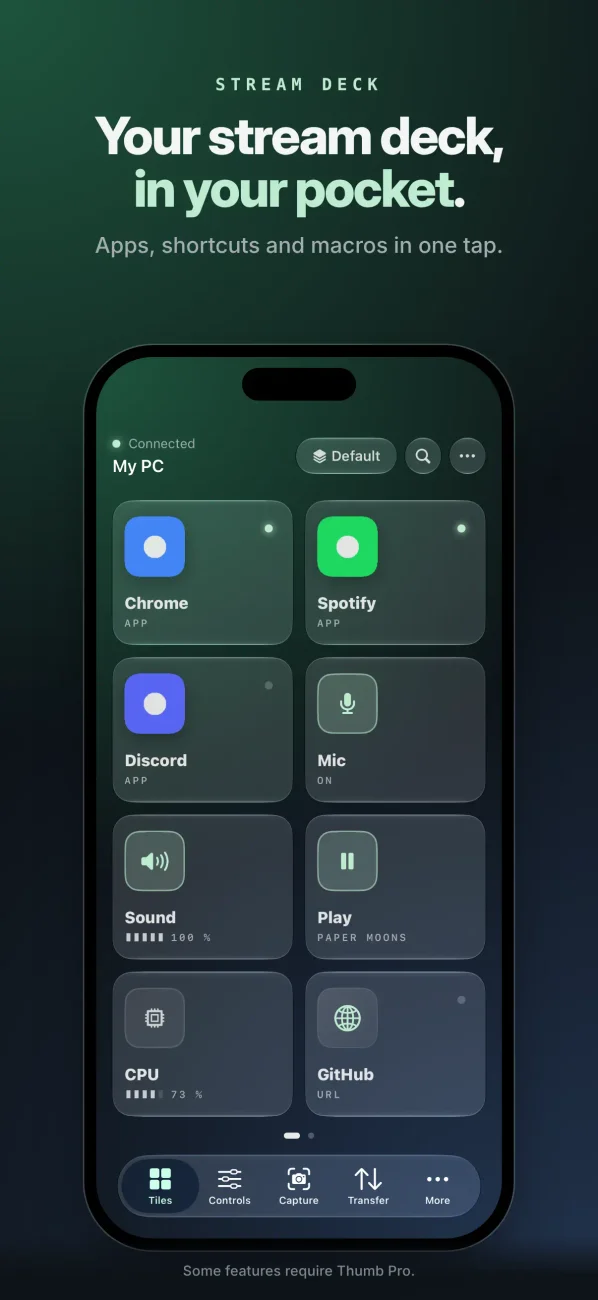
Launch apps, open websites, press shortcuts, run commands and macros in one tap. Live tiles show what's on: mic muted, music playing, CPU load. Arrange your tiles from the iPhone or from the PC.
TRACKPAD AND KEYBOARD
Move the pointer, click, scroll with two fingers, pinch to zoom, and swipe with three or four fingers for your own gestures. Type on the PC with the iPhone's keyboard.
CONTROLS
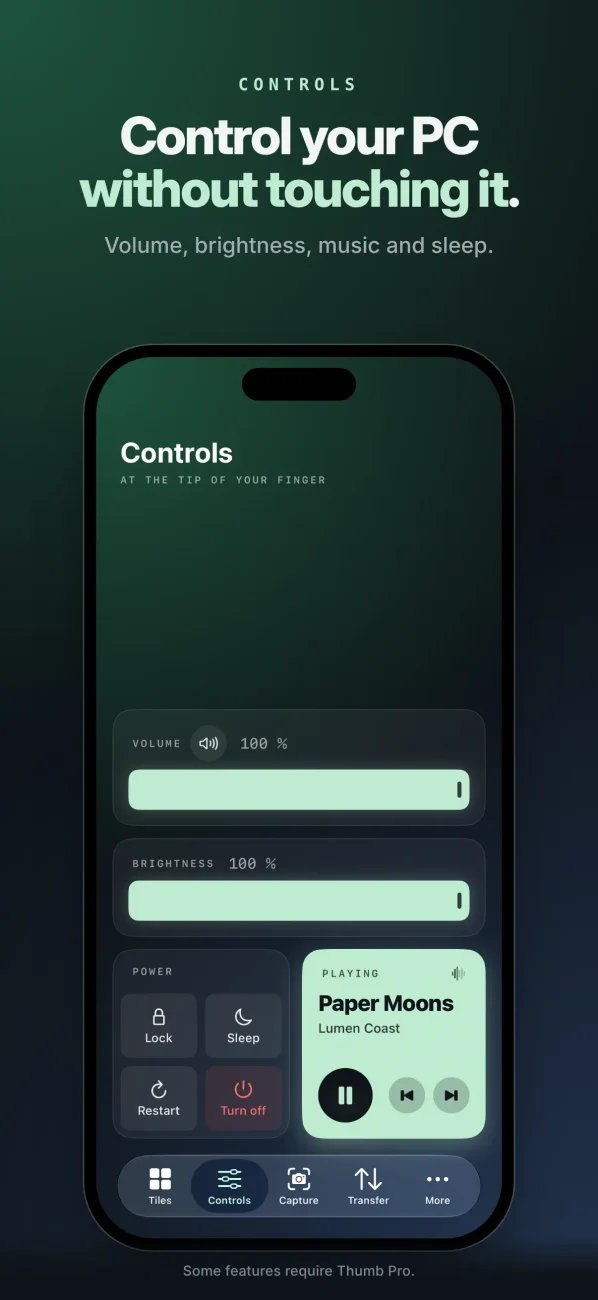
Volume, screen brightness, the music playing, lock, sleep, restart and turn off.
AUDIO
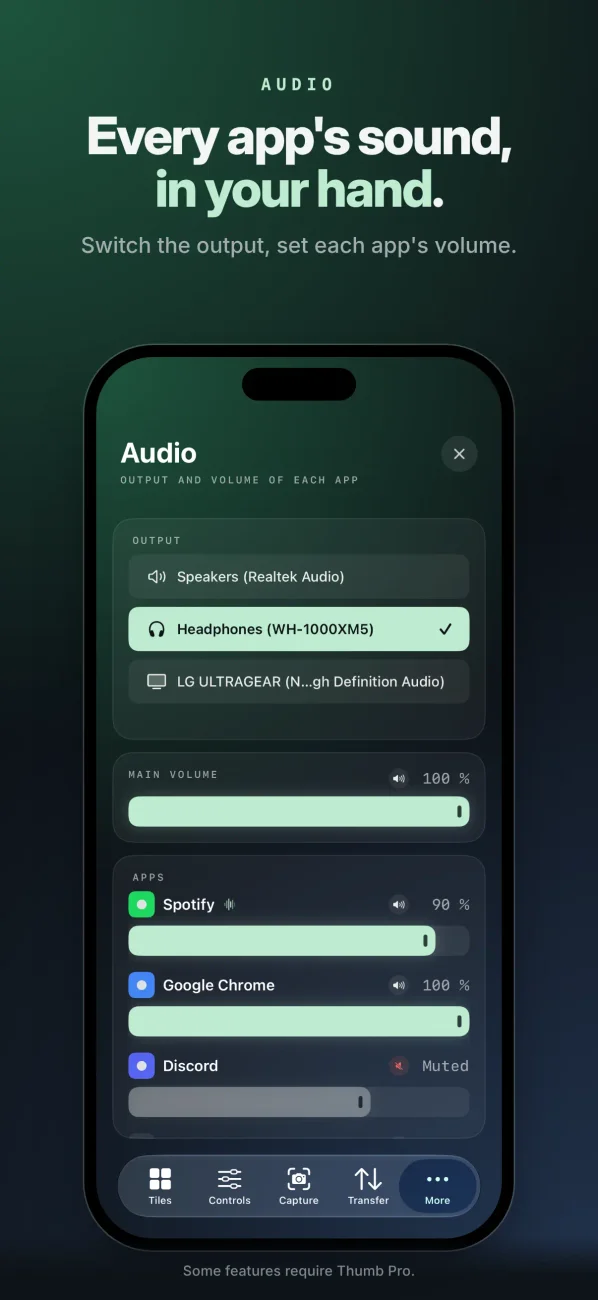
Switch the PC's output between speakers and headphones, and set the volume of each app.
TRANSFER
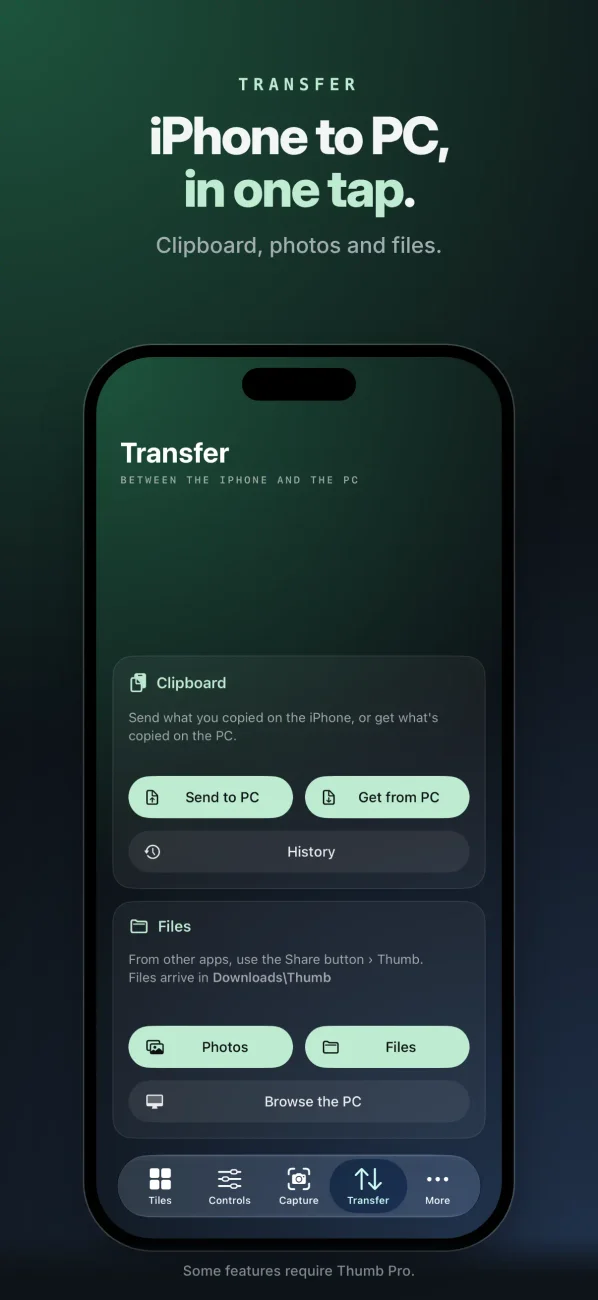
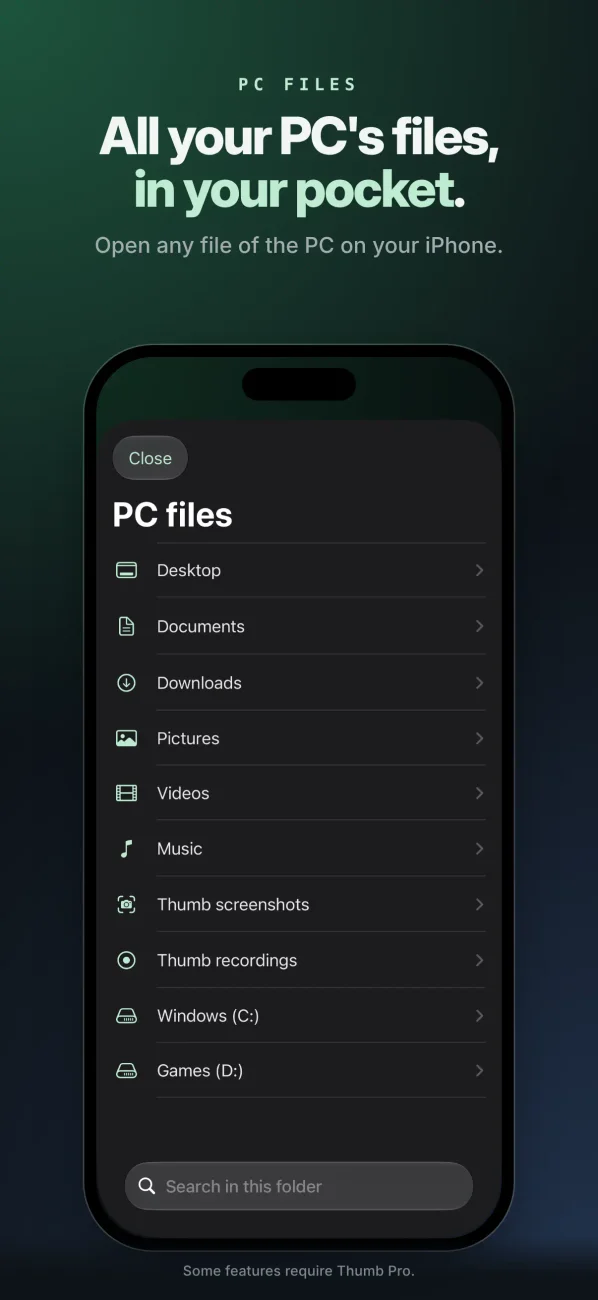
Send what you copied on the iPhone to the PC, get what's copied on the PC, send photos and files, and bring back any file of the PC.
CAPTURE
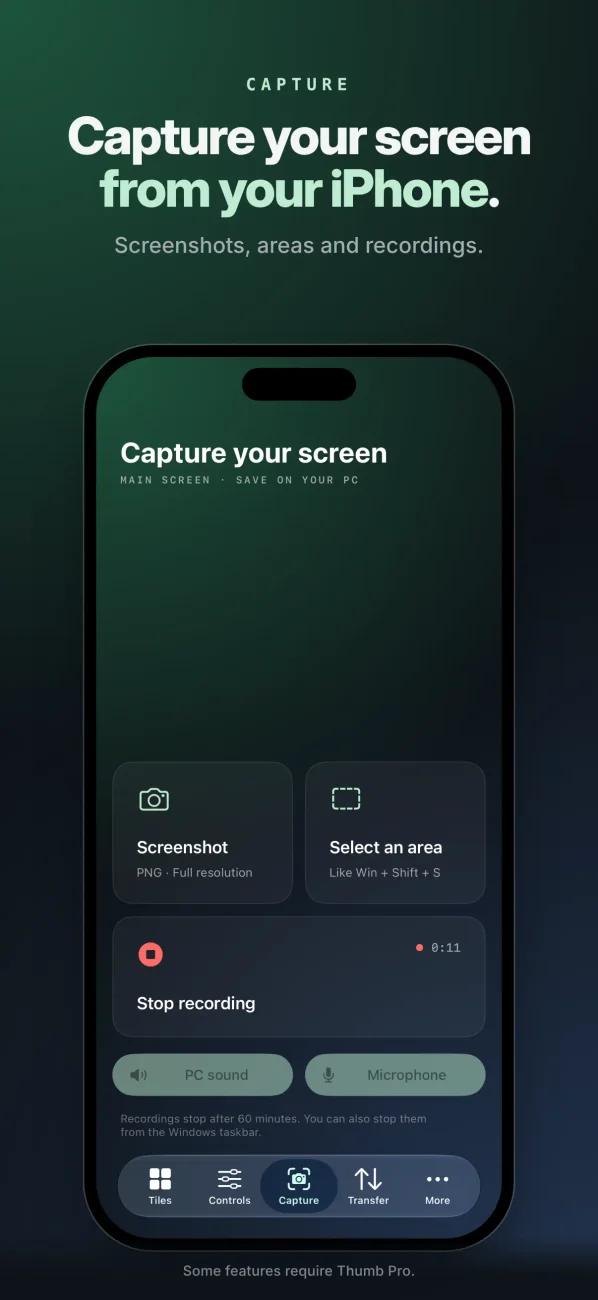
Take screenshots, pick an area, or record the screen with the PC's sound and your mic.
AND MORE
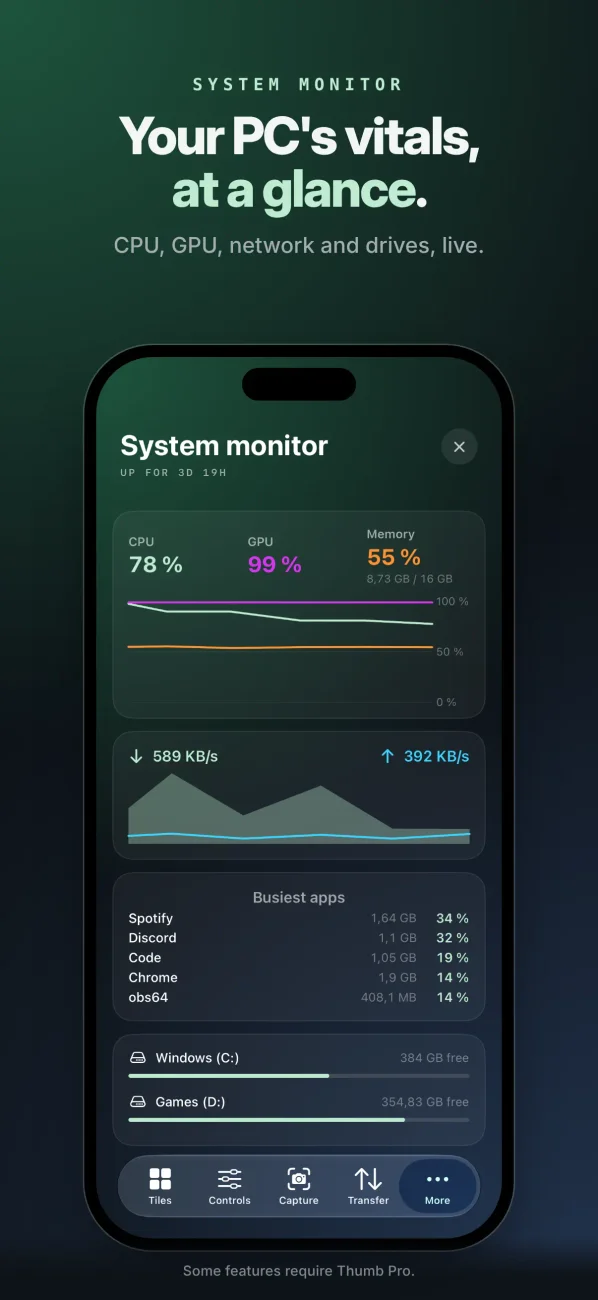
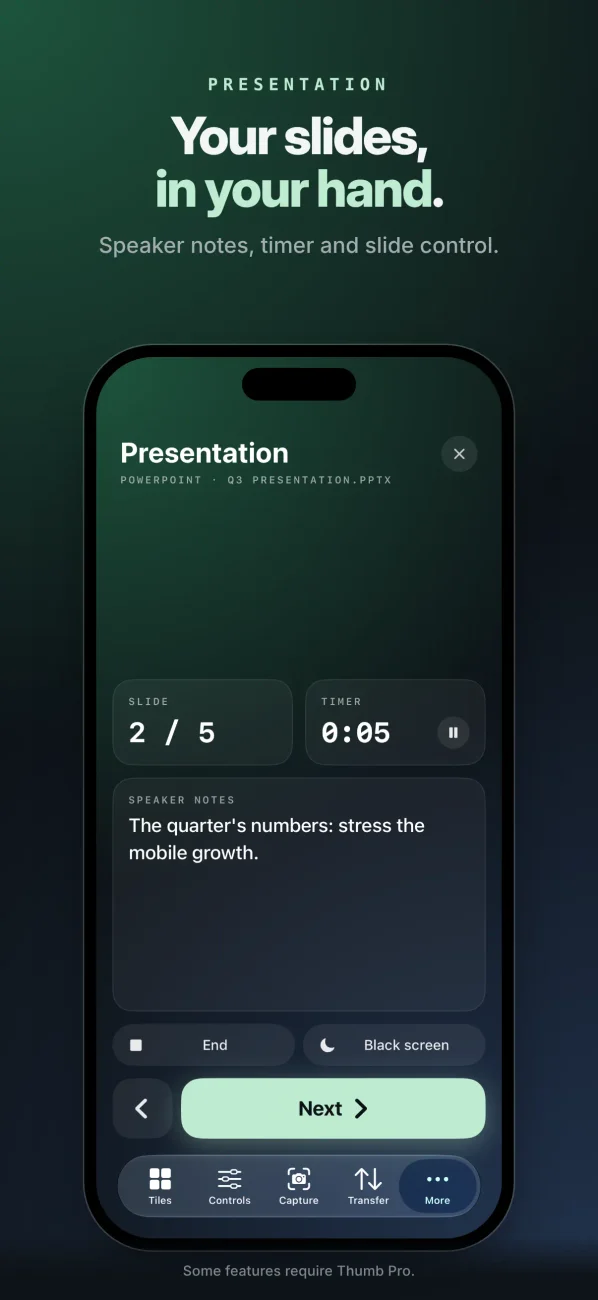
Run your slides with your speaker notes and a timer, sign documents with your finger, see your open windows, watch CPU, GPU, memory and drives live, and turn the PC on from the iPhone (Wake-on-LAN). Widgets, Control Center and Shortcuts are supported.
HOW IT WORKS
Install the free Thumb app for Windows 10 or 11 from sonnyfournier.com/thumb, then pair the iPhone with the code it shows. Want to look around first? Tap "Try without a PC" for a demo.
THUMB PRO
Thumb is free. Thumb Pro unlocks an unlimited stream deck (more screens, folders, macros, sounds and live tiles), profiles for the app in front, presentation mode, audio and windows control, screen recording, clipboard history, PC files and the system monitor, and the signature pad. Monthly, yearly (with a 7-day free trial) or once for life.
Terms of use: https://www.apple.com/legal/internet-services/itunes/dev/stdeula/
Privacy: https://sonnyfournier.com/thumb/privacy.html
App privacy
What Sonny Fournier declares on the App Store about how this app handles data.
-
Data not collected
The developer does not collect any data from this app.
Privacy practices may vary, for example with the features you use or your age.
Information
- Seller
- Sonny Fournier
- Category
- Utilities
- Version
- 1.0
- Updated
- Nov 9, 2026
- Released
- Nov 9, 2026
- Size
- 9.5 MB
- Requires
- iOS 26.0 or later
- Age rating
- 4+
- Price
- Free
- In-app purchases
- Yes
- Languages
- English, French
- Copyright
- © 2026 Sonny Fournier
You might also like
-
 Remotiq PC RemoteRemote control for computers
-
 K.O. II Calc.Teenage Engineering’s Design
-
 Currency Convertor CalculatorCurrency Convertor Calculator
-
 NumberBook: Who Is Calling?Phone Book & Lookup
-
 Blox Fruits: Values & TradesStock Alerts Trade Calculator
-
 UniConvert: All Converter AppDocument Scan OCR & Converter
-
 Sector Alarm VideoSmart home video detection
-
 ZenBrowser | Simple browsingBrowsing, made simple, private
-
 reWASD MobileСompanion app to manage reWASD
-
 Shelf - Create Live ActivitiesCustomize your Lock Screen