
Transcriptionist
Fast, private, speech to text
Designed for iPhone, iPad, Mac
Free · In-app purchases
- Age rating4+
- CategoryProductivity
- DeveloperWooji Juice Ltd
- LanguagesEnglish
- Size108.3 MB
Links to the official App Store page
Download.org hosts no file of Transcriptionist. The button opens its official App Store page, published by Wooji Juice Ltd. Listing last checked on Nov 17, 2026.
Screenshots



About
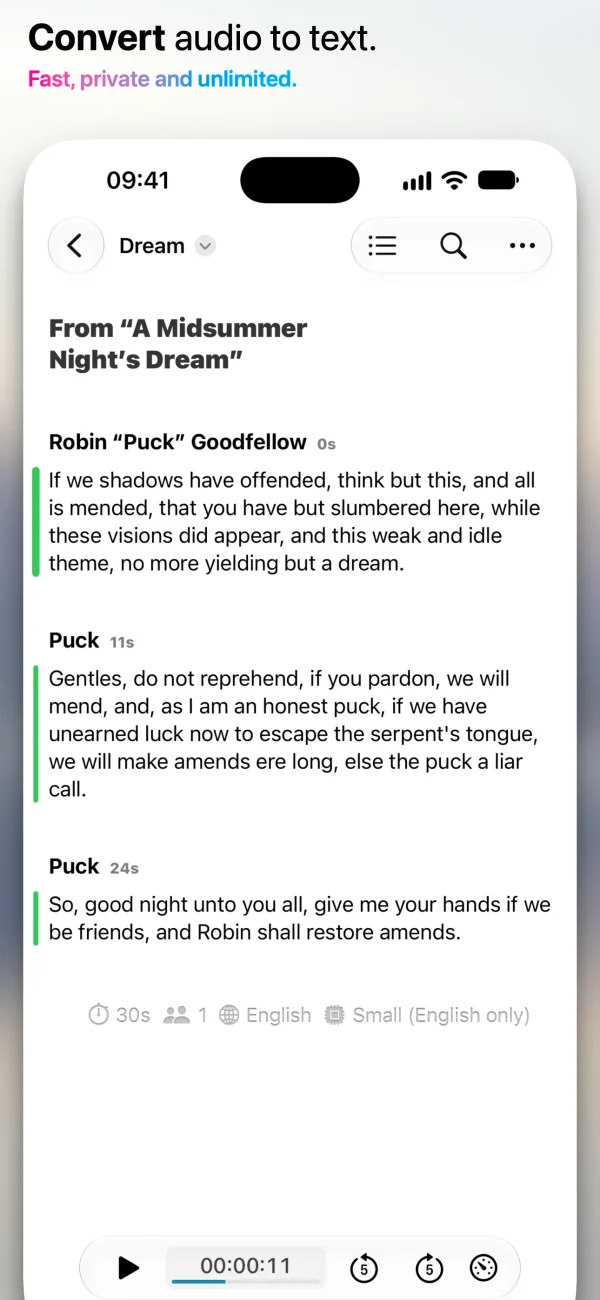
Transcriptionist quickly and privately converts speech from audio recordings — and video soundtracks — into text. Writing up notes for a meeting? Creating transcripts or subtitles for a podcast? Looking for just the right clip to cut out of a long recording? Or quotes for a news article? Need to remember what happened on game night? Or just want to remind yourself of what was said, without listening to the entire recording? Transcriptionist can help — in nearly 100 languages.
Import the audio into the app, tap the transcribe button, and it will start to fill in the text that was spoken. Each piece is shown with a timestamp, and you can jump straight to the matching point in the recording to listen back to the original audio — at up to 2x speed.
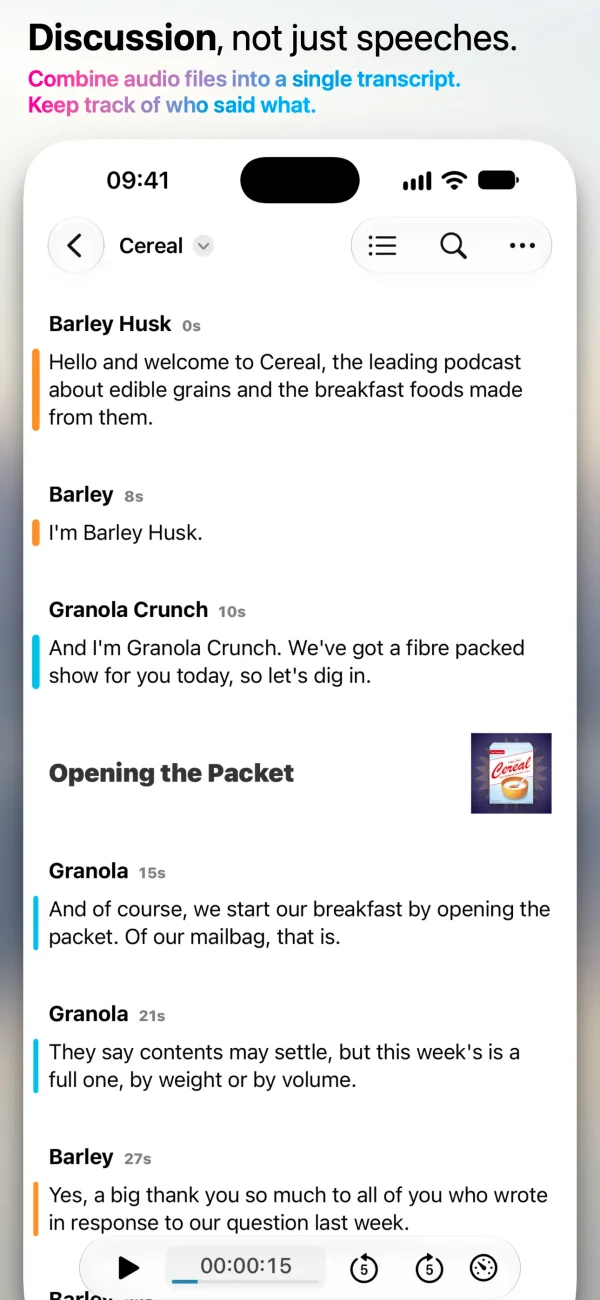
If each speaker was recorded with their own microphone, Transcriptionist will track who said what, when — and you can solo individual voices to pick out what someone said, even if another person talked over them.
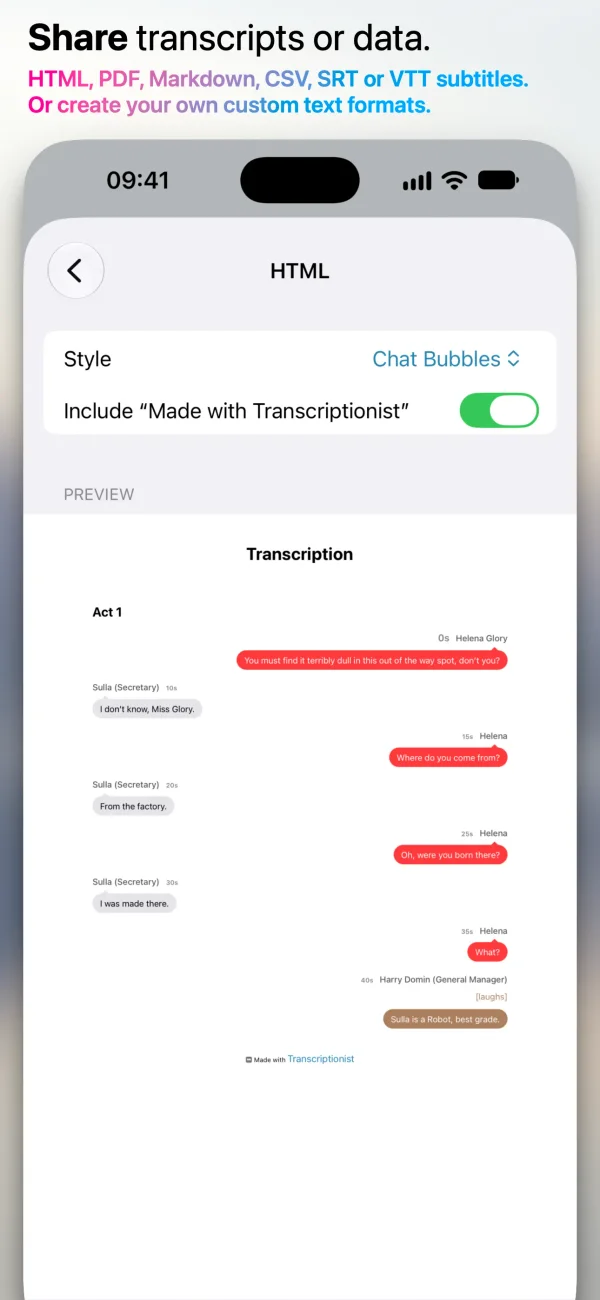
Copy and paste quotes into an article you're writing, or export the entire transcript in a range of formats, including PDF, HTML (web page), Markdown (blog post), SRT and VTT (subtitles), as well as formats suitable for importing into other apps — you can even create your own custom text-based formats with the built-in easy-to-use visual editor.
If you edit podcasts with our popular Ferrite Recording Studio, you can send your finished Ferrite projects direct to Transcriptionist — along with chapter markers — and each track will be kept separate so you can identify who's speaking.
You can also select paragraphs and export their audio in a choice of formats, suitable for editing in Ferrite or other apps — perfect for when you find the quote or highlight you needed.
Transcription takes place on your device, not on our servers, so no audio or text is sent to us, and subscribers can make as many transcripts as they like — we don't charge per-minute or per-transcript.
Terms of Service: https://www.apple.com/legal/internet-services/itunes/dev/stdeula/
Privacy Policy: https://www.wooji-juice.com/privacy
What’s new
Version 1.18 · Oct 26, 2026
• iPhone Duo support.
• Compatibility updates.
App privacy
What Wooji Juice Ltd declares on the App Store about how this app handles data.
-
Data not collected
The developer does not collect any data from this app.
Privacy practices may vary, for example with the features you use or your age.
Information
- Seller
- Wooji Juice Ltd
- Category
- Productivity
- Version
- 1.18
- Updated
- Oct 26, 2026
- Released
- Sep 18, 2023
- Size
- 108.3 MB
- Requires
- iOS 26.6 or later
- Age rating
- 4+
- Price
- Free
- In-app purchases
- Yes
- Languages
- English
- Copyright
- © Wooji Juice 2023-2026
You might also like
-
 Rocket TypistText Expander
-
 Speech To Text & WhisperTranscribe Audio To Text Fast
-
 Beam BrowserSidebar, Spaces & Command Bar
-
 Remind Me FasterQuick-entry for Reminders
-
 Keep It MobileNotebook & Document Organizer
-
 Offline privacy transcriptionTranscribe speech to text
-
 Futureland – Goal TrackerJournal & Track Anything
-
 Quick Notes - SupasendCapture quickly notes & tasks
-
 Quick Capture - Vault notesCapture notes in Obsidian
-
 Whisper Notes - Speech to TextOffline Transcription & Memos