
- Age rating17+
- CategoryUtilities
- DeveloperYUUSUKE HARASAWA
- LanguagesEnglish+ 6 more
- Size9.3 MB
Links to the official App Store page
Download.org hosts no file of Twinin. The button opens its official App Store page, published by YUUSUKE HARASAWA. Listing last checked on Nov 23, 2026.
Screenshots

About
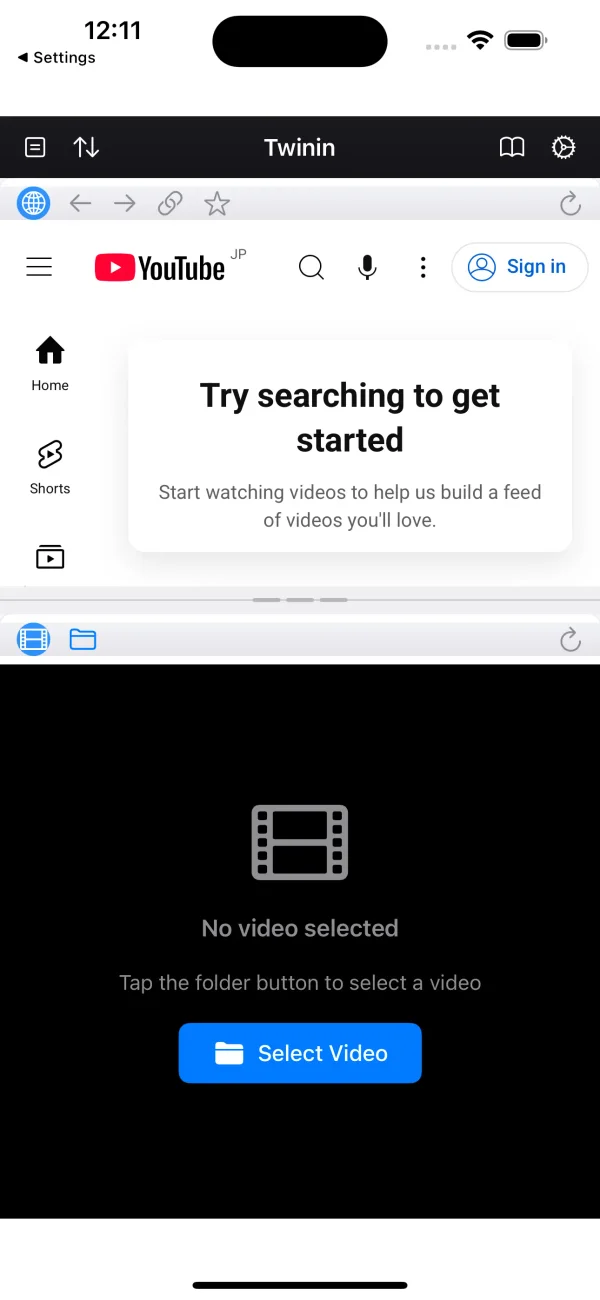
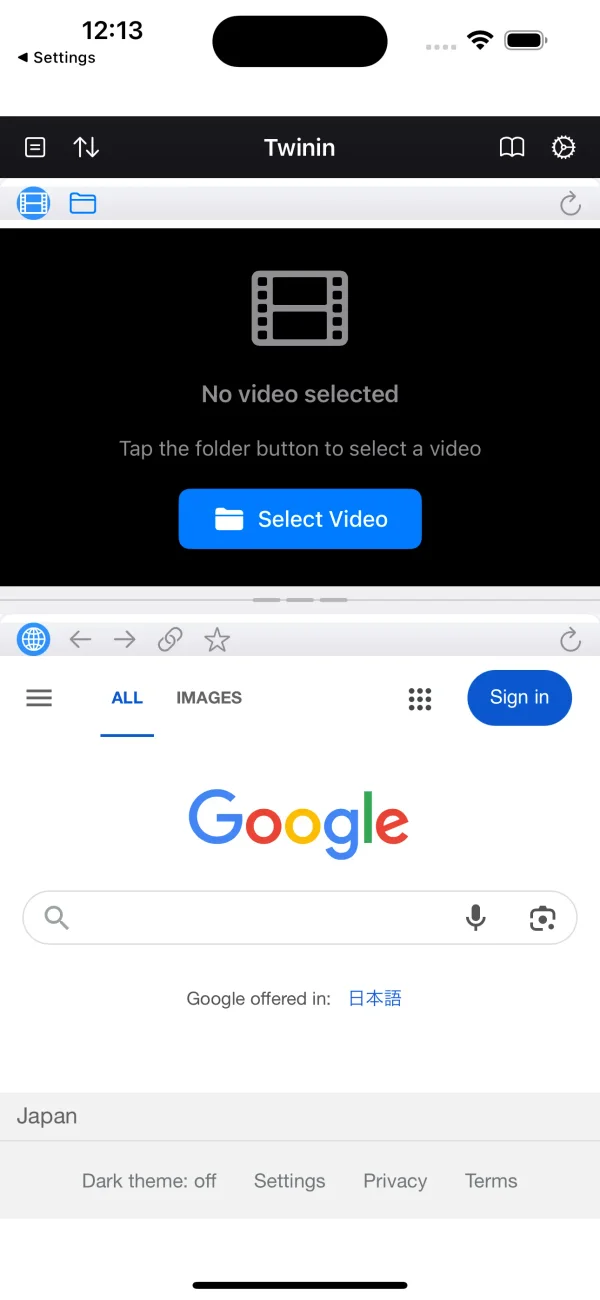
Twinin revolutionizes how you consume content on your device by allowing you to split your screen between video playback and web browsing. No more switching between apps - enjoy true multitasking!
KEY FEATURES:
◆ Dual Screen Display
Split your screen to display video and web content simultaneously. Perfect for watching tutorials while coding, enjoying videos while shopping, or keeping up with live streams while browsing social media.
◆ Flexible Split Ratio
Adjust the screen division ratio with a simple drag. Make one screen larger when you need to focus, or keep them equal for balanced viewing. Three quick presets: 50-50, mostly top, mostly bottom.
◆ Instant Screen Swap
Switch top and bottom content instantly with one tap. Your video moves up, web moves down - or vice versa. Seamless transition without interrupting playback.
◆ Smart Content Management
- Play videos from your photo library or files
- Full web browsing with bookmark support
- Browse history for quick access to previous sites
- Auto-play option for videos
◆ Optimized for All Orientations
Works perfectly in both portrait and landscape modes. The interface adapts intelligently to give you the best viewing experience regardless of how you hold your device.
◆ Multi-language Support
Available in English, Japanese, German, French, Spanish, Portuguese, and Chinese. Switch languages anytime in settings.
◆ Twinin Premium (one-time purchase)
Unlocks the advanced camera features (unlimited recording, 4K, freeze frame in the document camera, text recognition, scan history and self-timer) and removes the full-screen ad before video downloads.
PERFECT FOR:
- Students watching lectures while taking notes
- Developers following tutorials while coding
- Multitaskers who hate switching apps
- Anyone who wants to maximize their screen usage
Twinin is designed with simplicity and efficiency in mind. The intuitive interface means you'll be multitasking like a pro within seconds of downloading.
Download Twinin today and discover a whole new way to use your device!
What’s new
Version 3.3.0 · Nov 19, 2026
• Banner ads are gone, so you get more room on screen.
• The ad before video downloads is now a short video ad that you choose to watch. Watch it to the end and your download starts.
• With Twinin Premium (one-time purchase), you see no ads at all, and the advanced camera features work as before.
App privacy
What YUUSUKE HARASAWA declares on the App Store about how this app handles data.
-
Data used to track you
May be used to track you across apps and websites owned by other companies.
- Location
- Identifiers
- Usage data
-
Data linked to you
May be collected and linked to your identity.
- Location
- Identifiers
- Usage data
-
Data not linked to you
May be collected but is not linked to your identity.
- Diagnostics
Privacy practices may vary, for example with the features you use or your age.
Information
- Seller
- YUUSUKE HARASAWA
- Category
- Utilities
- Version
- 3.3.0
- Updated
- Nov 19, 2026
- Released
- Jun 3, 2025
- Size
- 9.3 MB
- Requires
- iOS 17 or later
- Age rating
- 17+
- Price
- Free
- In-app purchases
- Yes
- Languages
- English, French, German, Japanese, Portuguese, Simplified Chinese, Spanish
- Copyright
- © 2026 Makibishi apps
You might also like
-
 Split Screen Web BrowserTwo Websites at Once
-
 CC Browser: Private & SecureVideo Download & Ad Blocker
-
 BuyIt - Hidden Secret BrowserCloaked Tool as Shopping List
-
 SplitTabBrowserSplitScreen&Picture-in-Picture
-
 Private Browser: LoopiusSimple & Fast Web Browser
-
 multiyUtilities
-
 BrowsAI-Agent Web BrowserA mobile alternative to Manus
-
 iPrivateBrowserPrivate & Secure Tor Browser
-
 SWeb - Screenshot Web BrowserScreenshots keep your spot
-
 TreeNest: Private Web BrowserHide Photos & Videos