
- Age rating4+
- CategoryDeveloper Tools
- DeveloperTablePlus Inc
- LanguagesEnglish
- Size25.4 MB
Links to the official App Store page
Download.org hosts no file of VMPal Remote. The button opens its official App Store page, published by TablePlus Inc. Listing last checked on Nov 23, 2026.
Screenshots


About
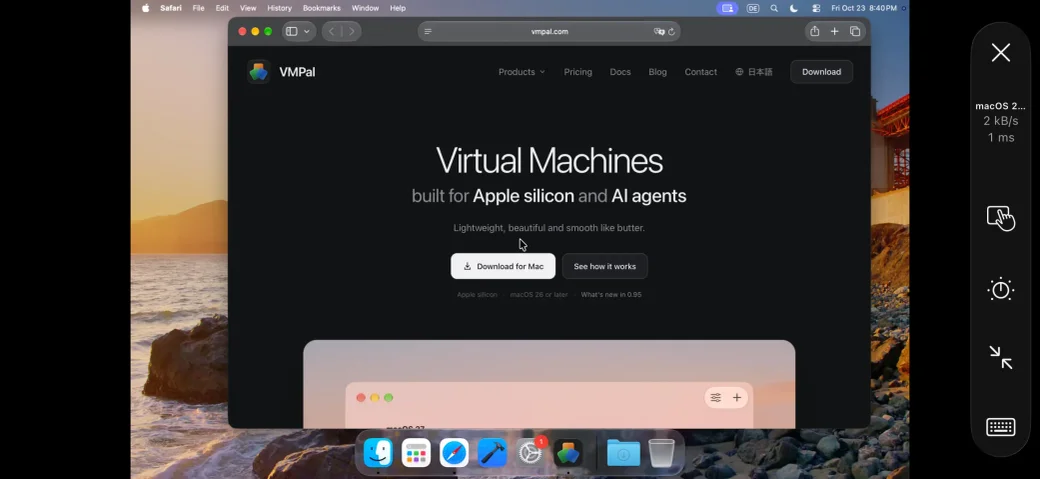
VMPal Remote shows your Mac’s screen on your iPhone or iPad, and lets you use its mouse and keyboard as if you sat at it.
The connection goes straight to your Mac over SSH, encrypted end to end. There’s no account and no server in between, and your Mac decides what you may do there.
WHAT YOU NEED
• A Mac with Apple silicon and VMPal 0.94 or later, from vmpal.com. Turn on the switch at the top of VMPal › Settings › Remote Control there.
• Remote Login on that Mac, in System Settings › General › Sharing. VMPal Remote connects over it.
ADD YOUR MAC
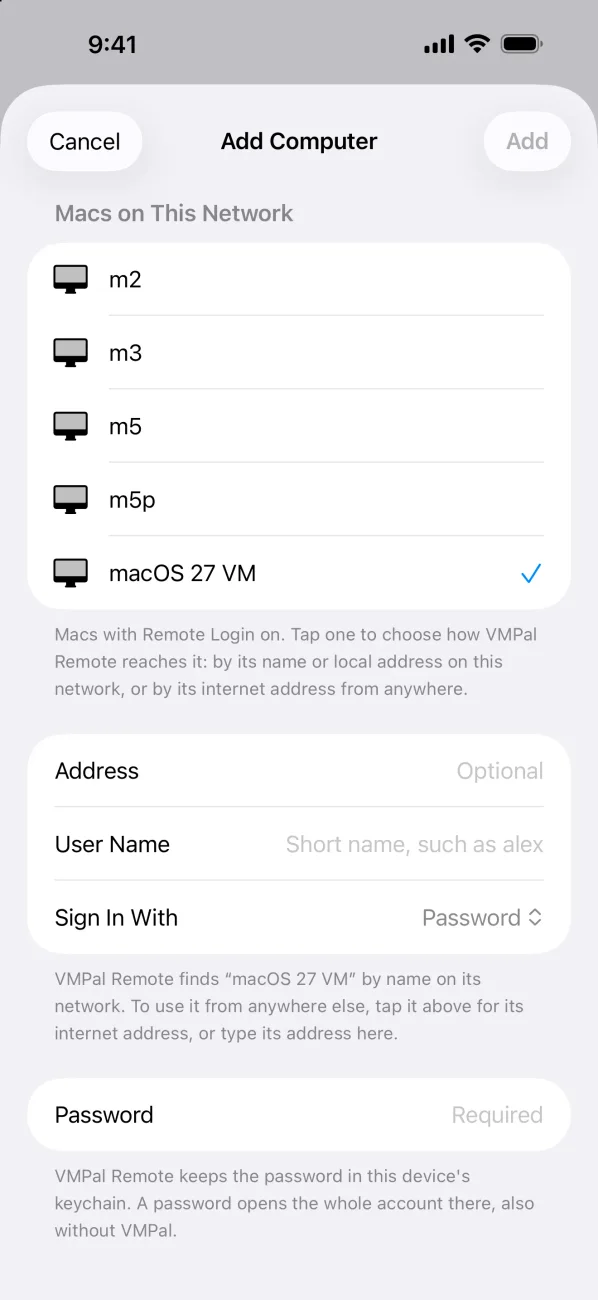
• Pick it from the Macs on your network, or type its name or address.
• Sign in with the account’s password, or with a key. VMPal on the Mac creates one in Settings › Remote Control. A key opens VMPal there and nothing else, never a shell.
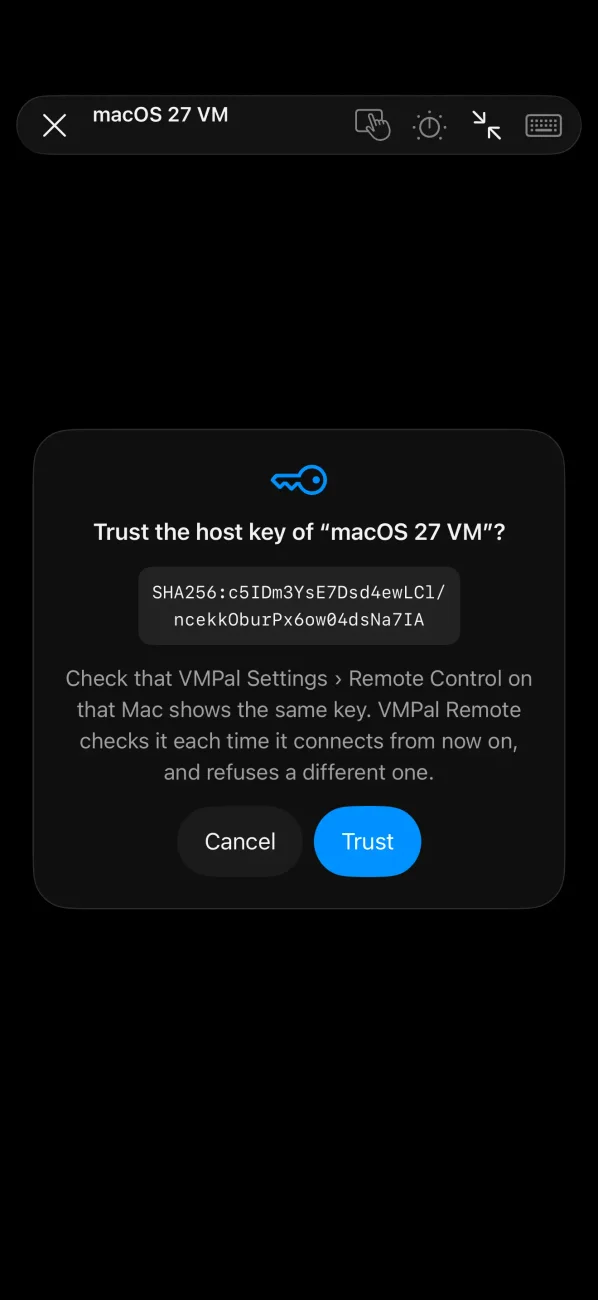
• The first time, check that the host key is the one VMPal shows on the Mac, then trust it. VMPal on the Mac asks whether your iPhone or iPad may use it.
USE IT
• Trackpad, the iPhone’s default: a finger moves the pointer, a tap clicks, a tap with two fingers right-clicks, and a press held then moved drags.
• Touch, the iPad’s default: a tap clicks where you touch.
• Two fingers scroll. Pinch to zoom up to 5×, and text stays sharp.
• The keys bar has esc, tab, ⌃ ⌥ ⌘ ⇧, the arrows and F1–F12. A hardware keyboard works too.
• Quality: Auto, or your own quality and frame rate, up to Retina. The speed and delay show under the Mac’s name.
• If the network drops, VMPal Remote connects again on its own.
FROM ANYWHERE
• On your network, use the Mac’s name or local address.
• From elsewhere, use its internet address. Your router has to forward port 22 to the Mac. A VPN works too.
PRIVATE
• Passwords and keys stay in this device’s keychain. They’re never synced or backed up.
• VMPal Remote collects no data. It has no account, no analytics and no ads.
GOOD TO KNOW
• The on-screen keyboard types with the US layout, so accents, other scripts and emoji don’t go through yet.
What’s new
Version 1.3 · Nov 19, 2026
- Bug fixes and improvements.
App privacy
What TablePlus Inc declares on the App Store about how this app handles data.
-
Data not collected
The developer does not collect any data from this app.
Privacy practices may vary, for example with the features you use or your age.
Information
- Seller
- TablePlus Inc
- Category
- Developer Tools
- Version
- 1.3
- Updated
- Nov 19, 2026
- Released
- Nov 6, 2026
- Size
- 25.4 MB
- Requires
- iOS 26.0 or later
- Age rating
- 4+
- Price
- Free
- Languages
- English
- Copyright
- © 2026 TablePlus Inc.
You might also like
-
 NativebladePortal
-
 Apportice: SSH & Cloud ShellFast & Secure Server Access
-
 Agent Lab: Learn AI AgentsSee how your agent thinks
-
 CheckWatchCheckMK Push Notifications
-
 SimDeck StudioRemote simulator control
-
 MQTeeNative MQTT 5 Client
-
 Usages: AI Usage TrackerQuota limits, resets & cost
-
 UsageScope: AI Usage TrackerClaude, Codex Usages and Reset
-
 TeaGo - Gitea Mobile ClientManage your self-hosted code
-
 ReqeastNative API Client