- 対象年齢4+
- カテゴリ開発ツール
- 開発元TablePlus Inc
- 言語英語
- サイズ25.4 MB
App Storeの公式ページにリンクしています
Download.orgはVMPal Remoteのファイルを一切ホストしていません。ボタンを押すと、TablePlus Incが公開しているApp Storeのアプリページが開きます。ページの最終確認:2026/11/23。
スクリーンショット


概要
開発元はこのテキストをお使いの言語で提供していません。
VMPal Remote shows your Mac’s screen on your iPhone or iPad, and lets you use its mouse and keyboard as if you sat at it.
The connection goes straight to your Mac over SSH, encrypted end to end. There’s no account and no server in between, and your Mac decides what you may do there.
WHAT YOU NEED
• A Mac with Apple silicon and VMPal 0.94 or later, from vmpal.com. Turn on the switch at the top of VMPal › Settings › Remote Control there.
• Remote Login on that Mac, in System Settings › General › Sharing. VMPal Remote connects over it.
ADD YOUR MAC
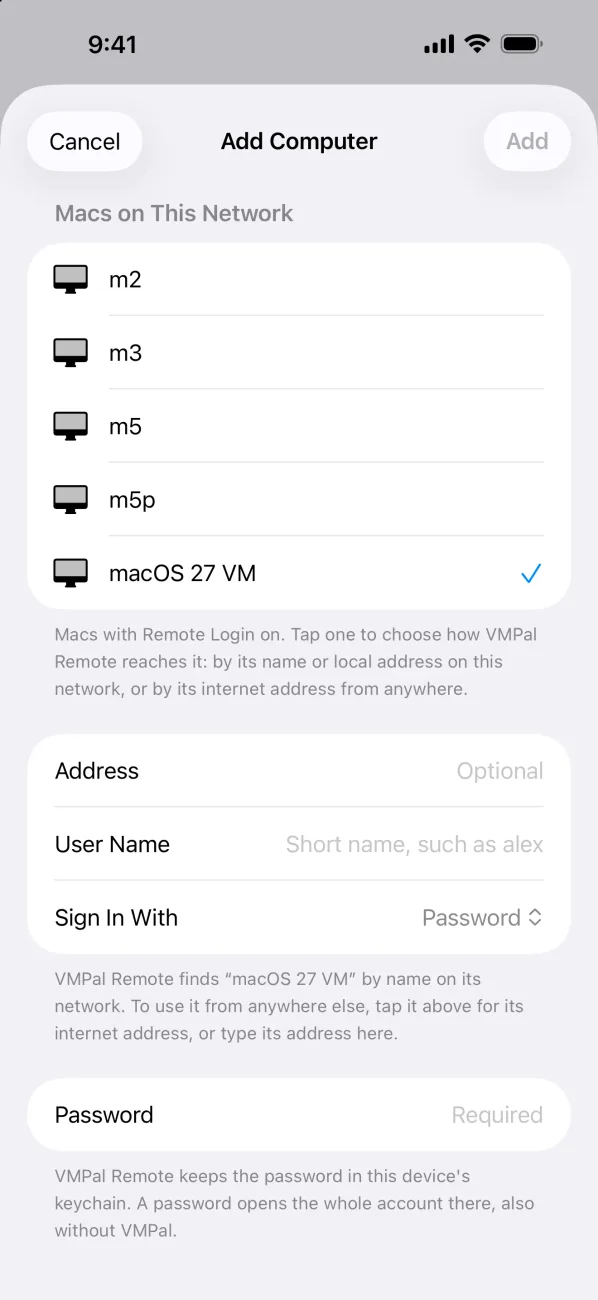
• Pick it from the Macs on your network, or type its name or address.
• Sign in with the account’s password, or with a key. VMPal on the Mac creates one in Settings › Remote Control. A key opens VMPal there and nothing else, never a shell.
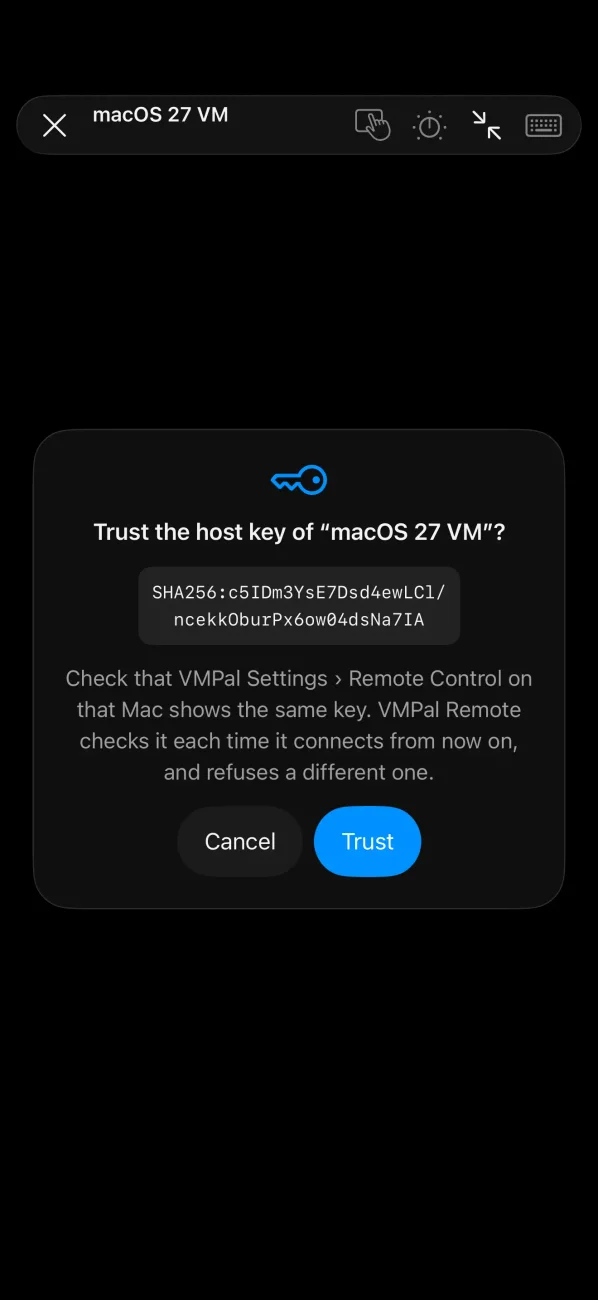
• The first time, check that the host key is the one VMPal shows on the Mac, then trust it. VMPal on the Mac asks whether your iPhone or iPad may use it.
USE IT
• Trackpad, the iPhone’s default: a finger moves the pointer, a tap clicks, a tap with two fingers right-clicks, and a press held then moved drags.
• Touch, the iPad’s default: a tap clicks where you touch.
• Two fingers scroll. Pinch to zoom up to 5×, and text stays sharp.
• The keys bar has esc, tab, ⌃ ⌥ ⌘ ⇧, the arrows and F1–F12. A hardware keyboard works too.
• Quality: Auto, or your own quality and frame rate, up to Retina. The speed and delay show under the Mac’s name.
• If the network drops, VMPal Remote connects again on its own.
FROM ANYWHERE
• On your network, use the Mac’s name or local address.
• From elsewhere, use its internet address. Your router has to forward port 22 to the Mac. A VPN works too.
PRIVATE
• Passwords and keys stay in this device’s keychain. They’re never synced or backed up.
• VMPal Remote collects no data. It has no account, no analytics and no ads.
GOOD TO KNOW
• The on-screen keyboard types with the US layout, so accents, other scripts and emoji don’t go through yet.
新機能
バージョン 1.3 · 2026/11/19
- Bug fixes and improvements.
アプリのプライバシー
このアプリのデータの取り扱いについて、TablePlus IncがApp Storeで申告している内容です。
-
データの収集なし
開発元はこのアプリからデータを収集しません。
プライバシーの取り扱いは、ご利用の機能やお客様の年齢などに応じて異なる場合があります。
情報
- 販売元
- TablePlus Inc
- カテゴリ
- 開発ツール
- バージョン
- 1.3
- 更新日
- 2026/11/19
- リリース
- 2026/11/6
- サイズ
- 25.4 MB
- 必要条件
- iOS 26.0以降
- 対象年齢
- 4+
- 価格
- 無料
- 言語
- 英語
- 著作権
- © 2026 TablePlus Inc.