- Batasan usia4+
- KategoriAlat Pengembang
- PengembangTablePlus Inc
- BahasaInggris
- Ukuran25,4 MB
Tertaut ke halaman resmi App Store
Download.org tidak menyimpan file VMPal Remote apa pun. Tombol ini membuka halaman aplikasi di App Store, tempat TablePlus Inc menerbitkannya. Halaman terakhir diperiksa pada 23/11/2026.
Tangkapan layar


Tentang
Pengembang belum menyediakan teks ini dalam bahasa Anda.
VMPal Remote shows your Mac’s screen on your iPhone or iPad, and lets you use its mouse and keyboard as if you sat at it.
The connection goes straight to your Mac over SSH, encrypted end to end. There’s no account and no server in between, and your Mac decides what you may do there.
WHAT YOU NEED
• A Mac with Apple silicon and VMPal 0.94 or later, from vmpal.com. Turn on the switch at the top of VMPal › Settings › Remote Control there.
• Remote Login on that Mac, in System Settings › General › Sharing. VMPal Remote connects over it.
ADD YOUR MAC
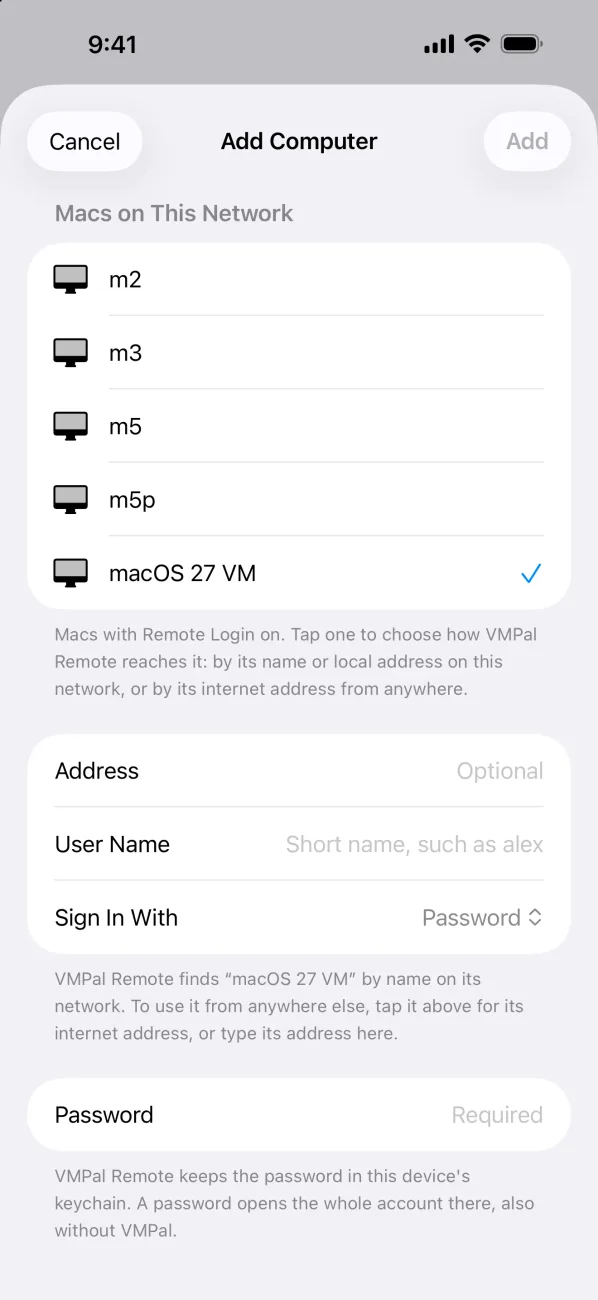
• Pick it from the Macs on your network, or type its name or address.
• Sign in with the account’s password, or with a key. VMPal on the Mac creates one in Settings › Remote Control. A key opens VMPal there and nothing else, never a shell.
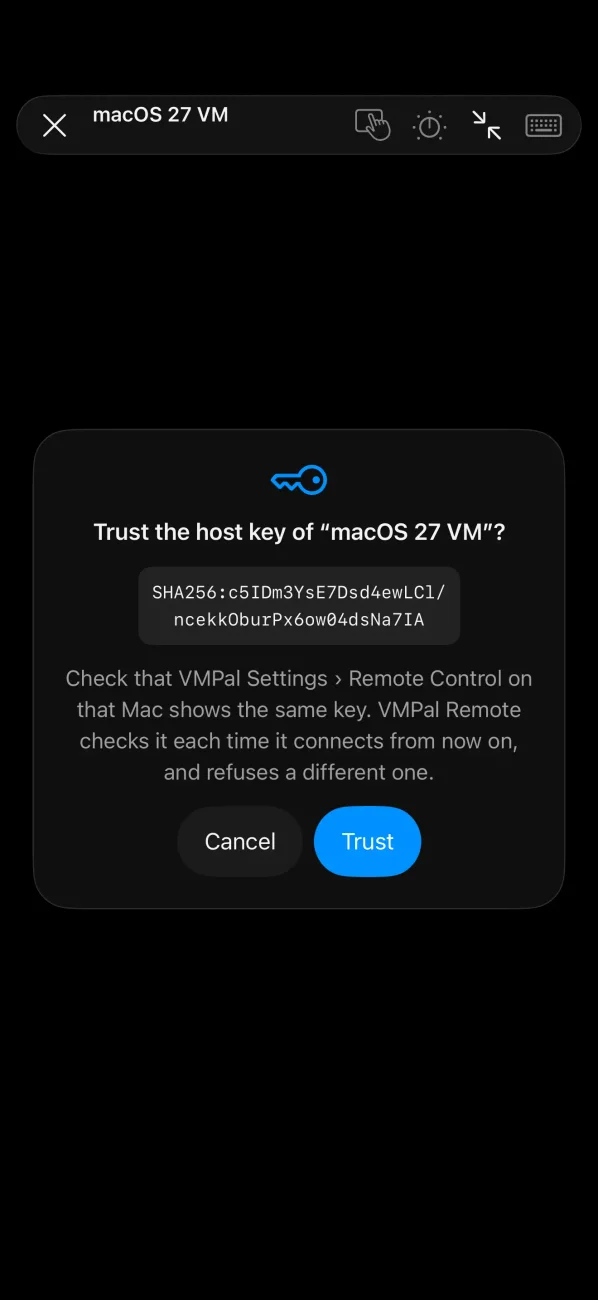
• The first time, check that the host key is the one VMPal shows on the Mac, then trust it. VMPal on the Mac asks whether your iPhone or iPad may use it.
USE IT
• Trackpad, the iPhone’s default: a finger moves the pointer, a tap clicks, a tap with two fingers right-clicks, and a press held then moved drags.
• Touch, the iPad’s default: a tap clicks where you touch.
• Two fingers scroll. Pinch to zoom up to 5×, and text stays sharp.
• The keys bar has esc, tab, ⌃ ⌥ ⌘ ⇧, the arrows and F1–F12. A hardware keyboard works too.
• Quality: Auto, or your own quality and frame rate, up to Retina. The speed and delay show under the Mac’s name.
• If the network drops, VMPal Remote connects again on its own.
FROM ANYWHERE
• On your network, use the Mac’s name or local address.
• From elsewhere, use its internet address. Your router has to forward port 22 to the Mac. A VPN works too.
PRIVATE
• Passwords and keys stay in this device’s keychain. They’re never synced or backed up.
• VMPal Remote collects no data. It has no account, no analytics and no ads.
GOOD TO KNOW
• The on-screen keyboard types with the US layout, so accents, other scripts and emoji don’t go through yet.
Yang baru
Versi 1.3 · 19/11/2026
- Bug fixes and improvements.
Privasi aplikasi
Yang dinyatakan TablePlus Inc di App Store tentang cara aplikasi ini menangani data.
-
Data tidak dikumpulkan
Pengembang tidak mengumpulkan data apa pun dari aplikasi ini.
Praktik privasi dapat bervariasi, misalnya berdasarkan fitur yang Anda gunakan atau usia Anda.
Informasi
- Penjual
- TablePlus Inc
- Kategori
- Alat Pengembang
- Versi
- 1.3
- Diperbarui
- 19/11/2026
- Dirilis
- 6/11/2026
- Ukuran
- 25,4 MB
- Memerlukan
- iOS 26.0 atau yang lebih baru
- Batasan usia
- 4+
- Harga
- Gratis
- Bahasa
- Inggris
- Hak cipta
- © 2026 TablePlus Inc.
Mungkin Anda juga suka
-
 NativebladeAlat Pengembang
-
 Apportice: SSH & Cloud ShellAlat Pengembang
-
 Agent Lab: Learn AI AgentsAlat Pengembang
-
 CheckWatchAlat Pengembang
-
 SimDeck StudioAlat Pengembang
-
 MQTeeAlat Pengembang
-
 Usages: AI Usage TrackerAlat Pengembang
-
 UsageScope: Penggunaan AIClaude, Codex pemakaian, Reset
-
 TeaGo - Gitea Mobile ClientAlat Pengembang
-
 ReqeastAlat Pengembang