- Độ tuổi4+
- Danh mụcCông Cụ Nhà Phát Triển
- Nhà phát triểnTablePlus Inc
- Ngôn ngữTiếng Anh
- Kích thước25,4 MB
Liên kết đến trang App Store chính thức
Download.org không lưu trữ tệp nào của VMPal Remote. Nút này mở trang ứng dụng trên App Store, nơi TablePlus Inc phát hành ứng dụng. Trang được kiểm tra lần cuối: 23/11/2026.
Ảnh chụp màn hình


Giới thiệu
Nhà phát triển chưa cung cấp nội dung này bằng ngôn ngữ của bạn.
VMPal Remote shows your Mac’s screen on your iPhone or iPad, and lets you use its mouse and keyboard as if you sat at it.
The connection goes straight to your Mac over SSH, encrypted end to end. There’s no account and no server in between, and your Mac decides what you may do there.
WHAT YOU NEED
• A Mac with Apple silicon and VMPal 0.94 or later, from vmpal.com. Turn on the switch at the top of VMPal › Settings › Remote Control there.
• Remote Login on that Mac, in System Settings › General › Sharing. VMPal Remote connects over it.
ADD YOUR MAC
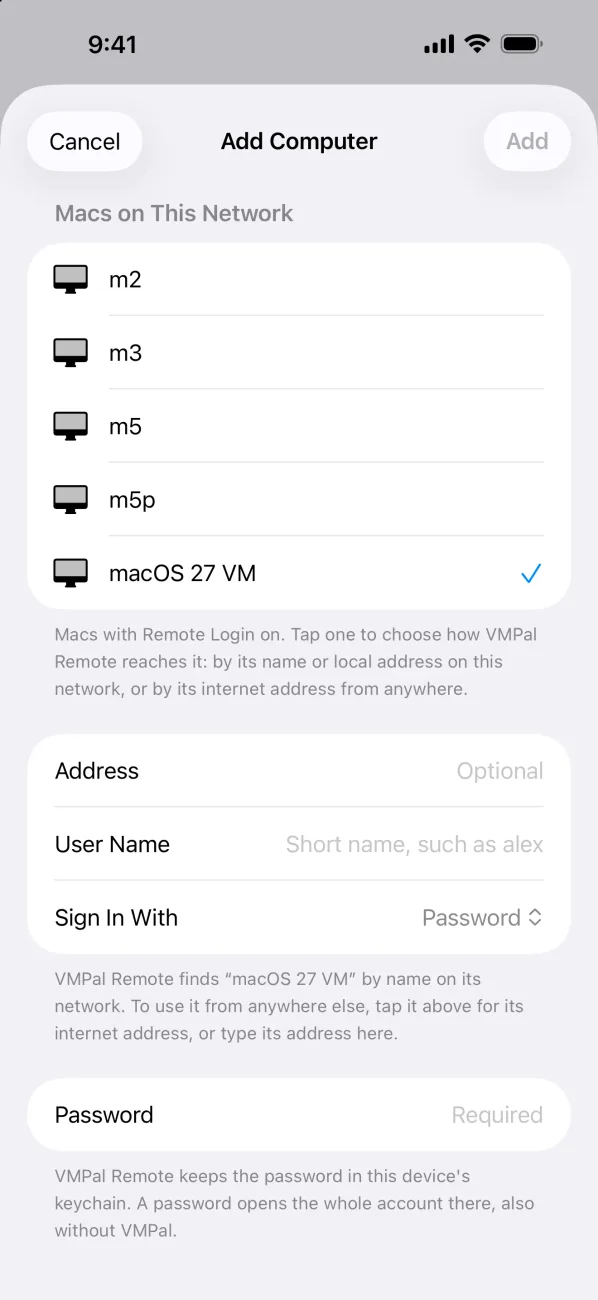
• Pick it from the Macs on your network, or type its name or address.
• Sign in with the account’s password, or with a key. VMPal on the Mac creates one in Settings › Remote Control. A key opens VMPal there and nothing else, never a shell.
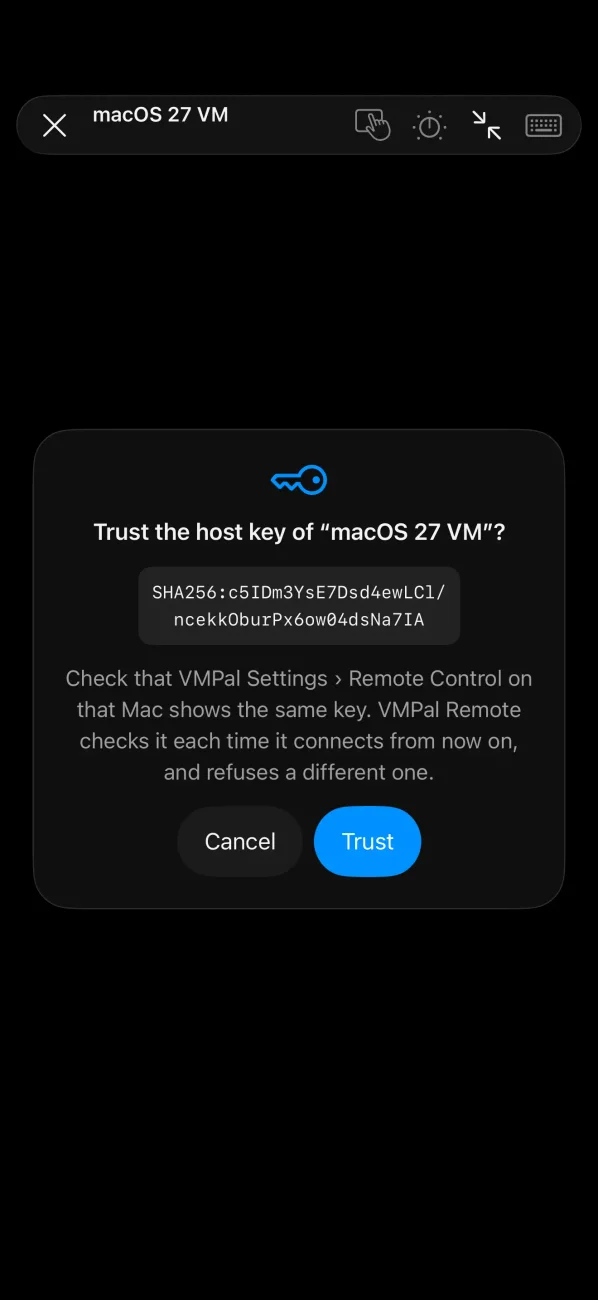
• The first time, check that the host key is the one VMPal shows on the Mac, then trust it. VMPal on the Mac asks whether your iPhone or iPad may use it.
USE IT
• Trackpad, the iPhone’s default: a finger moves the pointer, a tap clicks, a tap with two fingers right-clicks, and a press held then moved drags.
• Touch, the iPad’s default: a tap clicks where you touch.
• Two fingers scroll. Pinch to zoom up to 5×, and text stays sharp.
• The keys bar has esc, tab, ⌃ ⌥ ⌘ ⇧, the arrows and F1–F12. A hardware keyboard works too.
• Quality: Auto, or your own quality and frame rate, up to Retina. The speed and delay show under the Mac’s name.
• If the network drops, VMPal Remote connects again on its own.
FROM ANYWHERE
• On your network, use the Mac’s name or local address.
• From elsewhere, use its internet address. Your router has to forward port 22 to the Mac. A VPN works too.
PRIVATE
• Passwords and keys stay in this device’s keychain. They’re never synced or backed up.
• VMPal Remote collects no data. It has no account, no analytics and no ads.
GOOD TO KNOW
• The on-screen keyboard types with the US layout, so accents, other scripts and emoji don’t go through yet.
Có gì mới
Phiên bản 1.3 · 19/11/2026
- Bug fixes and improvements.
Quyền riêng tư của ứng dụng
Những gì TablePlus Inc khai báo trên App Store về cách ứng dụng này xử lý dữ liệu.
-
Dữ liệu không được thu thập
Nhà phát triển không thu thập bất kỳ dữ liệu nào từ ứng dụng này.
Phương thức đảm bảo quyền riêng tư có thể khác nhau, chẳng hạn như tuỳ theo các tính năng bạn sử dụng hoặc độ tuổi của bạn.
Thông tin
- Người bán
- TablePlus Inc
- Danh mục
- Công Cụ Nhà Phát Triển
- Phiên bản
- 1.3
- Cập nhật
- 19/11/2026
- Phát hành
- 06/11/2026
- Kích thước
- 25,4 MB
- Yêu cầu
- iOS 26.0 trở lên
- Độ tuổi
- 4+
- Giá
- Miễn phí
- Ngôn ngữ
- Tiếng Anh
- Bản quyền
- © 2026 TablePlus Inc.
Có thể bạn cũng thích
-
 NativebladeCông Cụ Nhà Phát Triển
-
 Apportice: SSH & Cloud ShellCông Cụ Nhà Phát Triển
-
 Agent Lab: Learn AI AgentsCông Cụ Nhà Phát Triển
-
 CheckWatchCông Cụ Nhà Phát Triển
-
 SimDeck StudioCông Cụ Nhà Phát Triển
-
 MQTeeCông Cụ Nhà Phát Triển
-
 Usages: AI Usage TrackerCông Cụ Nhà Phát Triển
-
 UsageScope: Mức dùng AIClaude, Codex: mức dùng, Reset
-
 TeaGo - Gitea Mobile ClientCông Cụ Nhà Phát Triển
-
 ReqeastCông Cụ Nhà Phát Triển