WiFi Camera - Remote iPhones
Wireless viewfinder & shutter
Designed for iPhone, iPad
$1.99
- Age rating4+
- CategoryPhoto & Video
- DeveloperDaniel Amitay
- LanguagesEnglish
- Size1.2 MB
Links to the official App Store page
Download.org hosts no file of WiFi Camera - Remote iPhones. The button opens its official App Store page, published by Daniel Amitay. Listing last checked on Nov 13, 2026.
Screenshots

About
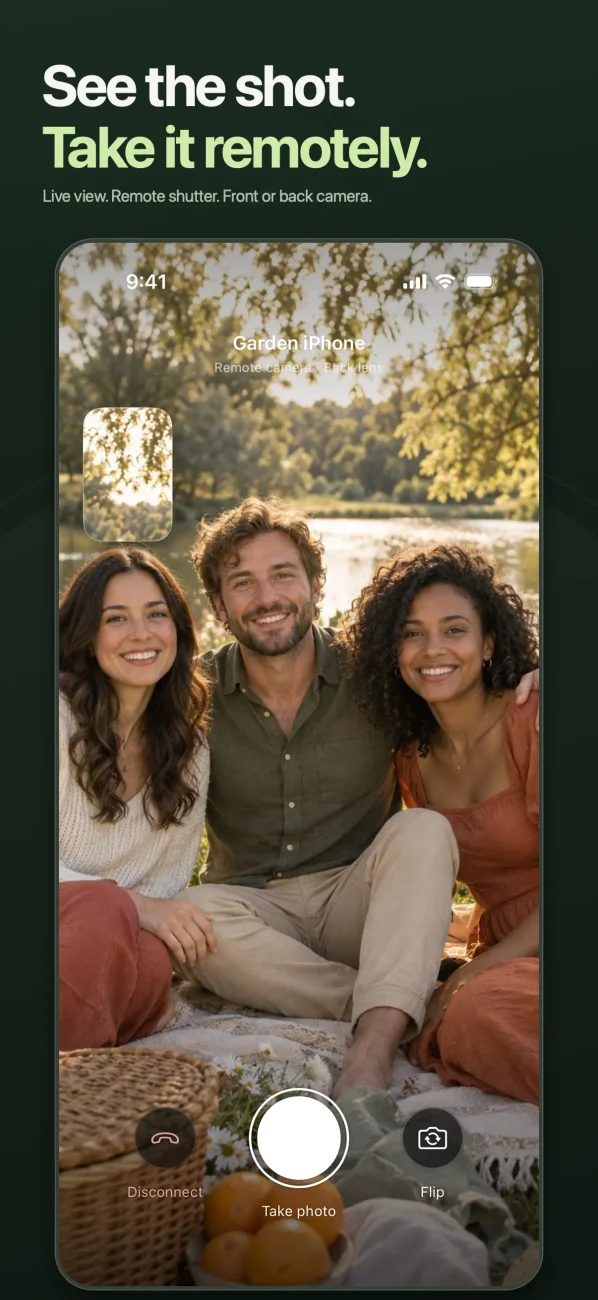
Use one iPhone or iPad to see through another's camera and take the photo remotely.
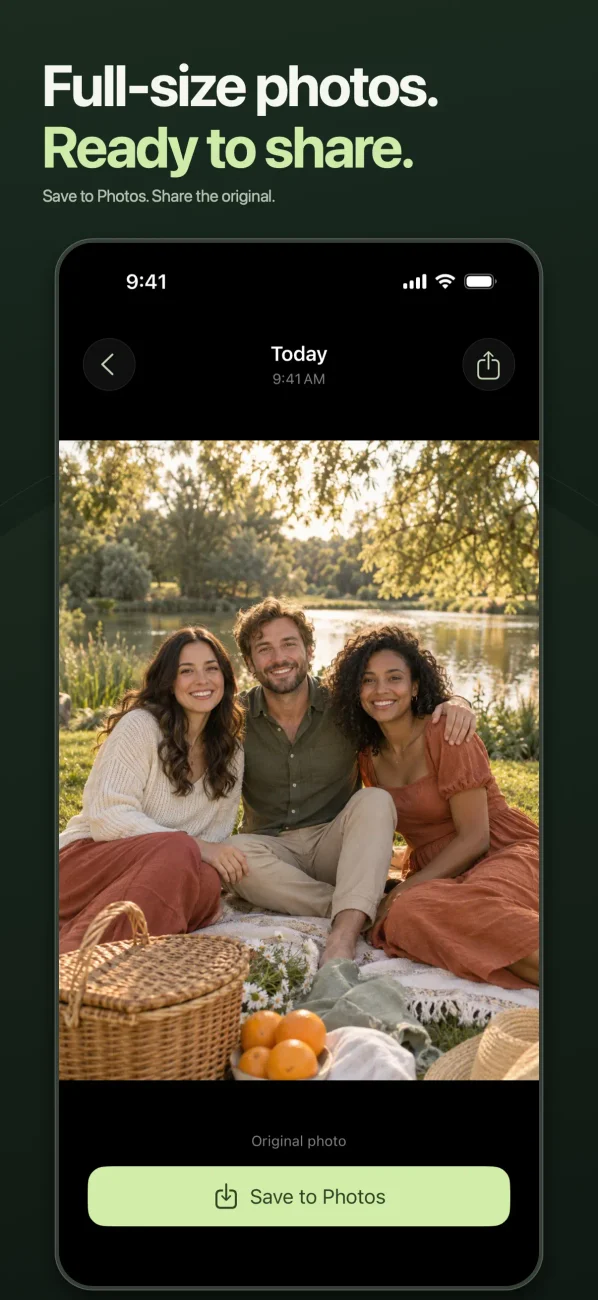
Set up your camera, check the framing on your other device, and tap the shutter when everyone is ready. WiFi Camera sends the full-size photo back to you, ready to save or share.
CONNECT TWO DEVICES
Install and open WiFi Camera on both devices. Find your other iPhone or iPad in the nearby list, tap to connect, and accept the invitation. You can also enable auto-accept for nearby invitations.
SEE AND CONTROL THE CAMERA
Watch the live camera view, switch between the other device's front and back cameras, and take photos remotely. When both devices have a camera, they can share their views with each other.
KEEP THE ORIGINAL PHOTO
Browse your photos in the app, zoom in to check the details, save to your photo library, or share the original image with the iOS share sheet.
MADE FOR IPHONE AND IPAD
Use an iPhone as the camera and an iPad as the viewfinder, or connect two iPhones. The dark interface keeps the live view in focus, with clear controls and a small preview of your own camera.
REQUIREMENTS
• Two nearby iPhones or iPads with WiFi Camera installed and open.
• This version requires iOS 18 or iPadOS 18 or later.
• At least one device must have an available camera.
• Enable Wi-Fi or Bluetooth and allow Local Network access when prompted. A shared Wi-Fi network is recommended for live video.
WiFi Camera connects Apple mobile devices to each other. It does not connect to standalone cameras, DSLRs, webcams, or IP security cameras, and it is not an internet-based remote monitoring service.
What’s new
Version 3.0 · Oct 18, 2026
WiFi Camera 3.0 brings a refreshed interface and a modern camera connection.
• Redesigned camera controls, nearby device list, settings, and photo library.
• More efficient H.264 live video between compatible devices, with support for connecting to older WiFi Camera clients.
• Updated photo capture, full-size photo sharing, and saving to Photos.
• Clearer connection status, photo transfer progress, and recovery when a connection fails.
• Fixes for discovery resuming and remote camera orientation.
Requires iOS 18 or iPadOS 18 or later.
App privacy
What Daniel Amitay declares on the App Store about how this app handles data.
-
Data not collected
The developer does not collect any data from this app.
Privacy practices may vary, for example with the features you use or your age.
Information
- Seller
- Daniel Amitay
- Category
- Photo & Video
- Version
- 3.0
- Updated
- Oct 18, 2026
- Released
- Aug 13, 2012
- Size
- 1.2 MB
- Requires
- iOS 18.0 or later
- Age rating
- 4+
- Price
- $1.99
- Languages
- English
- Copyright
- © Daniel Amitay
You might also like
-
 Film Camera RemoteFocus & zoom controller
-
 Home Movies: Vintage CamcorderMake memories worth replaying
-
 Traxxtar VideoviewTap to Record, Instant Replay
-
 Trigger Keeper: Voice CameraHands-Free Photos & Selfies
-
 Luxa RAW Pro CameraPro Manual Film Simulation LUT
-
 Sumi - Redact & Blur PhotosAuto-redact screenshots
-
 Clydris – Video & Photo BlurBlur faces & plates in videos
-
 DualCamProPhoto & Video
-
 berkbrainAI Photo Editor
-
 myGPS Map CameraStamp location on photos