Hearts Animated
StarWatchfaces- 3 歳以上対象年齢
- カスタマイズカテゴリ
- 2026/8/21更新日
- ¥340価格
com.starwatchfaces.heartsanimatedのGoogle Play公式ページにリンクしています。最終確認:2026/11/25。
このアプリについて
Googleによる英語 (アメリカ合衆国)からの自動翻訳です。
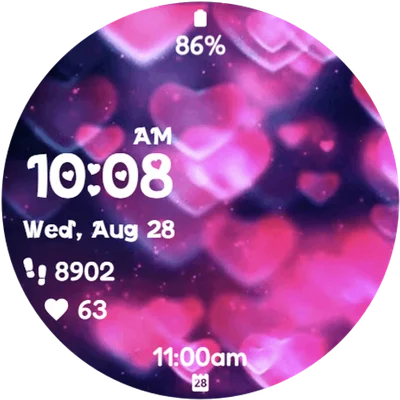
愛らしいバレンタインデーのウォッチフェイス、Hearts Animated に恋をしましょう!
新しい愛らしいバレンタインデーの文字盤、Hearts Animated に夢中になってください!背景に遊び心のあるアニメーションのハートと、時刻と日付を表すキュートで風変わりなフォントを備えたこの文字盤は、きっとあなたの顔に笑顔をもたらします。一年中愛を広めるのに最適です。
Hearts Animated for Wear OS は、12/24 時間のデジタル時間表示、ウォッチ言語での日付、歩数と心拍数の追跡、低バッテリー使用量に最適化されたカスタム Always On ディスプレイなど、整理整頓と順調な維持に役立つさまざまな機能を備えています。 、2 つのカスタマイズ可能なコンプリケーションとショートカットも含まれます。
20 種類のカラーテーマからお好みに合わせてカスタマイズできます。また、バッテリーを節約する必要がある場合は、時計の [カスタマイズ] メニューから背景アニメーションを簡単に停止できます。
Hearts Animated はバレンタインデーだけでなく、一年中最適で、スマートウォッチの完璧なアクセサリーです。あなたの生活を楽にし、毎日にちょっとしたかわいらしさを加えるためにデザインされた、この必須の文字盤をぜひお見逃しなく。
ウォッチフェイスをカスタマイズするには:
1. ディスプレイを長押しします。
2. [カスタマイズ] ボタンをタップして、アニメーションの状態 (オンまたはオフ)、時間、日付、統計の色、表示するコンプリケーションのデータ、およびカスタム ショートカットで起動するアプリを選択します。
ウォッチフェイスを好みに合わせてカスタマイズします。時間、日付、統計情報に最適な色を選択し、2 つのコンプリケーションに必要なデータを選択し、2 つのカスタマイズ可能なショートカットを使用して起動するアプリを選択し、ウォッチフェイスの使用をお楽しみください。ストアの掲載情報のスクリーンショットを確認して、ショートカットがどこに配置されているかをよく理解してください。
忘れないでください。携帯電話のコンパニオン アプリを使用して、当社が作成した他の素晴らしいウォッチフェイスを見つけてください。
One UI Watch バージョン 4.5 のリリースに伴い、Galaxy Watch4 および Galaxy Watch5 のウォッチフェイスをインストールするための新しい手順が以前の One UI バージョンとは異なります。
ウォッチフェイスのインストールで問題が発生した場合は、Samsung がここで詳細なチュートリアルを提供しています: https://developer.samsung.com/sdp/blog/en-us/2022/11/15/install-watch-faces-for-galaxy-watch5 -and-one-ui-watch-45
合併症は以下を表示する可能性があります*:
- 天気
- 一時的な感じ
- バロメーター
- ビクスビー
- カレンダー
- 通話履歴
- リマインダー
- ステップ
- 日付と天気
- 日の出/日の入り
- アラーム
- ストップウォッチ
- 世界時計
- バッテリー
- 未読通知
必要なデータを表示するには、ディスプレイを長押しし、カスタマイズ ボタンを押して、2 つの合併症に必要なデータを選択します。
* これらの機能はデバイスに依存するため、すべての時計で利用できるわけではありません
カスタマイズ可能なショートカットには、次のオプションがあります*:
- アプリのショートカット: アラーム、Bixby、Buds コントローラー、電卓、カレンダー、コンパス、連絡先、電話を探す、ギャラリー、Google Pay、マップ、メディア コントローラー、メッセージ、音楽、Outlook、電話、Play ストア、最近のアプリ、リマインダー、Samsungヘルス、設定、ストップウォッチ、タイマー、音声
レコーダー、天気、世界時計
- 最近のアプリ
- 血中酸素
- 体組成
- 息をする
- 消費される
- 毎日の活動
- 心拍数
- 寝る
- ストレス
- 一緒に
- 水
- 女性の健康
- 連絡先
- Google Pay
- エクササイズ: サーキットトレーニング、サイクリング、エアロバイク、ハイキング、ランニング、水泳、ウォーキングなど
希望のショートカットを表示するには、ディスプレイを長押しし、カスタマイズ ボタンを押して、3 つのカスタマイズ可能なショートカット スロットから希望のショートカットを選択します。
* これらの機能はデバイスに依存するため、すべての時計で利用できるわけではありません
その他のウォッチフェイスについては、当社の Web サイトをご覧ください。
楽しむ!
原文を表示
Fall in love with our new adorable Valentine's Day watchface, Hearts Animated! Featuring playful animated hearts in the background and a cute, whimsical font for the time and date, this watchface is sure to bring a smile to your face. Perfect for spreading the love all year round.
Hearts Animated for Wear OS boasts an array of features to help you stay organized and on track, including a 12/24H digital time display, date in your watch language, step and heart rate tracking, a custom Always On Display optimized for low battery usage, as well as two customizable complications and shortcuts.
Customize it to your liking with 20 different color themes to choose from. And if you ever need to conserve battery, you can easily stop the background animation, from the Customize menu of the watch.
Hearts Animated is not just for Valentine's Day but perfect for all year round, making it the perfect accessory for your smartwatch. Don't miss out on this must-have watchface, designed to make your life easier and add a touch of cuteness to your day.
To customize the watchface:
1. Press and hold on the display
2. Tap the Customize button to select animation state (on or off), colors for time, date and stats, data for complications to display and the apps to launch with the custom shortcuts.
Customize the watchface as you wish: choose the best looking color for time, date and stats, select the data you want for the 2 complications, select your desired apps to launch using the 2 customizable shortcuts and enjoy using the watchface! Check the screenshots from the store listing to better understand where the shortcuts are placed.
Don't forget: use the companion app on your phone to discover other amazing watchfaces made by us!
With the release of One UI Watch version 4.5, there are new steps for installing Galaxy Watch4 and Galaxy Watch5 watch faces that are different from previous One UI versions.
If you have issues installing the watchface, Samsung provided a detailed tutorial here: https://developer.samsung.com/sdp/blog/en-us/2022/11/15/install-watch-faces-for-galaxy-watch5-and-one-ui-watch-45
The complications can display*:
- Weather
- Feels like temp
- Barometer
- Bixby
- Calendar
- Call History
- Reminder
- Steps
- Date and weather
- Sunrise/sunset
- Alarm
- Stopwatch
- World Clock
- Battery
- Unread notifications
To display the data you want, tap and hold on the display, then press the Customize button and choose the data you want for the 2 complications.
* these functions are device dependent and might not be available on all watches
For the customizable shortcut you have these options*:
- App shortcut: Alarm, Bixby, Buds controller, Calculator, Calendar, Compass, Contacts, Find my phone, Gallery, Google Pay, Maps, Media Controller, Messages, Music, Outlook, Phone, Play Store, Recent apps, Reminder, Samsung Health, Settings, Stopwatch, Timer, Voice
Recorder, Weather, World Clock
- Recent apps
- Blood Oxygen
- Body Composition
- Breathe
- Consumed
- Daily Activity
- Heart rate
- Sleep
- Stress
- Together
- Water
- Woman’s health
- Contacts
- Google Pay
- Exercises: Circuit training, Cycling, Exercise bike, Hiking, Running, Swimming, Walking etc
To display the shortcut you want, tap and hold on the display, then press the Customize button and choose the shortcut you want for the 3 customizable shortcut slots.
* these functions are device dependent and might not be available on all watches
For more watchfaces, visit our website.
Enjoy!
データ セーフティ
このアプリが収集・共有するデータについて、StarWatchfacesがGoogle Playで申告している内容です。
- 第三者と共有されるデータはありません詳しくは、デベロッパーが共有を申告する方法についての説明をご覧ください
- データは収集されません詳しくは、デベロッパーが収集を申告する方法についての説明をご覧ください
開発元の連絡先
- ウェブサイトstarwatchfaces.com
- メールWearOS@starwatchfaces.com
- プライバシーポリシーstarwatchfaces.com
- 住所Strada Carol Davila 8 bloc 118A sc A et 1 ap 5 100462 Ploiești Romania
情報
- 提供元
- StarWatchfaces
- カテゴリ
- カスタマイズ
- バージョン
- 1.0.0
- 更新日
- 2026/8/21
- リリース
- 2023/1/11
- 対象年齢
- 3 歳以上
- 価格
- ¥340
- パッケージ名
- com.starwatchfaces.heartsanimated
類似のアプリ
-
 PW96 Valentine's Embrace Heart
カスタマイズ
-
 Galaxy Universe Space Animated
カスタマイズ
-
 Bloom Hearts
カスタマイズ
-
 Valentine Hearts - watch face
カスタマイズ
-
 Love Heart Animated Watch Face
カスタマイズ
-
 Pink Purple (No Animation)
カスタマイズ
-
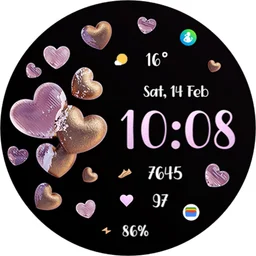 TVV Valentine's Day 2
カスタマイズ
-
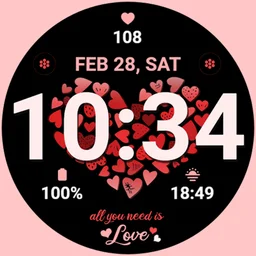 Valentine Hearts
カスタマイズ
-
 Valentine's Day Heart Radar
カスタマイズ
-
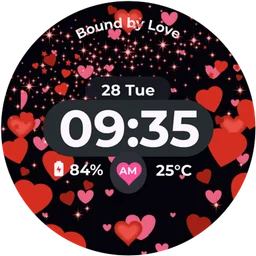 Bound by Love ウォッチフェイス
カスタマイズ
-
 PW08 Heart Bloom Watch
カスタマイズ
-
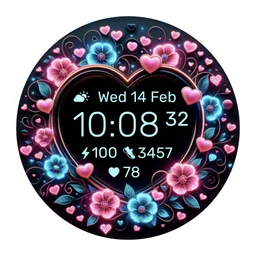 AZ287 Valentine's Watch Face
カスタマイズ