Hearts Animated
StarWatchfaces- PEGI 3Yaş sınırı
- KişiselleştirmeKategori
- 21.08.2026Güncellendi
- ₺104,99Fiyat
com.starwatchfaces.heartsanimated için resmi Google Play sayfasına bağlanır. Son kontrol: 25.11.2026.
Bu uygulama hakkında
Google tarafından otomatik çeviri. Orijinal dil: İngilizce (Amerika Birleşik Devletleri).
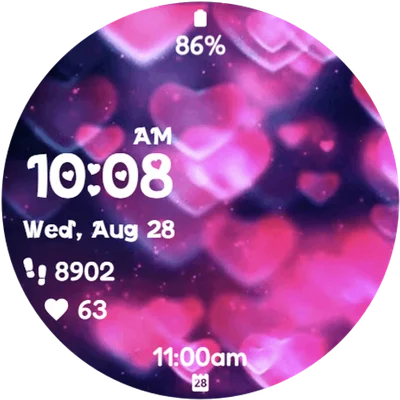
Sevimli Sevgililer Günü saat yüzümüz Hearts Animated'a aşık olun!
Yeni sevimli Sevgililer Günü saat yüzümüz Hearts Animated'a aşık olun! Arka planda eğlenceli animasyonlu kalpler ve saat ve tarih için sevimli, ilginç bir yazı tipi içeren bu saat arayüzü kesinlikle yüzünüze bir gülümseme getirecek. Sevgiyi tüm yıl boyunca yaymak için mükemmeldir.
Wear OS için Hearts Animated, düzenli ve yolunda kalmanıza yardımcı olacak bir dizi özelliğe sahiptir; bunlar arasında 12/24 saatlik dijital zaman ekranı, saat dilinizde tarih, adım ve kalp atış hızı takibi, düşük pil kullanımı için optimize edilmiş özel Her Zaman Açık Ekran yer alır. , ayrıca iki özelleştirilebilir komplikasyon ve kısayol.
Aralarından seçim yapabileceğiniz 20 farklı renk temasıyla beğeninize göre özelleştirin. Pil tasarrufu yapmanız gerekirse saatin Özelleştir menüsünden arka plan animasyonunu kolayca durdurabilirsiniz.
Hearts Animated, yalnızca Sevgililer Günü için değil, tüm yıl boyunca mükemmel bir seçimdir ve onu akıllı saatiniz için mükemmel bir aksesuar haline getirir. Hayatınızı kolaylaştırmak ve gününüze bir miktar sevimlilik katmak için tasarlanan bu olmazsa olmaz saat yüzünü kaçırmayın.
Saat yüzeyini özelleştirmek için:
1. Ekranda basılı tutun
2. Animasyon durumunu (açık veya kapalı), saat, tarih ve istatistik renklerini, görüntülenecek komplikasyon verilerini ve özel kısayollarla başlatılacak uygulamaları seçmek için Özelleştir düğmesine dokunun.
Saat yüzeyini dilediğiniz gibi özelleştirin: saat, tarih ve istatistikler için en iyi görünen rengi seçin, 2 komplikasyon için istediğiniz verileri seçin, 2 özelleştirilebilir kısayolu kullanarak başlatılmasını istediğiniz uygulamaları seçin ve saat yüzeyini kullanmanın keyfini çıkarın! Kısayolların nereye yerleştirildiğini daha iyi anlamak için mağaza listesindeki ekran görüntülerine bakın.
Unutmayın: Bizim tarafımızdan yapılan diğer muhteşem saat yüzeylerini keşfetmek için telefonunuzdaki yardımcı uygulamayı kullanın!
One UI Watch sürüm 4.5'in piyasaya sürülmesiyle birlikte, önceki One UI sürümlerinden farklı olan Galaxy Watch4 ve Galaxy Watch5 saat yüzlerinin kurulumuna yönelik yeni adımlar bulunmaktadır.
Saat yüzünü yüklerken sorun yaşıyorsanız Samsung burada ayrıntılı bir eğitim sağladı: https://developer.samsung.com/sdp/blog/en-us/2022/11/15/install-watch-faces-for-galaxy-watch5 -ve-bir-ui-izle-45
Komplikasyonlar şunları gösterebilir*:
- Hava durumu
- Sıcaklık hissi veriyor
- Barometre
-Bixby
- Takvim
- Çağrı Geçmişi
- Hatırlatma
- Adımlar
- Tarih ve hava durumu
- Gün doğumu/gün batımı
- Alarm
- Kronometre
- Dünya Saati
- Pil
- Okunmamış bildirimler
İstediğiniz verileri görüntülemek için ekrana dokunup basılı tutun, ardından Özelleştir düğmesine basın ve 2 komplikasyon için istediğiniz verileri seçin.
* bu işlevler cihaza bağlıdır ve tüm saatlerde mevcut olmayabilir
Özelleştirilebilir kısayol için şu seçeneklere sahipsiniz*:
- Uygulama kısayolu: Alarm, Bixby, Buds denetleyicisi, Hesap Makinesi, Takvim, Pusula, Kişiler, Telefonumu bul, Galeri, Google Pay, Haritalar, Medya Denetleyicisi, Mesajlar, Müzik, Outlook, Telefon, Play Store, Son uygulamalar, Hatırlatıcı, Samsung Sağlık, Ayarlar, Kronometre, Zamanlayıcı, Ses
Kaydedici, Hava Durumu, Dünya Saati
- Son uygulamalar
- Kan Oksijen
- Vücut Kompozisyonu
- Nefes almak
- Tüketilen
- Günlük Aktivite
- Kalp atış hızı
- Uyumak
- Stres
- Birlikte
- Su
- Kadının sağlığı
- Kişiler
- Google Pay
- Egzersizler: Devre antrenmanı, Bisiklete binme, Egzersiz bisikleti, Yürüyüş, Koşu, Yüzme, Yürüyüş vb.
İstediğiniz kısayolu görüntülemek için ekrana dokunup basılı tutun, ardından Özelleştir düğmesine basın ve 3 özelleştirilebilir kısayol yuvası için istediğiniz kısayolu seçin.
* bu işlevler cihaza bağlıdır ve tüm saatlerde mevcut olmayabilir
Daha fazla saat yüzü için web sitemizi ziyaret edin.
Eğlence!
Orijinal metni göster
Fall in love with our new adorable Valentine's Day watchface, Hearts Animated! Featuring playful animated hearts in the background and a cute, whimsical font for the time and date, this watchface is sure to bring a smile to your face. Perfect for spreading the love all year round.
Hearts Animated for Wear OS boasts an array of features to help you stay organized and on track, including a 12/24H digital time display, date in your watch language, step and heart rate tracking, a custom Always On Display optimized for low battery usage, as well as two customizable complications and shortcuts.
Customize it to your liking with 20 different color themes to choose from. And if you ever need to conserve battery, you can easily stop the background animation, from the Customize menu of the watch.
Hearts Animated is not just for Valentine's Day but perfect for all year round, making it the perfect accessory for your smartwatch. Don't miss out on this must-have watchface, designed to make your life easier and add a touch of cuteness to your day.
To customize the watchface:
1. Press and hold on the display
2. Tap the Customize button to select animation state (on or off), colors for time, date and stats, data for complications to display and the apps to launch with the custom shortcuts.
Customize the watchface as you wish: choose the best looking color for time, date and stats, select the data you want for the 2 complications, select your desired apps to launch using the 2 customizable shortcuts and enjoy using the watchface! Check the screenshots from the store listing to better understand where the shortcuts are placed.
Don't forget: use the companion app on your phone to discover other amazing watchfaces made by us!
With the release of One UI Watch version 4.5, there are new steps for installing Galaxy Watch4 and Galaxy Watch5 watch faces that are different from previous One UI versions.
If you have issues installing the watchface, Samsung provided a detailed tutorial here: https://developer.samsung.com/sdp/blog/en-us/2022/11/15/install-watch-faces-for-galaxy-watch5-and-one-ui-watch-45
The complications can display*:
- Weather
- Feels like temp
- Barometer
- Bixby
- Calendar
- Call History
- Reminder
- Steps
- Date and weather
- Sunrise/sunset
- Alarm
- Stopwatch
- World Clock
- Battery
- Unread notifications
To display the data you want, tap and hold on the display, then press the Customize button and choose the data you want for the 2 complications.
* these functions are device dependent and might not be available on all watches
For the customizable shortcut you have these options*:
- App shortcut: Alarm, Bixby, Buds controller, Calculator, Calendar, Compass, Contacts, Find my phone, Gallery, Google Pay, Maps, Media Controller, Messages, Music, Outlook, Phone, Play Store, Recent apps, Reminder, Samsung Health, Settings, Stopwatch, Timer, Voice
Recorder, Weather, World Clock
- Recent apps
- Blood Oxygen
- Body Composition
- Breathe
- Consumed
- Daily Activity
- Heart rate
- Sleep
- Stress
- Together
- Water
- Woman’s health
- Contacts
- Google Pay
- Exercises: Circuit training, Cycling, Exercise bike, Hiking, Running, Swimming, Walking etc
To display the shortcut you want, tap and hold on the display, then press the Customize button and choose the shortcut you want for the 3 customizable shortcut slots.
* these functions are device dependent and might not be available on all watches
For more watchfaces, visit our website.
Enjoy!
Veri güvenliği
Bu uygulamanın topladığı ve paylaştığı veriler hakkında StarWatchfaces tarafından Google Play üzerinde yapılan beyan.
- Üçüncü taraflarla veri paylaşımı yokGeliştiricilerin, veri paylaşımını nasıl beyan ettikleri hakkında daha fazla bilgi edinin
- Veri toplanamadıGeliştiricilerin, veri toplamayı nasıl beyan ettikleri hakkında daha fazla bilgi edinin
Geliştirici iletişim bilgileri
- Web sitesistarwatchfaces.com
- E-postaWearOS@starwatchfaces.com
- Gizlilik politikasıstarwatchfaces.com
- AdresStrada Carol Davila 8 bloc 118A sc A et 1 ap 5 100462 Ploiești Romania
Bilgiler
- Sunan
- StarWatchfaces
- Kategori
- Kişiselleştirme
- Sürüm
- 1.0.0
- Güncellendi
- 21.08.2026
- Yayın tarihi
- 11.01.2023
- Yaş sınırı
- PEGI 3
- Fiyat
- ₺104,99
- Paket adı
- com.starwatchfaces.heartsanimated
Benzer uygulamalar
-
 PW96 Valentine's Embrace Heart
Kişiselleştirme
-
 Galaxy Universe Space Animated
Kişiselleştirme
-
 Bloom Hearts
Kişiselleştirme
-
 Valentine Hearts - watch face
Kişiselleştirme
-
 Love Heart Animated Watch Face
Kişiselleştirme
-
 Pink Purple (No Animation)
Kişiselleştirme
-
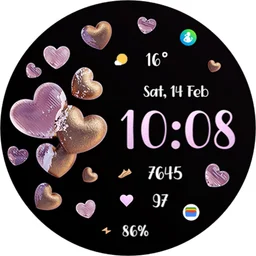 TVV Valentine's Day 2
Kişiselleştirme
-
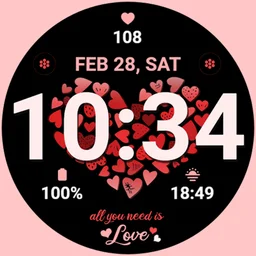 Valentine Hearts
Kişiselleştirme
-
 Valentine's Day Heart Radar
Kişiselleştirme
-
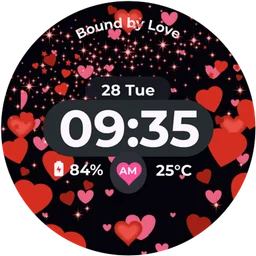 Bound by Love Saat Yüzü
Kişiselleştirme
-
 PW08 Heart Bloom Watch
Kişiselleştirme
-
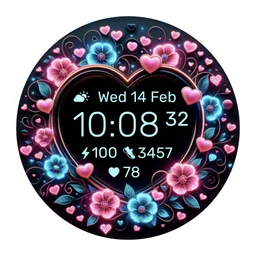 AZ287 Valentine's Watch Face
Kişiselleştirme