Oogly Light Animation
Oogly Watch Face- 3 歳以上対象年齢
- カスタマイズカテゴリ
- 2026/10/8更新日
- ¥210価格
com.watchfacestudio.ooglylightanimationのGoogle Play公式ページにリンクしています。最終確認:2026/11/15。

スクリーンショット


このアプリについて
Googleによる英語 (アメリカ合衆国)からの自動翻訳です。
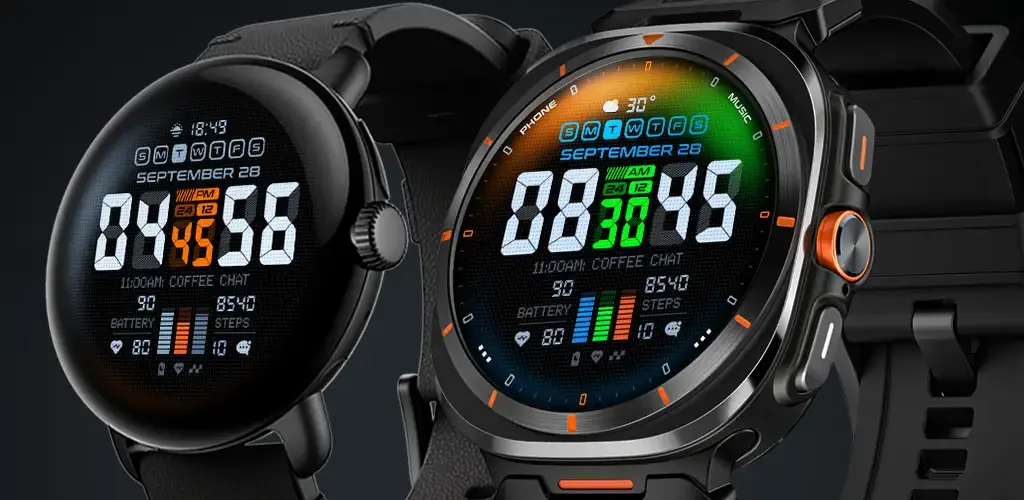
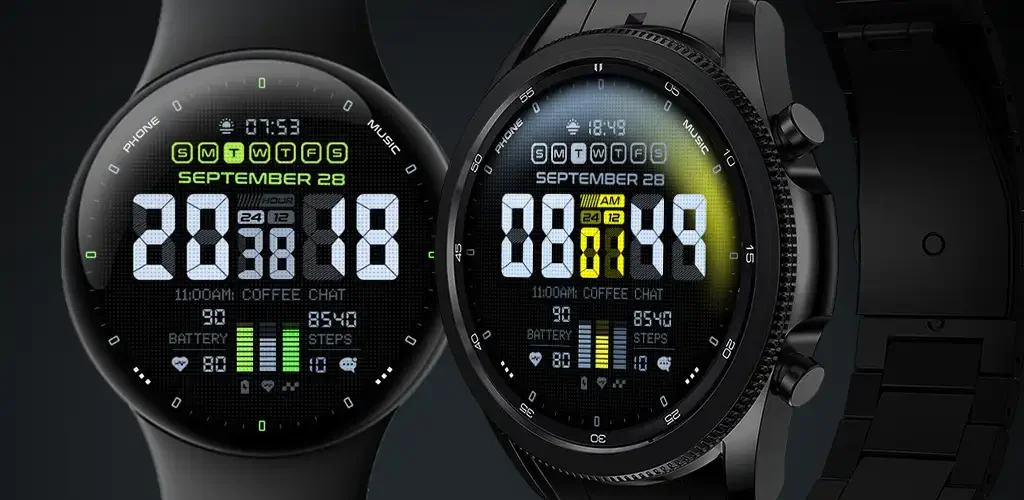
カラフルなライトアニメーションを備えた美しいウォッチフェイス
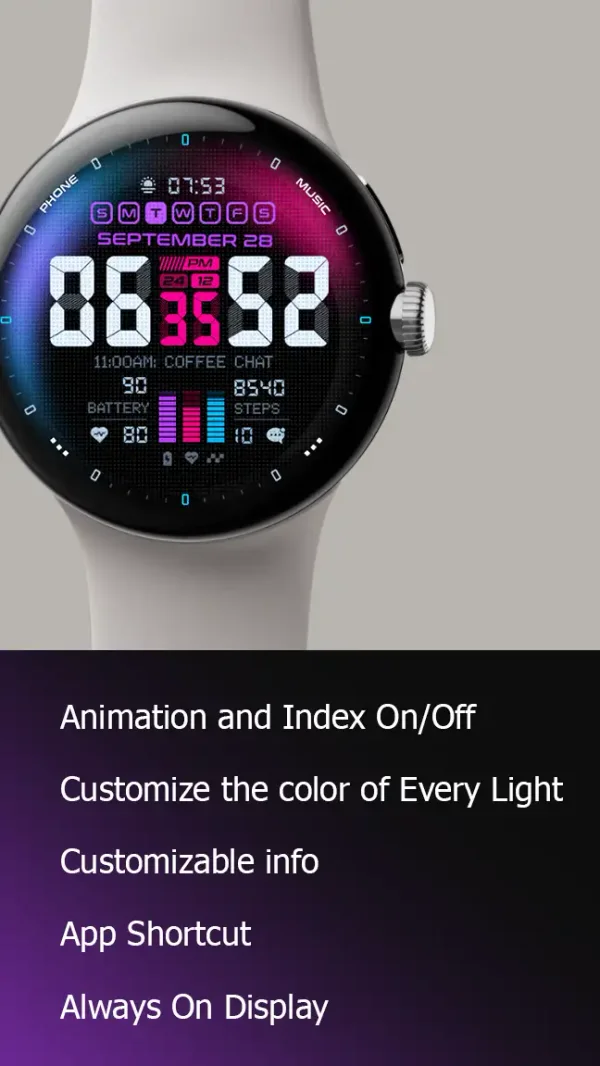
さまざまな速度で回転する当社のユニークで見事な光のアニメーションを使用して、スマートウォッチを魅力的な目玉に変身させます。このライトアニメーションは、好みに合わせて色の組み合わせを選択できます。さらに、アニメーションのオンとオフを切り替えることができる暗さのレベル設定とインデックスがあり、時計の文字盤の外観がよりすっきりします。
WEAR OS API 30+ 向けに設計されており、Galaxy Watch 4/5 以降、Pixel Watch、Fossil、および API 30 以上のその他の Wear OS と互換性があります。
特徴:
- トグルオプション付きのライトアニメーション
- 12/24 時間形式
- インデックス切り替えオプション
- カスタマイズ可能なライトアニメーションの色
- カスタマイズ可能な情報
- アプリのショートカット
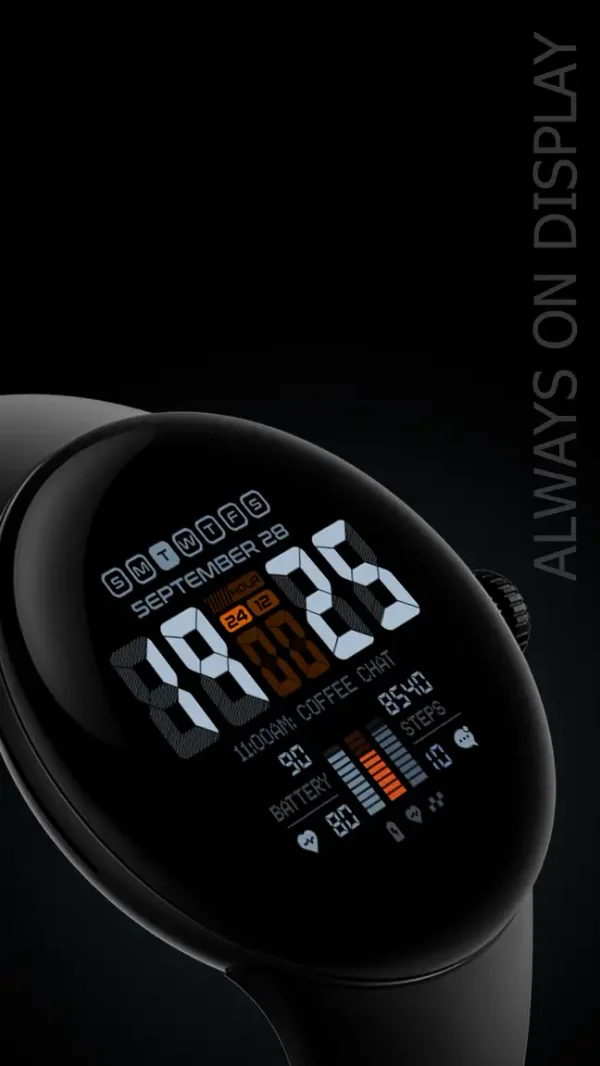
- 常時表示ディスプレイ
数分後、時計の文字盤を見つけます。メインリストには自動的に表示されません。ウォッチフェイスのリストを開き (現在アクティブなウォッチフェイスをタップして押し続けます)、右端までスクロールします。 「ウォッチフェイスを追加」をタップして、そこで見つけます。
それでも問題が解決しない場合は、ooglywatchface@gmail.com までご連絡ください。
または公式電報 https://t.me/ooglywatchface
原文を表示
Transform your smartwatch into a captivating centerpiece with our unique and stunning light animation that rotates at varying speeds. You can select the color combination of this light animation to suit your preferences. Additionally, there is a darkness level setting that allows you to toggle the animation on or off, as well as the index, giving the watch face a cleaner appearance.
Designed for WEAR OS API 30+, compatible with Galaxy Watch 4/5 or newer, Pixel Watch, Fossil, and other Wear OS with minimum API 30.
Features:
- Light animation with toggle option
- 12/24 Hour format
- Index toggle option
- Customizable light animation colors
- Customizable information
- App shortcut
- Always-on display
After few minutes, find the watch face on the watch. It is not automatically shown on the main list. Open the watch face list (tap and hold current active watch face) then scroll to the far right. Tap add watch face and find it there.
If you still have problem, contact us at ooglywatchface@gmail.com
or on our official telegram https://t.me/ooglywatchface
データ セーフティ
このアプリが収集・共有するデータについて、Oogly Watch FaceがGoogle Playで申告している内容です。
- 第三者と共有されるデータはありません詳しくは、デベロッパーが共有を申告する方法についての説明をご覧ください
- データは収集されません詳しくは、デベロッパーが収集を申告する方法についての説明をご覧ください
新機能
2026/10/8
- Companion app to help you install the watch face on your Wear OS device
- Simple and easy installation process
- Once installation on your smartwatch is complete, the companion app can be safely removed
開発元の連絡先
- メールooglywatchface@gmail.com
- プライバシーポリシーooglywatch.blogspot.com
- 住所KAMPUNG MALANG UTARA 4/2B 002/004 TEGALSARI TEGALSARI SURABAYA Jawa Timur Indonesia
情報
- 提供元
- Oogly Watch Face
- カテゴリ
- カスタマイズ
- 更新日
- 2026/10/8
- リリース
- 2024/12/17
- 対象年齢
- 3 歳以上
- 価格
- ¥210
- パッケージ名
- com.watchfacestudio.ooglylightanimation