- 対象年齢4+
- カテゴリ仕事効率化
- 開発元DANIEL ROSIER
- 言語英語ほか1言語
- サイズ79.6 MB
App Storeの公式ページにリンクしています
Download.orgはCoreFilesのファイルを一切ホストしていません。ボタンを押すと、DANIEL ROSIERが公開しているApp Storeのアプリページが開きます。ページの最終確認:2026/11/14。
スクリーンショット


概要
開発元はこのテキストをお使いの言語で提供していません。
CoreFiles turns scanning and filing documents into seconds - not minutes.
TAP. SCAN. DONE.
Most apps leave you on your own after scanning: you have the document, but no destination folder selected yet. CoreFiles flips that workflow.
Choose your destination first - “Accounting”, “Projects”, or “Archive” - then scan. CoreFiles saves automatically to exactly that location. Local storage, iCloud, NAS, SFTP, WebDAV, SharePoint, and more.
The file manager with a thoughtful scan-to-destination workflow.
QUICK DESTINATIONS - FILE IN ONE TAP
Choose the destination folder before scanning - not after
Create your own custom quick destinations
Works across all connected storage locations
Expand and adjust at any time
INTELLIGENT FILE NAMES
Automatic filename suggestions while scanning
Apple Intelligence support (where available)
Less renaming, faster and more accurate filing
DOCUMENT SCANNER
Multi-page documents in a single pass
Automatic edge detection
Save directly as PDF to your selected destination folder
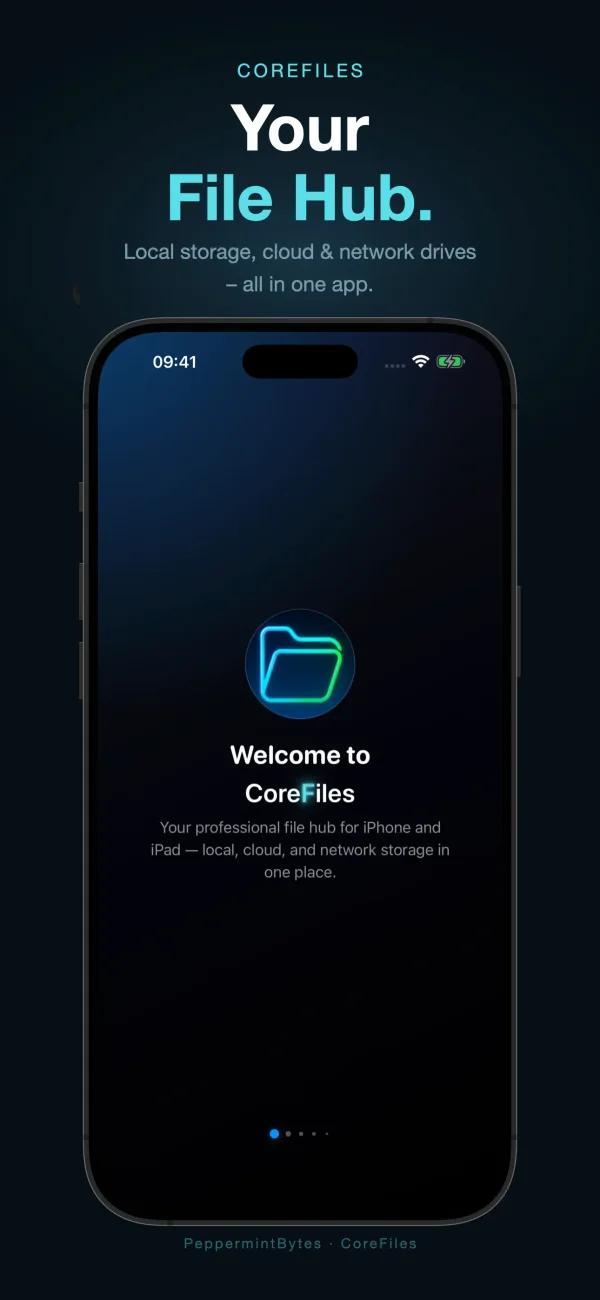
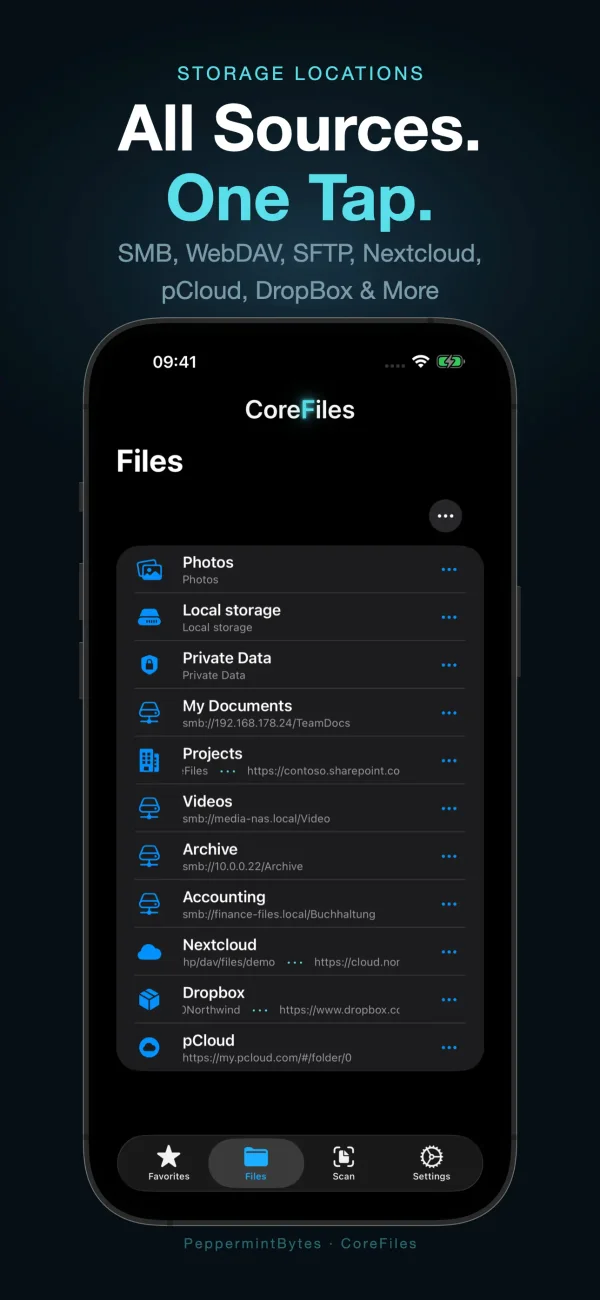
ALL YOUR STORAGE - ONE APP
Local storage & iCloud Drive
SMB network drives / NAS
WebDAV / Nextcloud
SFTP servers
Microsoft SharePoint
Dropbox & pCloud
Google Drive*
RECEIVE & SHARE FILES
Import files from other apps directly into CoreFiles via Share Extension or Action Extension, including quick destination selection.
PREVIEW & MANAGE
Open PDFs, images, audio, video, and documents directly in CoreFiles. Move, copy, rename, and delete - all in one place.
SECURITY & PRIVACY
No ad tracking
Optional anonymous usage analytics (self-hosted Matomo)
Enhanced connection security for cloud and server storage
CoreFiles - Tap. Scan. Done.
*Google Drive is integrated via the official Google Picker (not a native full file system integration).
For subscriptions, Apple’s Standard EULA applies:
https://www.apple.com/legal/internet-services/itunes/dev/stdeula/
新機能
バージョン 1.2.1 · 2026/5/26
Scans that name themselves. Connections you can trust.
Smart File Names
Better automatic name suggestions when scanning – on devices with Apple Intelligence even context-aware. Less typing, faster filing.
Cloud Improvements
Google Drive, Dropbox, pCloud, Nextcloud, and SharePoint run more stable and reliable.
More Security
SFTP now validates the host key. WebDAV and Nextcloud support optional TLS pinning.
No Tracking. Ever.
CoreFiles contains no ad tracking – plus small improvements to accessibility and privacy compliance.
*Google Drive is connected via the official Google Picker (no native file system integration).
アプリのプライバシー
このアプリのデータの取り扱いについて、DANIEL ROSIERがApp Storeで申告している内容です。
-
ユーザーに関連付けられないデータ
収集される場合がありますが、ユーザーの識別情報には関連付けられません。
- 使用状況データ
プライバシーの取り扱いは、ご利用の機能やお客様の年齢などに応じて異なる場合があります。
情報
- 販売元
- DANIEL ROSIER
- カテゴリ
- 仕事効率化
- バージョン
- 1.2.1
- 更新日
- 2026/5/26
- リリース
- 2026/4/23
- サイズ
- 79.6 MB
- 必要条件
- iOS 17.0以降
- 対象年齢
- 4+
- 価格
- 無料
- アプリ内課金
- あり
- 言語
- 英語, ドイツ語
- 著作権
- © 2026 Daniel Rosier
こちらもおすすめ
-
 MyScanPilot: Scan & Organize仕事効率化
-
 Scanno – PDF-Scanner仕事効率化
-
 Raven Documents仕事効率化
-
 Vocapa - ノートをキャプチャして共有プッシュ・トゥ・レコード クイックメモ
-
 JustSummarize - AI自動要約記事・PDF・画像を10秒でまとめ
-
 Lineár CalendarSee the Bigger Picture
-
 Zettel - Quick Notes仕事効率化
-
 ブックマーク - Send To Self自分にリンクとメモを送信
-
 Outspoken: 音声入力どこでも音声をテキストに
-
 Aeru: Offline & Private AI仕事効率化