
FaceScreen: Floating Camera
Your face and brand on screen
iPhone, iPad, Mac向けに設計
¥1,000
- 対象年齢4+
- カテゴリ写真/ビデオ
- 開発元Softal Limited
- 言語英語
- サイズ4.1 MB
App Storeの公式ページにリンクしています
Download.orgはFaceScreen: Floating Cameraのファイルを一切ホストしていません。ボタンを押すと、Softal Limitedが公開しているApp Storeのアプリページが開きます。ページの最終確認:2026/11/24。
スクリーンショット


概要
開発元はこのテキストをお使いの言語で提供していません。
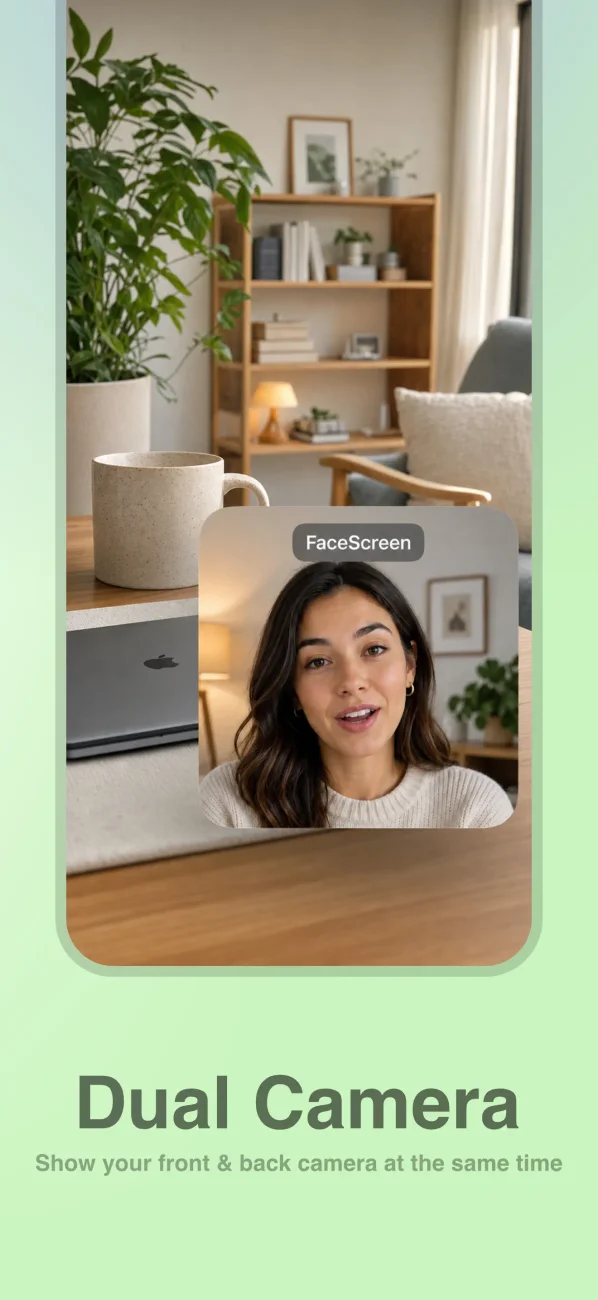
FaceScreen displays a floating live camera feed and an optional text label on top of everything else on your screen. Add a personal touch to your screen recordings, presentations, livestreams, and screen sharing sessions by keeping your face visible at all times.
Use the built-in screen recorder on your phone or any third-party screen recording app. FaceScreen does not record, store, or process any video or personal data. It simply displays a customizable camera overlay on top of other apps and content.
FEATURES
Camera
• Single camera mode: A sleek camera overlay that floats above all other apps.
• Dual camera mode: Show both cameras at once with a draggable picture-in-picture front camera.
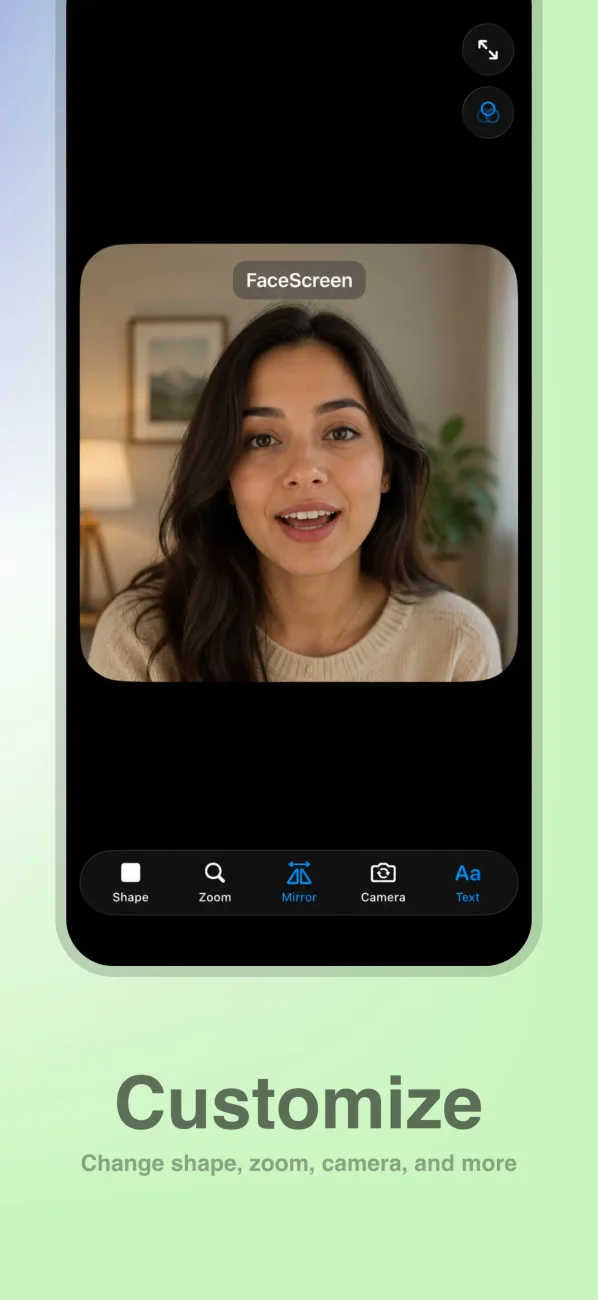
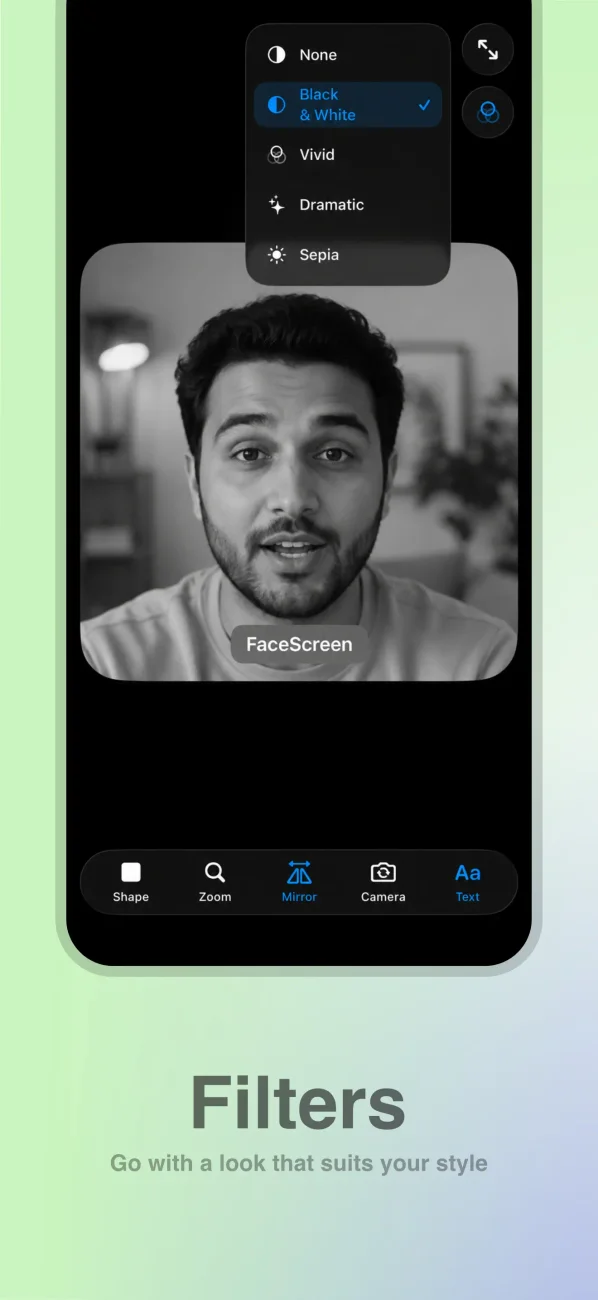
• Customize everything—from the camera shape and position to zoom level, size, orientation, and more.
• Zoom in when your camera is farther away for better visibility.
• Works seamlessly over apps running in full-screen mode.
• Drag and position the camera overlay anywhere on your screen.
• Your settings, including position, size, and appearance, are automatically saved for the next time you use FaceScreen.
Text
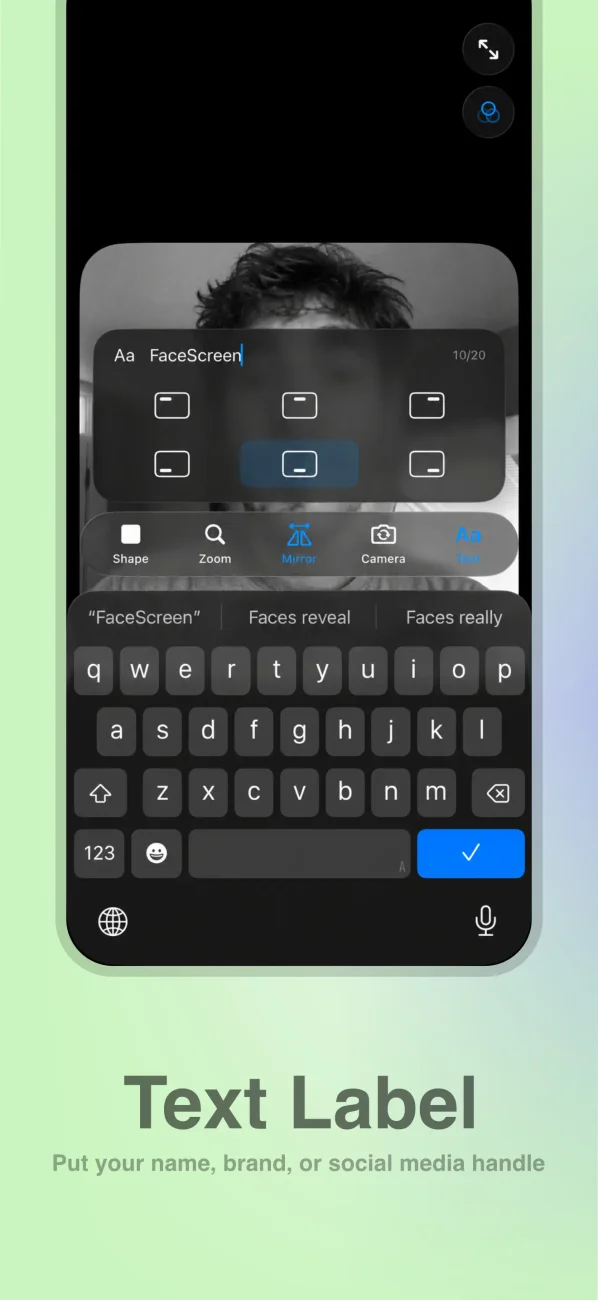
• Showing your face is great, but if you're introducing yourself to a new audience, adding your name, website, or social media handle can make an even stronger impression.
• Customize the text content and its position to match your preferences.
GETTING STARTED
• Install FaceScreen from the App Store
• Open FaceScreen and customize the camera view to your liking
• Leave FaceScreen running and switch to another app to display the floating camera view
• To hide the camera view, simply close FaceScreen
USE CASES
• Video Reactions
• Tutorials & How-To Videos
• App Demos
• Presentations
• Screen Recordings
• Screen Sharing
• Livestreams
• Online Teaching
• Personal Branding
CONTACT
• Website: facescreenapp.com
• X: @softal_io or @rampatra_
EXTRAS
• FAQ: facescreenapp.com/faq
• Privacy Policy: facescreenapp.com/privacy
CREDITS
• Lucas Fischer
新機能
バージョン 3.2.0 · 2026/7/15
• New dual camera mode to show both front and back camera simultaneously.
アプリのプライバシー
このアプリのデータの取り扱いについて、Softal LimitedがApp Storeで申告している内容です。
-
データの収集なし
開発元はこのアプリからデータを収集しません。
プライバシーの取り扱いは、ご利用の機能やお客様の年齢などに応じて異なる場合があります。
情報
- 販売元
- Softal Limited
- カテゴリ
- 写真/ビデオ
- バージョン
- 3.2.0
- 更新日
- 2026/7/15
- リリース
- 2024/10/1
- サイズ
- 4.1 MB
- 必要条件
- iOS 26.0以降
- 対象年齢
- 4+
- 価格
- ¥1,000
- 言語
- 英語
- 著作権
- © Softal.io
こちらもおすすめ
-
 顔出し画面録画・テレプロンプター・ゲーム実況・カメラリアクション撮影・ライブ配信・動画キャプチャ・4K
-
 バックグラウンドカメラ・ながら動画撮影 Float Camフローティング表示でスマホ操作やカンペ・メモを見て自撮り録画
-
 ScreenPal Screen Recorder写真/ビデオ
-
 DualShot RecorderPortrait + Landscape. One Take
-
 2Cam デュアルカメラ録画 - 画面分割 Cameraデュアルカメラ – フロントカメラとバックカメラ 同時に
-
 Dualgram前面背面カメラで録画
-
 Detail: AI動画編集アプリVlog・ショート動画・リール
-
 Sony | Creators' App写真/ビデオ
-
 CapCut Padプロフェッショナル動画エディター
-
 OpusClip - AI video clipping写真/ビデオ