
FaceScreen: Floating Camera
Your face and brand on screen
Conçue pour iPhone, iPad, Mac
6,99 €
- Classification d’âge4+
- CatégoriePhoto et vidéo
- DéveloppeurSoftal Limited
- LanguesAnglais
- Taille4,1 Mo
Renvoie vers la page App Store officielle
Download.org n’héberge aucun fichier de FaceScreen: Floating Camera. Le bouton ouvre la page de l’application sur App Store, où Softal Limited la publie. Fiche vérifiée pour la dernière fois le 24/11/2026.
Captures d’écran


À propos
Le développeur n’a pas fourni ce texte dans votre langue.
FaceScreen displays a floating live camera feed and an optional text label on top of everything else on your screen. Add a personal touch to your screen recordings, presentations, livestreams, and screen sharing sessions by keeping your face visible at all times.
Use the built-in screen recorder on your phone or any third-party screen recording app. FaceScreen does not record, store, or process any video or personal data. It simply displays a customizable camera overlay on top of other apps and content.
FEATURES
Camera
• Single camera mode: A sleek camera overlay that floats above all other apps.
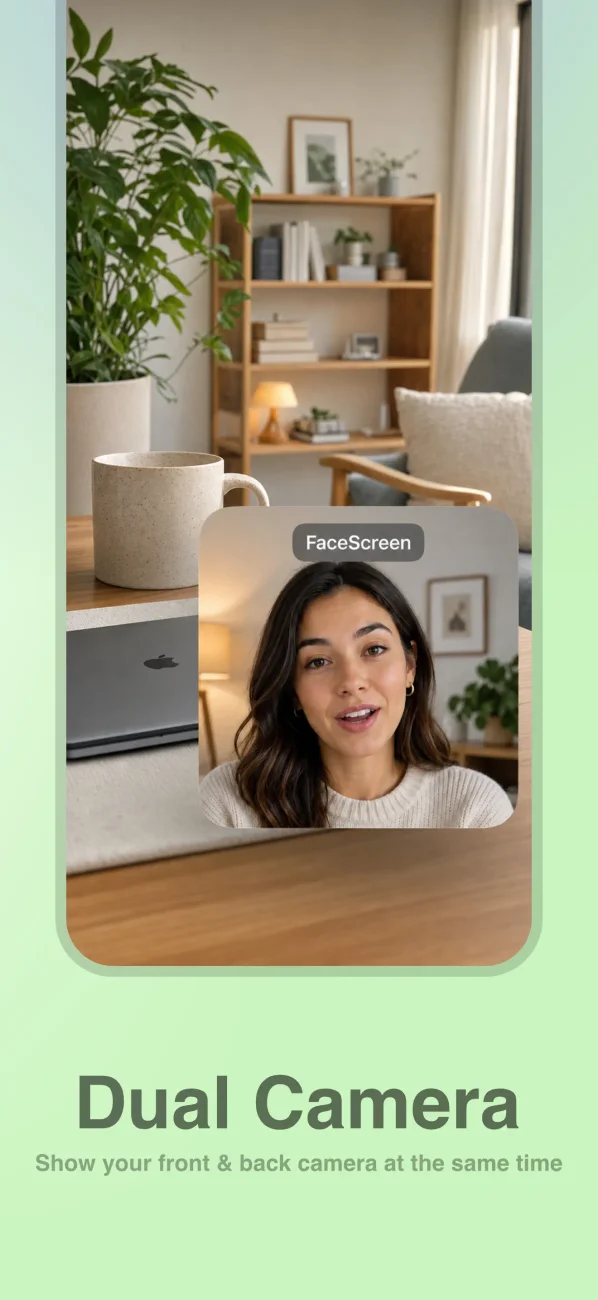
• Dual camera mode: Show both cameras at once with a draggable picture-in-picture front camera.
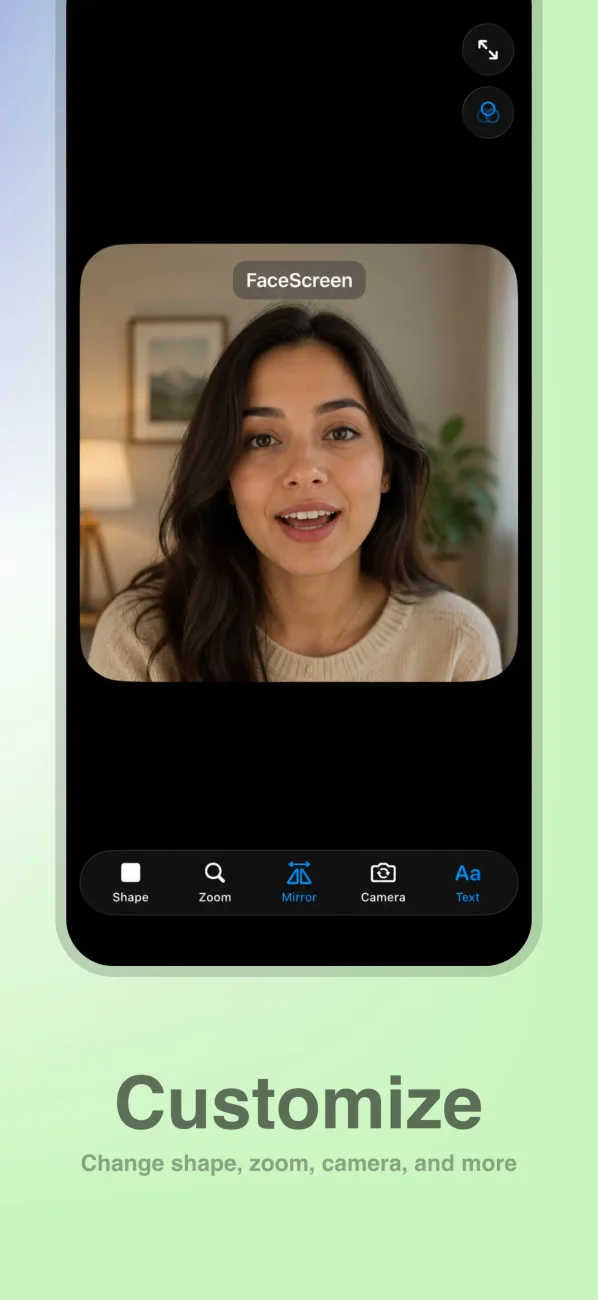
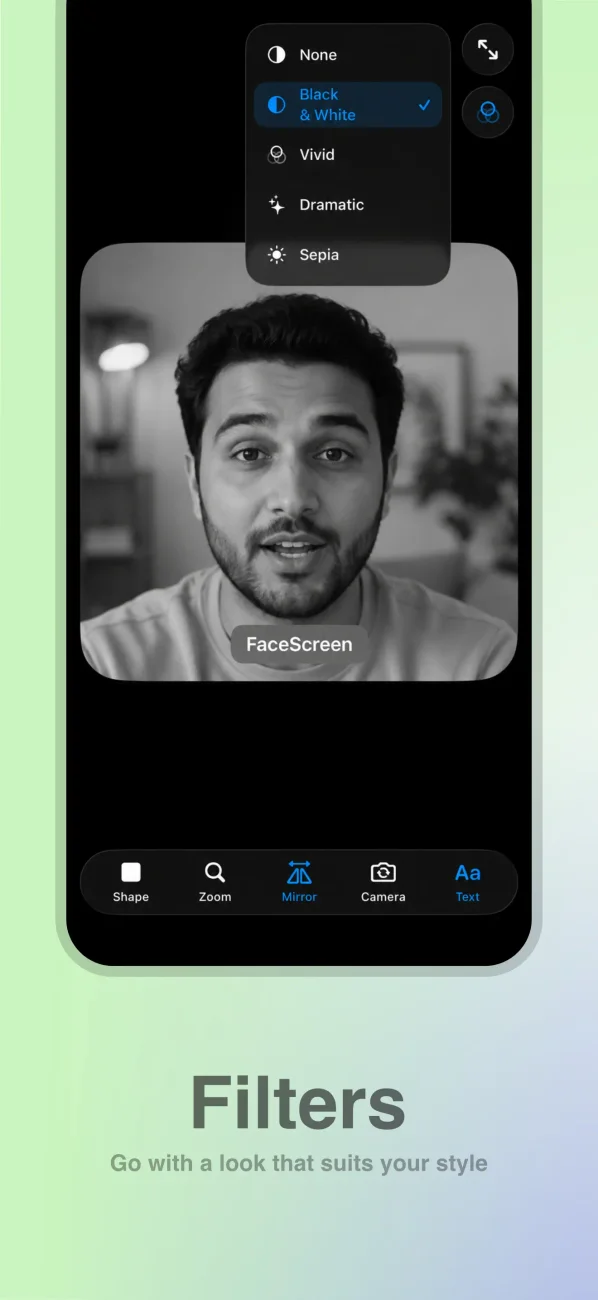
• Customize everything—from the camera shape and position to zoom level, size, orientation, and more.
• Zoom in when your camera is farther away for better visibility.
• Works seamlessly over apps running in full-screen mode.
• Drag and position the camera overlay anywhere on your screen.
• Your settings, including position, size, and appearance, are automatically saved for the next time you use FaceScreen.
Text
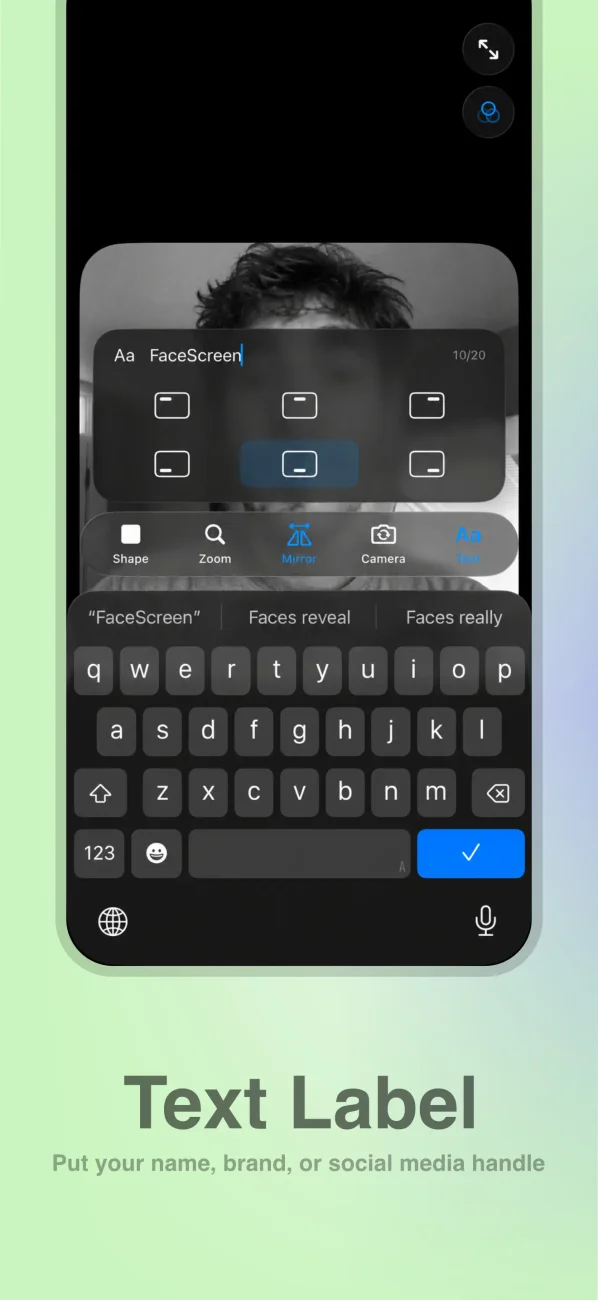
• Showing your face is great, but if you're introducing yourself to a new audience, adding your name, website, or social media handle can make an even stronger impression.
• Customize the text content and its position to match your preferences.
GETTING STARTED
• Install FaceScreen from the App Store
• Open FaceScreen and customize the camera view to your liking
• Leave FaceScreen running and switch to another app to display the floating camera view
• To hide the camera view, simply close FaceScreen
USE CASES
• Video Reactions
• Tutorials & How-To Videos
• App Demos
• Presentations
• Screen Recordings
• Screen Sharing
• Livestreams
• Online Teaching
• Personal Branding
CONTACT
• Website: facescreenapp.com
• X: @softal_io or @rampatra_
EXTRAS
• FAQ: facescreenapp.com/faq
• Privacy Policy: facescreenapp.com/privacy
CREDITS
• Lucas Fischer
Nouveautés
Version 3.2.0 · 15/07/2026
• New dual camera mode to show both front and back camera simultaneously.
Confidentialité de l’application
Ce que Softal Limited déclare sur l’App Store au sujet du traitement des données par cette application.
-
Données non collectées
Le développeur ne collecte aucune donnée à partir de cette application.
Les pratiques en matière de confidentialité peuvent varier, notamment en fonction des fonctionnalités que vous utilisez ou de votre âge.
Informations
- Vendeur
- Softal Limited
- Catégorie
- Photo et vidéo
- Version
- 3.2.0
- Mis à jour
- 15/07/2026
- Publié
- 01/10/2024
- Taille
- 4,1 Mo
- Nécessite
- iOS 26.0 ou version ultérieure
- Classification d’âge
- 4+
- Prix
- 6,99 €
- Langues
- Anglais
- Copyright
- © Softal.io
Vous aimerez peut-être aussi
-
 Enregistreur d'Écran CaméraRéactions en Direct, Streaming
-
 Caméra flottante: Arrière-planEnregistreur vidéo & prompteur
-
 ScreenPal Screen RecorderPhoto et vidéo
-
 DualShot RecorderPortrait + Landscape. One Take
-
 2Cam – Dual Camera Double TakeVidéo caméra avant arrière
-
 DualgramEnregistrement avant+arrière
-
 Detail: Éditeur Vidéo IAVlog, Shorts & Reels
-
 Sony | Creators' AppPhoto et vidéo
-
 CapCut PadPhoto et vidéo
-
 OpusClip - AI video clippingTurn long videos into shorts