
FaceScreen: Floating Camera
Your face and brand on screen
Được thiết kế cho iPhone, iPad, Mac
199.000đ
- Độ tuổi4+
- Danh mụcẢnh & Video
- Nhà phát triểnSoftal Limited
- Ngôn ngữTiếng Anh
- Kích thước4,1 MB
Liên kết đến trang App Store chính thức
Download.org không lưu trữ tệp nào của FaceScreen: Floating Camera. Nút này mở trang ứng dụng trên App Store, nơi Softal Limited phát hành ứng dụng. Trang được kiểm tra lần cuối: 24/11/2026.
Ảnh chụp màn hình


Giới thiệu
Nhà phát triển chưa cung cấp nội dung này bằng ngôn ngữ của bạn.
FaceScreen displays a floating live camera feed and an optional text label on top of everything else on your screen. Add a personal touch to your screen recordings, presentations, livestreams, and screen sharing sessions by keeping your face visible at all times.
Use the built-in screen recorder on your phone or any third-party screen recording app. FaceScreen does not record, store, or process any video or personal data. It simply displays a customizable camera overlay on top of other apps and content.
FEATURES
Camera
• Single camera mode: A sleek camera overlay that floats above all other apps.
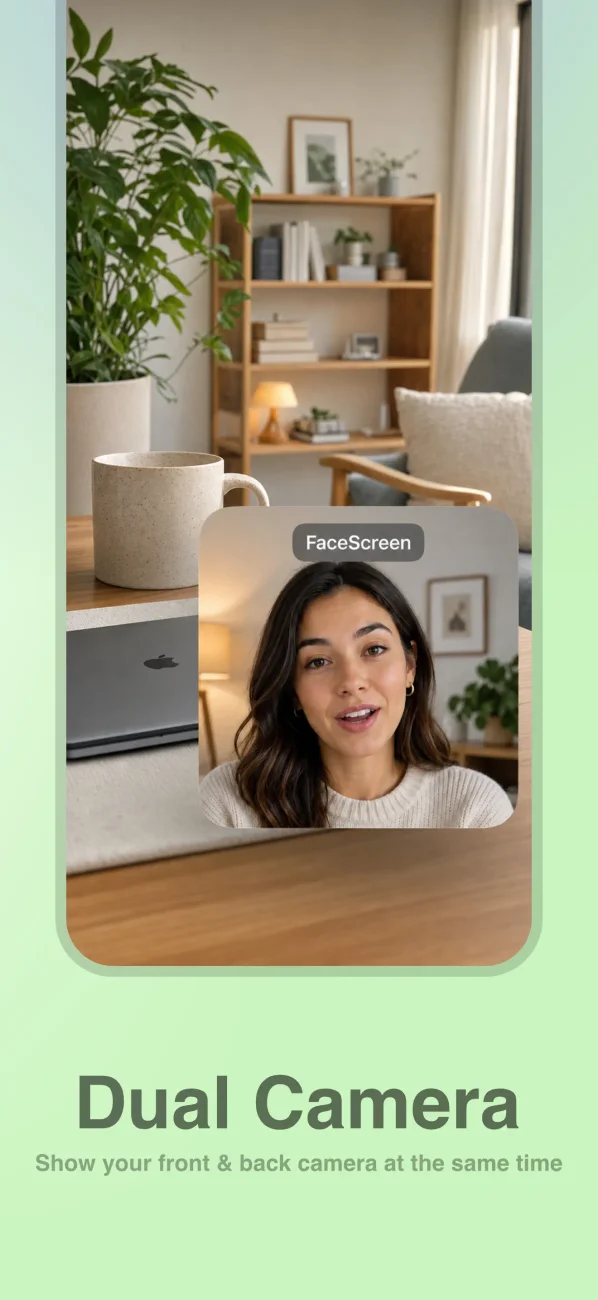
• Dual camera mode: Show both cameras at once with a draggable picture-in-picture front camera.
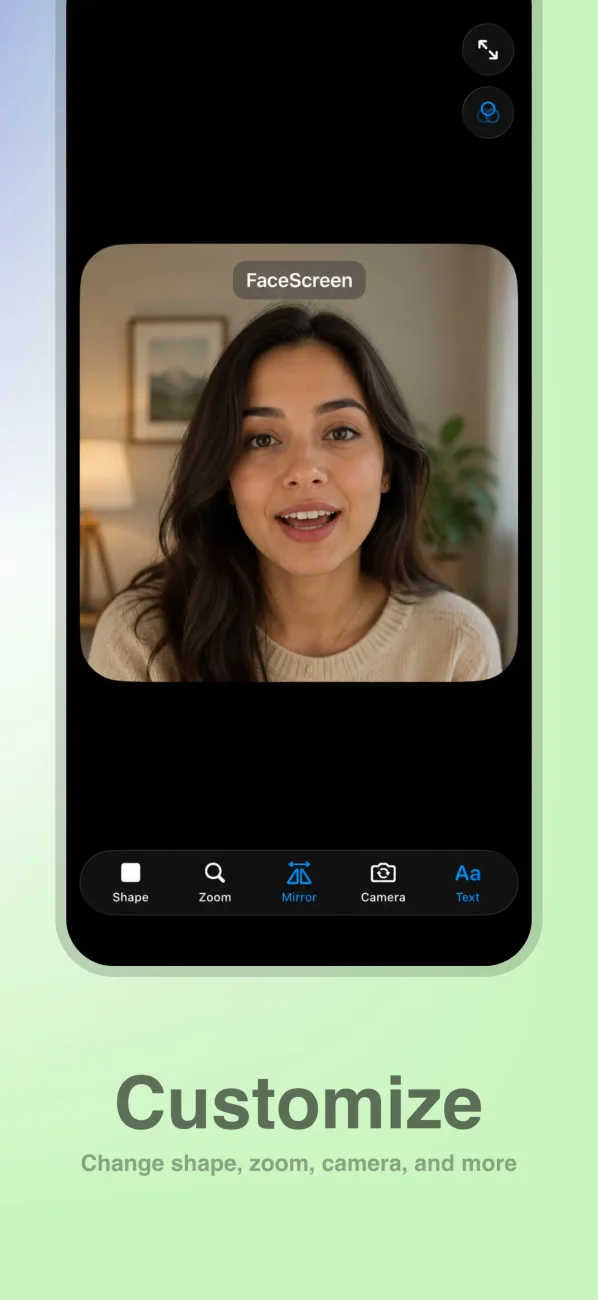
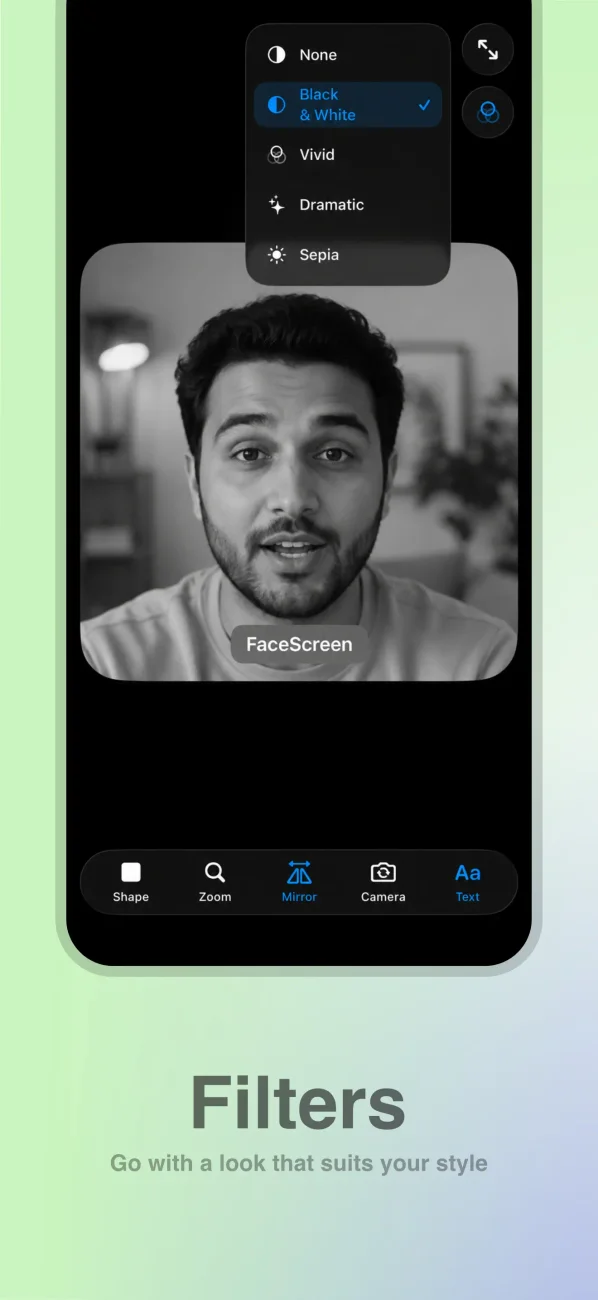
• Customize everything—from the camera shape and position to zoom level, size, orientation, and more.
• Zoom in when your camera is farther away for better visibility.
• Works seamlessly over apps running in full-screen mode.
• Drag and position the camera overlay anywhere on your screen.
• Your settings, including position, size, and appearance, are automatically saved for the next time you use FaceScreen.
Text
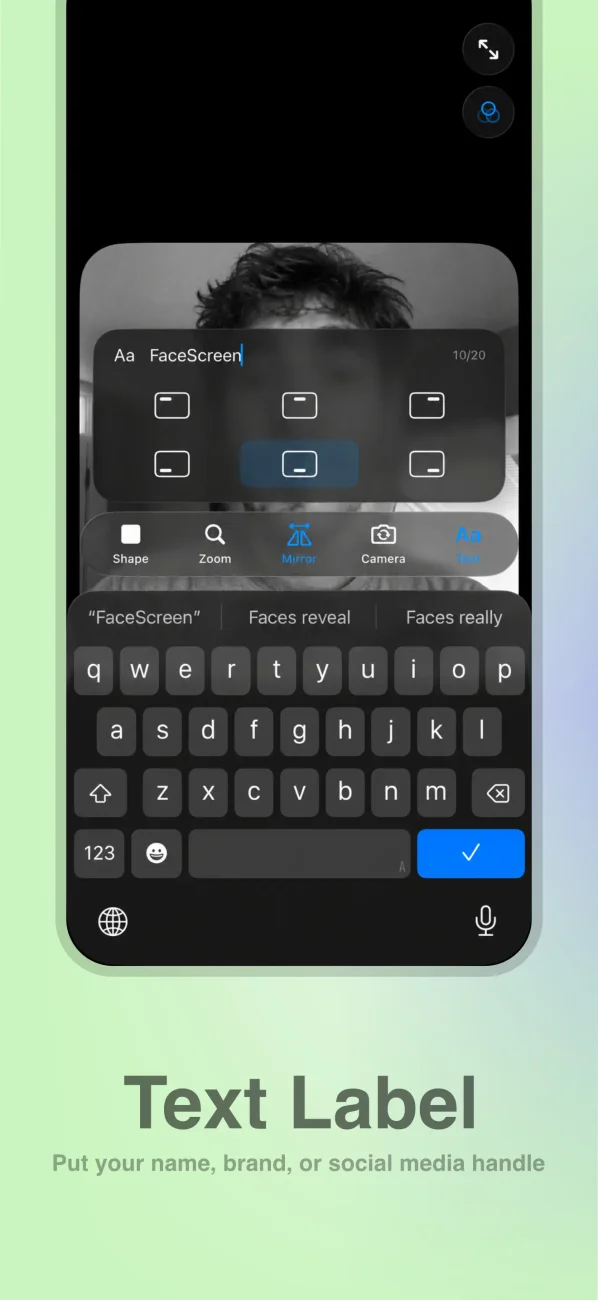
• Showing your face is great, but if you're introducing yourself to a new audience, adding your name, website, or social media handle can make an even stronger impression.
• Customize the text content and its position to match your preferences.
GETTING STARTED
• Install FaceScreen from the App Store
• Open FaceScreen and customize the camera view to your liking
• Leave FaceScreen running and switch to another app to display the floating camera view
• To hide the camera view, simply close FaceScreen
USE CASES
• Video Reactions
• Tutorials & How-To Videos
• App Demos
• Presentations
• Screen Recordings
• Screen Sharing
• Livestreams
• Online Teaching
• Personal Branding
CONTACT
• Website: facescreenapp.com
• X: @softal_io or @rampatra_
EXTRAS
• FAQ: facescreenapp.com/faq
• Privacy Policy: facescreenapp.com/privacy
CREDITS
• Lucas Fischer
Có gì mới
Phiên bản 3.2.0 · 15/07/2026
• New dual camera mode to show both front and back camera simultaneously.
Quyền riêng tư của ứng dụng
Những gì Softal Limited khai báo trên App Store về cách ứng dụng này xử lý dữ liệu.
-
Dữ liệu không được thu thập
Nhà phát triển không thu thập bất kỳ dữ liệu nào từ ứng dụng này.
Phương thức đảm bảo quyền riêng tư có thể khác nhau, chẳng hạn như tuỳ theo các tính năng bạn sử dụng hoặc độ tuổi của bạn.
Thông tin
- Người bán
- Softal Limited
- Danh mục
- Ảnh & Video
- Phiên bản
- 3.2.0
- Cập nhật
- 15/07/2026
- Phát hành
- 01/10/2024
- Kích thước
- 4,1 MB
- Yêu cầu
- iOS 26.0 trở lên
- Độ tuổi
- 4+
- Giá
- 199.000đ
- Ngôn ngữ
- Tiếng Anh
- Bản quyền
- © Softal.io
Có thể bạn cũng thích
-
 HD Face Cam Screen RecorderẢnh & Video
-
 Camera Nổi Chạy Nền: Float CamQuay Video, Ghi Chú, Nhắc Chữ
-
 ScreenPal Screen RecorderẢnh & Video
-
 DualShot RecorderẢnh & Video
-
 2Cam – Quay Camera Trước SauDouble Kamera · Dual 360
-
 DualgramQuay camera trước + sau
-
 Detail: AI Video EditorTạo vlog, shorts và reels
-
 Sony | Creators' AppẢnh & Video
-
 CapCut PadProfessional video editor
-
 OpusClip - AI video clippingẢnh & Video