
Overwrite - Markdown & LaTeX
Offline LaTeX, Code & Markdown
iPhone, iPad, iPod touch向けに設計
無料
- 対象年齢4+
- カテゴリ教育
- 開発元Stefan Muke
- 言語英語
- サイズ58.2 MB
App Storeの公式ページにリンクしています
Download.orgはOverwrite - Markdown & LaTeXのファイルを一切ホストしていません。ボタンを押すと、Stefan Mukeが公開しているApp Storeのアプリページが開きます。ページの最終確認:2026/11/16。
スクリーンショット
概要
開発元はこのテキストをお使いの言語で提供していません。
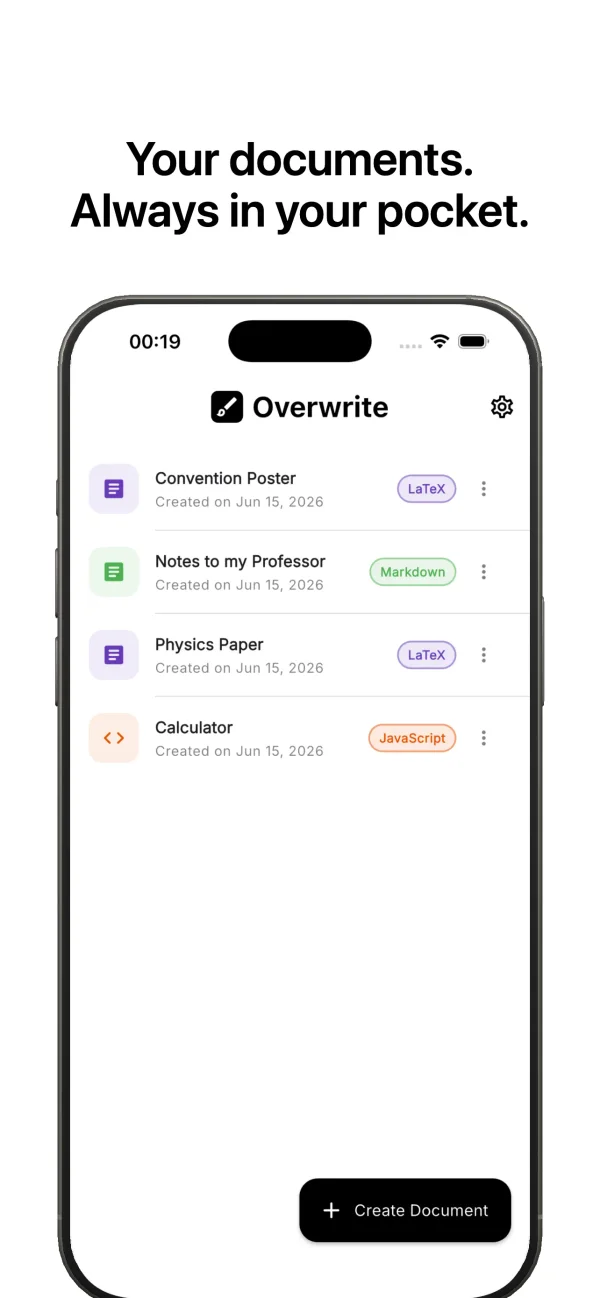
Overwrite is the ultimate minimalist workspace for developers, writers, and students with offline-first LaTeX and Markdown document editing.
Ditch the bloat. Overwrite combines a distraction-free environment with high-performance editing tools. Whether you’re drafting notes in Markdown, writing mathematical equations in LaTeX, or testing JavaScript and Dart scripts, Overwrite handles it all natively and 100% offline.
Designed to look stunning on both iPhone and iPad, the app features a responsive layout, a customizable monospaced interface, and a custom keyboard accessory bar to make editing on the go effortless.
KEY FEATURES:
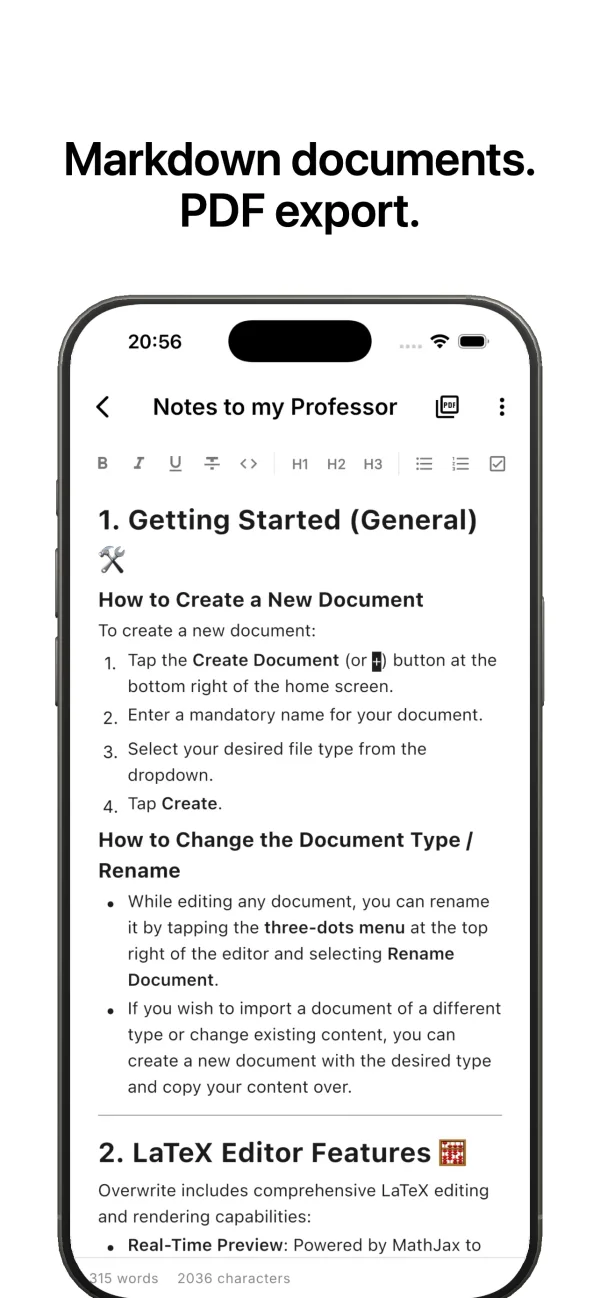
1. Rich Markdown Workspace (WYSIWYG)
Draft beautiful documentation, prose, or journals.
Live rendering hides formatting syntax markers unless you are editing the line (Notion-style).
Format quickly with an interactive slash command (/) menu and floating selection toolbars.
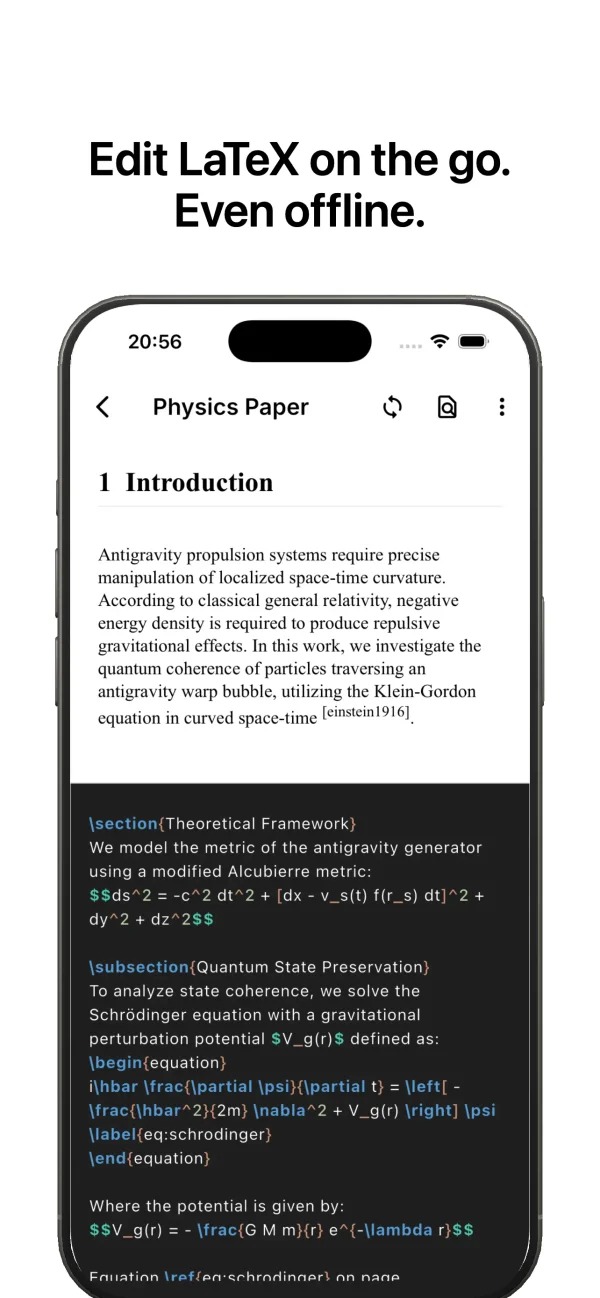
2. Advanced LaTeX & Math Workspace
Render complex math formulas, matrices, and equations instantly (powered offline by MathJax).
Tablet Optimization: Work efficiently on iPad with a dual-pane side-by-side view (edit on the left, live preview on the right).
Accessory Bar: Type faster using a dedicated keyboard accessory bar for commonly used special symbols (\, { }, \frac, \sqrt, \pi, etc.).
Seamlessly wrap selected text inside equations or bracket formats with a single tap.
3. PDF Export & Offline Sync
Export your Markdown and LaTeX files directly to PDF with clean, premium typography.
Uses high-quality fonts (Inter and Source Code Pro) offline, with online fallback for emoji support (Noto Color Emoji).
Auto-save debouncing keeps your drafts synchronized and secure on local storage.
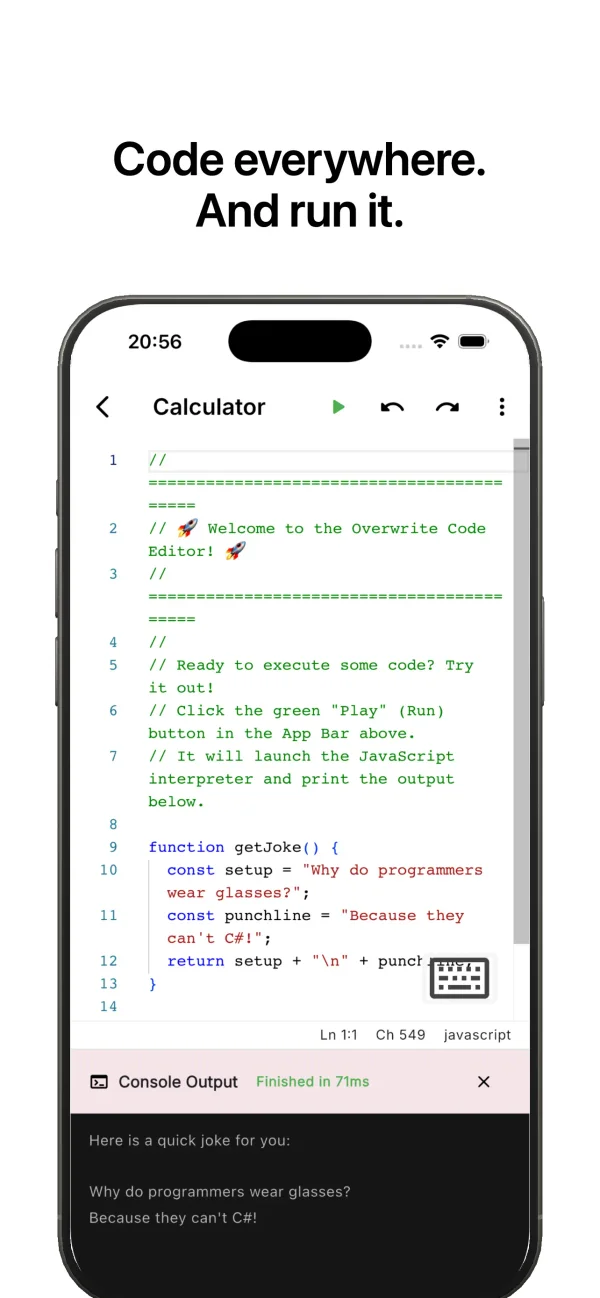
4. Offline Code Editor
Edit Java, Javascript, Python or Dart Code complete with full syntax highlighting and auto completion in a VS Code style editor.
Unlock your productivity. Simplify your writing and coding workflow with Overwrite.
新機能
バージョン 1.1 · 2026/10/17
Fixed several bugs and improved both the Markdown and LaTeX Editor experience. Thank you for using Overwrite!
アプリのプライバシー
このアプリのデータの取り扱いについて、Stefan MukeがApp Storeで申告している内容です。
-
データの収集なし
開発元はこのアプリからデータを収集しません。
プライバシーの取り扱いは、ご利用の機能やお客様の年齢などに応じて異なる場合があります。
情報
- 販売元
- Stefan Muke
- カテゴリ
- 教育
- バージョン
- 1.1
- 更新日
- 2026/10/17
- リリース
- 2026/7/8
- サイズ
- 58.2 MB
- 必要条件
- iOS 15.0以降
- 対象年齢
- 4+
- 価格
- 無料
- 言語
- 英語
- 著作権
- © 2026, Stefan Muke
こちらもおすすめ
-
 StudyTrail-AI単語帳・暗記カードCBT・国試対策、医療者の生涯学習AI暗記カード
-
 Diachronica: Word Origins辞書/辞典/その他
-
 Vektoris3D教育
-
 AdaptiveHikingバリアフリーの散歩道
-
 Archimedes Editor教育
-
 Mathketeers: Math Games教育
-
 RecallNote反復学習と試験直前の復習
-
 元素周期表:化学反応式・3D分子反応式の係数合わせ・モル質量・分子モデル・化学計算
-
 Photo Recipes教育
-
 大学生の勉強ノート : 手書きノート & 授業ノート【新登場】珍しく国産の勉強用ノート|やっぱり日本産が最高!!