
Overwrite - Markdown & LaTeX
Offline LaTeX, Code & Markdown
Designed for iPhone, iPad, iPod touch
Free
- Age rating4+
- CategoryEducation
- DeveloperStefan Muke
- LanguagesEnglish
- Size58.2 MB
Links to the official App Store page
Download.org hosts no file of Overwrite - Markdown & LaTeX. The button opens its official App Store page, published by Stefan Muke. Listing last checked on Nov 16, 2026.
Screenshots

About
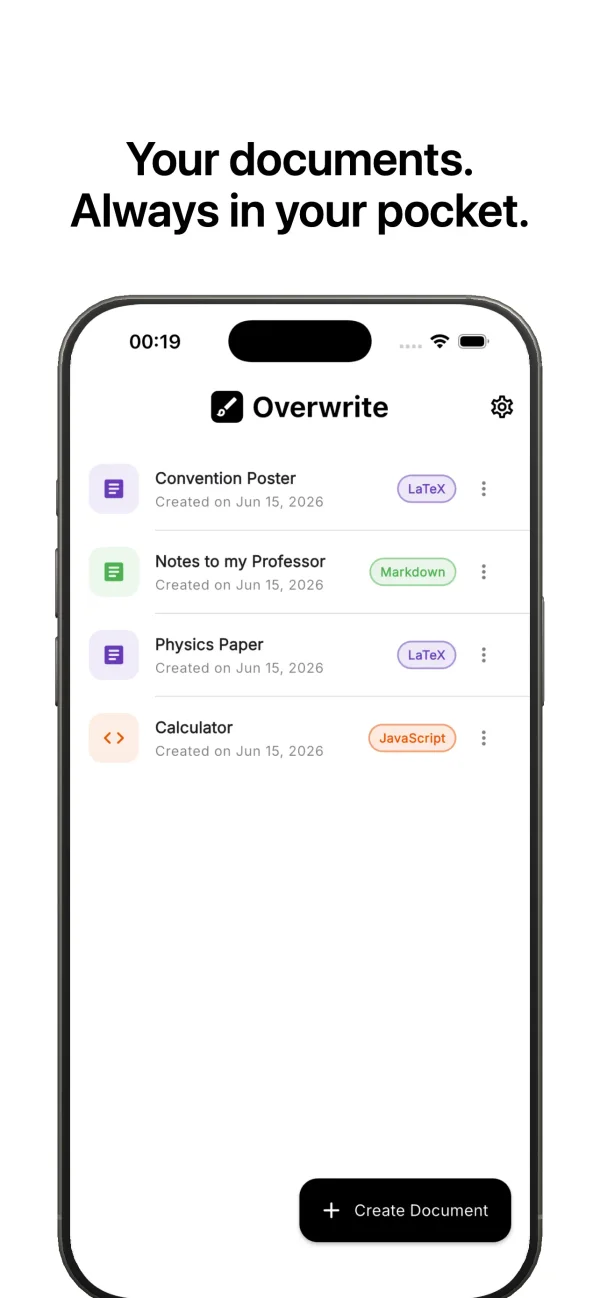
Overwrite is the ultimate minimalist workspace for developers, writers, and students with offline-first LaTeX and Markdown document editing.
Ditch the bloat. Overwrite combines a distraction-free environment with high-performance editing tools. Whether you’re drafting notes in Markdown, writing mathematical equations in LaTeX, or testing JavaScript and Dart scripts, Overwrite handles it all natively and 100% offline.
Designed to look stunning on both iPhone and iPad, the app features a responsive layout, a customizable monospaced interface, and a custom keyboard accessory bar to make editing on the go effortless.
KEY FEATURES:
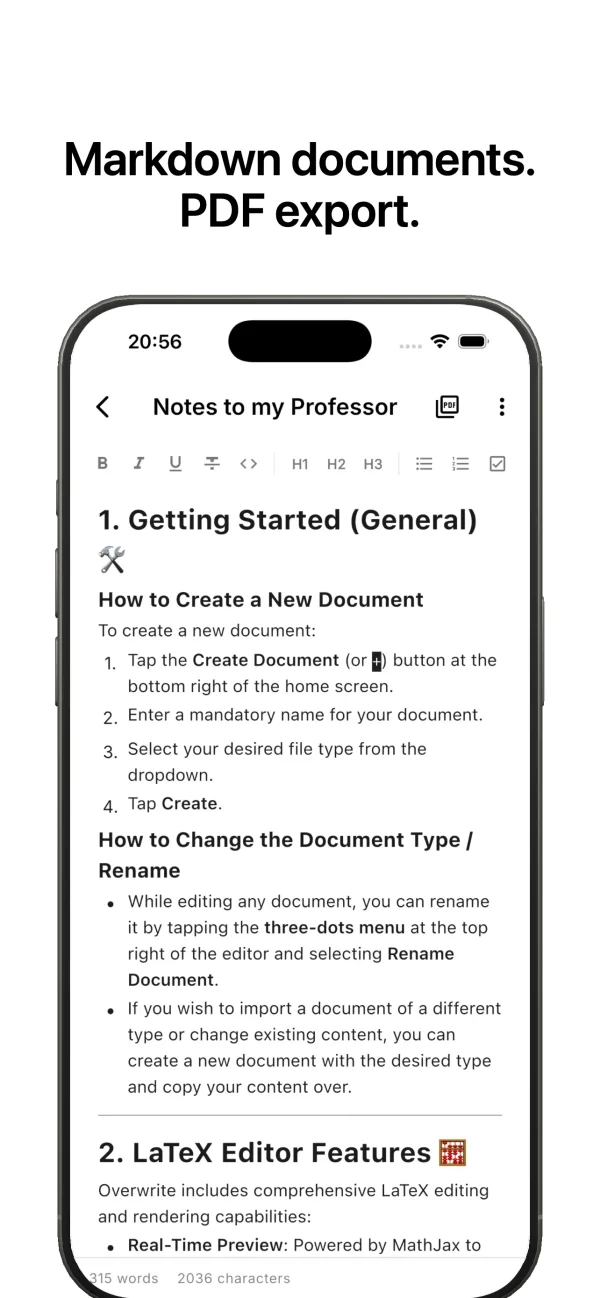
1. Rich Markdown Workspace (WYSIWYG)
Draft beautiful documentation, prose, or journals.
Live rendering hides formatting syntax markers unless you are editing the line (Notion-style).
Format quickly with an interactive slash command (/) menu and floating selection toolbars.
2. Advanced LaTeX & Math Workspace
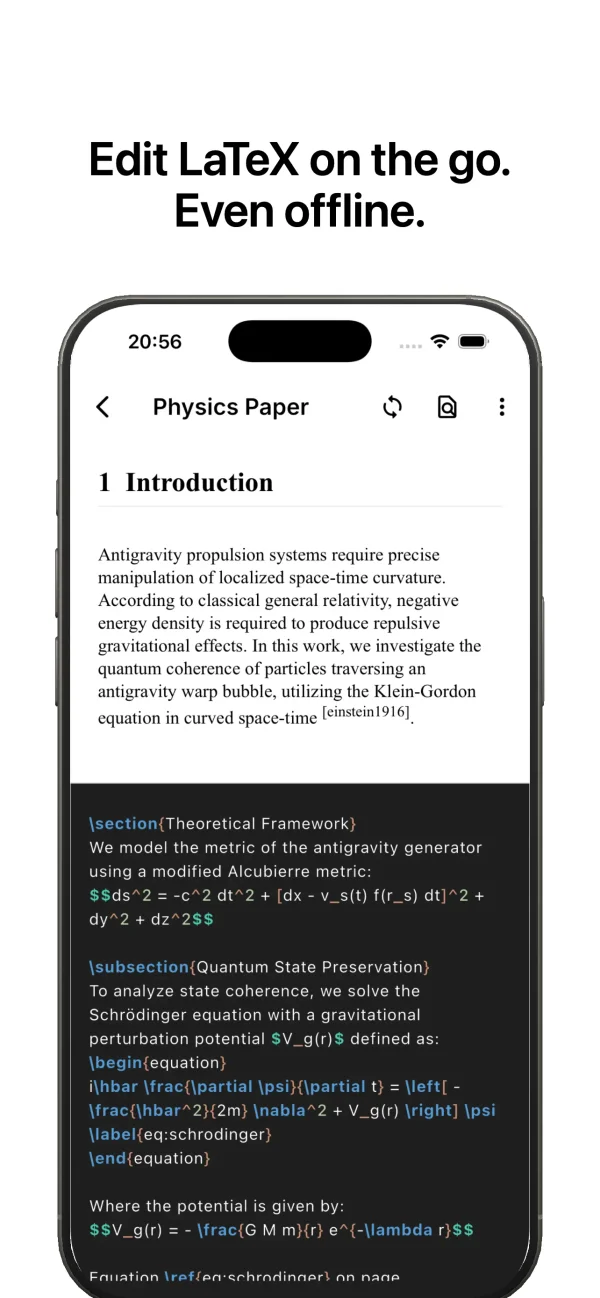
Render complex math formulas, matrices, and equations instantly (powered offline by MathJax).
Tablet Optimization: Work efficiently on iPad with a dual-pane side-by-side view (edit on the left, live preview on the right).
Accessory Bar: Type faster using a dedicated keyboard accessory bar for commonly used special symbols (\, { }, \frac, \sqrt, \pi, etc.).
Seamlessly wrap selected text inside equations or bracket formats with a single tap.
3. PDF Export & Offline Sync
Export your Markdown and LaTeX files directly to PDF with clean, premium typography.
Uses high-quality fonts (Inter and Source Code Pro) offline, with online fallback for emoji support (Noto Color Emoji).
Auto-save debouncing keeps your drafts synchronized and secure on local storage.
4. Offline Code Editor
Edit Java, Javascript, Python or Dart Code complete with full syntax highlighting and auto completion in a VS Code style editor.
Unlock your productivity. Simplify your writing and coding workflow with Overwrite.
What’s new
Version 1.1 · Oct 17, 2026
Fixed several bugs and improved both the Markdown and LaTeX Editor experience. Thank you for using Overwrite!
App privacy
What Stefan Muke declares on the App Store about how this app handles data.
-
Data not collected
The developer does not collect any data from this app.
Privacy practices may vary, for example with the features you use or your age.
Information
- Seller
- Stefan Muke
- Category
- Education
- Version
- 1.1
- Updated
- Oct 17, 2026
- Released
- Jul 8, 2026
- Size
- 58.2 MB
- Requires
- iOS 15.0 or later
- Age rating
- 4+
- Price
- Free
- Languages
- English
- Copyright
- © 2026, Stefan Muke
You might also like
-
 StudyTrail - AI FlashcardsUSMLE, PLAB Prep for IMGs
-
 Diachronica: Word OriginsEvery word is an immigrant
-
 Vektoris3DAnalytic 3D Geometry
-
 AdaptiveHikingAccessible walks
-
 Archimedes EditorMarkdown and LaTeX editor
-
 Mathketeers: Math GamesKids' Math Adventure Games
-
 RecallNoteRepeat, Review, Remember
-
 Periodic Table: Chemistry 3DEquations, Molecules & Tools
-
 Photo RecipesEducation
-
 University Notes: Study NotesNew Handwritten Notes App