
- 対象年齢17+
- カテゴリビジネス
- 開発元Juan Miguel Torres
- 言語英語
- サイズ14.5 MB
App Storeの公式ページにリンクしています
Download.orgはPrintletのファイルを一切ホストしていません。ボタンを押すと、Juan Miguel Torresが公開しているApp Storeのアプリページが開きます。ページの最終確認:2026/11/6。
スクリーンショット
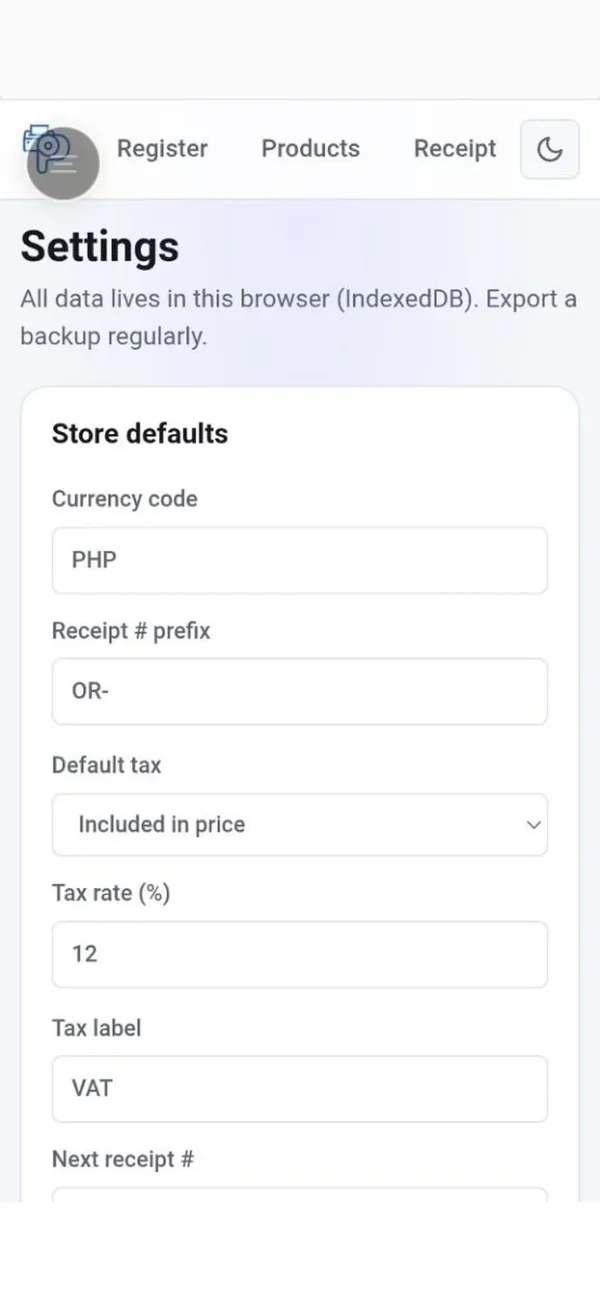
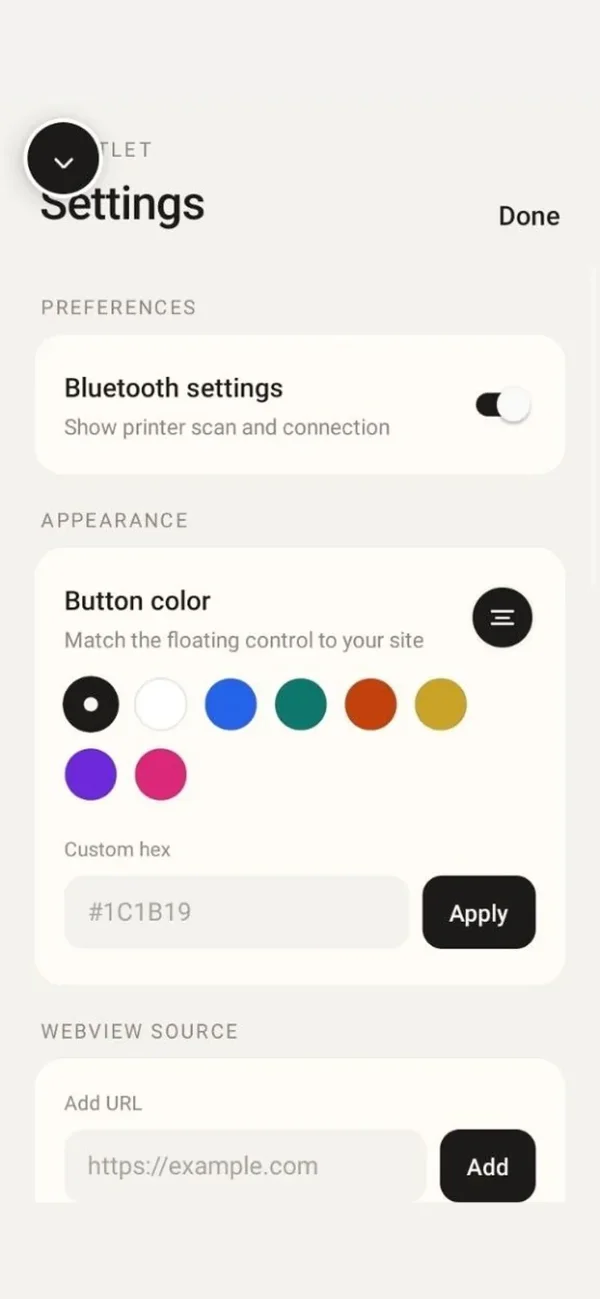
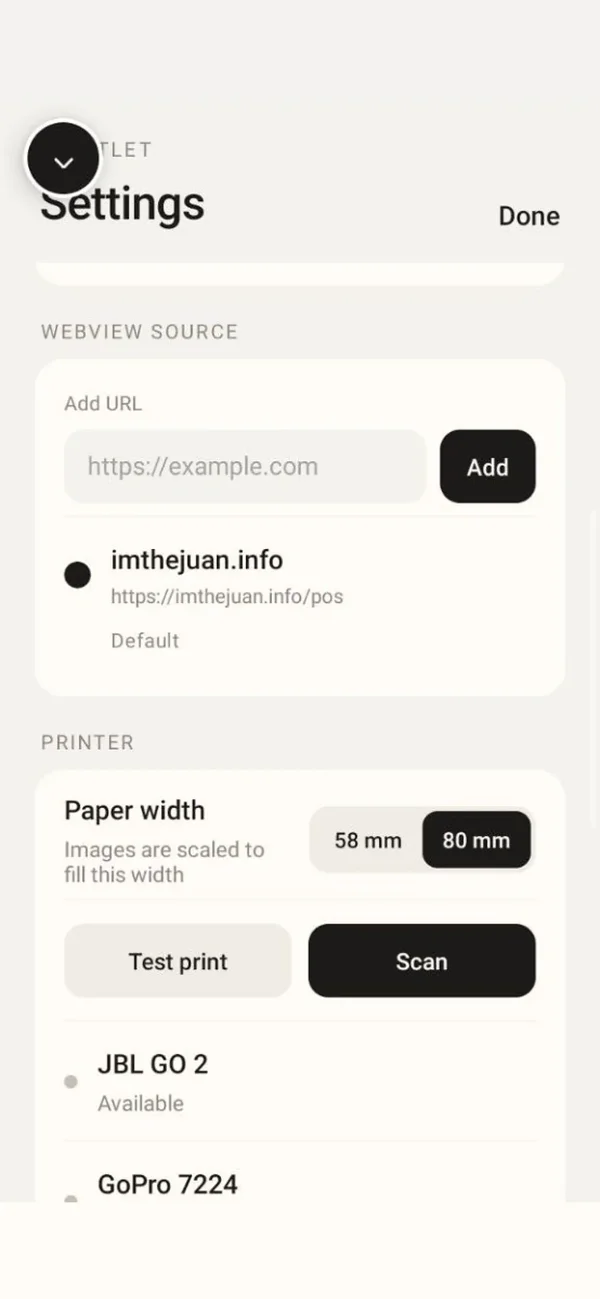
概要
開発元はこのテキストをお使いの言語で提供していません。
Printlet connects your own web app to a Bluetooth thermal printer.
Open your point-of-sale, ordering or ticketing website inside Printlet, connect a receipt printer once, and print receipts, tickets and labels straight from the page. No printer drivers, no computer and no server in between: the image goes from your page directly to the printer.
HOW IT WORKS
1. Add your website address in Printlet and set it as the default page.
2. Scan for your Bluetooth thermal printer and tap it. Printlet reconnects automatically next time.
3. Print from your page. Your web app renders the receipt as an image and sends it to Printlet, which prints it and feeds the paper.
PRINTING THAT LOOKS RIGHT
• Works with ESC/POS Bluetooth thermal printers that support Bluetooth Low Energy (BLE)
• 58 mm (384 dots) and 80 mm (576 dots) paper
• Receipts are scaled to fill the paper width automatically, with blank side margins trimmed
• Crisp, solid text and clean logos, tuned for thermal paper
• Test print to check your printer in one tap
MADE FOR YOUR WEB APP
• Any http or https site, including localhost and local network addresses for testing
• Keep several sites and switch between them from settings
• A floating settings button you can drag to any screen edge, out of your app's way
• Match the button colour to your site's theme
• Reload the page from settings, and camera and photo uploads work inside your page
FOR DEVELOPERS: ONE MESSAGE
There is no SDK to install. Inside Printlet your page has a window.ReactNativeWebView object. Post a JSON message with your receipt as a PNG or JPEG data URL and Printlet prints it. Optional fields set the paper width or keep your side margins, and a second message opens Printlet's printer settings from your own UI.
Want to try it first? Add Pocket POS, a free browser-based point of sale built as a working example, at imthejuan.info/pos/, then complete a sale and tap Thermal Print. The full integration guide, message reference and image guidelines are at imthejuan.info/printlet/.
PRIVATE BY DESIGN
Printlet has no accounts and sends nothing to us. Your settings stay on your device, and print images go directly from your web page to your printer over Bluetooth. Printlet is free and shows Google AdMob banner ads.
アプリのプライバシー
このアプリのデータの取り扱いについて、Juan Miguel TorresがApp Storeで申告している内容です。
-
ユーザーのトラッキングに使用されるデータ
他社のアプリやウェブサイトを横断してユーザーをトラッキングする目的で使用される場合があります。
- 位置情報
- ID
- 使用状況データ
-
ユーザーに関連付けられないデータ
収集される場合がありますが、ユーザーの識別情報には関連付けられません。
- 位置情報
- ID
- 使用状況データ
プライバシーの取り扱いは、ご利用の機能やお客様の年齢などに応じて異なる場合があります。
情報
- 販売元
- Juan Miguel Torres
- カテゴリ
- ビジネス
- バージョン
- 1.0
- 更新日
- 2026/10/29
- リリース
- 2026/10/28
- サイズ
- 14.5 MB
- 必要条件
- iOS 17.0以降
- 対象年齢
- 17+
- 価格
- 無料
- 言語
- 英語
- 著作権
- © 2026 Juan Miguel Torres
こちらもおすすめ
-
 MonoPress: Thermal Day Planner仕事効率化
-
 TaskPrint | Thermal Printer仕事効率化
-
 Thermal Printer Simpleビジネス
-
 Print Fast: レシートプリンター感熱プリンターで領収書・伝票印刷
-
 PrintBuddy: Fast, Secure Printビジネス
-
 Thermal Receipt Printer: POSビジネス
-
 Thermos Pro - Bluetooth Print仕事効率化
-
 Quick Print - Print & Scan PDF仕事効率化
-
 Simple Bluetooth Printerビジネス
-
 Express Invoice Invoicingビジネス