
- Classificação etária17+
- CategoriaNegócios
- DesenvolvedorJuan Miguel Torres
- IdiomasInglês
- Tamanho14,5 MB
Leva à página oficial na App Store
O Download.org não hospeda nenhum arquivo de Printlet. O botão abre a página do app na App Store, onde Juan Miguel Torres o publica. Página verificada pela última vez em 06/11/2026.
Capturas de tela
Sobre
O desenvolvedor não forneceu este texto no seu idioma.
Printlet connects your own web app to a Bluetooth thermal printer.
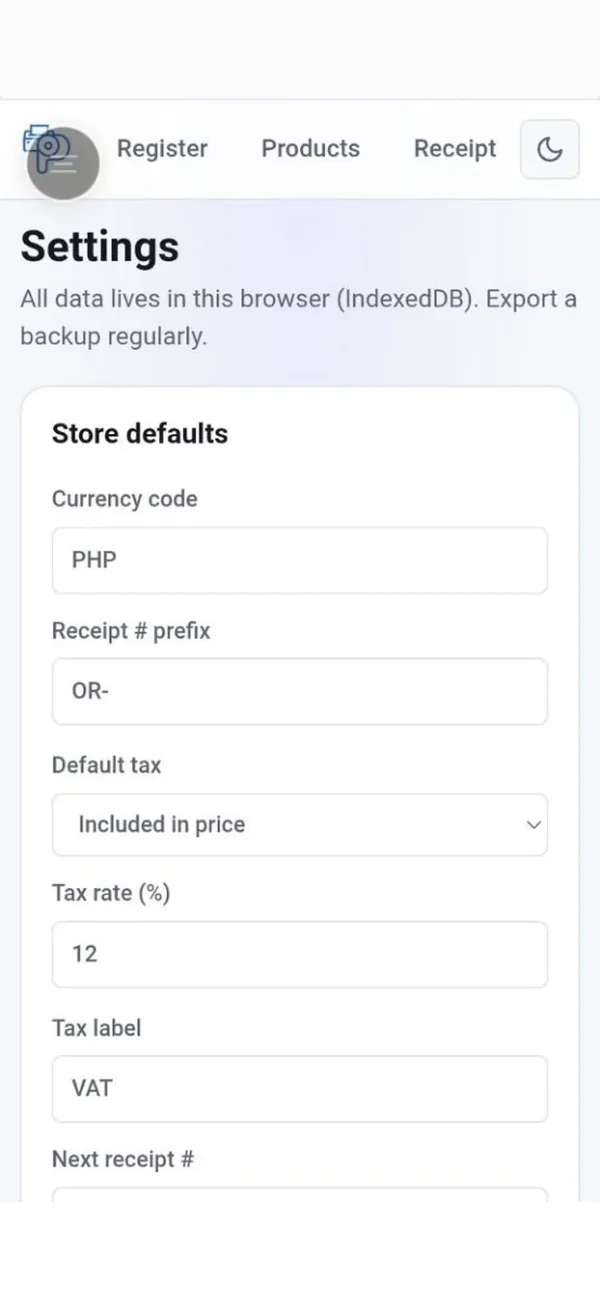
Open your point-of-sale, ordering or ticketing website inside Printlet, connect a receipt printer once, and print receipts, tickets and labels straight from the page. No printer drivers, no computer and no server in between: the image goes from your page directly to the printer.
HOW IT WORKS
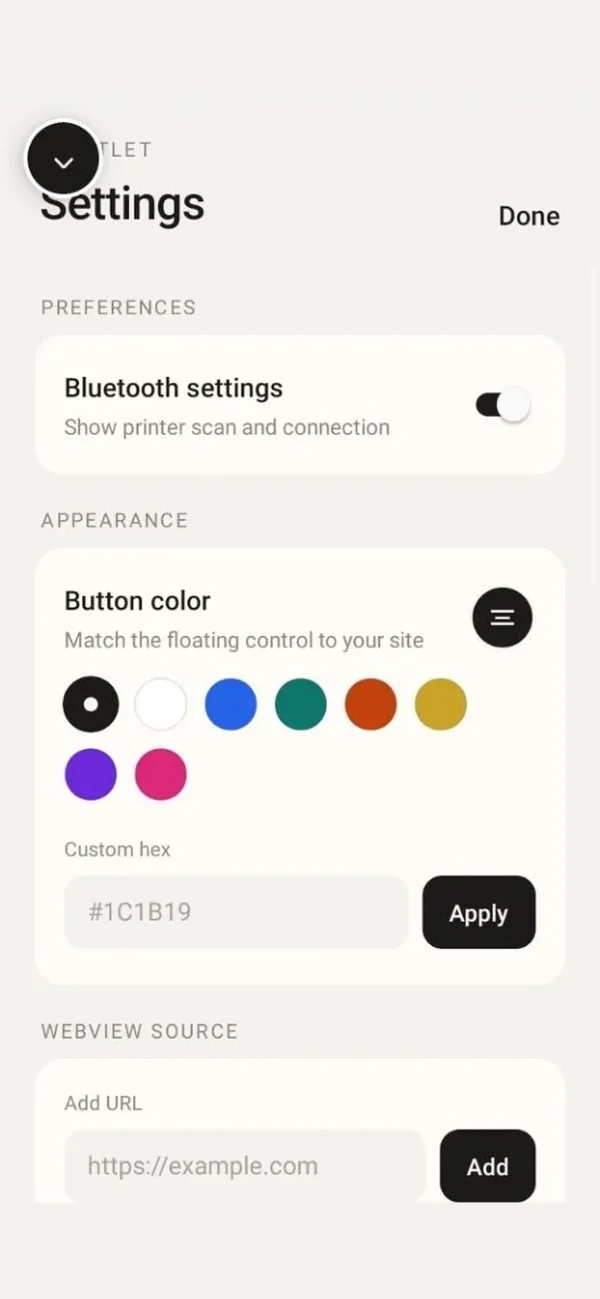
1. Add your website address in Printlet and set it as the default page.
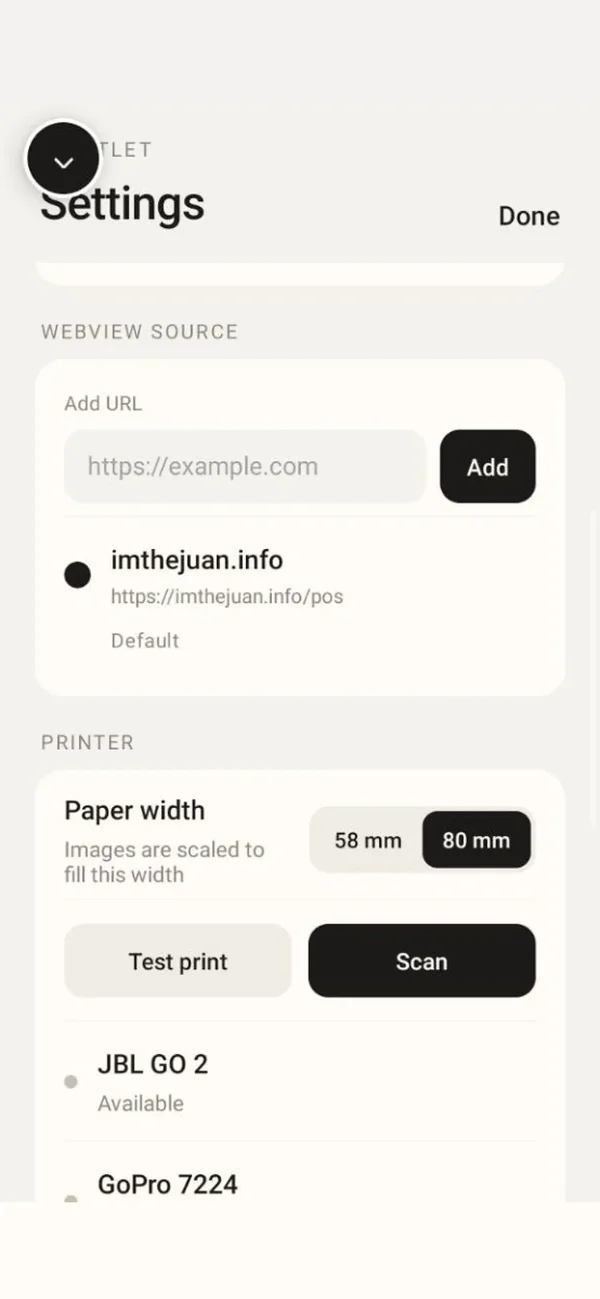
2. Scan for your Bluetooth thermal printer and tap it. Printlet reconnects automatically next time.
3. Print from your page. Your web app renders the receipt as an image and sends it to Printlet, which prints it and feeds the paper.
PRINTING THAT LOOKS RIGHT
• Works with ESC/POS Bluetooth thermal printers that support Bluetooth Low Energy (BLE)
• 58 mm (384 dots) and 80 mm (576 dots) paper
• Receipts are scaled to fill the paper width automatically, with blank side margins trimmed
• Crisp, solid text and clean logos, tuned for thermal paper
• Test print to check your printer in one tap
MADE FOR YOUR WEB APP
• Any http or https site, including localhost and local network addresses for testing
• Keep several sites and switch between them from settings
• A floating settings button you can drag to any screen edge, out of your app's way
• Match the button colour to your site's theme
• Reload the page from settings, and camera and photo uploads work inside your page
FOR DEVELOPERS: ONE MESSAGE
There is no SDK to install. Inside Printlet your page has a window.ReactNativeWebView object. Post a JSON message with your receipt as a PNG or JPEG data URL and Printlet prints it. Optional fields set the paper width or keep your side margins, and a second message opens Printlet's printer settings from your own UI.
Want to try it first? Add Pocket POS, a free browser-based point of sale built as a working example, at imthejuan.info/pos/, then complete a sale and tap Thermal Print. The full integration guide, message reference and image guidelines are at imthejuan.info/printlet/.
PRIVATE BY DESIGN
Printlet has no accounts and sends nothing to us. Your settings stay on your device, and print images go directly from your web page to your printer over Bluetooth. Printlet is free and shows Google AdMob banner ads.
Privacidade do app
O que Juan Miguel Torres declara na App Store sobre como este app lida com os dados.
-
Dados usados para rastrear você
Podem ser usados para rastrear você em apps e sites de outras empresas.
- Localização
- Identificadores
- Dados de uso
-
Dados não vinculados a você
Podem ser coletados, mas não são vinculados à sua identidade.
- Localização
- Identificadores
- Dados de uso
As práticas de privacidade podem variar, por exemplo, com base nos recursos que você usa ou na sua idade.
Informações
- Vendedor
- Juan Miguel Torres
- Categoria
- Negócios
- Versão
- 1.0
- Atualizado
- 29/10/2026
- Lançamento
- 28/10/2026
- Tamanho
- 14,5 MB
- Requer
- iOS 17.0 ou posterior
- Classificação etária
- 17+
- Preço
- Grátis
- Idiomas
- Inglês
- Copyright
- © 2026 Juan Miguel Torres
Você também pode gostar
-
 MonoPress: Thermal Day PlannerProdutividade
-
 TaskPrint | Thermal PrinterPrint labels, notes & receipts
-
 Thermal Printer SimpleNegócios
-
 Print Fast: Impressora TérmicaRecibo de Venda via Bluetooth
-
 PrintBuddy: Fast, Secure PrintNegócios
-
 Thermal Receipt Printer: POSNegócios
-
 Thermos Pro - Bluetooth PrintProdutividade
-
 Quick Print - Print & Scan PDFProdutividade
-
 Simple Bluetooth PrinterNegócios
-
 Express Invoice InvoicingNegócios