
- Độ tuổi17+
- Danh mụcKinh Doanh
- Nhà phát triểnJuan Miguel Torres
- Ngôn ngữTiếng Anh
- Kích thước14,5 MB
Liên kết đến trang App Store chính thức
Download.org không lưu trữ tệp nào của Printlet. Nút này mở trang ứng dụng trên App Store, nơi Juan Miguel Torres phát hành ứng dụng. Trang được kiểm tra lần cuối: 06/11/2026.
Ảnh chụp màn hình
Giới thiệu
Nhà phát triển chưa cung cấp nội dung này bằng ngôn ngữ của bạn.
Printlet connects your own web app to a Bluetooth thermal printer.
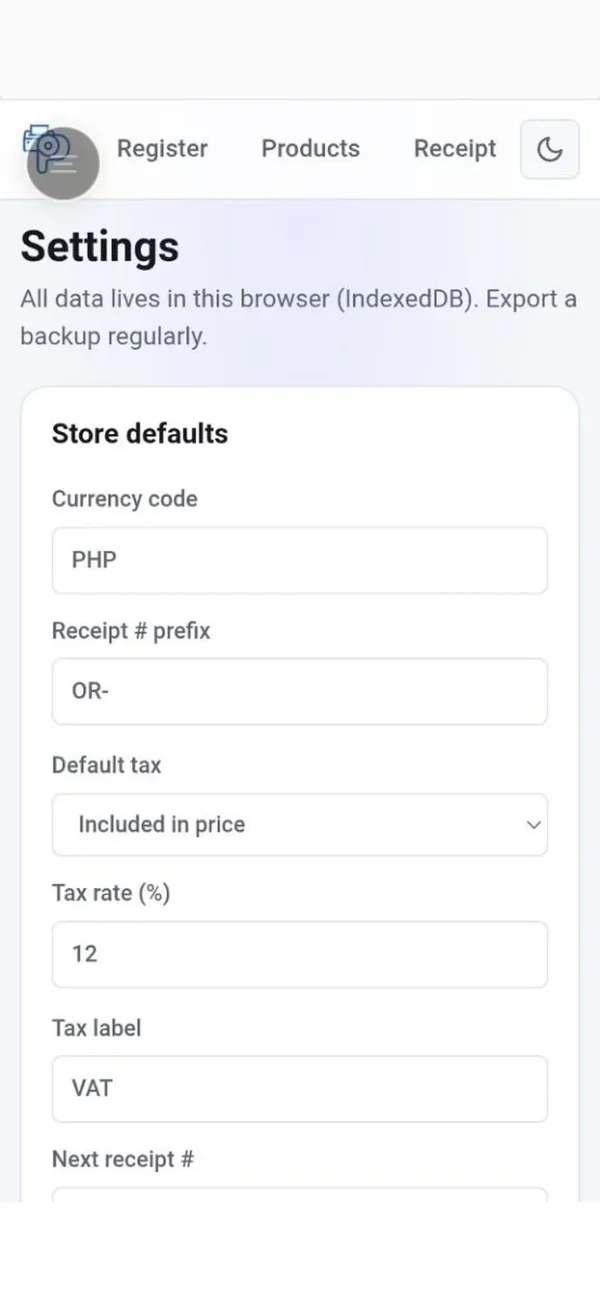
Open your point-of-sale, ordering or ticketing website inside Printlet, connect a receipt printer once, and print receipts, tickets and labels straight from the page. No printer drivers, no computer and no server in between: the image goes from your page directly to the printer.
HOW IT WORKS
1. Add your website address in Printlet and set it as the default page.
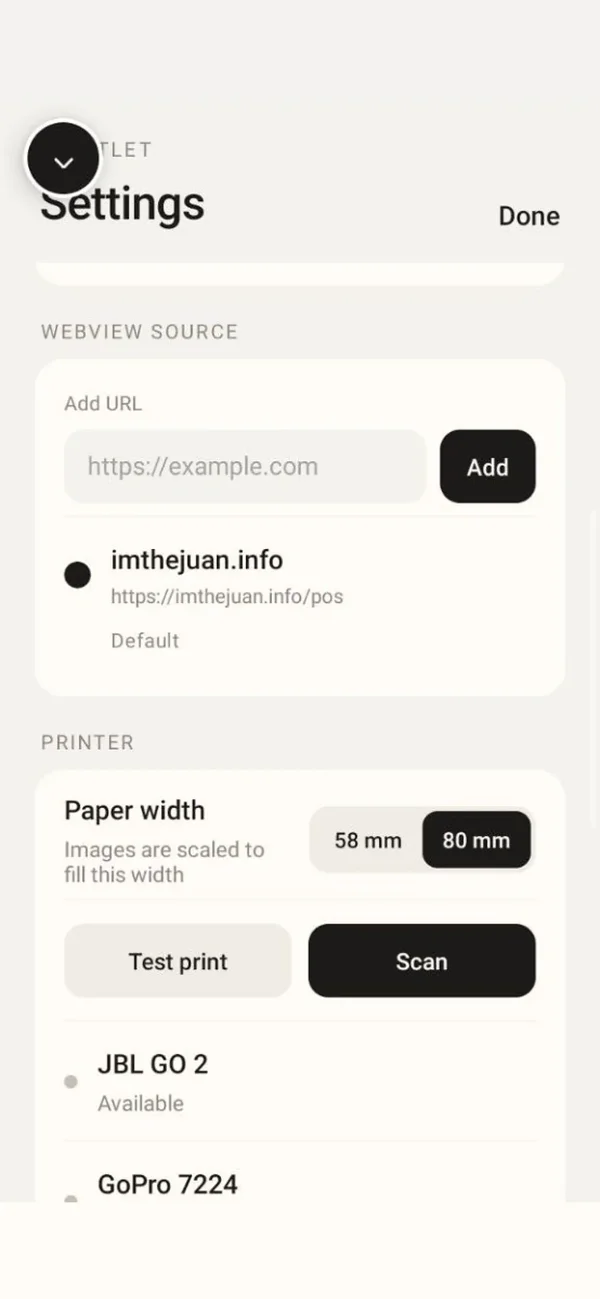
2. Scan for your Bluetooth thermal printer and tap it. Printlet reconnects automatically next time.
3. Print from your page. Your web app renders the receipt as an image and sends it to Printlet, which prints it and feeds the paper.
PRINTING THAT LOOKS RIGHT
• Works with ESC/POS Bluetooth thermal printers that support Bluetooth Low Energy (BLE)
• 58 mm (384 dots) and 80 mm (576 dots) paper
• Receipts are scaled to fill the paper width automatically, with blank side margins trimmed
• Crisp, solid text and clean logos, tuned for thermal paper
• Test print to check your printer in one tap
MADE FOR YOUR WEB APP
• Any http or https site, including localhost and local network addresses for testing
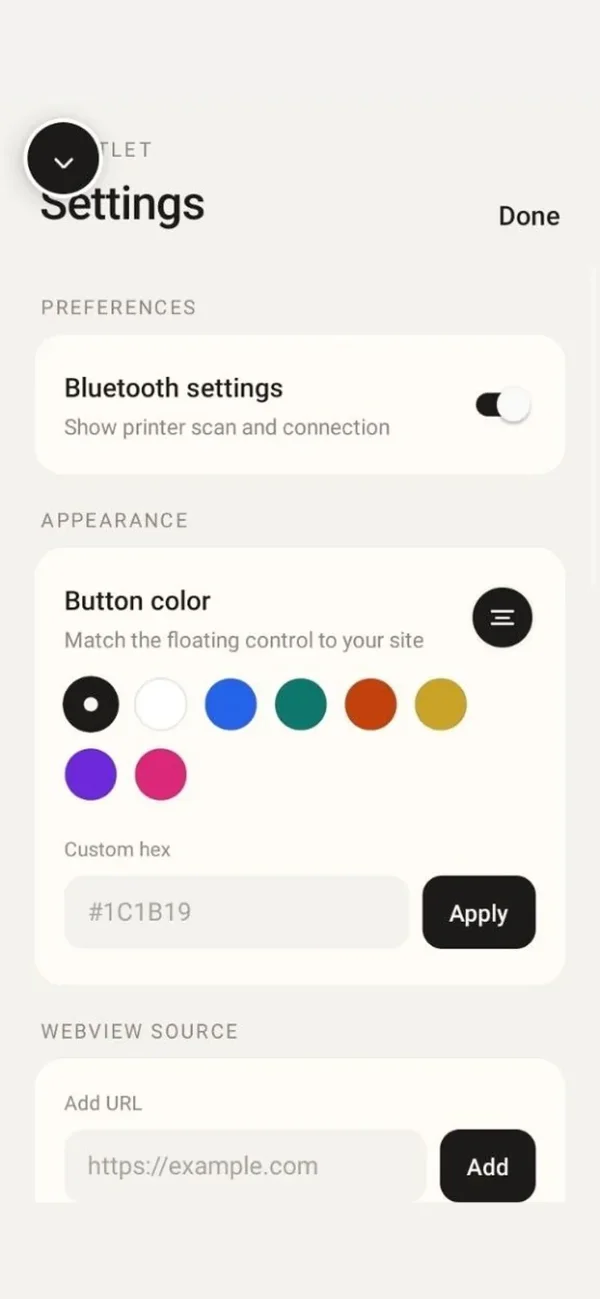
• Keep several sites and switch between them from settings
• A floating settings button you can drag to any screen edge, out of your app's way
• Match the button colour to your site's theme
• Reload the page from settings, and camera and photo uploads work inside your page
FOR DEVELOPERS: ONE MESSAGE
There is no SDK to install. Inside Printlet your page has a window.ReactNativeWebView object. Post a JSON message with your receipt as a PNG or JPEG data URL and Printlet prints it. Optional fields set the paper width or keep your side margins, and a second message opens Printlet's printer settings from your own UI.
Want to try it first? Add Pocket POS, a free browser-based point of sale built as a working example, at imthejuan.info/pos/, then complete a sale and tap Thermal Print. The full integration guide, message reference and image guidelines are at imthejuan.info/printlet/.
PRIVATE BY DESIGN
Printlet has no accounts and sends nothing to us. Your settings stay on your device, and print images go directly from your web page to your printer over Bluetooth. Printlet is free and shows Google AdMob banner ads.
Quyền riêng tư của ứng dụng
Những gì Juan Miguel Torres khai báo trên App Store về cách ứng dụng này xử lý dữ liệu.
-
Dữ liệu được sử dụng để theo dõi bạn
Có thể được sử dụng để theo dõi bạn trên các ứng dụng và trang web do công ty khác sở hữu.
- Vị trí
- Mã định danh
- Dữ liệu sử dụng
-
Dữ liệu không liên kết với bạn
Có thể được thu thập nhưng không liên kết với danh tính của bạn.
- Vị trí
- Mã định danh
- Dữ liệu sử dụng
Phương thức đảm bảo quyền riêng tư có thể khác nhau, chẳng hạn như tuỳ theo các tính năng bạn sử dụng hoặc độ tuổi của bạn.
Thông tin
- Người bán
- Juan Miguel Torres
- Danh mục
- Kinh Doanh
- Phiên bản
- 1.0
- Cập nhật
- 29/10/2026
- Phát hành
- 28/10/2026
- Kích thước
- 14,5 MB
- Yêu cầu
- iOS 17.0 trở lên
- Độ tuổi
- 17+
- Giá
- Miễn phí
- Ngôn ngữ
- Tiếng Anh
- Bản quyền
- © 2026 Juan Miguel Torres
Có thể bạn cũng thích
-
 MonoPress: Thermal Day PlannerHiệu Suất
-
 TaskPrint | Thermal PrinterHiệu Suất
-
 Thermal Printer SimpleKinh Doanh
-
 Print Fast: Máy In Bill NhiệtTạo Hóa Đơn & Quét Mã Vạch
-
 PrintBuddy: Fast, Secure PrintKinh Doanh
-
 Thermal Receipt Printer: POSKinh Doanh
-
 Thermos Pro - Bluetooth PrintHiệu Suất
-
 Quick Print - Print & Scan PDFHiệu Suất
-
 Simple Bluetooth PrinterKinh Doanh
-
 Express Invoice InvoicingKinh Doanh