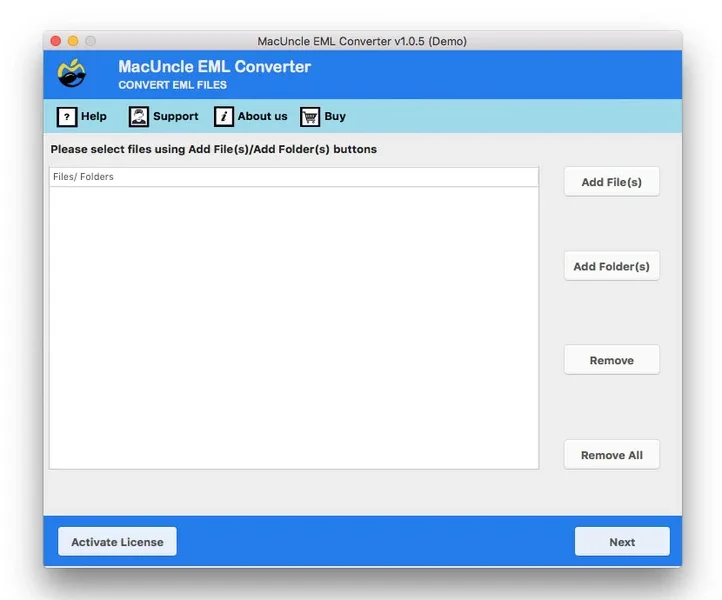
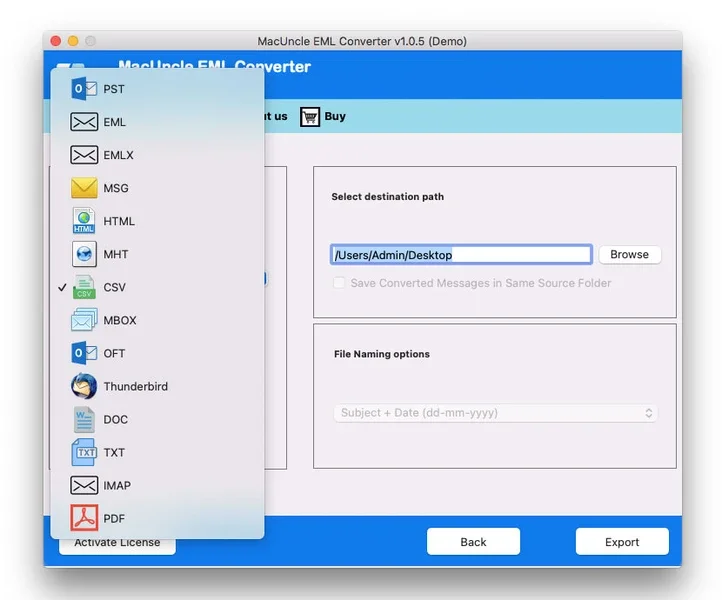
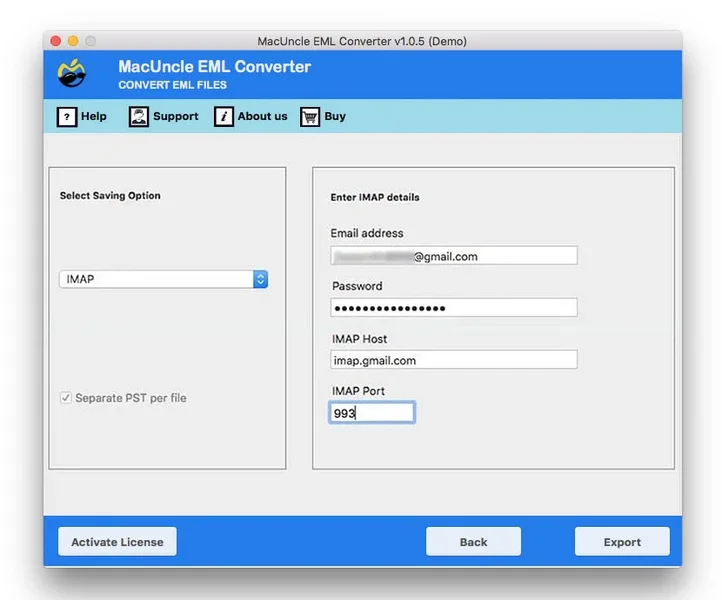
You start by selecting the MSG file, then choose where the converted EML file goes. The whole conversion runs through a graphical interface in a few steps. The default destination for converted files is the Mac Desktop, though you can pick a different location yourself.
MacUncle EML Converter turns EML files into several commonly used file formats. The email structure stays intact, with fields like To, From, Subject, Cc and Bcc kept as they were. Attachments come along too, including PDF, image and PPT files.
The File Naming Option has multiple naming patterns to help you organize files later. Subject + Date (dd-mm-yyyy) is one; From + Subject + Date (yyyy-mm-dd) is another. On the system side, it runs under Catalina (10.15) and Mojave (10.14), and works on High Sierra (10.13) as well. Sierra (10.12) is covered, and so is El Capitan (10.11) and Mac OS X releases earlier than that.
[Release notes coming soon]
Verify the file
Compare the SHA-256 of the file you downloaded with the value below. Files exactly as the publisher released them.
-
MacUncle_EML_Converter_V1.0.dmg
1.0 · DMG · 130.8 MB
SHA-256
aaa21f1a3276426804e460e71afe5dc283140ba3a8107226f0d02cc51daa52ccCheck on VirusTotal Get
Files exactly as the publisher released them.
Information
- Seller
- MacUncle
- Size
- 130.8 MB
- Category
- Desktop Tools
- Compatibility
macOS
- Languages
English
- Age rating
- All ages
- License
- Proprietary
- Price
- Demo