
- Classificação etária4+
- CategoriaProdutividade
- DesenvolvedorFelipe Carraro
- IdiomasInglês
- Tamanho5,5 MB
Leva à página oficial na App Store
O Download.org não hospeda nenhum arquivo de Structured Outliner. O botão abre a página do app na App Store, onde Felipe Carraro o publica. Página verificada pela última vez em 16/11/2026.
Capturas de tela
Sobre
O desenvolvedor não forneceu este texto no seu idioma.
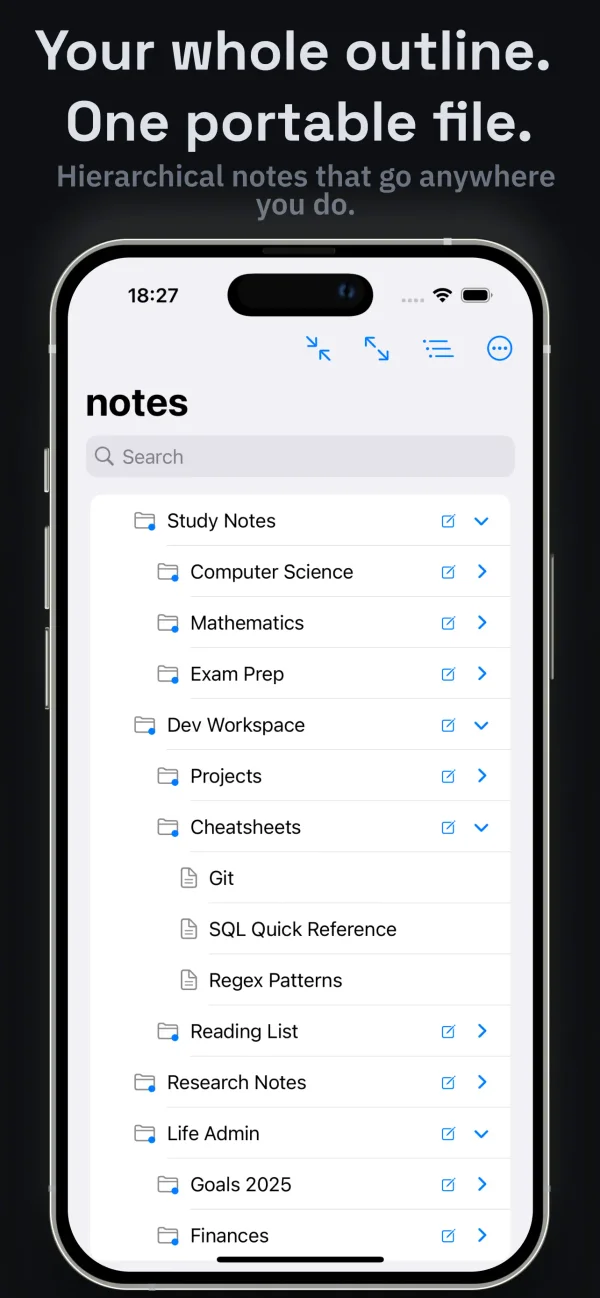
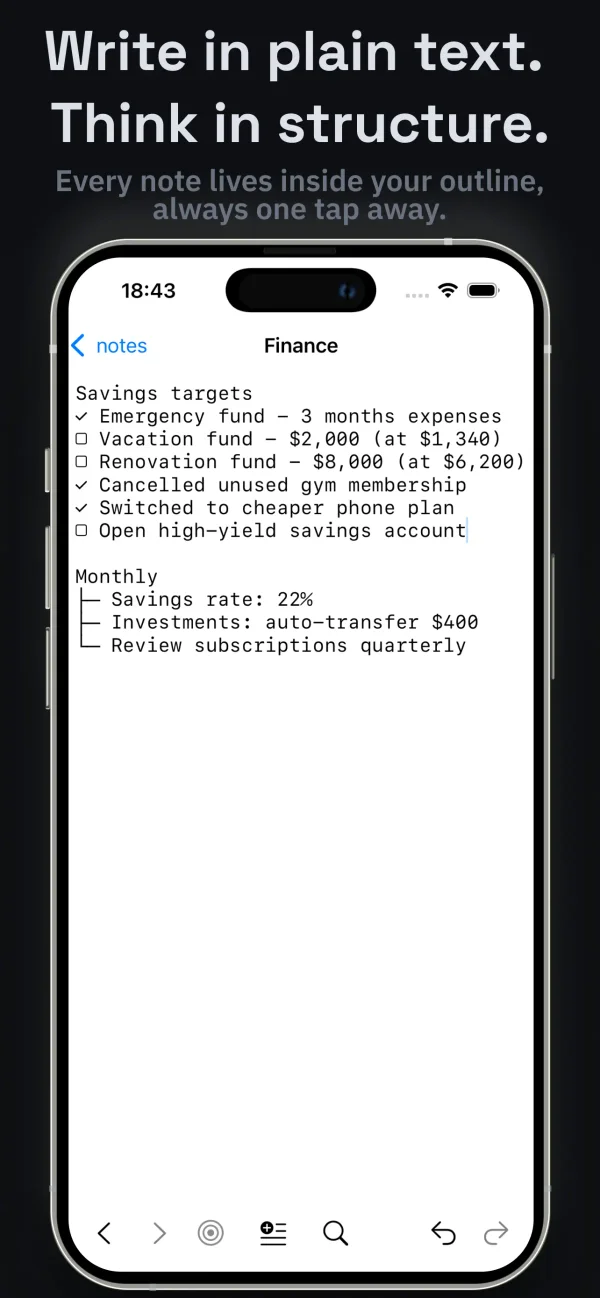
Keep your entire outline in a single portable file you control. No account, no server, no lock-in, future-proof.
ORGANIZE IN UNLIMITED DEPTH
Build trees as deep as you need. Expand, collapse, and reorder topics with just a few taps. Every topic can have its own notes. Write as much or as little as you like.
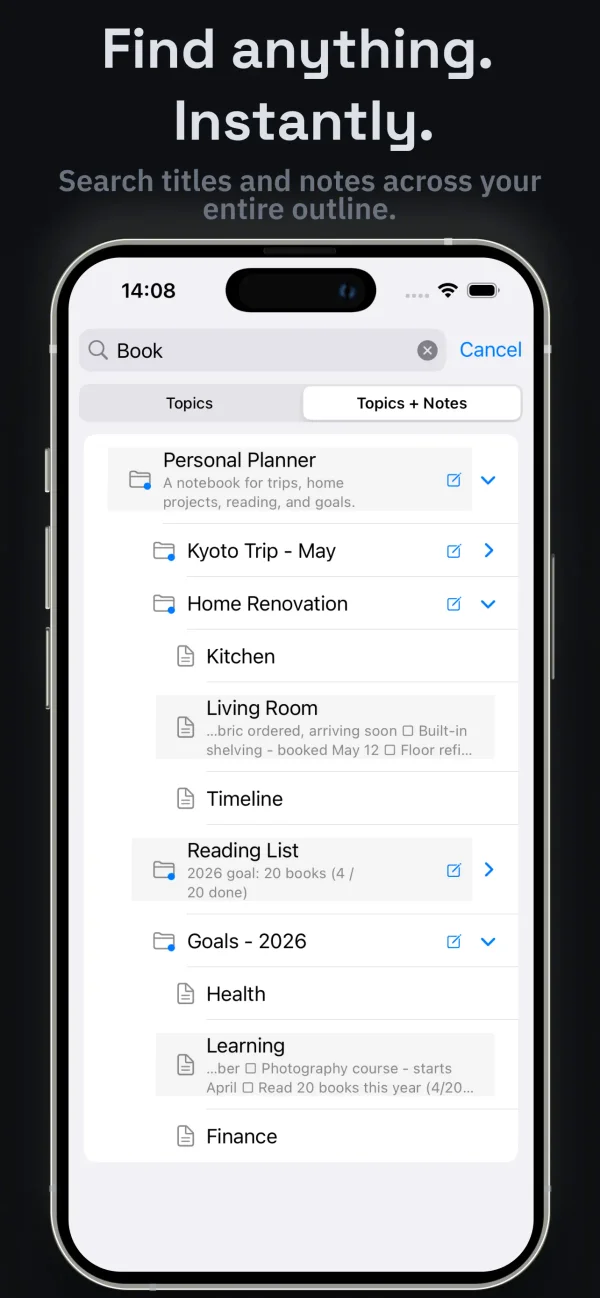
SEARCH EVERYTHING
Search titles or note content at once. The tree expands automatically to show every match in context, so you always know where a result lives in your outline.
CROSS-LINK TOPICS
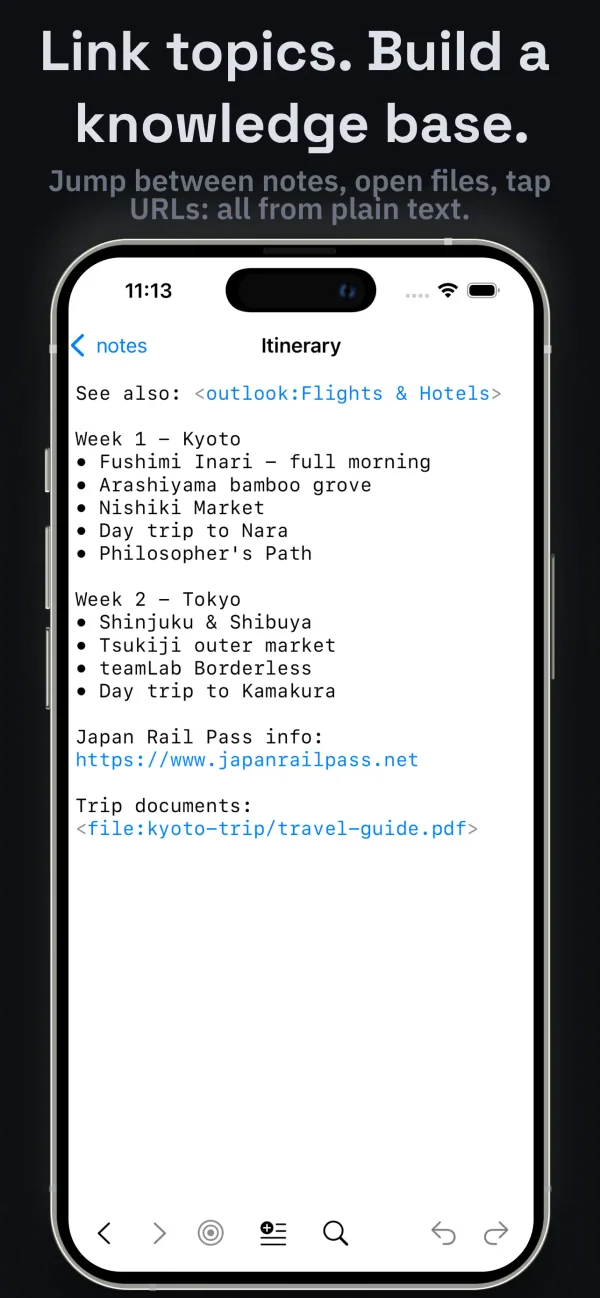
Link any note to another topic using the outlook: link format. Tap to jump directly there. Tap the back arrow to return where you came from.
OPEN FILES AND URLS
Tap any file path or URL inside a note to open it. Connect your outline to existing documents in the folder: PDFs, photos, or anything else you reference.
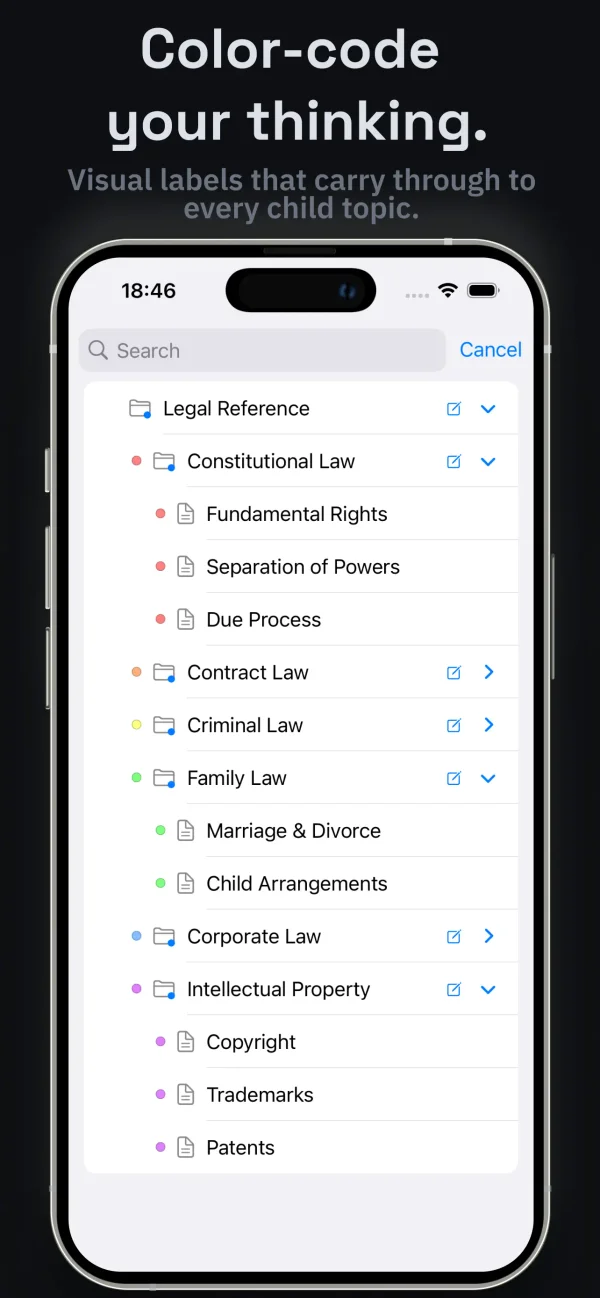
COLOR LABELS
Assign a background color to any topic: Red, Orange, Yellow, Green, Blue, or Purple. The color flows down to all child topics that don't have their own. Use it to visually separate sections at a glance.
AUTOMATIC BACKUPS
The app writes a .bak backup before every save. Restore at any time from the menu.
SYNC YOUR WAY
Store your file in iCloud, Dropbox, Google Drive, or any Files-compatible provider. Open it from there on each device. No special sync setup required.
MEMPAD COMPATIBLE
Structured Outliner uses the same .lst format as MemPad for Windows, a portable outliner that has been around since the early 2000s. Open existing MemPad files directly, no conversion needed.
FREE VERSION
Structured Outliner is free to use. Development is supported by a small banner ad shown at the bottom of the screen.
PRO VERSION
Upgrade to Pro to remove the banner ad, unlock Color Labels and Topic + Note Search and future planned features. One-time purchase. Restore on any device from the menu.
Novidades
Versão 1.03 · 28/05/2026
- bugfix
Privacidade do app
O que Felipe Carraro declara na App Store sobre como este app lida com os dados.
-
Dados não vinculados a você
Podem ser coletados, mas não são vinculados à sua identidade.
- Dados de uso
As práticas de privacidade podem variar, por exemplo, com base nos recursos que você usa ou na sua idade.
Informações
- Vendedor
- Felipe Carraro
- Categoria
- Produtividade
- Versão
- 1.03
- Atualizado
- 28/05/2026
- Lançamento
- 10/05/2026
- Tamanho
- 5,5 MB
- Requer
- iOS 17.0 ou posterior
- Classificação etária
- 4+
- Preço
- Grátis
- Compras no app
- Sim
- Idiomas
- Inglês
- Copyright
- © 2026 Felipe Carraro
Você também pode gostar
-
 Aravel: Idea Notes & OrganizerProdutividade
-
 Ideaboxd: Capture ideasProdutividade
-
 CompaxiProdutividade
-
 Omo: App Blocker & Focus TimerProdutividade
-
 Aletheia: A Space for IdeasProdutividade
-
 ADHD Task Outliner: FinishTraxProdutividade
-
 Letterform: Markdown EditorProdutividade
-
 Useful Lists - The List MarketProdutividade
-
 Course Lab —AI Course CreatorProdutividade
-
 TinyLists: Lista de TarefasChecklist e Lembretes Offline