
SwitchCam - Live Camera Switch
Switch cameras mid-recording
Projetado para iPhone
Grátis
- Classificação etária4+
- CategoriaFoto e vídeo
- Desenvolvedor优尔公司
- IdiomasInglêse mais 4
- Tamanho5,7 MB
Leva à página oficial na App Store
O Download.org não hospeda nenhum arquivo de SwitchCam - Live Camera Switch. O botão abre a página do app na App Store, onde 优尔公司 o publica. Página verificada pela última vez em 18/11/2026.
Capturas de tela

Sobre
O desenvolvedor não forneceu este texto no seu idioma.
One sentence: switch between the front and rear cameras while you record — something the built-in Camera app cannot do.
■ Why we built it
With the built-in iPhone Camera app, once you press Record you can no longer switch between the front and rear cameras. To switch, you have to stop, change cameras, and start a new clip. SwitchCam solves that: switch whenever you like, and it is still one single video file.
■ How switching works
· While recording, tap Switch and the picture moves to the other camera right away
· Both cameras work at the same time (in 1080p), so the switch is nearly seamless (a measured gap of 2–21 ms on real devices)
· The front and rear cameras are matched to the same resolution and frame rate first, so nothing jumps after a switch
· Audio never drops: the microphone is captured independently of the camera session, so your voice stays continuous
■ Quality and specs
· Three settings — 1080p / 2K / 4K — one tap to change, frame rate fixed at 30
· 2K is captured at 4K and scaled down to 2560×1440, so the framing matches 4K exactly (it is not upscaled 1080p)
· 1080p runs both cameras at once for nearly seamless switching; 2K and 4K put image quality first
■ The interface (just three buttons)
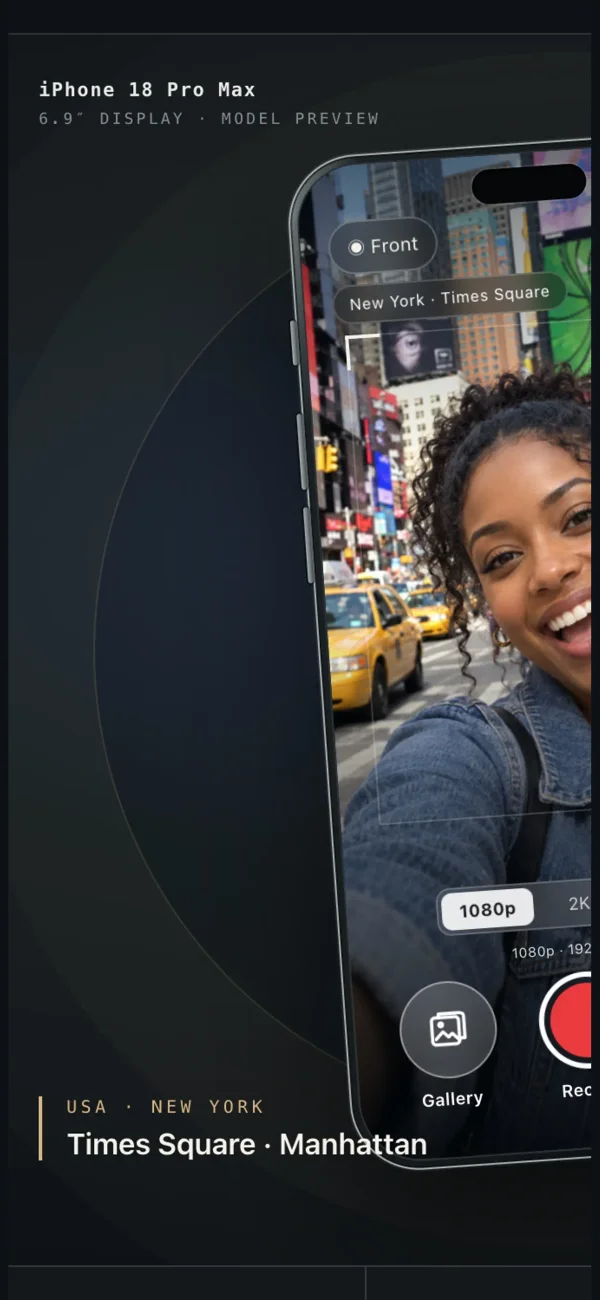
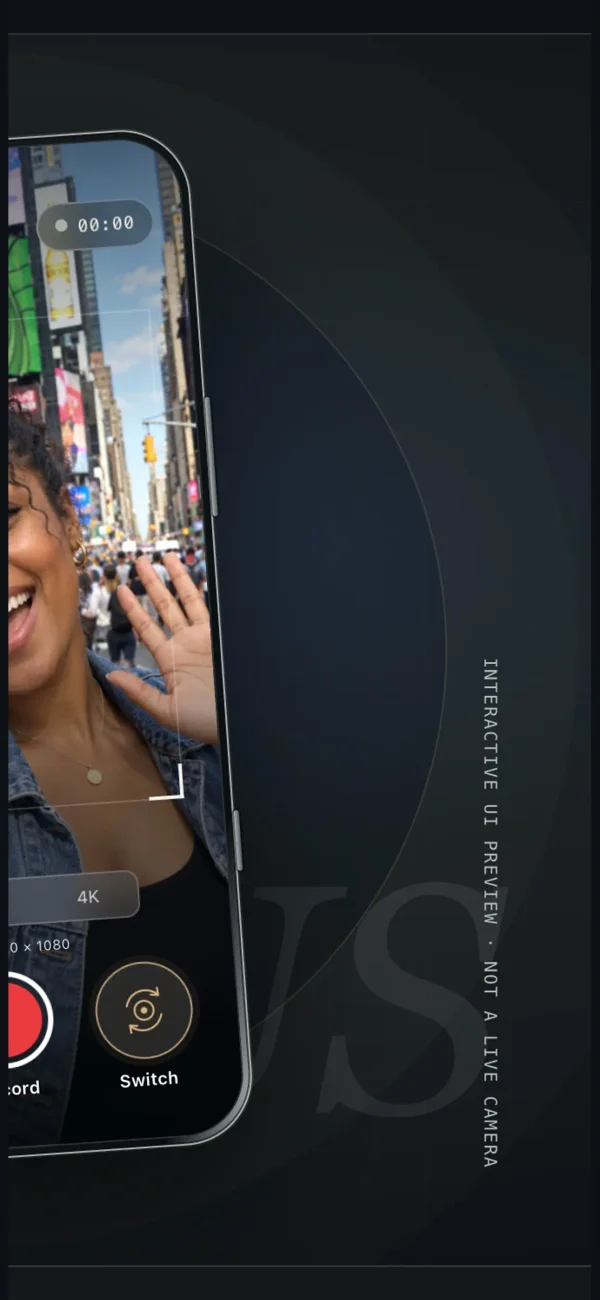
· Three buttons at the bottom: Photos / Record / Switch — one tap on Photos opens the system Photos app
· The picture cuts straight over with no stutter and no black frame, and the audio stays a single continuous track from start to finish
· Tap to focus, pinch to zoom (up to 10x)
· While recording, a red dot and a timer stay on screen, so you always know you are rolling
■ Privacy
· No data collected: no server, no account, no ads, no third-party analytics
· Finished videos are saved straight to your own Photos library, with no copy left behind in the app
■ Good to know
· The first launch asks for Camera, Microphone, and Photos (add-only) access
· Running both cameras at once uses more battery, so plug in for long recordings
Novidades
Versão 1.1.1 · 17/10/2026
What is new in 1.0.1 (build 54):
· Removed the unused Beauty / Color entry — the bottom bar is now just Photos / Record / Switch
· Focused on the main idea: switch between the front and rear cameras while recording, one file, with audio that never drops
Privacidade do app
O que 优尔公司 declara na App Store sobre como este app lida com os dados.
-
Dados não coletados
O desenvolvedor não coleta nenhum dado deste app.
As práticas de privacidade podem variar, por exemplo, com base nos recursos que você usa ou na sua idade.
Informações
- Vendedor
- Ningbo Yoer Network Service Co., Ltd.
- Categoria
- Foto e vídeo
- Versão
- 1.1.1
- Atualizado
- 17/10/2026
- Lançamento
- 08/10/2026
- Tamanho
- 5,7 MB
- Requer
- iOS 17.0 ou posterior
- Classificação etária
- 4+
- Preço
- Grátis
- Idiomas
- Inglês, Árabe, Japonês, Coreano, Chinês simplificado
- Copyright
- © 2026 Ningbo Yoer Network Service Co., Ltd.
Você também pode gostar
-
 Dual: Frontal e Traseira PiPCâmera Dupla: Vídeo de Reação
-
 Flip CameraFoto e vídeo
-
 SplitCam Câmera Dupla DualReação PiP Gravadora 4K
-
 SplitRig: Câmera Dupla VlogGrave frontal e traseira + GPS
-
 Nonstop Cam : Pause & SwitchResume where you left off
-
 DoubleTake - Multicam videoPowerful Multi-Cam Video
-
 2Camera Dual Camera RecorderFoto e vídeo
-
 MixCam: frontal e traseiraUse duas câmera ao mesmo tempo
-
 Dual Camera Split Videos: RevoFoto e vídeo
-
 MixCam - Dual Video RecorderFoto e vídeo