
SwitchCam - Live Camera Switch
Switch cameras mid-recording
iPhone için tasarlandı
Ücretsiz
- Yaş sınırı4+
- KategoriFotoğraf ve Video
- Geliştirici优尔公司
- Dillerİngilizce+ 4 dil daha
- Boyut5,7 MB
Resmi App Store sayfasına bağlanır
Download.org, SwitchCam - Live Camera Switch için hiçbir dosya barındırmaz. Düğme, uygulamanın App Store üzerindeki sayfasını açar; uygulamayı orada 优尔公司 yayınlar. Sayfanın son kontrolü: 18.11.2026.
Ekran görüntüleri

Hakkında
Geliştirici bu metni dilinizde sunmamış.
One sentence: switch between the front and rear cameras while you record — something the built-in Camera app cannot do.
■ Why we built it
With the built-in iPhone Camera app, once you press Record you can no longer switch between the front and rear cameras. To switch, you have to stop, change cameras, and start a new clip. SwitchCam solves that: switch whenever you like, and it is still one single video file.
■ How switching works
· While recording, tap Switch and the picture moves to the other camera right away
· Both cameras work at the same time (in 1080p), so the switch is nearly seamless (a measured gap of 2–21 ms on real devices)
· The front and rear cameras are matched to the same resolution and frame rate first, so nothing jumps after a switch
· Audio never drops: the microphone is captured independently of the camera session, so your voice stays continuous
■ Quality and specs
· Three settings — 1080p / 2K / 4K — one tap to change, frame rate fixed at 30
· 2K is captured at 4K and scaled down to 2560×1440, so the framing matches 4K exactly (it is not upscaled 1080p)
· 1080p runs both cameras at once for nearly seamless switching; 2K and 4K put image quality first
■ The interface (just three buttons)
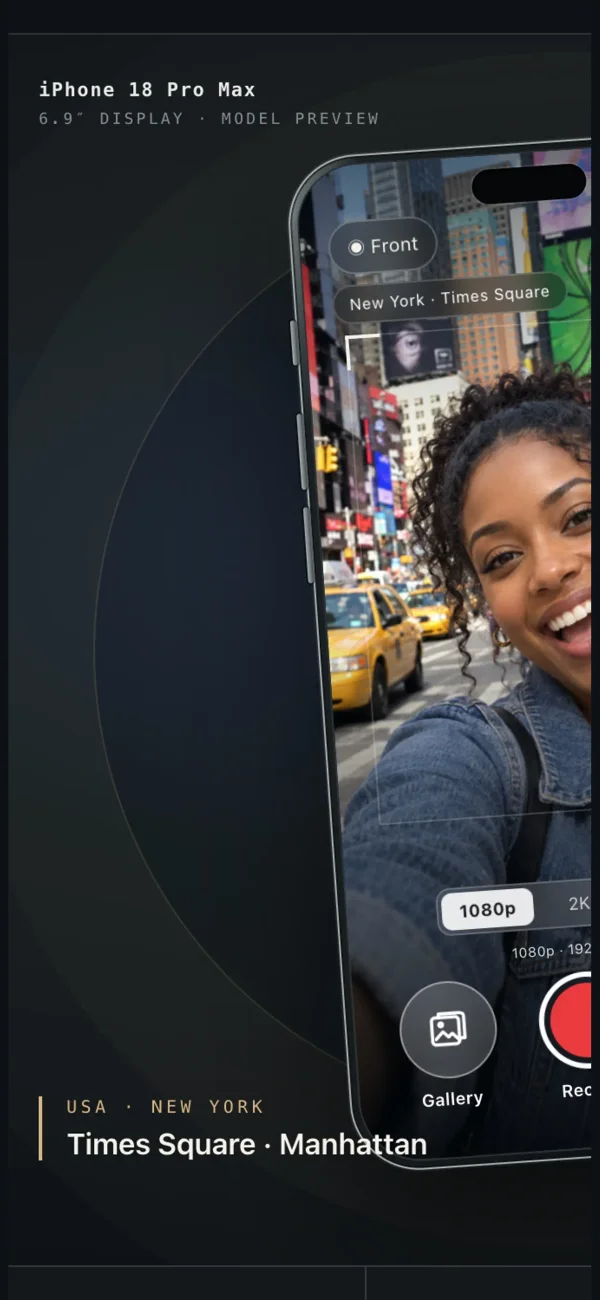
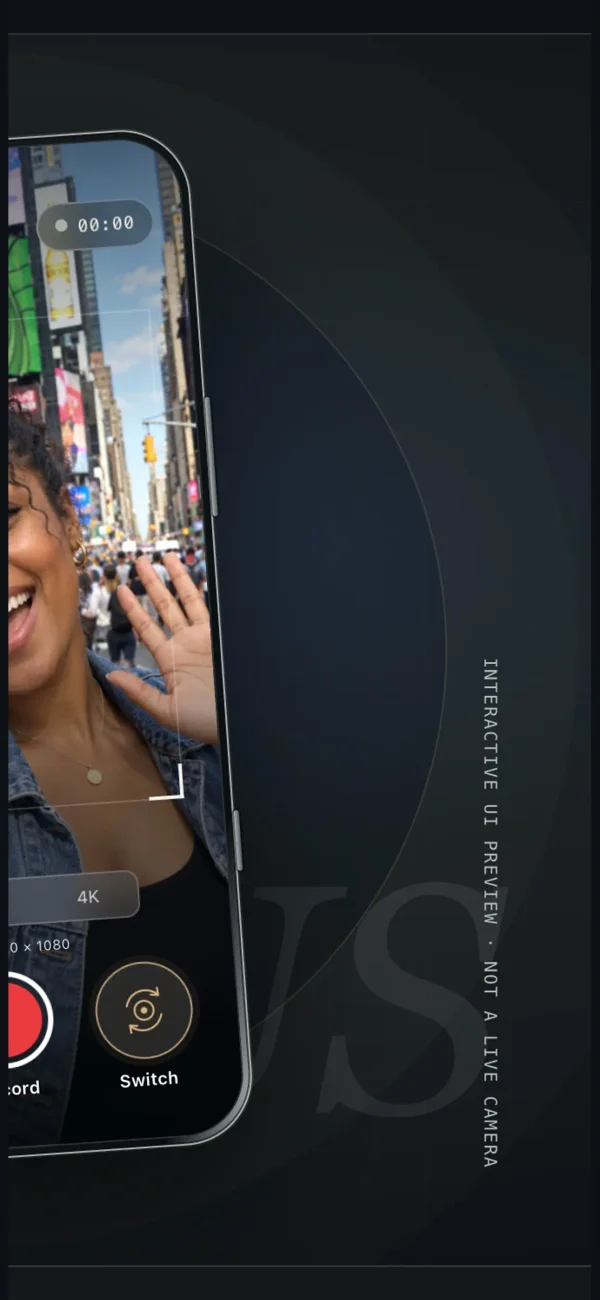
· Three buttons at the bottom: Photos / Record / Switch — one tap on Photos opens the system Photos app
· The picture cuts straight over with no stutter and no black frame, and the audio stays a single continuous track from start to finish
· Tap to focus, pinch to zoom (up to 10x)
· While recording, a red dot and a timer stay on screen, so you always know you are rolling
■ Privacy
· No data collected: no server, no account, no ads, no third-party analytics
· Finished videos are saved straight to your own Photos library, with no copy left behind in the app
■ Good to know
· The first launch asks for Camera, Microphone, and Photos (add-only) access
· Running both cameras at once uses more battery, so plug in for long recordings
Yenilikler
Sürüm 1.1.1 · 17.10.2026
What is new in 1.0.1 (build 54):
· Removed the unused Beauty / Color entry — the bottom bar is now just Photos / Record / Switch
· Focused on the main idea: switch between the front and rear cameras while recording, one file, with audio that never drops
Uygulama gizliliği
Bu uygulamanın verileri nasıl işlediği hakkında 优尔公司 tarafından App Store üzerinde yapılan beyan.
-
Veri toplanmıyor
Geliştirici bu uygulamadan hiçbir veri toplamıyor.
Gizlilik uygulamaları, örneğin kullandığınız özelliklere veya yaşınıza göre değişiklik gösterebilir.
Bilgiler
- Satıcı
- Ningbo Yoer Network Service Co., Ltd.
- Kategori
- Fotoğraf ve Video
- Sürüm
- 1.1.1
- Güncellendi
- 17.10.2026
- Yayın tarihi
- 08.10.2026
- Boyut
- 5,7 MB
- Gereksinim
- iOS 17.0 veya sonrası
- Yaş sınırı
- 4+
- Fiyat
- Ücretsiz
- Diller
- İngilizce, Arapça, Japonca, Korece, Basitleştirilmiş Çince
- Telif hakkı
- © 2026 Ningbo Yoer Network Service Co., Ltd.
Bunları da beğenebilirsiniz
-
 Dual: Ön ve Arka Kamera VideoSelfie, Reels & React Vlog
-
 Flip CameraFotoğraf ve Video
-
 SplitCam Çift Kamera KayıtReaksiyon PiP Ön Arka 4K
-
 SplitRig: Çift Kamera Vlog HızÖn ve arka aynı anda, ücretsiz
-
 Nonstop Cam : Pause & SwitchFotoğraf ve Video
-
 DoubleTake - Multicam videoFotoğraf ve Video
-
 2Camera Dual Camera RecorderFotoğraf ve Video
-
 MixCam: Ön ve Arka KameraHer iki kamera ile kayıt yap
-
 Dual Camera Split Videos: RevoFotoğraf ve Video
-
 MixCam - Dual Video RecorderFotoğraf ve Video