
Inkiostro: Markdown Editor
Visual Writing, Notes & PDF
iPhone, iPad, Mac için tasarlandı
Ücretsiz · Uygulama içi satın alma
- Yaş sınırı4+
- KategoriÜretkenlik
- GeliştiriciCarlo Di Giuseppe
- Dillerİngilizce+ 13 dil daha
- Boyut21,9 MB
Resmi App Store sayfasına bağlanır
Download.org, Inkiostro: Markdown Editor için hiçbir dosya barındırmaz. Düğme, uygulamanın App Store üzerindeki sayfasını açar; uygulamayı orada Carlo Di Giuseppe yayınlar. Sayfanın son kontrolü: 23.11.2026.
Ekran görüntüleri



Hakkında
Geliştirici bu metni dilinizde sunmamış.
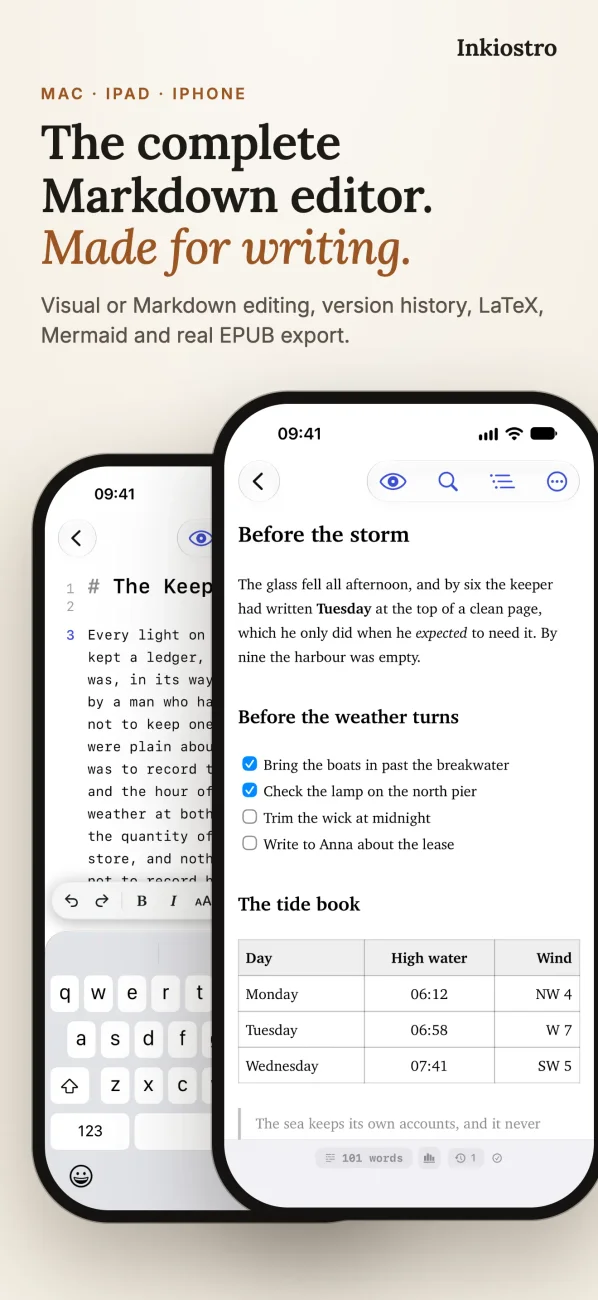
Inkiostro is a Markdown editor for people who write — notes, documentation, theses, novels. Plain text files that stay yours, a preview that looks like a finished page, and exports ready to hand over. Write in Markdown, or in the visual editor and never see a symbol.
Buy once, no subscription. No account, no tracking.
WRITE, SEE, FINISH
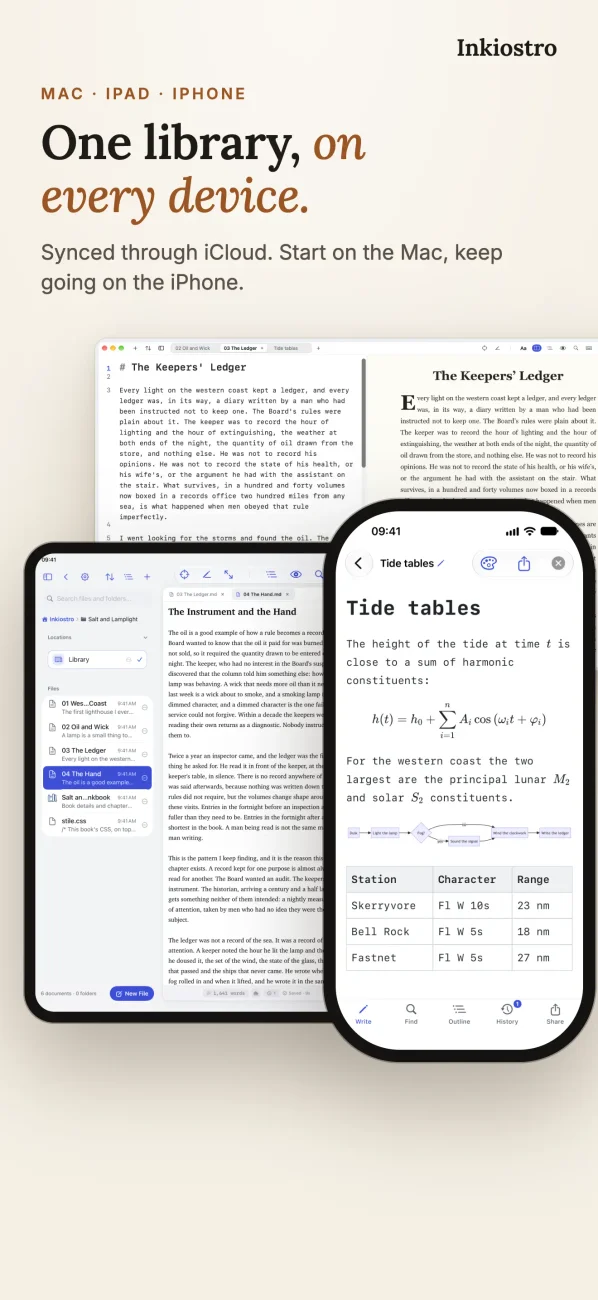
• Two ways to write: the Markdown editor shows the symbols, the visual editor formats as you type, like a word processor. Either way the file stays plain Markdown. (Visual editor: Pro, free for 7 days)
• A complete Markdown toolbar: headings, lists, tables and code blocks, one tap away.
• A side-by-side preview that comes back exactly where you left it.
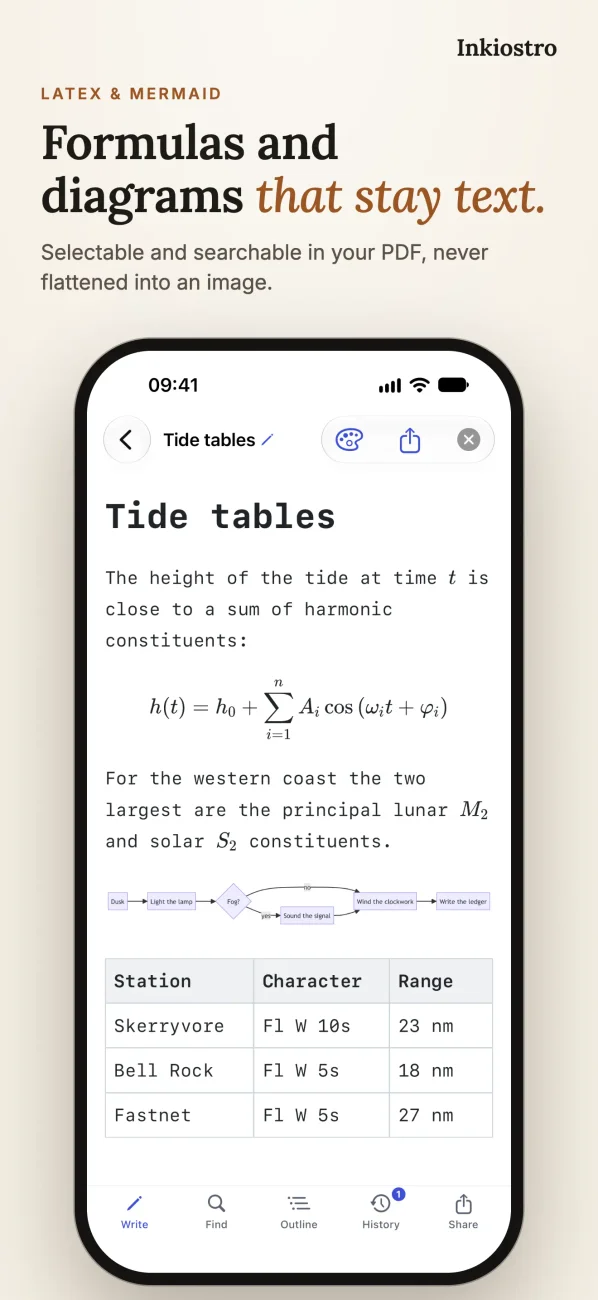
• LaTeX formulas typeset by KaTeX, and Mermaid diagrams drawn as you type.
• 27 preview styles, 11 of them free: GitHub, Sepia, Nord, Solarized and more. With Pro, Manuscript, Book, Report, Academic and others set the page like print.
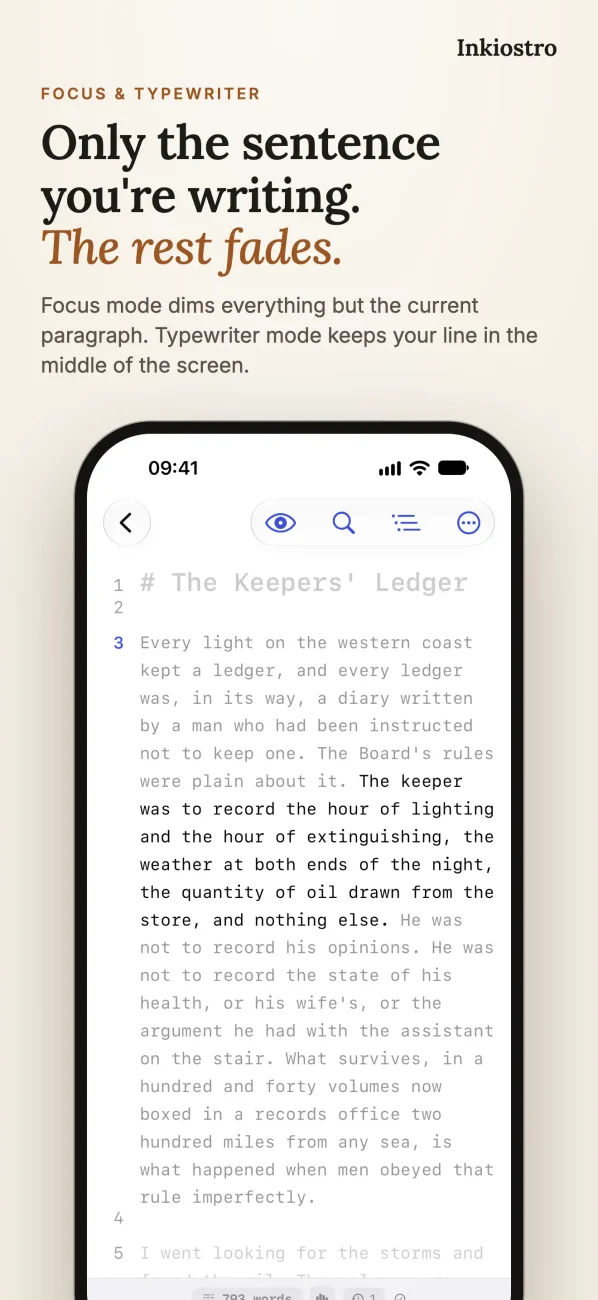
• Focus and Typewriter modes, a live word count and a daily writing goal.
FROM DRAFT TO BOOK
• PDF with selectable text, formulas and diagrams included. Free, with a small credit line in the footer.
• A professional ePub: real chapters, a cover, ISBN, series, footnotes that open over the page, and the accessibility declaration Europe requires. The export sheet tells you what a store would reject — before you send it. (Pro)
• A book made of many files: one chapter per file, in a folder, in the order you choose. Arranging it is free; exporting it as a single ePub or a single PDF is Pro.
• Self-contained HTML, and page setup for PDF: paper, margins, headers and page numbers. (Pro)
NEVER LOSE A WORD
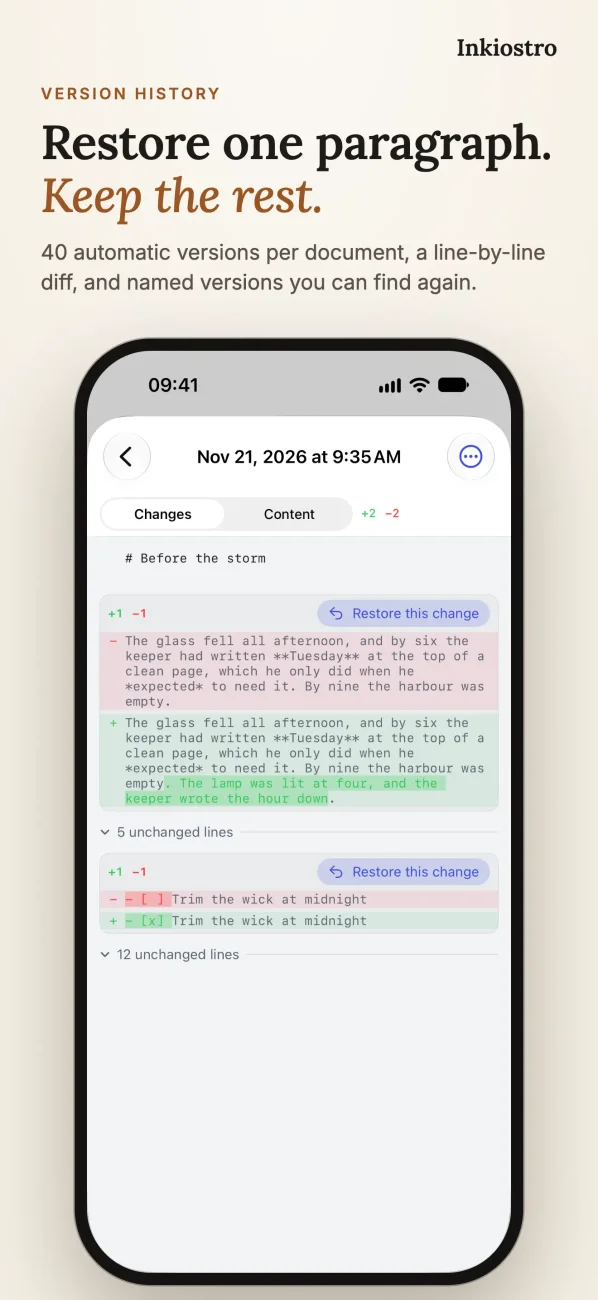
• Version history: Inkiostro saves versions as you write. Search them, compare them line by line, and bring back a single word or a whole draft. (Pro)
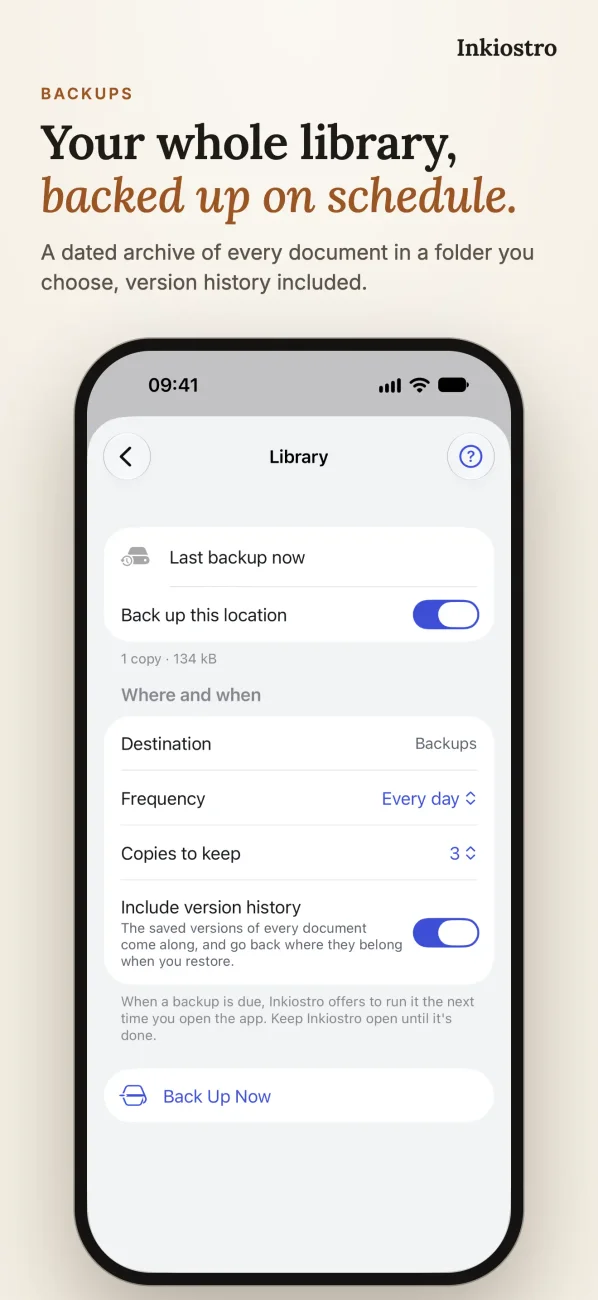
• Backups of your whole library: a dated zip archive with your version history inside, offered when one is due, while the app is open, in a folder you pick. Open it in the Files app and your Markdown files are right there. (Pro)
YOUR FILES, YOUR RULES
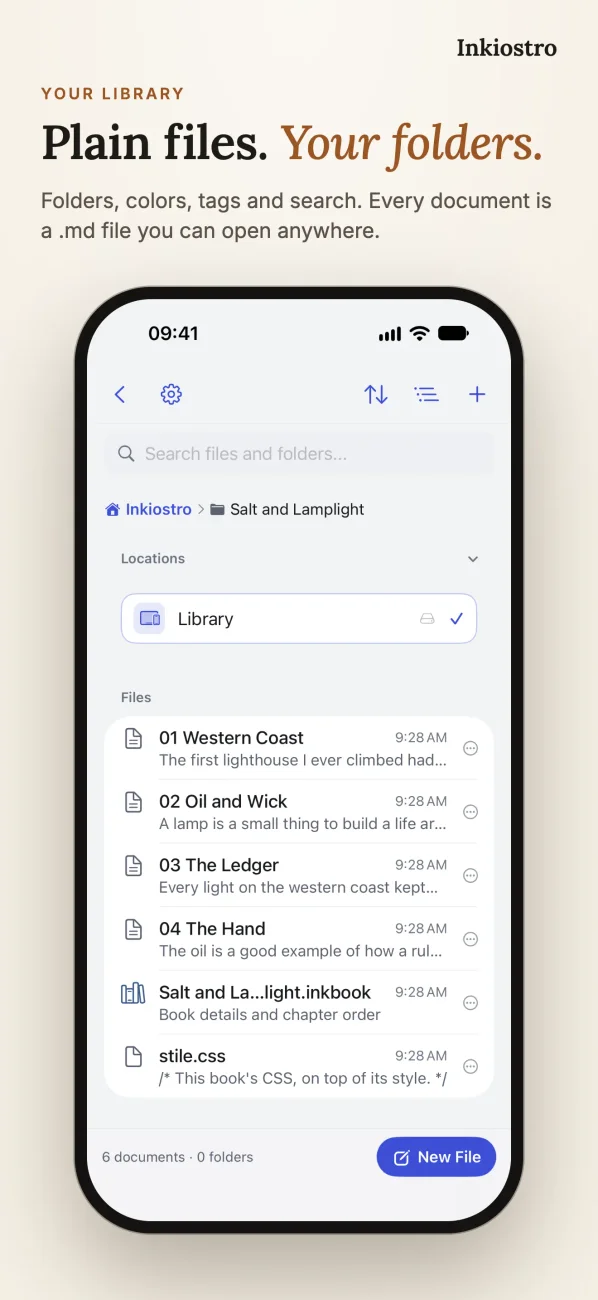
• Unlimited documents, as plain .md files you can open anywhere.
• Folders, color labels and tags, with search that filters by tag.
• iCloud Drive sync between iPhone, iPad and Mac, with no setup.
• External folders: work directly inside any folder on your device or in iCloud Drive. (Pro)
INKIOSTRO PRO — ONE PURCHASE, EVERY DEVICE
One purchase unlocks Pro on iPhone, iPad and Mac, forever. Try it free for 7 days.
• The visual editor
• Version history with search, comparison and a year of versions
• Backups of your library
• Professional ePub, HTML, and books made of many files
• PDF page setup
• Focus and Typewriter modes
• External folders
• 24 app themes, the Pro preview styles and any font installed on your device
MADE FOR
• Writers: novels and essays in plain text, out as a real ebook
• Students and researchers: notes and theses with proper formulas
• Developers: READMEs, documentation and technical notes with diagrams
• Anyone tired of paying every month for a text editor
• Anyone new to Markdown: the visual editor works like a word processor
PRIVACY
Your documents stay in your iCloud Drive or on your device. No servers of ours, ever. Inkiostro collects only anonymous, aggregated usage statistics — never personal data, never the content of your documents — and you can turn them off in Settings.
Yenilikler
Sürüm 1.16.1 · 23.11.2026
Fixes in 1.16.1
• No more backup alerts for a folder you had removed from your locations.
• The last words typed in the visual editor are saved even if you close the document or quit right away.
• Renaming or moving a folder keeps the labels and colors of the documents inside.
• A backup that can't be opened again is reported as failed, and the previous ones are kept.
• Sharing to Inkiostro works with any title, even one with a date like 11/22/2026.
New in 1.16 — A new look, calmer and lighter.
• Lists in clean white groups on iPhone, the page set on the desk on iPad, one ink-blue accent everywhere.
• Three ways to see your files: List, Preview and Details, from the switch at the bottom of the column. Recent, Folders and Files fold away.
• The Visual / Markdown switch is in the bar under the page.
• Typing no longer pauses while a document in iCloud Drive is being saved.
Uygulama gizliliği
Bu uygulamanın verileri nasıl işlediği hakkında Carlo Di Giuseppe tarafından App Store üzerinde yapılan beyan.
-
Sizinle ilişkilendirilmeyen veriler
Toplanabilir ancak kimliğinizle ilişkilendirilmez.
- Tanımlayıcılar
- Kullanım verileri
Gizlilik uygulamaları, örneğin kullandığınız özelliklere veya yaşınıza göre değişiklik gösterebilir.
Bilgiler
- Satıcı
- Carlo Di Giuseppe
- Kategori
- Üretkenlik
- Sürüm
- 1.16.1
- Güncellendi
- 23.11.2026
- Yayın tarihi
- 25.09.2025
- Boyut
- 21,9 MB
- Gereksinim
- iOS 18.0 veya sonrası
- Yaş sınırı
- 4+
- Fiyat
- Ücretsiz
- Uygulama içi satın alma
- Evet
- Diller
- İngilizce, Arapça, Hollandaca, Fransızca, Almanca, Hindi, İtalyanca, Japonca, Korece, Portekizce, Rusça, Basitleştirilmiş Çince + 2 dil daha
- Telif hakkı
- © (C) 2025 - Carlo Di Giuseppe
Bunları da beğenebilirsiniz
-
 SoloMD: Markdown Not EditörüÜcretsiz Çevrimdışı, PDF, Word
-
 Notelane - Markdown EditorÜretkenlik
-
 Marked — Markdown EditorÜretkenlik
-
 uFocusÜretkenlik
-
 MWeb - Markdown Writing, NotesÜretkenlik
-
 One MarkdownÜretkenlik
-
 EZText - Text EditorÜretkenlik
-
 Markdown゜Üretkenlik
-
 Pieces Minimalist WritingÜretkenlik
-
 Minimal | NotesÜretkenlik