
Inkiostro: Markdown Editor
Visual Writing, Notes & PDF
Được thiết kế cho iPhone, iPad, Mac
Miễn phí · Mua hàng trong ứng dụng
- Độ tuổi4+
- Danh mụcHiệu Suất
- Nhà phát triểnCarlo Di Giuseppe
- Ngôn ngữTiếng Anh+ 13 ngôn ngữ khác
- Kích thước21,9 MB
Liên kết đến trang App Store chính thức
Download.org không lưu trữ tệp nào của Inkiostro: Markdown Editor. Nút này mở trang ứng dụng trên App Store, nơi Carlo Di Giuseppe phát hành ứng dụng. Trang được kiểm tra lần cuối: 23/11/2026.
Ảnh chụp màn hình



Giới thiệu
Nhà phát triển chưa cung cấp nội dung này bằng ngôn ngữ của bạn.
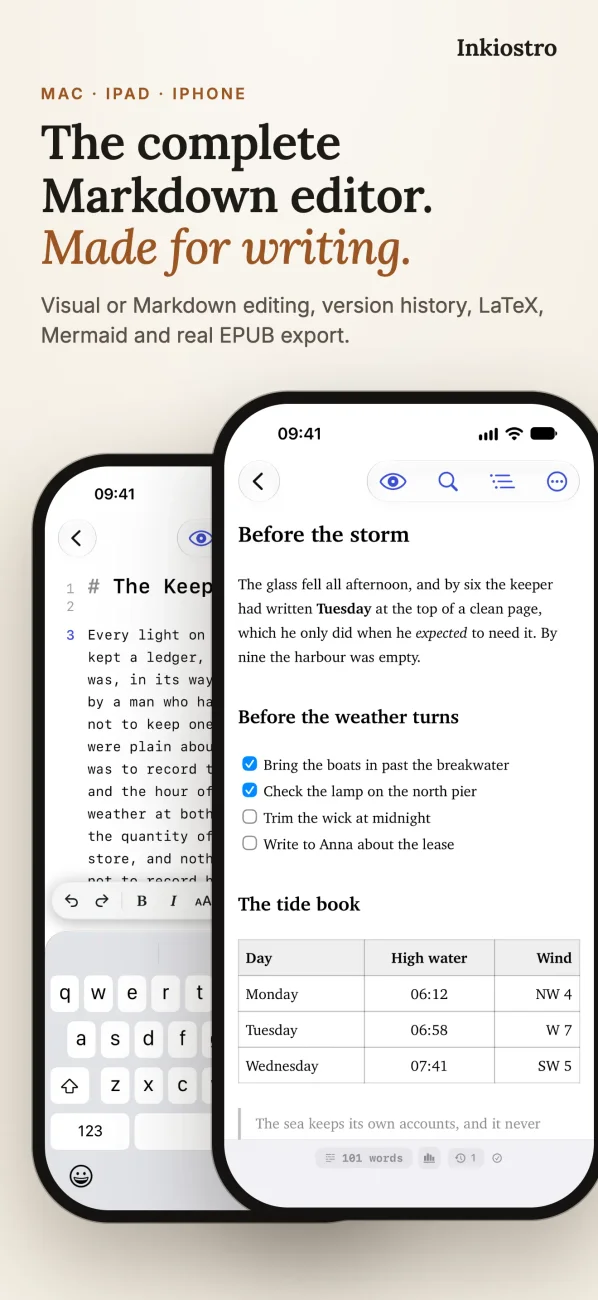
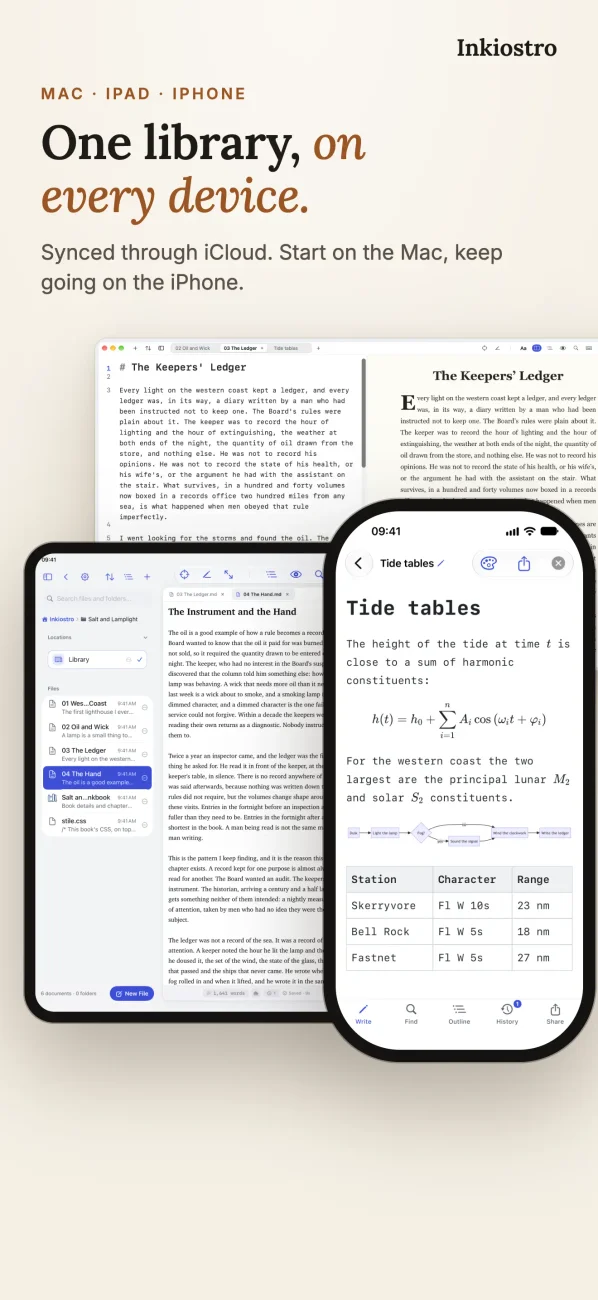
Inkiostro is a Markdown editor for people who write — notes, documentation, theses, novels. Plain text files that stay yours, a preview that looks like a finished page, and exports ready to hand over. Write in Markdown, or in the visual editor and never see a symbol.
Buy once, no subscription. No account, no tracking.
WRITE, SEE, FINISH
• Two ways to write: the Markdown editor shows the symbols, the visual editor formats as you type, like a word processor. Either way the file stays plain Markdown. (Visual editor: Pro, free for 7 days)
• A complete Markdown toolbar: headings, lists, tables and code blocks, one tap away.
• A side-by-side preview that comes back exactly where you left it.
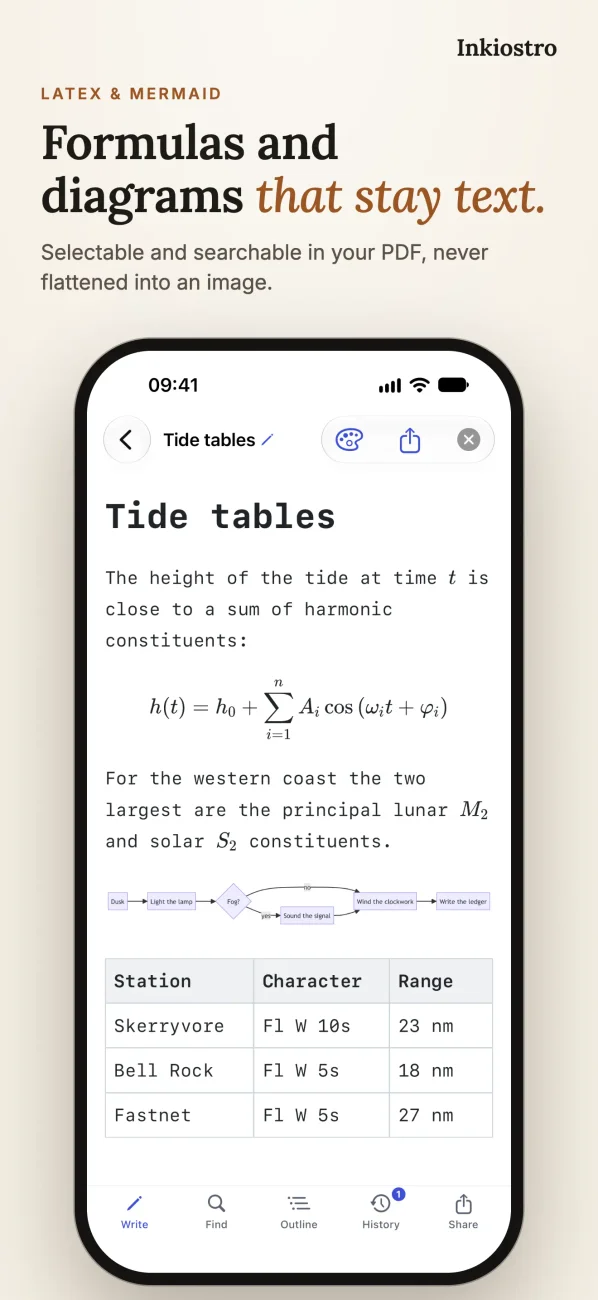
• LaTeX formulas typeset by KaTeX, and Mermaid diagrams drawn as you type.
• 27 preview styles, 11 of them free: GitHub, Sepia, Nord, Solarized and more. With Pro, Manuscript, Book, Report, Academic and others set the page like print.
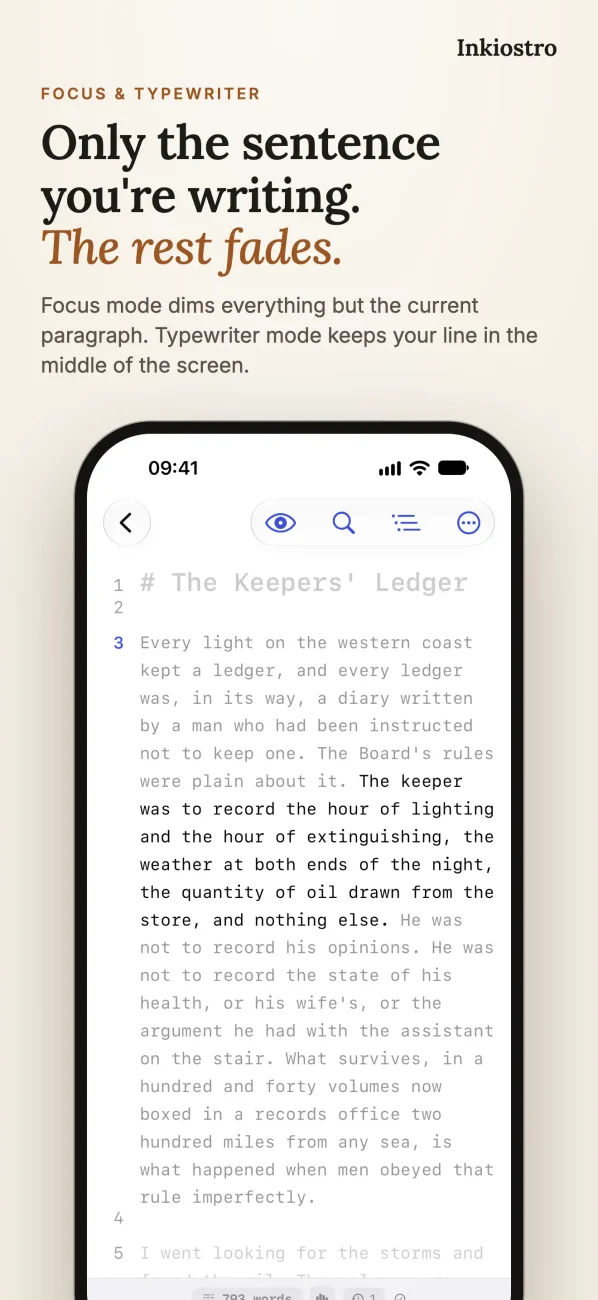
• Focus and Typewriter modes, a live word count and a daily writing goal.
FROM DRAFT TO BOOK
• PDF with selectable text, formulas and diagrams included. Free, with a small credit line in the footer.
• A professional ePub: real chapters, a cover, ISBN, series, footnotes that open over the page, and the accessibility declaration Europe requires. The export sheet tells you what a store would reject — before you send it. (Pro)
• A book made of many files: one chapter per file, in a folder, in the order you choose. Arranging it is free; exporting it as a single ePub or a single PDF is Pro.
• Self-contained HTML, and page setup for PDF: paper, margins, headers and page numbers. (Pro)
NEVER LOSE A WORD
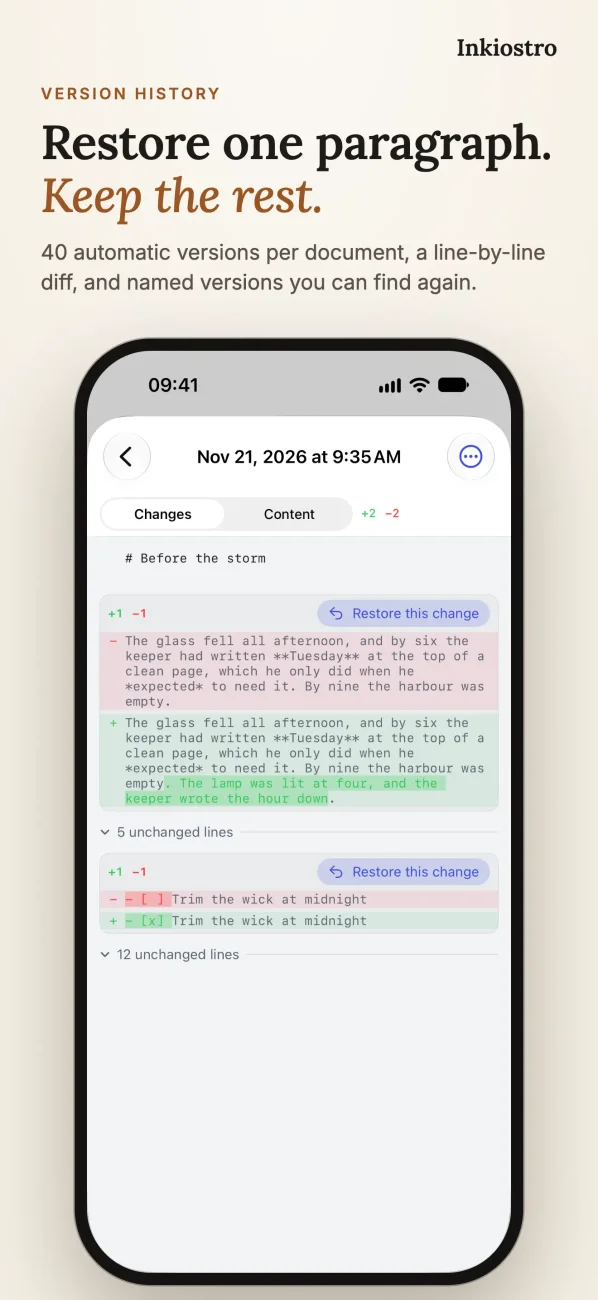
• Version history: Inkiostro saves versions as you write. Search them, compare them line by line, and bring back a single word or a whole draft. (Pro)
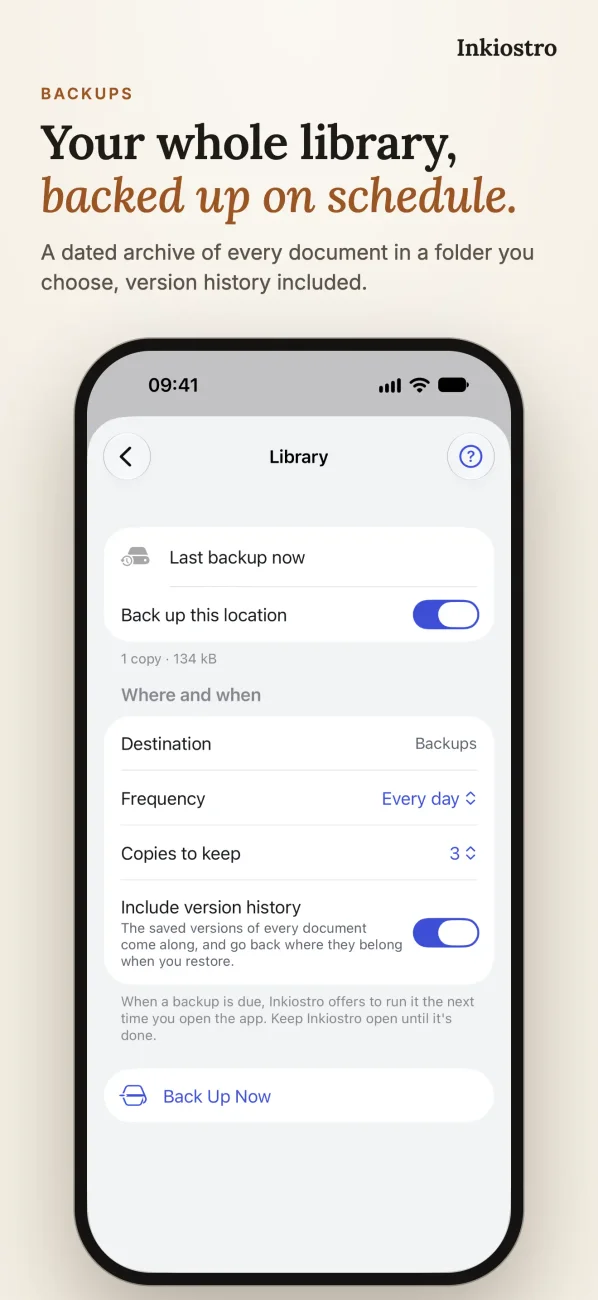
• Backups of your whole library: a dated zip archive with your version history inside, offered when one is due, while the app is open, in a folder you pick. Open it in the Files app and your Markdown files are right there. (Pro)
YOUR FILES, YOUR RULES
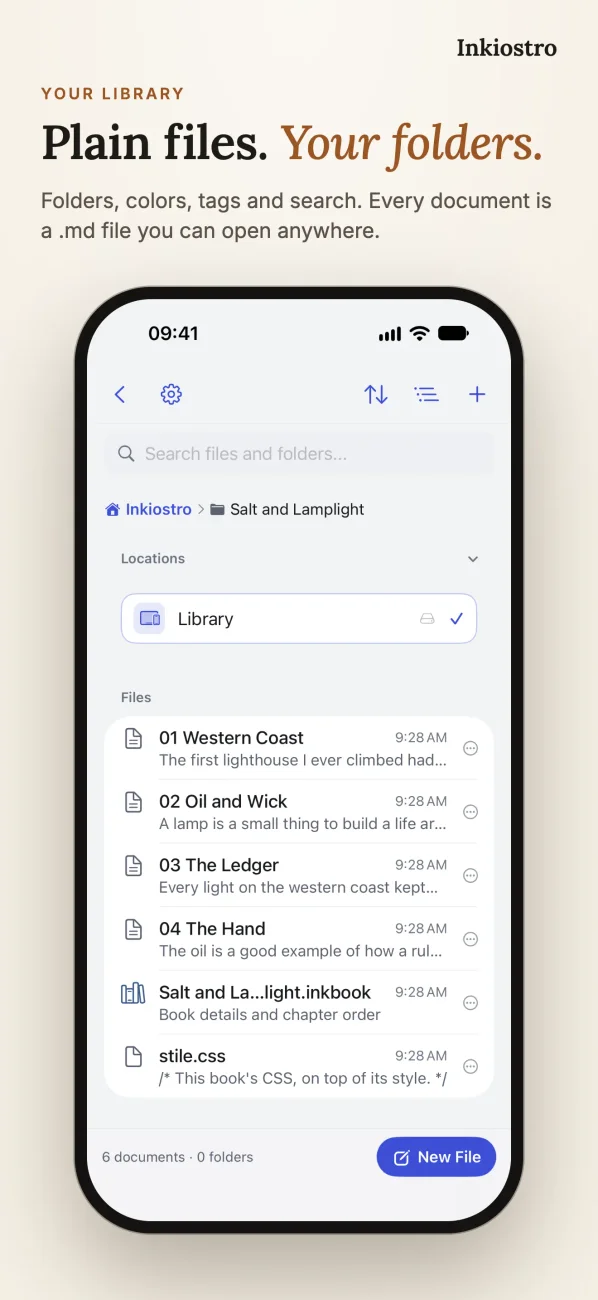
• Unlimited documents, as plain .md files you can open anywhere.
• Folders, color labels and tags, with search that filters by tag.
• iCloud Drive sync between iPhone, iPad and Mac, with no setup.
• External folders: work directly inside any folder on your device or in iCloud Drive. (Pro)
INKIOSTRO PRO — ONE PURCHASE, EVERY DEVICE
One purchase unlocks Pro on iPhone, iPad and Mac, forever. Try it free for 7 days.
• The visual editor
• Version history with search, comparison and a year of versions
• Backups of your library
• Professional ePub, HTML, and books made of many files
• PDF page setup
• Focus and Typewriter modes
• External folders
• 24 app themes, the Pro preview styles and any font installed on your device
MADE FOR
• Writers: novels and essays in plain text, out as a real ebook
• Students and researchers: notes and theses with proper formulas
• Developers: READMEs, documentation and technical notes with diagrams
• Anyone tired of paying every month for a text editor
• Anyone new to Markdown: the visual editor works like a word processor
PRIVACY
Your documents stay in your iCloud Drive or on your device. No servers of ours, ever. Inkiostro collects only anonymous, aggregated usage statistics — never personal data, never the content of your documents — and you can turn them off in Settings.
Có gì mới
Phiên bản 1.16.1 · 23/11/2026
Fixes in 1.16.1
• No more backup alerts for a folder you had removed from your locations.
• The last words typed in the visual editor are saved even if you close the document or quit right away.
• Renaming or moving a folder keeps the labels and colors of the documents inside.
• A backup that can't be opened again is reported as failed, and the previous ones are kept.
• Sharing to Inkiostro works with any title, even one with a date like 11/22/2026.
New in 1.16 — A new look, calmer and lighter.
• Lists in clean white groups on iPhone, the page set on the desk on iPad, one ink-blue accent everywhere.
• Three ways to see your files: List, Preview and Details, from the switch at the bottom of the column. Recent, Folders and Files fold away.
• The Visual / Markdown switch is in the bar under the page.
• Typing no longer pauses while a document in iCloud Drive is being saved.
Quyền riêng tư của ứng dụng
Những gì Carlo Di Giuseppe khai báo trên App Store về cách ứng dụng này xử lý dữ liệu.
-
Dữ liệu không liên kết với bạn
Có thể được thu thập nhưng không liên kết với danh tính của bạn.
- Mã định danh
- Dữ liệu sử dụng
Phương thức đảm bảo quyền riêng tư có thể khác nhau, chẳng hạn như tuỳ theo các tính năng bạn sử dụng hoặc độ tuổi của bạn.
Thông tin
- Người bán
- Carlo Di Giuseppe
- Danh mục
- Hiệu Suất
- Phiên bản
- 1.16.1
- Cập nhật
- 23/11/2026
- Phát hành
- 25/09/2025
- Kích thước
- 21,9 MB
- Yêu cầu
- iOS 18.0 trở lên
- Độ tuổi
- 4+
- Giá
- Miễn phí
- Mua hàng trong ứng dụng
- Có
- Ngôn ngữ
- Tiếng Anh, Tiếng Ả Rập, Tiếng Hà Lan, Tiếng Pháp, Tiếng Đức, Hindi, Tiếng Ý, Tiếng Nhật, Tiếng Hàn, Tiếng Bồ Đào Nha, Tiếng Nga, Tiếng Trung Giản thể + 2 ngôn ngữ khác
- Bản quyền
- © (C) 2025 - Carlo Di Giuseppe
Có thể bạn cũng thích
-
 SoloMD: Markdown Editor & NoteHiệu Suất
-
 Notelane - Markdown EditorHiệu Suất
-
 Marked — Markdown EditorHiệu Suất
-
 uFocusHiệu Suất
-
 MWeb - Markdown Writing, NotesHiệu Suất
-
 One MarkdownHiệu Suất
-
 EZText - Text EditorHiệu Suất
-
 Markdown゜Hiệu Suất
-
 Pieces Minimalist WritingHiệu Suất
-
 Minimal | Ghi ChépApp viết + ghi chú đẹp mắt