- Yaş sınırı4+
- KategoriÜretkenlik
- Dillerİngilizce
- Boyut33,0 MB
Resmi App Store sayfasına bağlanır
Download.org, LogiScan için hiçbir dosya barındırmaz. Düğme, uygulamanın App Store üzerindeki sayfasını açar; uygulamayı orada yayınlar. Sayfanın son kontrolü: 11.11.2026.
Ekran görüntüleri




Hakkında
Geliştirici bu metni dilinizde sunmamış.
LogiScan is your solution when you want it to be easy to keep track of shipments that are either driven with own trucks, or simply want to perform Click'n Collect.
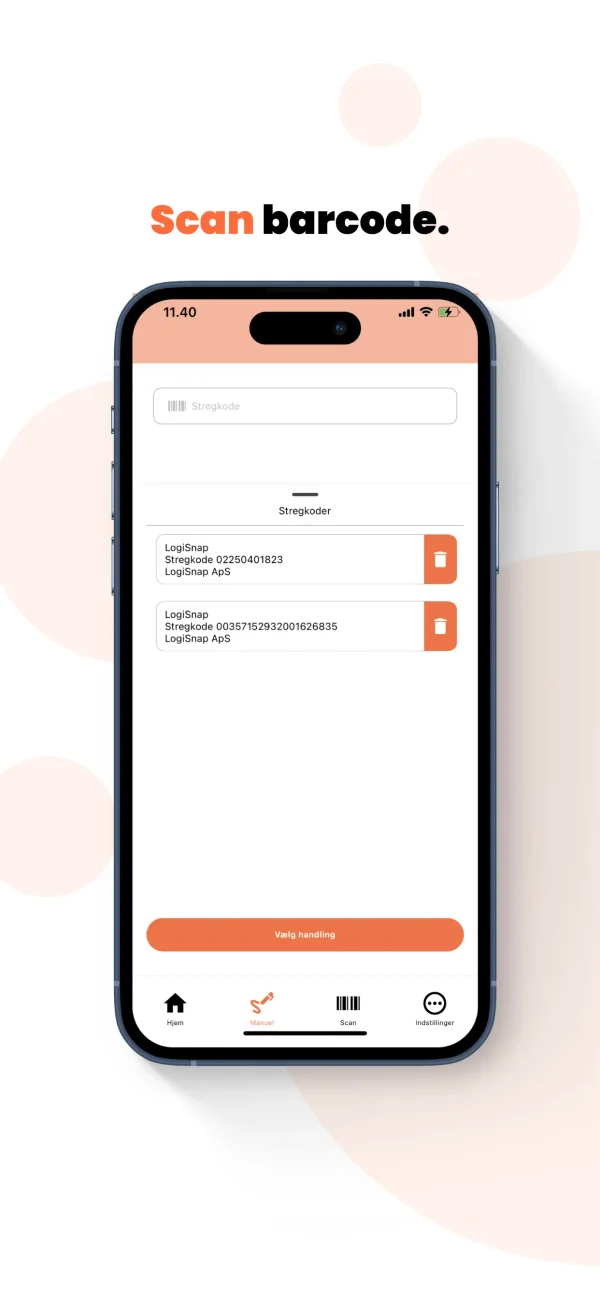
The shipment is created in the LogiSnap booking platform, in the same way as with, for example, a shipment with PostNord, Deutsche Post etc. When you scan the barcode on the shipment with your smartphone, you get the option to assign a status to the scanned packages. The status is immediately uploaded to the LogiSnap booking platform, whereby other users can follow the package's current status.
With LogiScan you can add pictures, signature, notes, GPS location etc. As soon as the package is scanned, the user will immediately be able to see who the receiver of the package is, as all data is retrieved from the LogiSnap booking platform, which ensures delivery to the correct receiver.
LogiScan is a very efficient way of managing shipments that are delivered from your own store/warehouse. Create a collection label in the LogiSnap booking platform, after which the package is scanned and given the status for instance - Ready for Pickup.
The customer will be notified that the package can be picked up, this is done either via email or SMS. The entire process can be followed in LogiSnap booking platform.
How to get started:
1. Download the app
2. Type your LogiSnap credentials and sign in*
3. Select your company from our LogiSnap system
4. You’re ready to go!
*If you have an account and company setup already in LogiSnap, you can immediately sign in.
Otherwise please visit https://app.logisnap.com/, sign up and complete our on boarding process.
Additional explanatory steps:
- Go to ‘Scan’ for one or multiple barcodes to be scanned
- Go to ‘Home page’, apply and save actions into the system like photos, signatures etc.
Attention: When using LogiScan, GPS is used, which can lead to higher power consumption and reduce battery life.
Yenilikler
Sürüm 1.4.3 · 17.08.2026
- Companies are sorted alphabetically
- Images and signatures are not saved in the phone's gallery
Uygulama gizliliği
Bu uygulamanın verileri nasıl işlediği hakkında tarafından App Store üzerinde yapılan beyan.
-
Sizinle ilişkilendirilmeyen veriler
Toplanabilir ancak kimliğinizle ilişkilendirilmez.
- Konum
- İletişim bilgileri
- Kullanıcı içeriği
- Tanımlayıcılar
- Tanılama
Gizlilik uygulamaları, örneğin kullandığınız özelliklere veya yaşınıza göre değişiklik gösterebilir.
Bilgiler
- Satıcı
- LogiSnap ApS
- Kategori
- Üretkenlik
- Sürüm
- 1.4.3
- Güncellendi
- 17.08.2026
- Yayın tarihi
- 16.11.2022
- Boyut
- 33,0 MB
- Gereksinim
- iOS 15.1 veya sonrası
- Yaş sınırı
- 4+
- Fiyat
- Ücretsiz
- Diller
- İngilizce
- Telif hakkı
- © LogiSnap