
- Yaş sınırı4+
- KategoriGrafik ve Tasarım
- Geliştirici256 Arts
- Dillerİngilizce+ 6 dil daha
- Boyut11,9 MB
Resmi App Store sayfasına bağlanır
Download.org, Sprite Pencil için hiçbir dosya barındırmaz. Düğme, uygulamanın App Store üzerindeki sayfasını açar; uygulamayı orada 256 Arts yayınlar. Sayfanın son kontrolü: 23.11.2026.
Ekran görüntüleri

Hakkında
Geliştirici bu metni dilinizde sunmamış.
Pixel art, made simple and made to feel great.
Sprite Pencil is a focused pixel-art editor for sprites, icons, and game assets. A small set of carefully chosen tools and a drawing engine built exclusively for Apple devices make every pixel land exactly where you meant it, whether you draw with a finger or with Apple Pencil.
Draw
• Pencil, eraser, and fill tools
• Highlight and shadow brushes that shade automatically
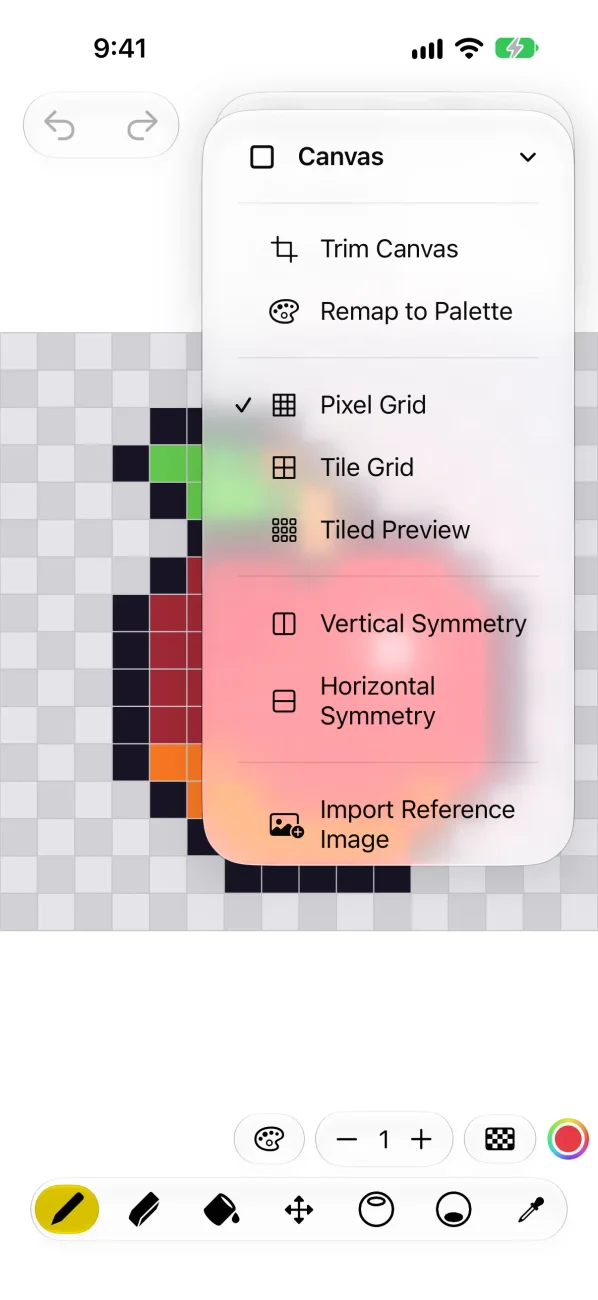
• Symmetry mode to mirror strokes as you draw
• Dithering for classic checkered patterns
• Flip, rotate, and outline a whole sprite in a tap
• Full undo and redo
Color
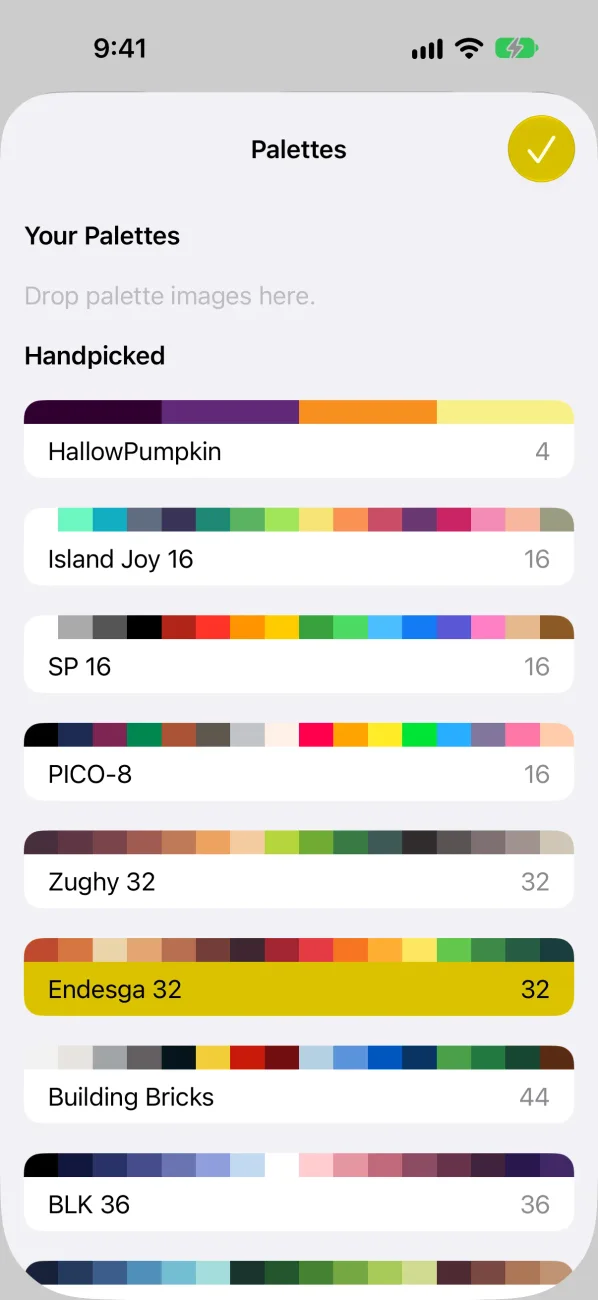
• Handpicked palettes, plus seasonal picks
• Building Bricks colors
• Import any palette from Lospec
Your Files, Your Way
• Sprites are plain PNG files, so any app can open them
• Edit images in place wherever they live, including iCloud Drive
• Share your art scaled up so it stays crisp
Show It Off
• Pin a favorite sprite to your Home Screen with a widget
• Draw and send pixel-art stickers right in Messages
Yenilikler
Sürüm 5.0 · 28.10.2026
This update brings smarter tools and a more polished Mac experience.
• New: a bucket fill toggle to recolor every pixel of a tapped color at once, plus Remap to Palette to snap your whole image to your palette's nearest colors
• New: Tiled Preview shows your sprite repeated around the canvas, perfect for seamless tiles
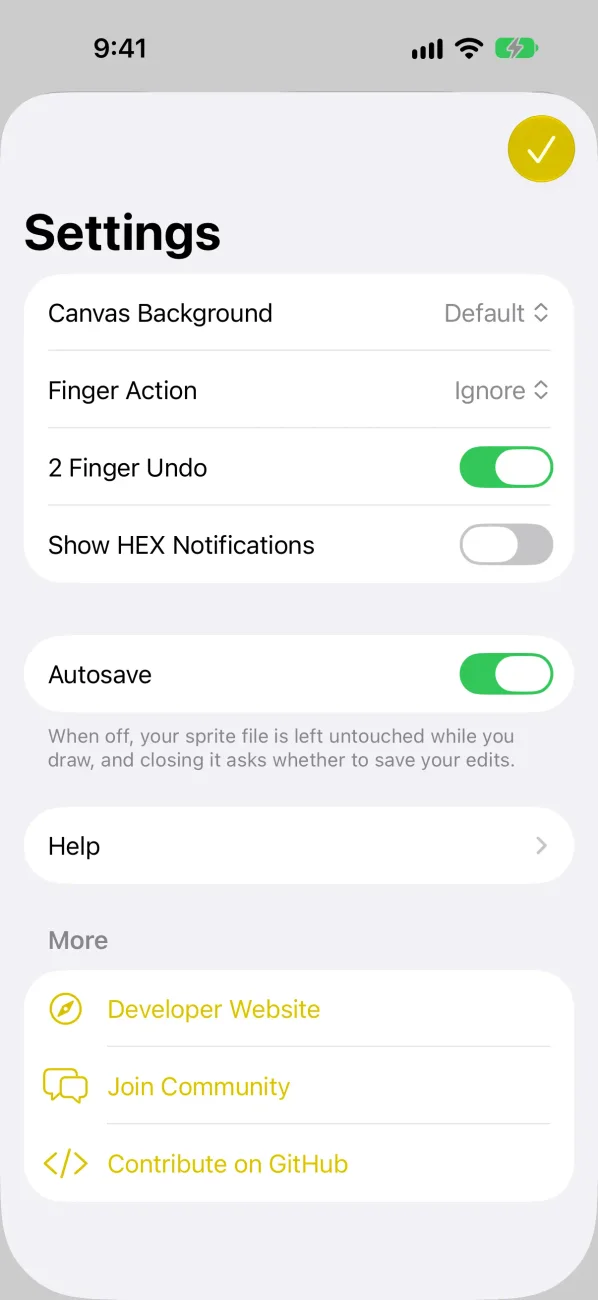
• New: import a reference image behind the canvas, and an Autosave setting for more control over when your work is saved
• Refined Mac and visionOS toolbars, plus new languages: Simplified Chinese, Japanese, German, French, and Spanish
• Bug fixes and improvements
Uygulama gizliliği
Bu uygulamanın verileri nasıl işlediği hakkında 256 Arts tarafından App Store üzerinde yapılan beyan.
-
Sizi izlemek için kullanılan veriler
Başka şirketlere ait uygulamalarda ve web sitelerinde sizi izlemek için kullanılabilir.
- Tanımlayıcılar
-
Sizinle ilişkilendirilen veriler
Toplanabilir ve kimliğinizle ilişkilendirilebilir.
- Konum
- Tanımlayıcılar
- Kullanım verileri
-
Sizinle ilişkilendirilmeyen veriler
Toplanabilir ancak kimliğinizle ilişkilendirilmez.
- Tanılama
Gizlilik uygulamaları, örneğin kullandığınız özelliklere veya yaşınıza göre değişiklik gösterebilir.
Bilgiler
- Satıcı
- 256 Arts Inc.
- Kategori
- Grafik ve Tasarım
- Sürüm
- 5.0
- Güncellendi
- 28.10.2026
- Yayın tarihi
- 14.10.2018
- Boyut
- 11,9 MB
- Gereksinim
- iOS 27.0 veya sonrası
- Yaş sınırı
- 4+
- Fiyat
- Ücretsiz
- Diller
- İngilizce, Fransızca, Almanca, Japonca, Rusça, Basitleştirilmiş Çince, İspanyolca
- Telif hakkı
- © 256 Arts Inc.
Bunları da beğenebilirsiniz
-
 Inktica - pixel art editörüPixel art ve sprite editörü
-
 DS Card - Markdown text cardGrafik ve Tasarım
-
 Screenshot Editor - SnapItGrafik ve Tasarım
-
 Pixen - pixel art editorGrafik ve Tasarım
-
 Sprite Artisan Pixel ArtGrafik ve Tasarım
-
 CoverpadGrafik ve Tasarım
-
 Sprite TightGrafik ve Tasarım
-
 Litur - Color LibraryGrafik ve Tasarım
-
 Sprite CreatorGrafik ve Tasarım
-
 Pixel Art - Create NFT8bit sanat yarat, maker stüdyo