
- Độ tuổi4+
- Danh mụcĐồ Họa & Thiết Kế
- Nhà phát triển256 Arts
- Ngôn ngữTiếng Anh+ 6 ngôn ngữ khác
- Kích thước11,9 MB
Liên kết đến trang App Store chính thức
Download.org không lưu trữ tệp nào của Sprite Pencil. Nút này mở trang ứng dụng trên App Store, nơi 256 Arts phát hành ứng dụng. Trang được kiểm tra lần cuối: 23/11/2026.
Ảnh chụp màn hình

Giới thiệu
Nhà phát triển chưa cung cấp nội dung này bằng ngôn ngữ của bạn.
Pixel art, made simple and made to feel great.
Sprite Pencil is a focused pixel-art editor for sprites, icons, and game assets. A small set of carefully chosen tools and a drawing engine built exclusively for Apple devices make every pixel land exactly where you meant it, whether you draw with a finger or with Apple Pencil.
Draw
• Pencil, eraser, and fill tools
• Highlight and shadow brushes that shade automatically
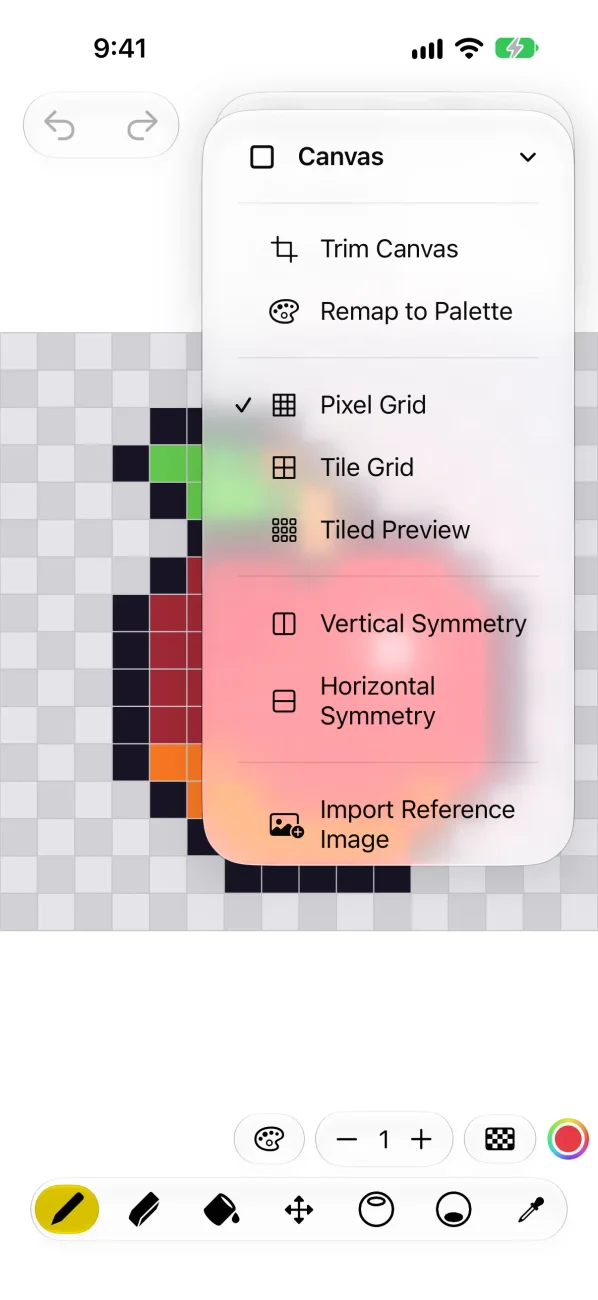
• Symmetry mode to mirror strokes as you draw
• Dithering for classic checkered patterns
• Flip, rotate, and outline a whole sprite in a tap
• Full undo and redo
Color
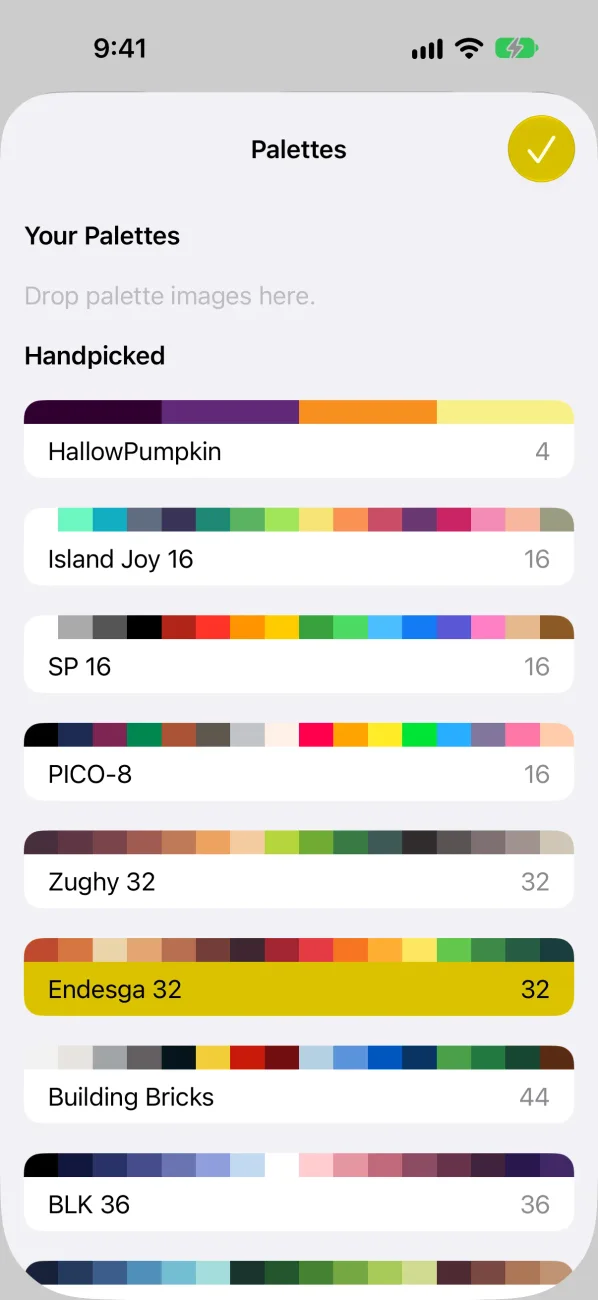
• Handpicked palettes, plus seasonal picks
• Building Bricks colors
• Import any palette from Lospec
Your Files, Your Way
• Sprites are plain PNG files, so any app can open them
• Edit images in place wherever they live, including iCloud Drive
• Share your art scaled up so it stays crisp
Show It Off
• Pin a favorite sprite to your Home Screen with a widget
• Draw and send pixel-art stickers right in Messages
Có gì mới
Phiên bản 5.0 · 28/10/2026
This update brings smarter tools and a more polished Mac experience.
• New: a bucket fill toggle to recolor every pixel of a tapped color at once, plus Remap to Palette to snap your whole image to your palette's nearest colors
• New: Tiled Preview shows your sprite repeated around the canvas, perfect for seamless tiles
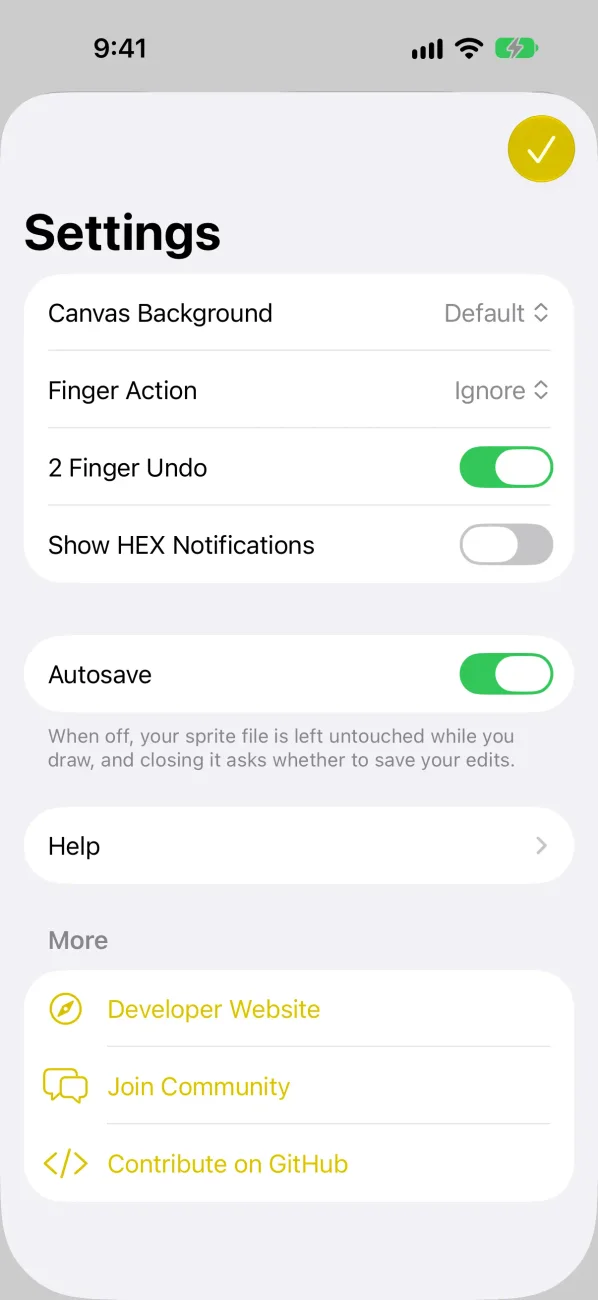
• New: import a reference image behind the canvas, and an Autosave setting for more control over when your work is saved
• Refined Mac and visionOS toolbars, plus new languages: Simplified Chinese, Japanese, German, French, and Spanish
• Bug fixes and improvements
Quyền riêng tư của ứng dụng
Những gì 256 Arts khai báo trên App Store về cách ứng dụng này xử lý dữ liệu.
-
Dữ liệu được sử dụng để theo dõi bạn
Có thể được sử dụng để theo dõi bạn trên các ứng dụng và trang web do công ty khác sở hữu.
- Mã định danh
-
Dữ liệu liên kết với bạn
Có thể được thu thập và liên kết với danh tính của bạn.
- Vị trí
- Mã định danh
- Dữ liệu sử dụng
-
Dữ liệu không liên kết với bạn
Có thể được thu thập nhưng không liên kết với danh tính của bạn.
- Chẩn đoán
Phương thức đảm bảo quyền riêng tư có thể khác nhau, chẳng hạn như tuỳ theo các tính năng bạn sử dụng hoặc độ tuổi của bạn.
Thông tin
- Người bán
- 256 Arts Inc.
- Danh mục
- Đồ Họa & Thiết Kế
- Phiên bản
- 5.0
- Cập nhật
- 28/10/2026
- Phát hành
- 14/10/2018
- Kích thước
- 11,9 MB
- Yêu cầu
- iOS 27.0 trở lên
- Độ tuổi
- 4+
- Giá
- Miễn phí
- Ngôn ngữ
- Tiếng Anh, Tiếng Pháp, Tiếng Đức, Tiếng Nhật, Tiếng Nga, Tiếng Trung Giản thể, Tiếng Tây Ban Nha
- Bản quyền
- © 256 Arts Inc.
Có thể bạn cũng thích
-
 Inktica - chỉnh sửa pixelChỉnh sửa pixel art và sprite
-
 DS Card - Markdown text cardĐồ Họa & Thiết Kế
-
 Screenshot Editor - SnapItĐồ Họa & Thiết Kế
-
 Pixen - pixel art editorĐồ Họa & Thiết Kế
-
 Sprite Artisan Pixel ArtĐồ Họa & Thiết Kế
-
 CoverpadĐồ Họa & Thiết Kế
-
 Sprite TightĐồ Họa & Thiết Kế
-
 Litur - Color LibraryDành cho Thiết kế & Sáng tạo
-
 Sprite CreatorĐồ Họa & Thiết Kế
-
 Pixel Editor: Avatar GeneratorNghệ thuật 8-bit, maker studio