
The Task Board
Visually Organize To Do Lists
iPhone, iPad, iPod touch için tasarlandı
Ücretsiz
- Yaş sınırı4+
- KategoriÜretkenlik
- GeliştiriciViva Apps, LLC
- Dillerİngilizce
- Boyut7,3 MB
Resmi App Store sayfasına bağlanır
Download.org, The Task Board için hiçbir dosya barındırmaz. Düğme, uygulamanın App Store üzerindeki sayfasını açar; uygulamayı orada Viva Apps, LLC yayınlar. Sayfanın son kontrolü: 12.11.2026.
Ekran görüntüleri




Hakkında
Geliştirici bu metni dilinizde sunmamış.
The Task Board is a brand new visual approach to organizing to do lists and
notes.
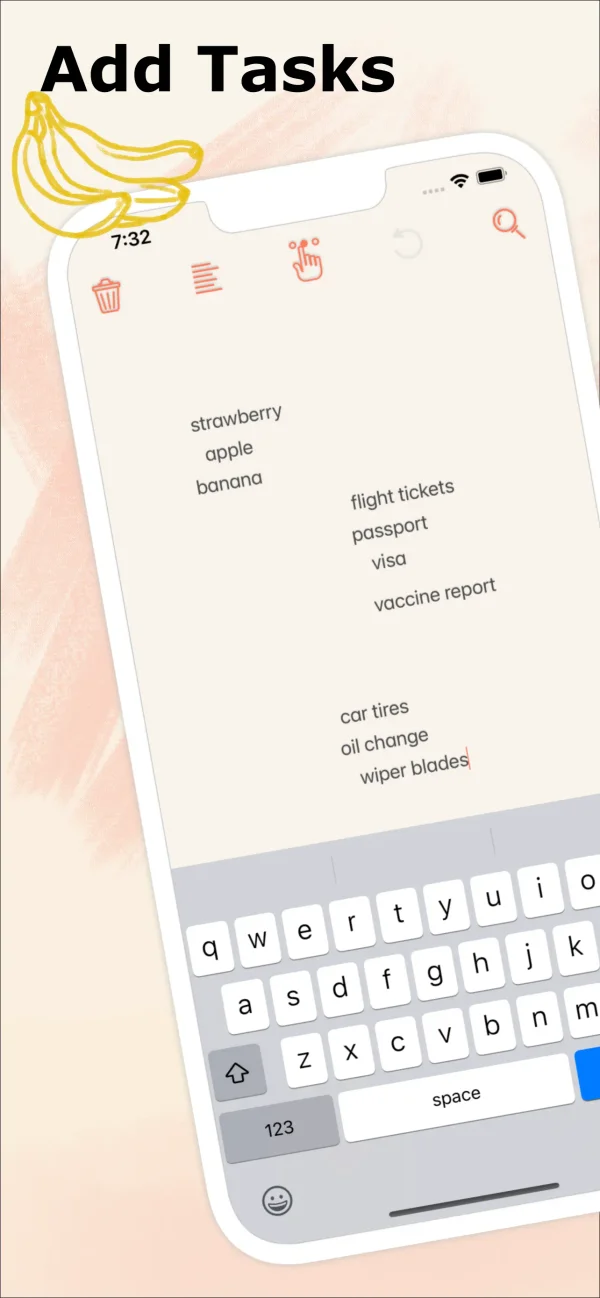
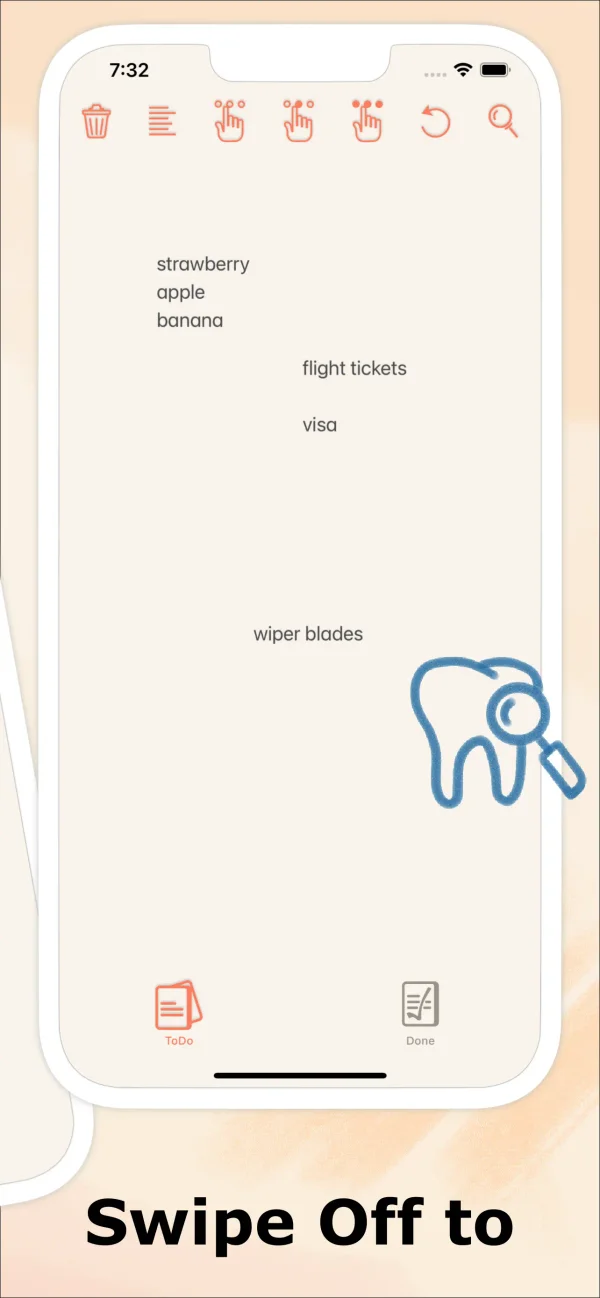
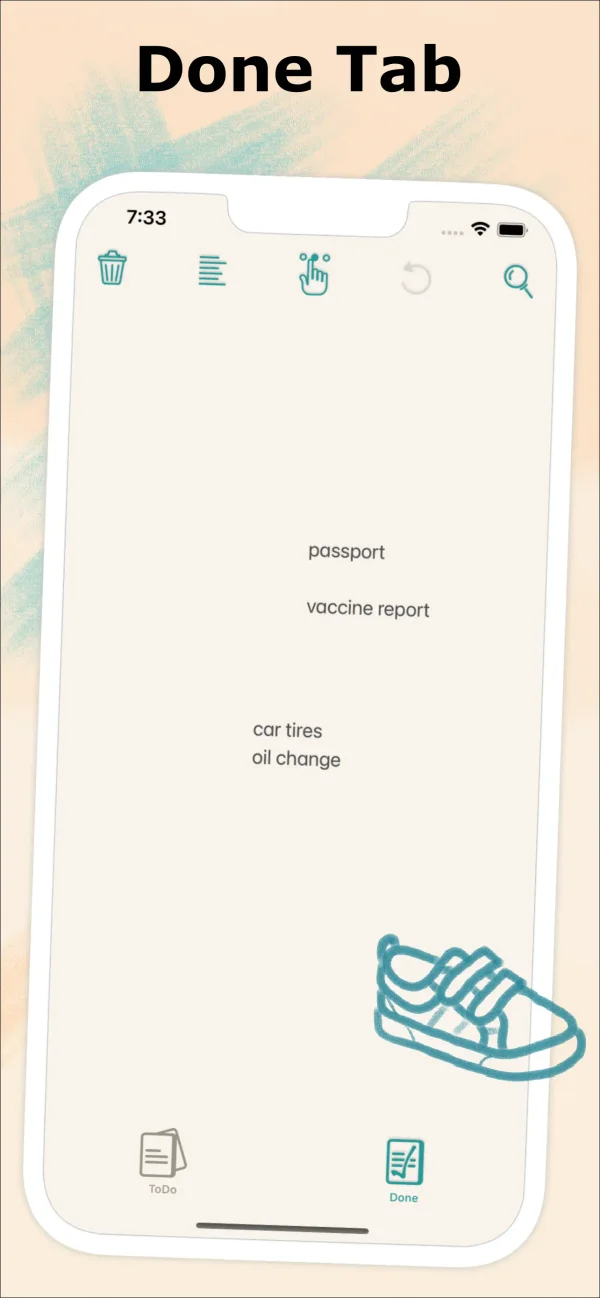
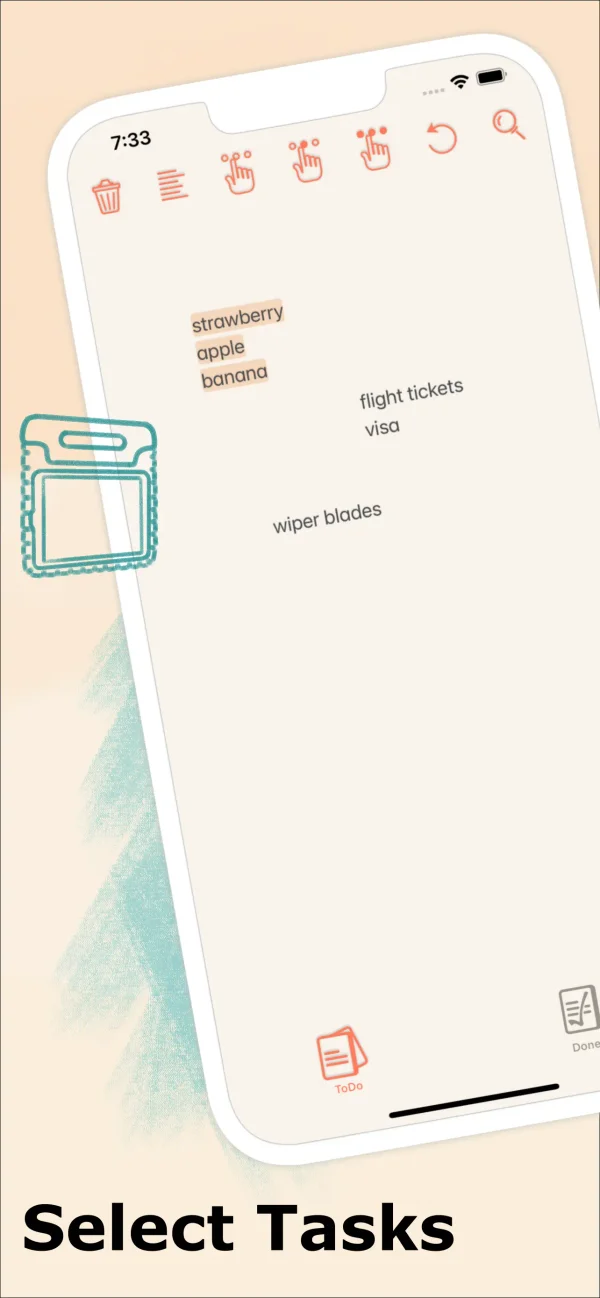
This is where you quickly note down and arrange your day-to-day tasks and easily mark them done. You enter your pending tasks on the "ToDo" tab and swipe-off all the finished ones to the "Done" tab. You can intuitively swipe the items back and forth between the "ToDo" and "Done" tabs.
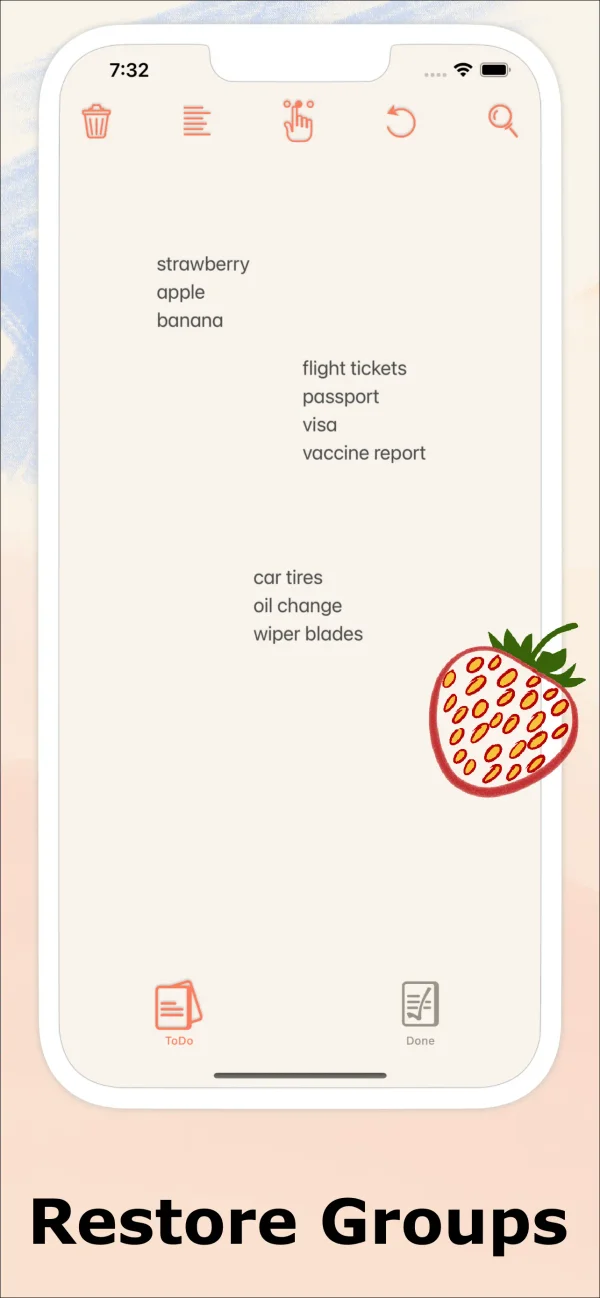
The board gives you a bird's eye view of all the items in one quick glance. It gives you a good idea of how many things are pending and how they're grouped. You can re-group and re-arrange the items as and when you like.
The smooth scroll and pan gives you the feel of a frictionless whiteboard that stretches quite a bit with central area in focus. You can move the board around and bring any group of items in focus. You can also search for an item which brings the item in the central area of focus.
To import a list of text items from any other app, simply copy it there and paste it to the task board. Similarly to do a backup of all the items on the board, select all, copy and paste it in any other app you like. You can do occasional cleanups by selecting and trashing the items.
The undo button is helpful if you accidentally do something unintentionally.
The task board works in both landscape and portrait orientations.
These are some of the things you can do with this task board:
- quick one-touch note taking
- unlimited board space
- swipe-off between the boards/tabs
- easy scroll
- smooth move around
- search
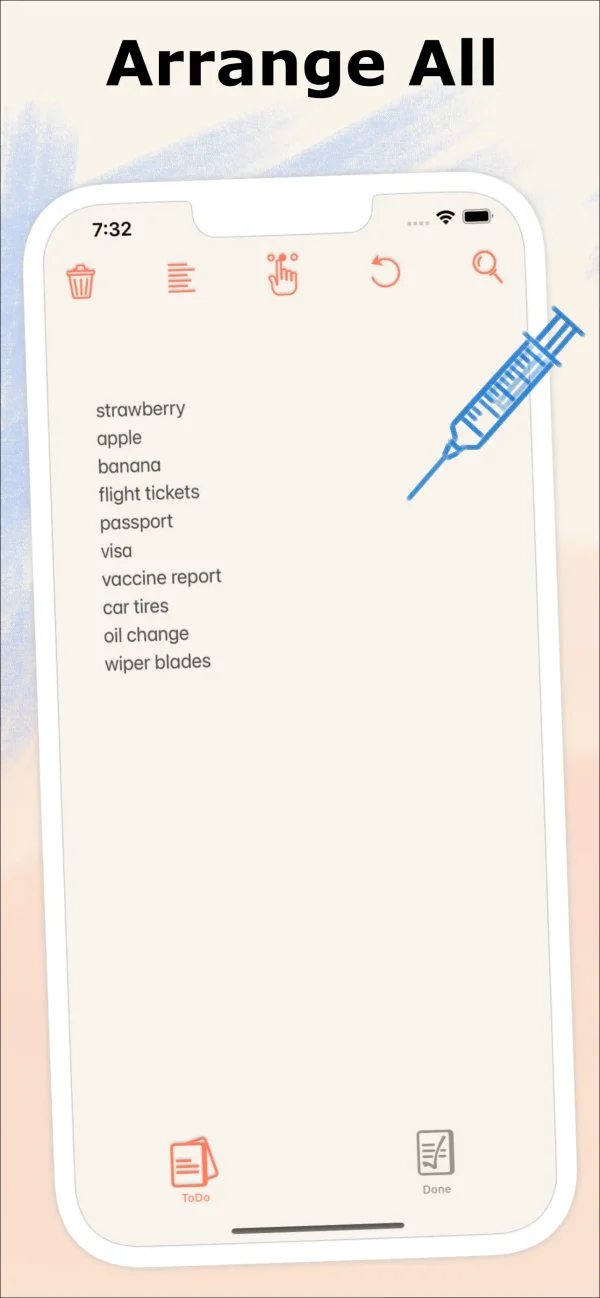
- arrange all
- arrange related (group)
- select on board
- copy from board
- paste on board
- delete from board
- zoom in and out with a pinch gesture
- undo
Enjoy managing your never ending list of day-to-day tasks.
Yenilikler
Sürüm 1.1.1 · 01.01.2024
updated subtitle, keywords and other meta data
Uygulama gizliliği
Bu uygulamanın verileri nasıl işlediği hakkında Viva Apps, LLC tarafından App Store üzerinde yapılan beyan.
-
Veri toplanmıyor
Geliştirici bu uygulamadan hiçbir veri toplamıyor.
Gizlilik uygulamaları, örneğin kullandığınız özelliklere veya yaşınıza göre değişiklik gösterebilir.
Bilgiler
- Satıcı
- Viva Apps, LLC
- Kategori
- Üretkenlik
- Sürüm
- 1.1.1
- Güncellendi
- 01.01.2024
- Yayın tarihi
- 22.09.2023
- Boyut
- 7,3 MB
- Gereksinim
- iOS 12.0 veya sonrası
- Yaş sınırı
- 4+
- Fiyat
- Ücretsiz
- Diller
- İngilizce
- Telif hakkı
- © 2023 Viva Apps, LLC
Bunları da beğenebilirsiniz
-
 Corkulous AIÜretkenlik
-
 Simple ToDo List & TasksÜretkenlik
-
 Clear: To Dos & RemindersÜretkenlik
-
 Actions: Görev & YapılacaklarHedefler, Checklist & Pomodoro
-
 Tweek: Ajanda ve GörevlerHaftalık Planlayıcı, Takvim
-
 Smart Tasks: Simple To Do ListÜretkenlik
-
 Do! – Simple To Do ListÜretkenlik
-
 Daily Planner, To-Do ListÜretkenlik
-
 To Do List - Reminders & TasksÜretkenlik
-
 Onrise: Habit Tracker & FocusÜretkenlik