CapsulePad
Sticky notes, one hover away
Được thiết kế cho iPhone, iPad, Mac
Miễn phí
- Độ tuổi4+
- Danh mụcHiệu Suất
- Nhà phát triểnJonathan Wyatt
- Ngôn ngữTiếng Anh
- Kích thước2,9 MB
Liên kết đến trang App Store chính thức
Download.org không lưu trữ tệp nào của CapsulePad. Nút này mở trang ứng dụng trên App Store, nơi Jonathan Wyatt phát hành ứng dụng. Trang được kiểm tra lần cuối: 12/11/2026.
Ảnh chụp màn hình

Giới thiệu
Nhà phát triển chưa cung cấp nội dung này bằng ngôn ngữ của bạn.
CapsulePad is a native Mac and iPhone/iPad app for quick notes that stay out of your way until you need them.
On the Mac, CapsulePad docks a thin pill of colored notes to the edge of your screen. Move your pointer close and it fans out into labeled tabs — click one to open it full-size, or drive the whole thing from the keyboard (⌥⌘N for a new note, ⌥⌘A to see every note, ⌥⌘L to archive the one in front). Reorder notes by dragging, color-code them for quick scanning, and archive or permanently delete the ones you're done with.
Your notes sync automatically across every Mac and iPhone/iPad signed into the same iCloud account, so a note you jot down at your desk is already there when you pick up your phone.
For anything you'd rather keep private, lock individual notes with Face ID, Touch ID, or your device passcode. A locked note's title stays visible so you can still find it, but its contents stay encrypted until you unlock it — and it asks again every time you open it.
Back up everything at once as Markdown, plain text, or a full-fidelity CapsulePad archive you can import back in later, on this Mac or another.
CapsulePad has no account system, no ads, and no analytics — your notes stay on your own devices and sync only through your own iCloud, the same as any other Apple app.
Có gì mới
Phiên bản 1.1 · 10/09/2026
This update adds:
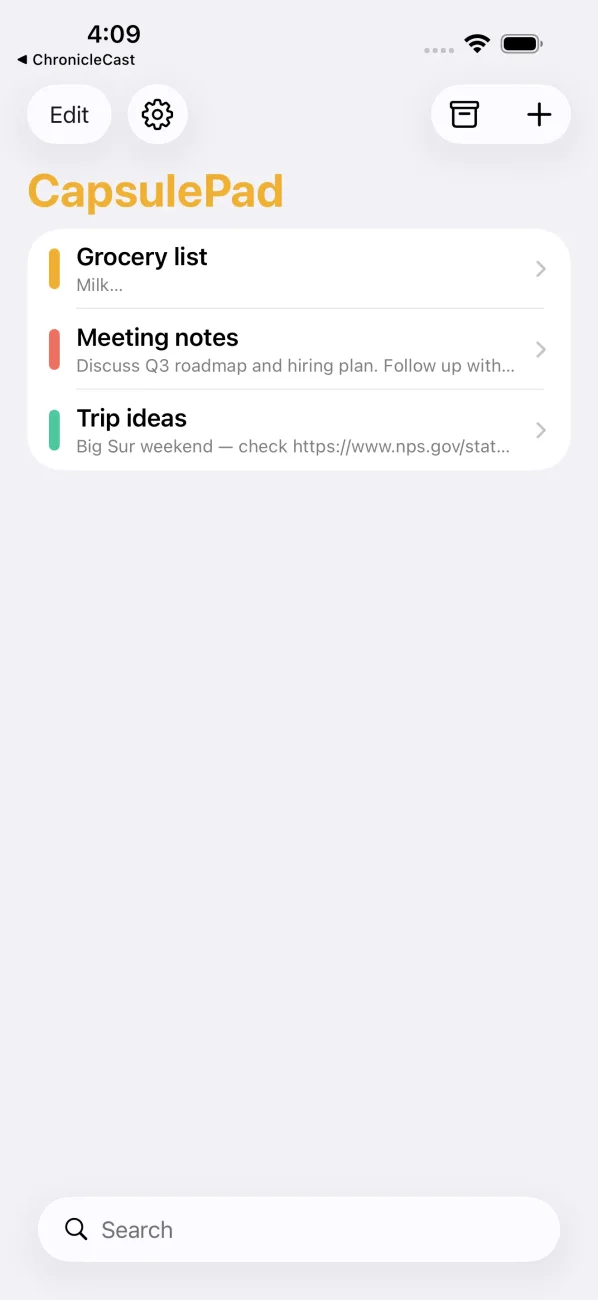
- The note title now lives right in the navigation bar next to the back button, still fully editable
- Archive and Delete buttons right on the note itself, not just the notes list
- Clickable links inside note bodies
- Larger, more readable note body text
Also includes fixes: the notes list title now stays compact instead of briefly appearing large, and a locked note is now properly hidden from the app-switcher snapshot instead of only when fully backgrounded.
Quyền riêng tư của ứng dụng
Những gì Jonathan Wyatt khai báo trên App Store về cách ứng dụng này xử lý dữ liệu.
-
Dữ liệu không được thu thập
Nhà phát triển không thu thập bất kỳ dữ liệu nào từ ứng dụng này.
Phương thức đảm bảo quyền riêng tư có thể khác nhau, chẳng hạn như tuỳ theo các tính năng bạn sử dụng hoặc độ tuổi của bạn.
Thông tin
- Người bán
- Jonathan Wyatt
- Danh mục
- Hiệu Suất
- Phiên bản
- 1.1
- Cập nhật
- 10/09/2026
- Phát hành
- 05/09/2026
- Kích thước
- 2,9 MB
- Yêu cầu
- iOS 17.0 trở lên
- Độ tuổi
- 4+
- Giá
- Miễn phí
- Ngôn ngữ
- Tiếng Anh
- Bản quyền
- © 2026 Jonathan Wyatt
Có thể bạn cũng thích
-
 Wiola: AI To-Do PlannerHiệu Suất
-
 To-Do List - DayTodoHiệu Suất
-
 noglow: quick notes scratchpadHiệu Suất
-
 Narratives: Private AI NotesHiệu Suất
-
 Proonus: Task ManagerHiệu Suất
-
 Inkoum: Tasks, Notes & FocusHiệu Suất
-
 Audio Transcribe App : AudiaHiệu Suất
-
 Clipy - Clipboard SyncHiệu Suất
-
 NoeHub NotesHiệu Suất
-
 PlanThat: Shared PlannerHiệu Suất