Multi Timer: Countdown
Focus, kitchen, workouts
Được thiết kế cho iPhone, iPad
Miễn phí · Mua hàng trong ứng dụng
- Độ tuổi4+
- Danh mụcTiện Ích
- Nhà phát triểnBarakah Digital LLC
- Ngôn ngữTiếng Anh
- Kích thước19,1 MB
Liên kết đến trang App Store chính thức
Download.org không lưu trữ tệp nào của Multi Timer: Countdown. Nút này mở trang ứng dụng trên App Store, nơi Barakah Digital LLC phát hành ứng dụng. Trang được kiểm tra lần cuối: 12/11/2026.
Ảnh chụp màn hình

Giới thiệu
Nhà phát triển chưa cung cấp nội dung này bằng ngôn ngữ của bạn.
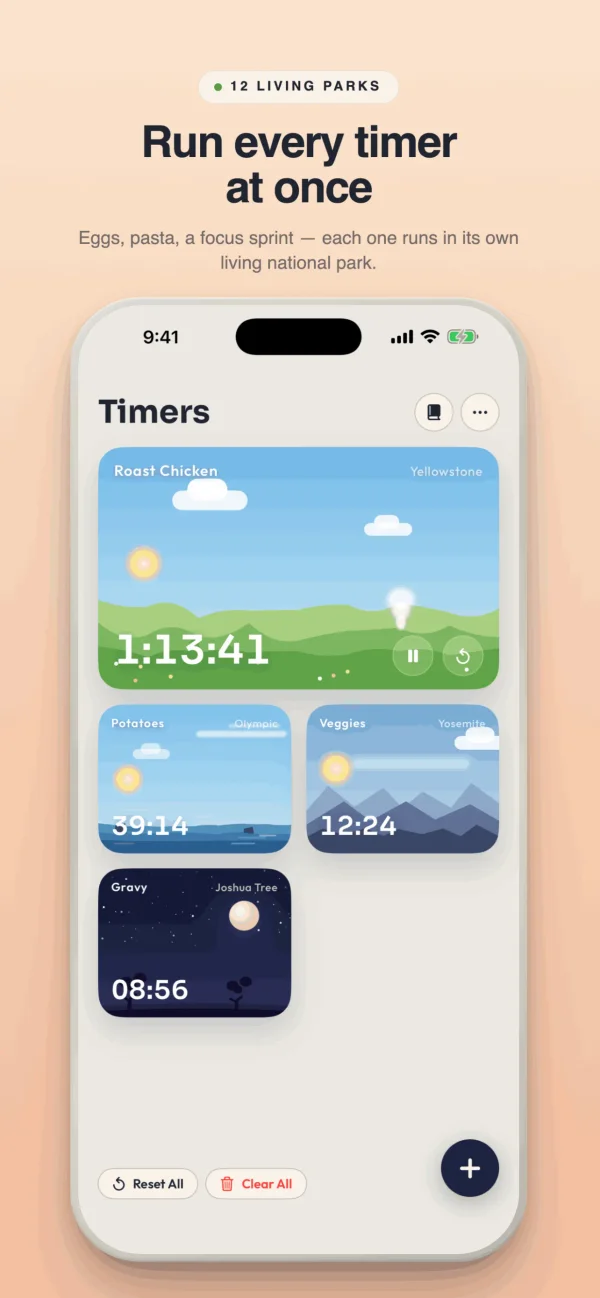
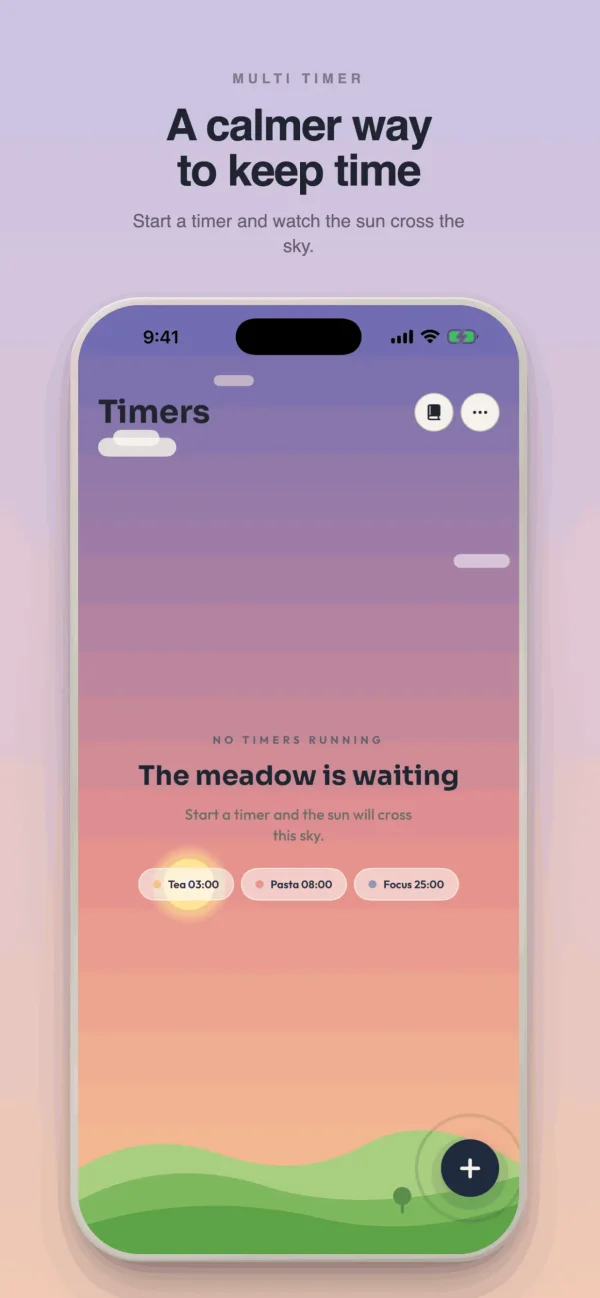
Multi Timer turns every countdown into a living national park scene, so you can track several timers at once without staring at a plain list of numbers.
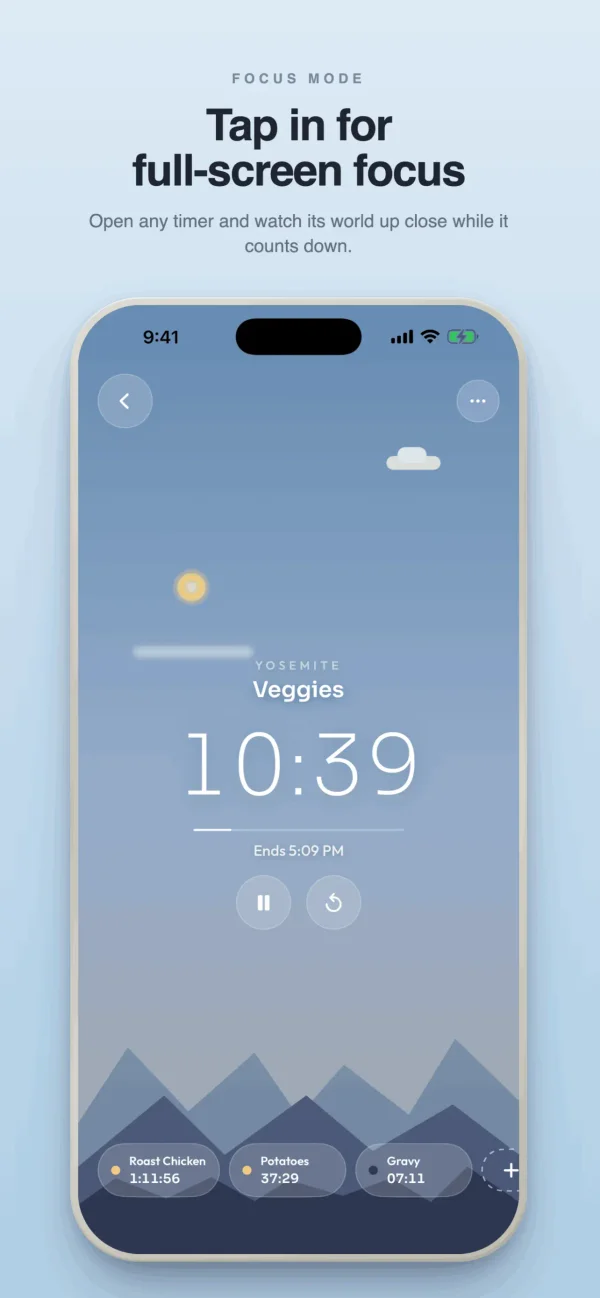
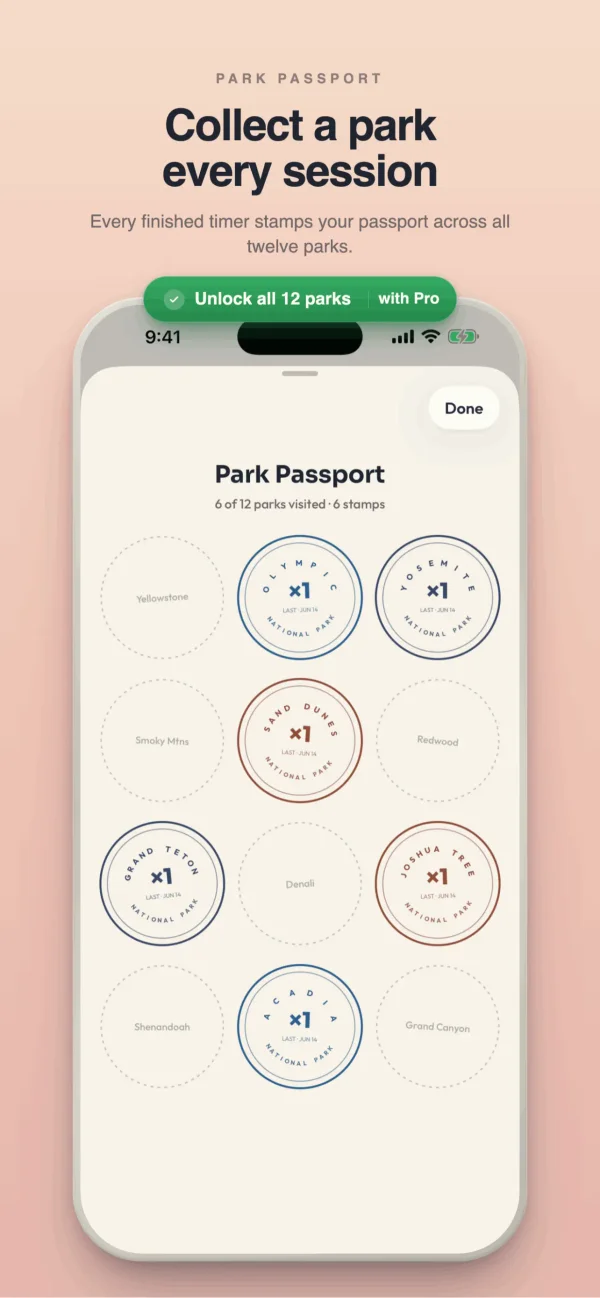
Start a timer and open a park. The sky changes as time passes. The sun crosses the scene. The moon rises over night parks. When the countdown ends, your visit is stamped into your Park Passport.
Use Multi Timer for:
- Cooking multiple dishes at once
- Focus sessions and study blocks
- Workouts, stretches, and recovery intervals
- Morning and evening routines
- Reminders that need a clear countdown
- Any moment where one timer is not enough
Key features:
- Run multiple countdown timers at the same time
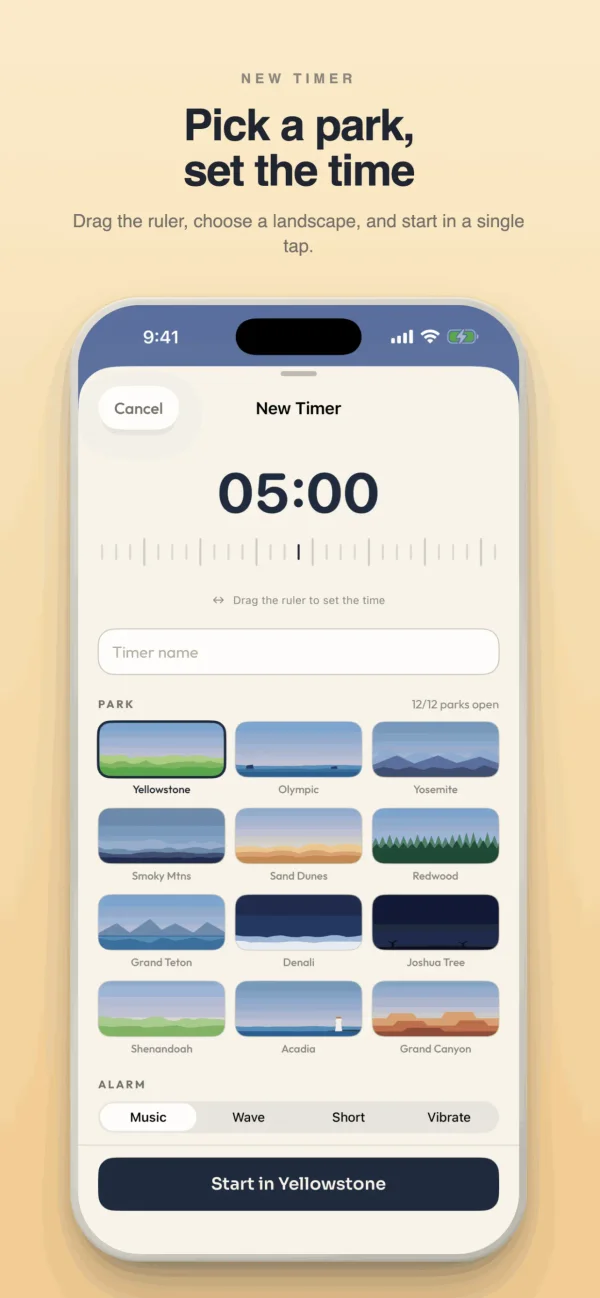
- Give each timer a name, duration, sound, and park
- See living visual scenes that progress with each timer
- Get alerts when timers finish
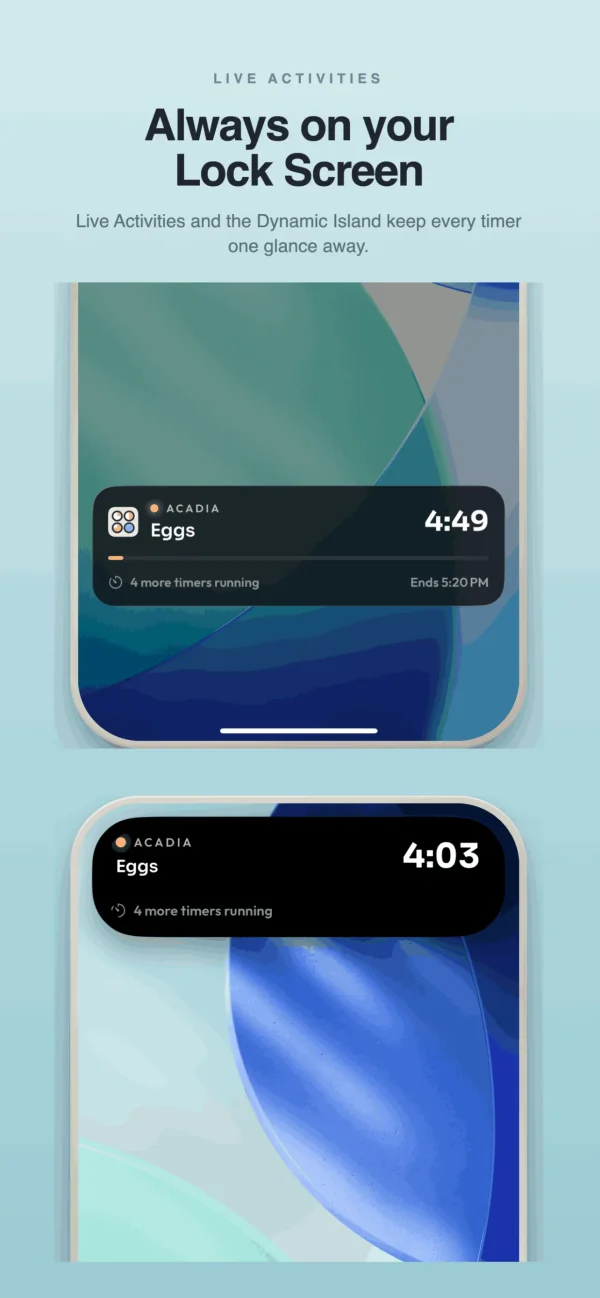
- Use Live Activities for glanceable timer status
- Collect completed park visits in your Park Passport
- Choose from four free parks
- Unlock all 12 national park scenes with MultiTimer Pro
Multi Timer is built for people who want a timer board that is practical, quick, and easier to read at a glance. Whether you are cooking, working, studying, exercising, or managing a routine, each countdown gets its own place on the map.
MultiTimer Pro is a one-time purchase that unlocks all 12 parks.
Có gì mới
Phiên bản 3.5 · 07/11/2026
Delete what you don't need.
• Delete any timer. In the Parks look, tap a timer and choose Delete. In Classic, swipe a timer left.
• Clean up your recents. Long-press a recent timer to remove it, or tap Clear to remove them all.
• Every delete asks first, so nothing disappears by accident.
Thanks to Andy for asking for this one. Most of what changes in MultiTimer starts with a note like his, so keep the ideas coming: Settings > Send feedback.
Quyền riêng tư của ứng dụng
Những gì Barakah Digital LLC khai báo trên App Store về cách ứng dụng này xử lý dữ liệu.
-
Dữ liệu không liên kết với bạn
Có thể được thu thập nhưng không liên kết với danh tính của bạn.
- Mục mua
- Mã định danh
- Dữ liệu sử dụng
- Chẩn đoán
Phương thức đảm bảo quyền riêng tư có thể khác nhau, chẳng hạn như tuỳ theo các tính năng bạn sử dụng hoặc độ tuổi của bạn.
Thông tin
- Người bán
- Barakah Digital LLC
- Danh mục
- Tiện Ích
- Phiên bản
- 3.5
- Cập nhật
- 07/11/2026
- Phát hành
- 15/12/2018
- Kích thước
- 19,1 MB
- Yêu cầu
- iOS 17.0 trở lên
- Độ tuổi
- 4+
- Giá
- Miễn phí
- Mua hàng trong ứng dụng
- Có
- Ngôn ngữ
- Tiếng Anh
- Bản quyền
- © 2026 Barakah Digital
Có thể bạn cũng thích
-
 timer. - Multi Countdown TimerTiện Ích
-
 Multi Timer StopwatchTiện Ích
-
 Just TimersTiện Ích
-
 Timr - Multiple TimersTiện Ích
-
 MultiTimer: Multiple timersTiện Ích
-
 Hẹn giờ - Đồng hồ bấm giờPhòng bếp hẹn giờ & Đồng hồ bấ
-
 Focus timer app: TimusPomodoro, Productivity, ADHD
-
 About Timers - Kitchen TimerTiện Ích
-
 Đồng hồ bấm giờ & Hẹn giờ PlusApp hẹn giờ và bấm giờ
-
 Bộ đếm thời gian®đồng hồ đếm ngược