Multi Timer: Countdown
Focus, kitchen, workouts
Designed for iPhone, iPad
Free · In-app purchases
- Age rating4+
- CategoryUtilities
- DeveloperBarakah Digital LLC
- LanguagesEnglish
- Size19.1 MB
Links to the official App Store page
Download.org hosts no file of Multi Timer: Countdown. The button opens its official App Store page, published by Barakah Digital LLC. Listing last checked on Nov 12, 2026.
Screenshots

About
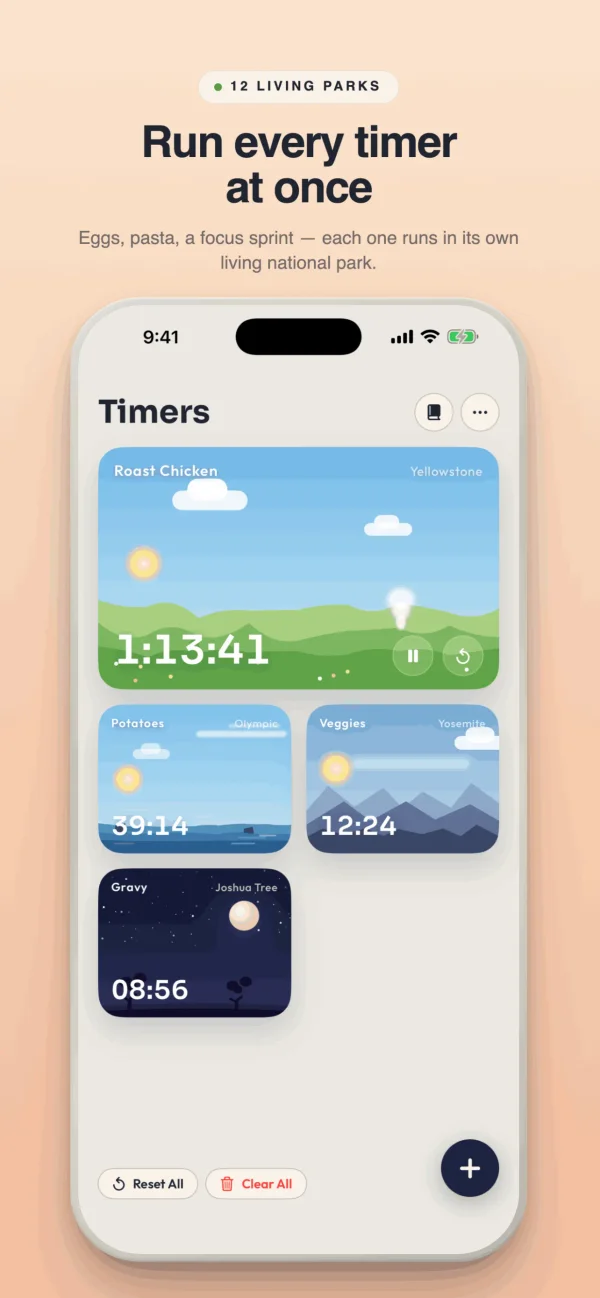
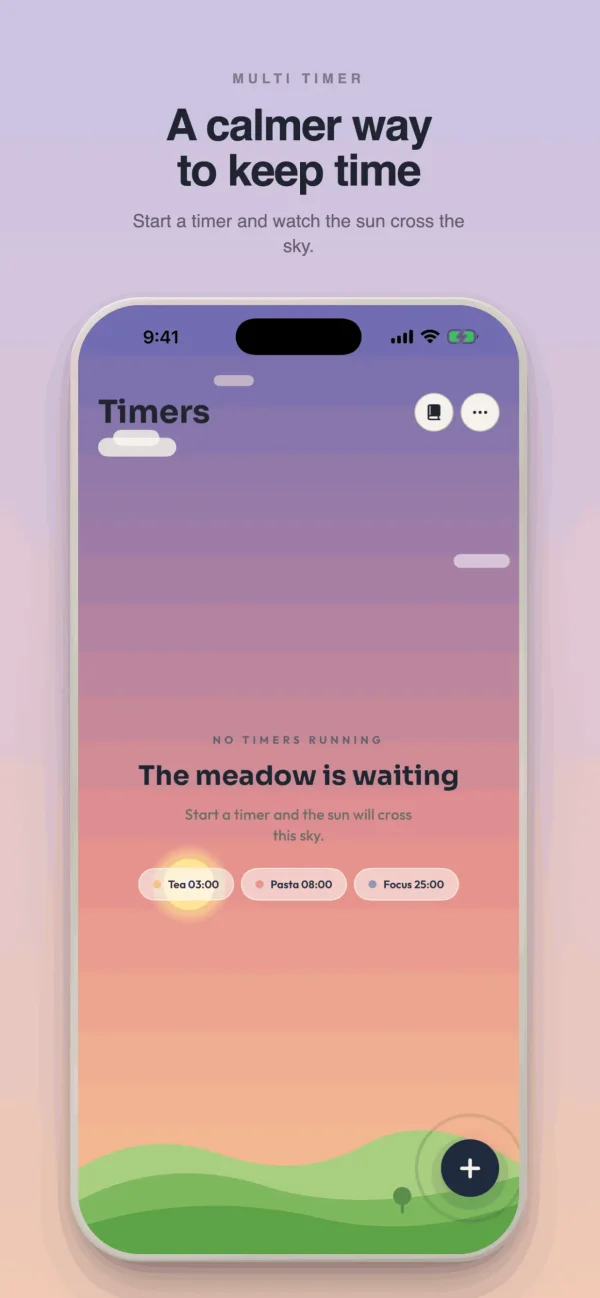
Multi Timer turns every countdown into a living national park scene, so you can track several timers at once without staring at a plain list of numbers.
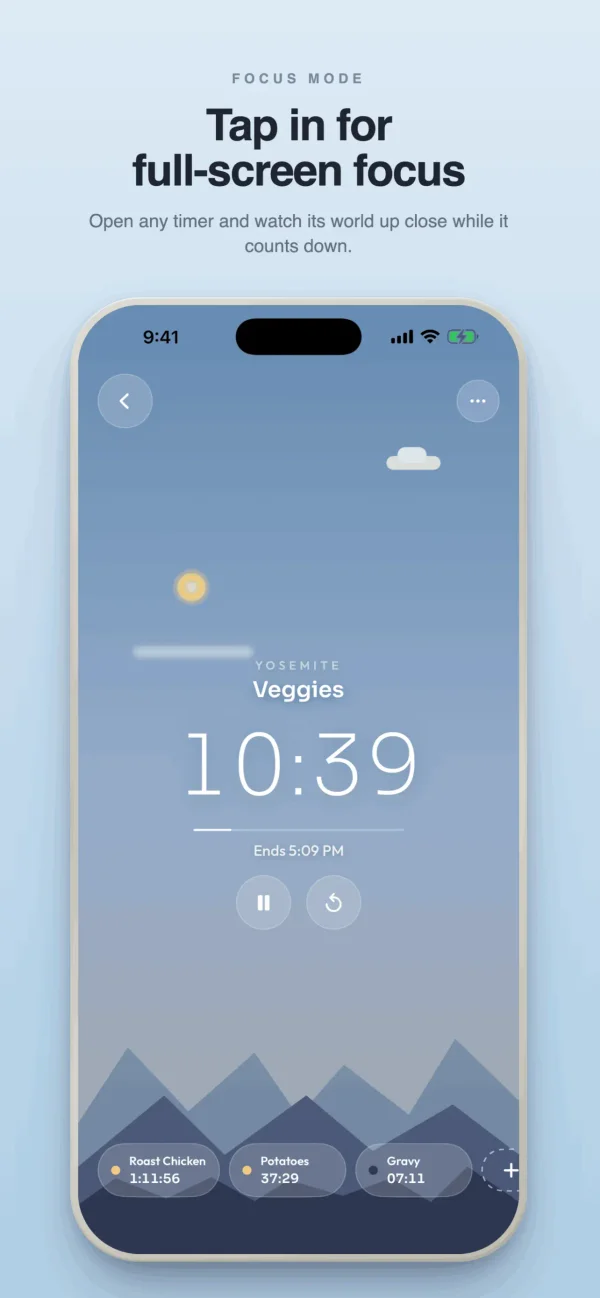
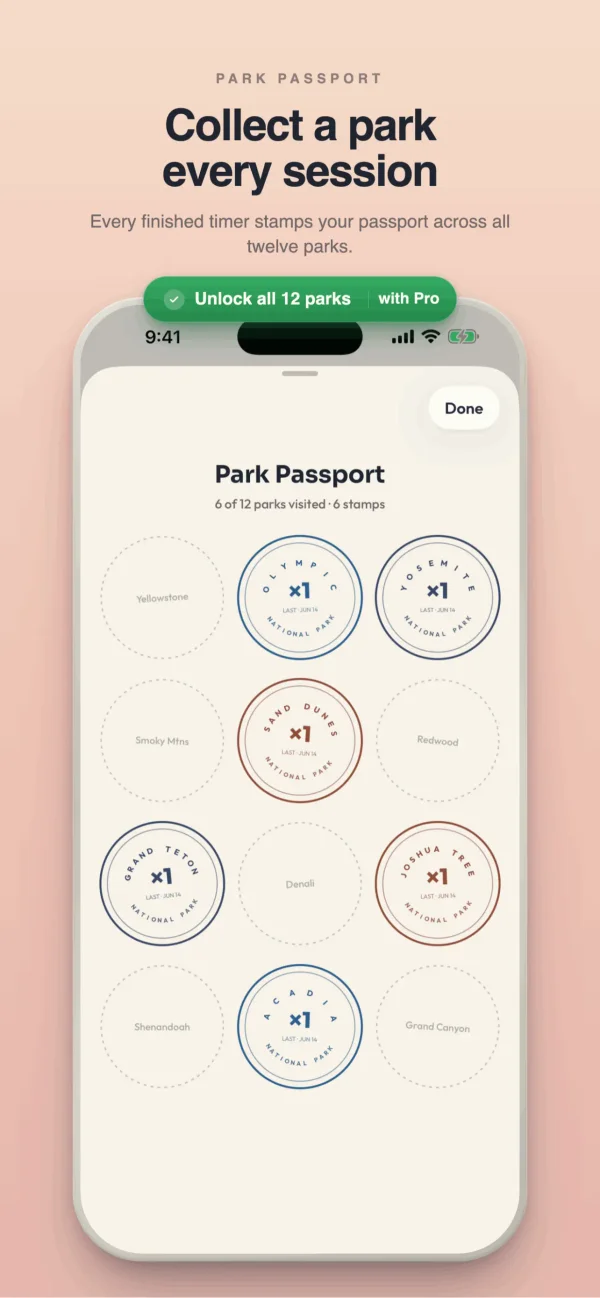
Start a timer and open a park. The sky changes as time passes. The sun crosses the scene. The moon rises over night parks. When the countdown ends, your visit is stamped into your Park Passport.
Use Multi Timer for:
- Cooking multiple dishes at once
- Focus sessions and study blocks
- Workouts, stretches, and recovery intervals
- Morning and evening routines
- Reminders that need a clear countdown
- Any moment where one timer is not enough
Key features:
- Run multiple countdown timers at the same time
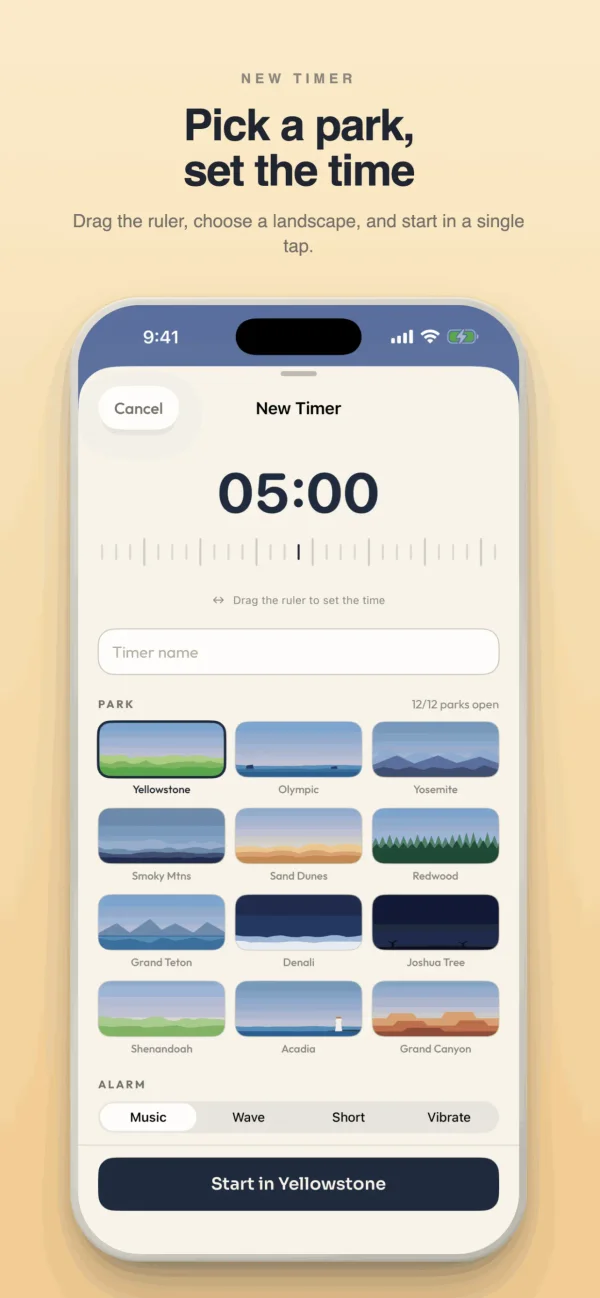
- Give each timer a name, duration, sound, and park
- See living visual scenes that progress with each timer
- Get alerts when timers finish
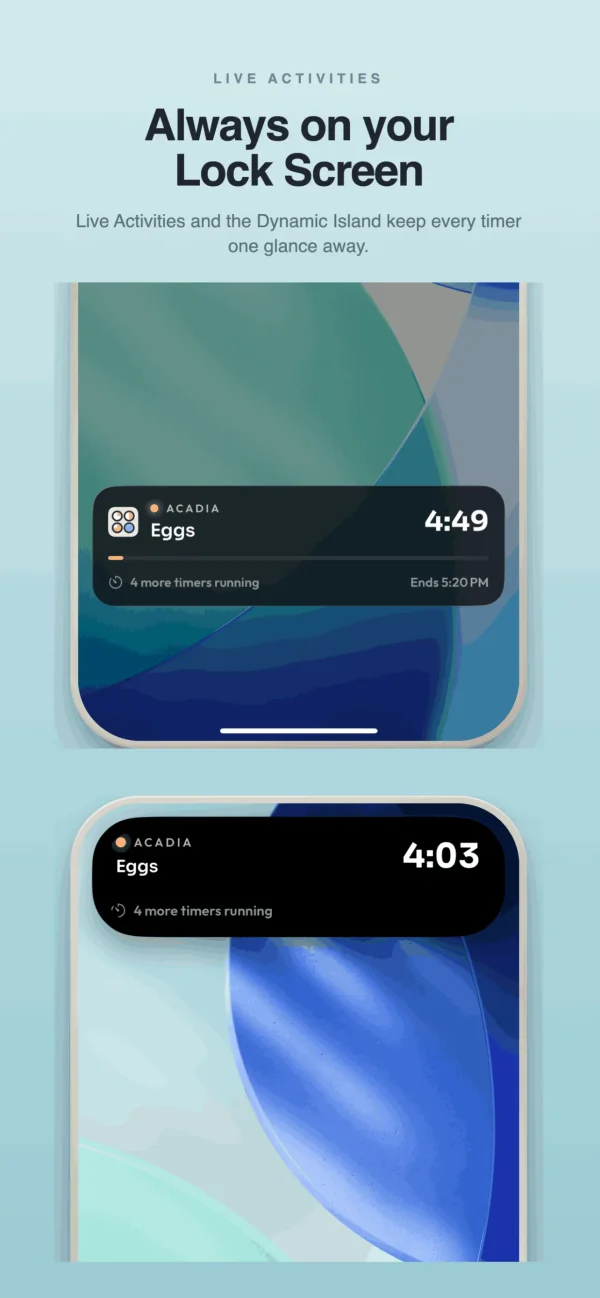
- Use Live Activities for glanceable timer status
- Collect completed park visits in your Park Passport
- Choose from four free parks
- Unlock all 12 national park scenes with MultiTimer Pro
Multi Timer is built for people who want a timer board that is practical, quick, and easier to read at a glance. Whether you are cooking, working, studying, exercising, or managing a routine, each countdown gets its own place on the map.
MultiTimer Pro is a one-time purchase that unlocks all 12 parks.
What’s new
Version 3.5 · Nov 7, 2026
Delete what you don't need.
• Delete any timer. In the Parks look, tap a timer and choose Delete. In Classic, swipe a timer left.
• Clean up your recents. Long-press a recent timer to remove it, or tap Clear to remove them all.
• Every delete asks first, so nothing disappears by accident.
Thanks to Andy for asking for this one. Most of what changes in MultiTimer starts with a note like his, so keep the ideas coming: Settings > Send feedback.
App privacy
What Barakah Digital LLC declares on the App Store about how this app handles data.
-
Data not linked to you
May be collected but is not linked to your identity.
- Purchases
- Identifiers
- Usage data
- Diagnostics
Privacy practices may vary, for example with the features you use or your age.
Information
- Seller
- Barakah Digital LLC
- Category
- Utilities
- Version
- 3.5
- Updated
- Nov 7, 2026
- Released
- Dec 15, 2018
- Size
- 19.1 MB
- Requires
- iOS 17.0 or later
- Age rating
- 4+
- Price
- Free
- In-app purchases
- Yes
- Languages
- English
- Copyright
- © 2026 Barakah Digital
You might also like
-
 timer. - Multi Countdown TimerLive Activities / Widget Timer
-
 Multi Timer StopwatchInterval Countdown & Lap Clock
-
 Just TimersThe missing timers app
-
 Timr - Multiple TimersMultiple Simultaneous Timers
-
 MultiTimer: Multiple timersVisual countdown seconds timer
-
 Timer-Kitchen timer&StopwatchKitchen timer & Stopwatch
-
 Visual Multi Timer: TimusMultiple Interval Timers Free
-
 About Timers - Kitchen TimerMultiple Timers & Stopwatch
-
 MultiTimer: Stopwatch + TimerMultiple timers & countdown
-
 Timer®Countdown clock timer