
Palmote
Mac mouse, keyboard & control
Được thiết kế cho iPhone, iPad, iPod touch
Miễn phí
- Độ tuổi4+
- Danh mụcTiện Ích
- Nhà phát triểnzehao li
- Ngôn ngữTiếng Anh+ 2 ngôn ngữ khác
- Kích thước2,2 MB
Liên kết đến trang App Store chính thức
Download.org không lưu trữ tệp nào của Palmote. Nút này mở trang ứng dụng trên App Store, nơi zehao li phát hành ứng dụng. Trang được kiểm tra lần cuối: 13/11/2026.
Ảnh chụp màn hình

Giới thiệu
Nhà phát triển chưa cung cấp nội dung này bằng ngôn ngữ của bạn.
Turn your iPhone or iPad into a trackpad, keyboard and customizable controller for your Mac.
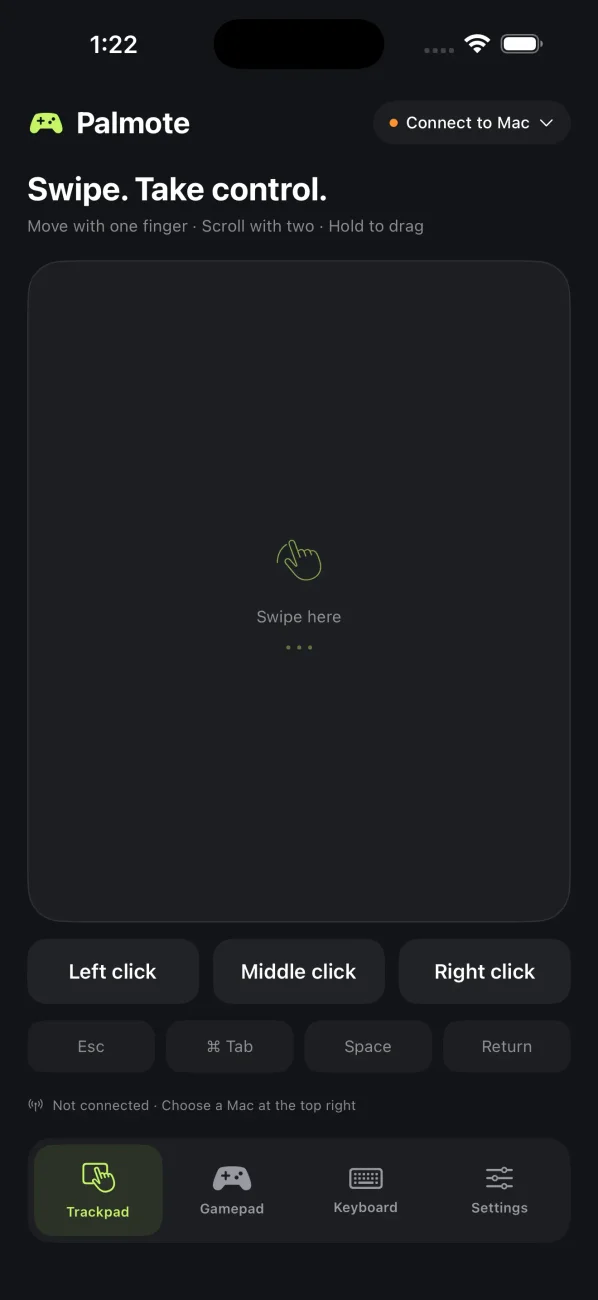
TRACKPAD
Move the pointer, tap, scroll with two fingers and drag with a long press. Dedicated left, middle and right mouse buttons and common shortcuts stay within reach.
KEYBOARD
Send text and use modifier keys, arrow keys and shortcuts. Bluetooth typing uses a US keyboard layout: select the ABC input source on your Mac. Chinese, Japanese and other Unicode text are supported through the optional Mac receiver over your local network.
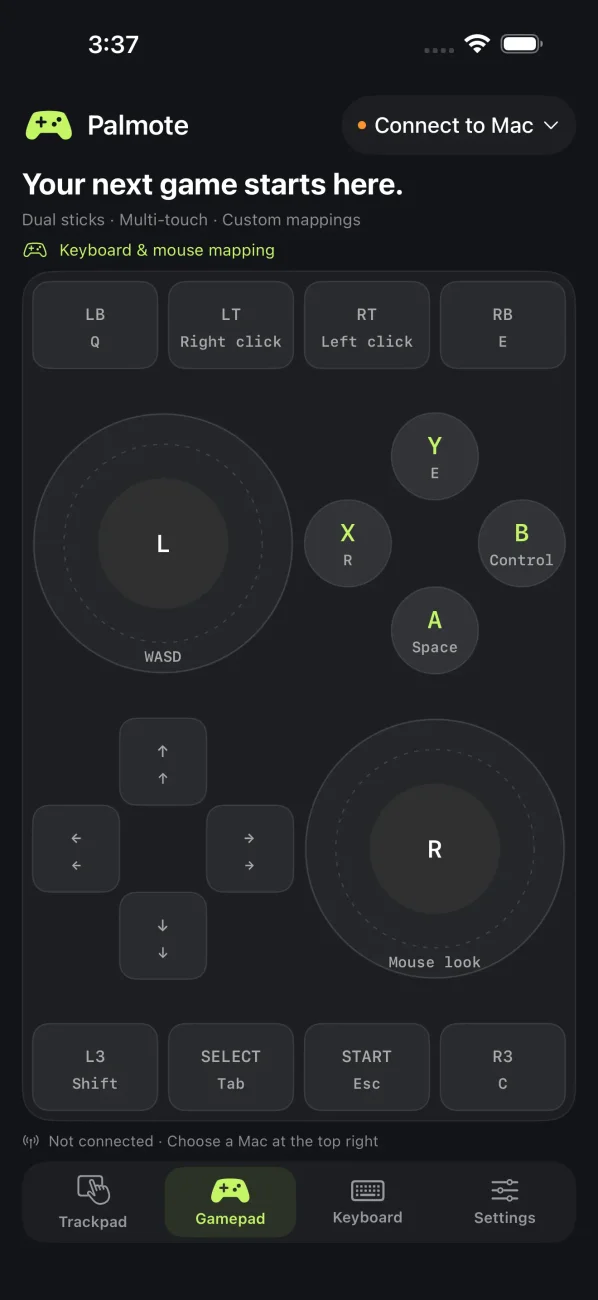
GAME CONTROLS
Use dual sticks, a directional pad, ABXY and shoulder buttons. Customize keyboard mappings, dead zone and sensitivity, and enable motion aiming on supported devices. Keyboard-and-mouse mapping works with games that accept those inputs. The controller interface sends keyboard and mouse input, including configurable mouse buttons. It does not register as a native gamepad or provide analog movement. Games continue to show keyboard and mouse prompts.
TWO CONNECTION OPTIONS
Bluetooth direct connection uses the Mac's built-in Bluetooth input support without a Mac receiver. Keep Palmote open in the foreground and your Mac awake. You can search for your Mac inside Palmote when the phone does not appear in macOS Bluetooth settings. Discovery and initial pairing depend on the devices and existing pairing state.
Local network mode requires the Palmote Mac receiver and a six-digit pairing code. It uses an encrypted connection on your trusted local network.
No account, advertising or cloud service is required. Available in English, Simplified Chinese and Japanese.
Có gì mới
Phiên bản 0.1.2 · 25/09/2026
• Game controls now clearly use keyboard and mouse mapping over Bluetooth.
• See the actual key or mouse button on each controller button.
• Assign mouse buttons, including middle-click, to game controls.
• Added a standard keyboard preset for Where Winds Meet.
• Added optional precision aiming for finer right-stick mouse control.
• Added a World of Warcraft Classic keyboard preset with strafing, right-stick camera control and action slots 1–0.
• Mouse look and trigger bindings can now be configured independently.
Quyền riêng tư của ứng dụng
Những gì zehao li khai báo trên App Store về cách ứng dụng này xử lý dữ liệu.
-
Dữ liệu không được thu thập
Nhà phát triển không thu thập bất kỳ dữ liệu nào từ ứng dụng này.
Phương thức đảm bảo quyền riêng tư có thể khác nhau, chẳng hạn như tuỳ theo các tính năng bạn sử dụng hoặc độ tuổi của bạn.
Thông tin
- Người bán
- zehao li
- Danh mục
- Tiện Ích
- Phiên bản
- 0.1.2
- Cập nhật
- 25/09/2026
- Phát hành
- 18/09/2026
- Kích thước
- 2,2 MB
- Yêu cầu
- iOS 15.0 trở lên
- Độ tuổi
- 4+
- Giá
- Miễn phí
- Ngôn ngữ
- Tiếng Anh, Tiếng Nhật, Tiếng Trung Giản thể
- Bản quyền
- © 2026 zehao li
Có thể bạn cũng thích
-
 TouchNow - Điều khiển MacMáy tính từ xa, màn hình phụ
-
 CouchMCTiện Ích
-
 TabletHIDTiện Ích
-
 Lose Control: PC ControllerTiện Ích
-
 Pocket Board Bàn phím & ChuộtBluetooth, bàn di chuột & số
-
 PadLink RemoteTiện Ích
-
 V-Pad: Virtual GamepadTiện Ích
-
 操控手柄Tiện Ích
-
 Gamepad - Controller TestingTiện Ích
-
 奥义Control · 大招控制器|体感游戏控制器Tiện Ích