Pixel Density Calculator
Pixels per Inch PPI Calculator
Được thiết kế cho iPhone, iPad, iPod touch
99.000đ
- Độ tuổi4+
- Danh mụcTiện Ích
- Nhà phát triểnHeng Jia Liang
- Ngôn ngữTiếng Anh
- Kích thước3,0 MB
Liên kết đến trang App Store chính thức
Download.org không lưu trữ tệp nào của Pixel Density Calculator. Nút này mở trang ứng dụng trên App Store, nơi Heng Jia Liang phát hành ứng dụng. Trang được kiểm tra lần cuối: 17/11/2026.
Ảnh chụp màn hình

Giới thiệu
Nhà phát triển chưa cung cấp nội dung này bằng ngôn ngữ của bạn.
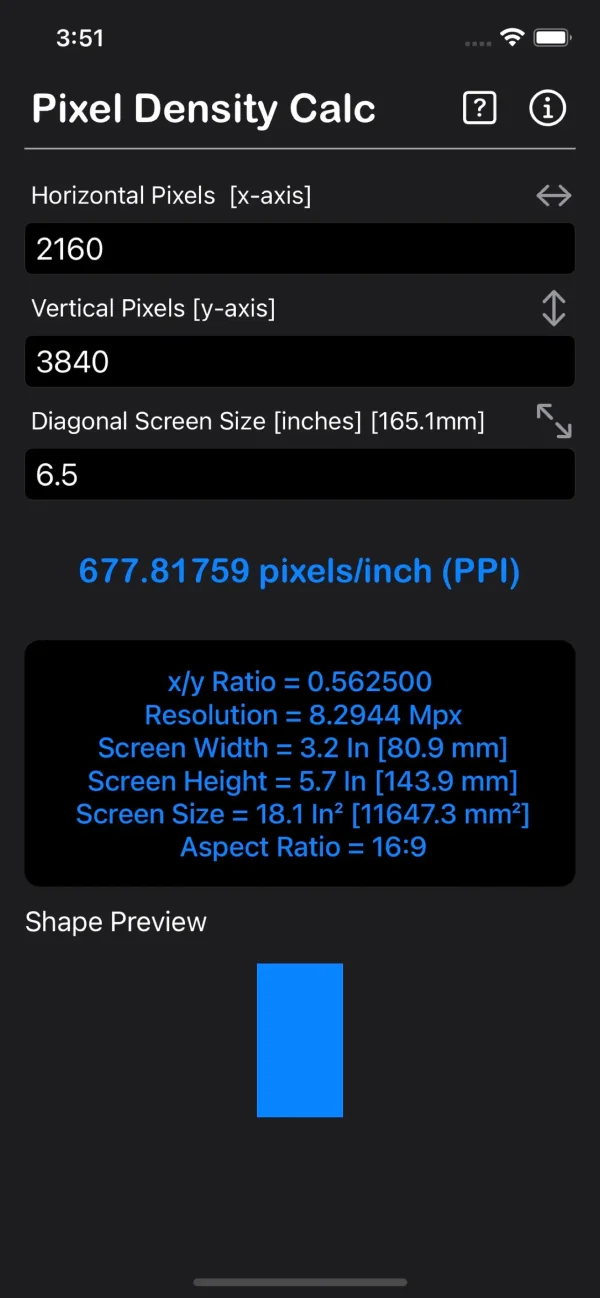
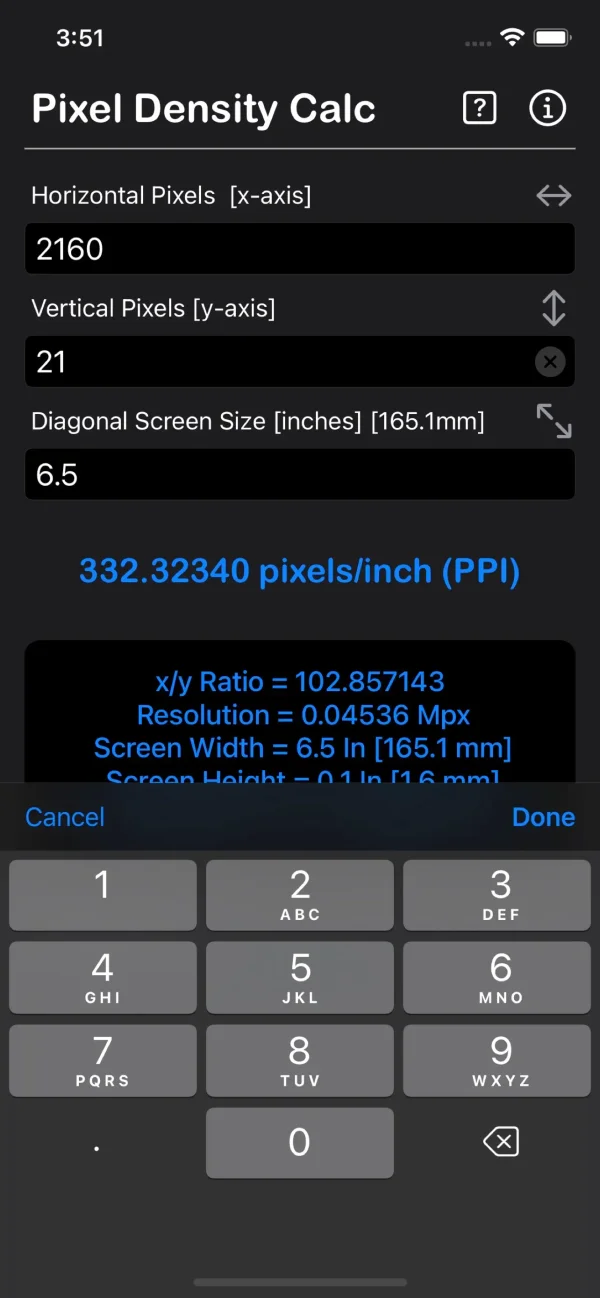
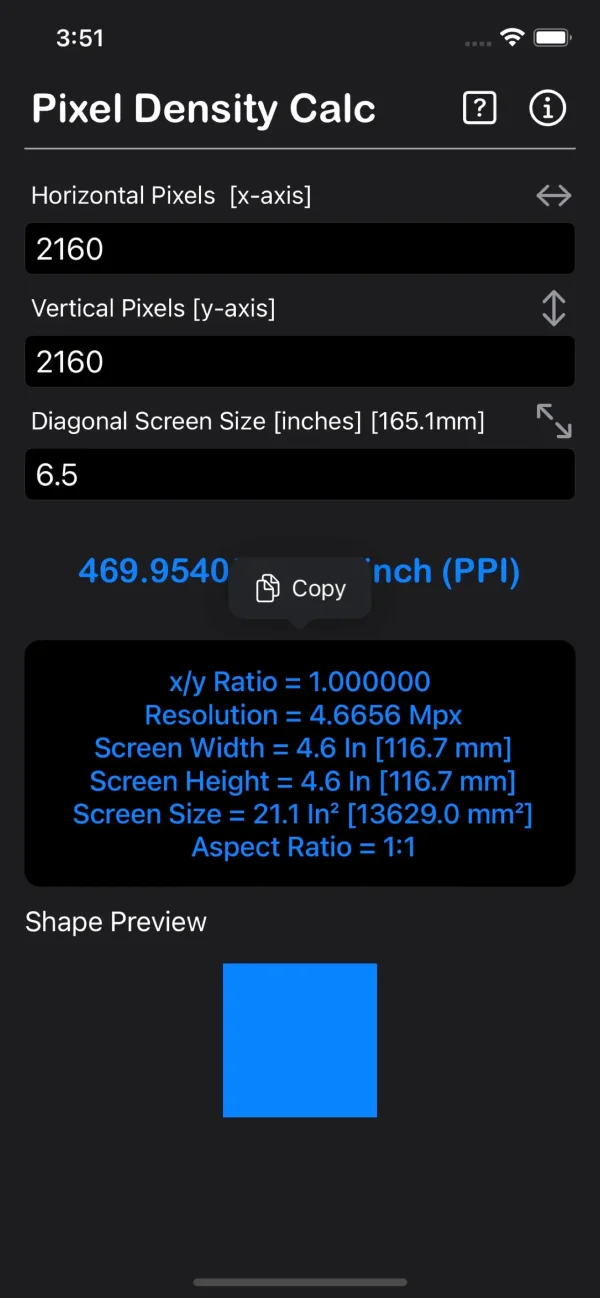
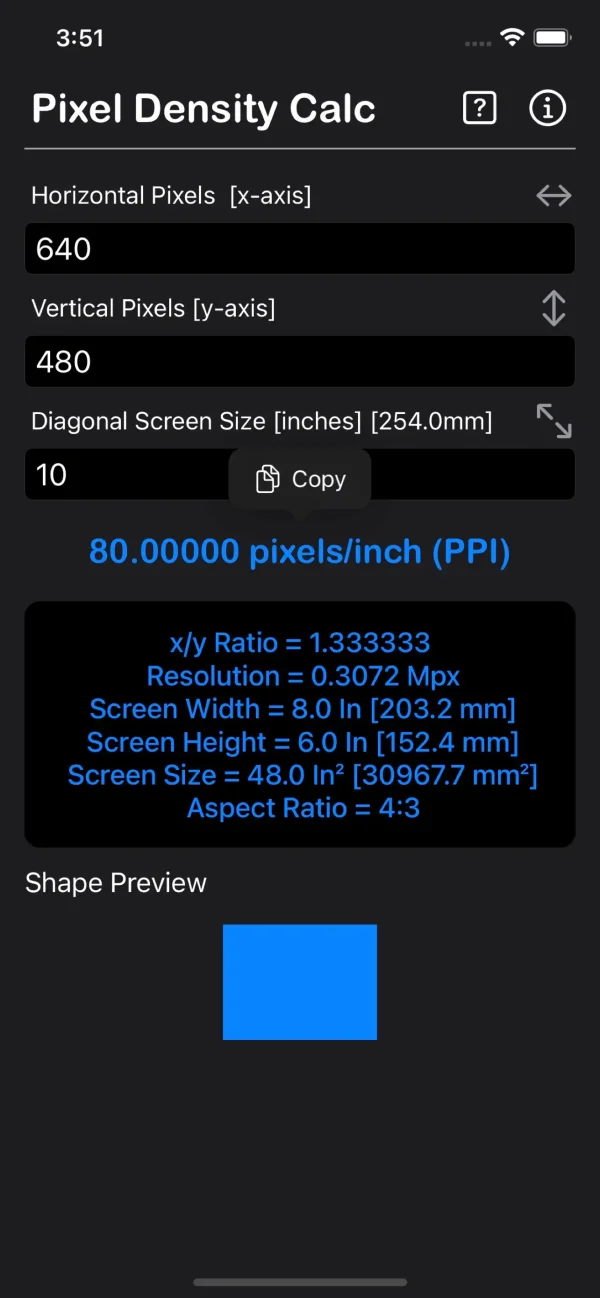
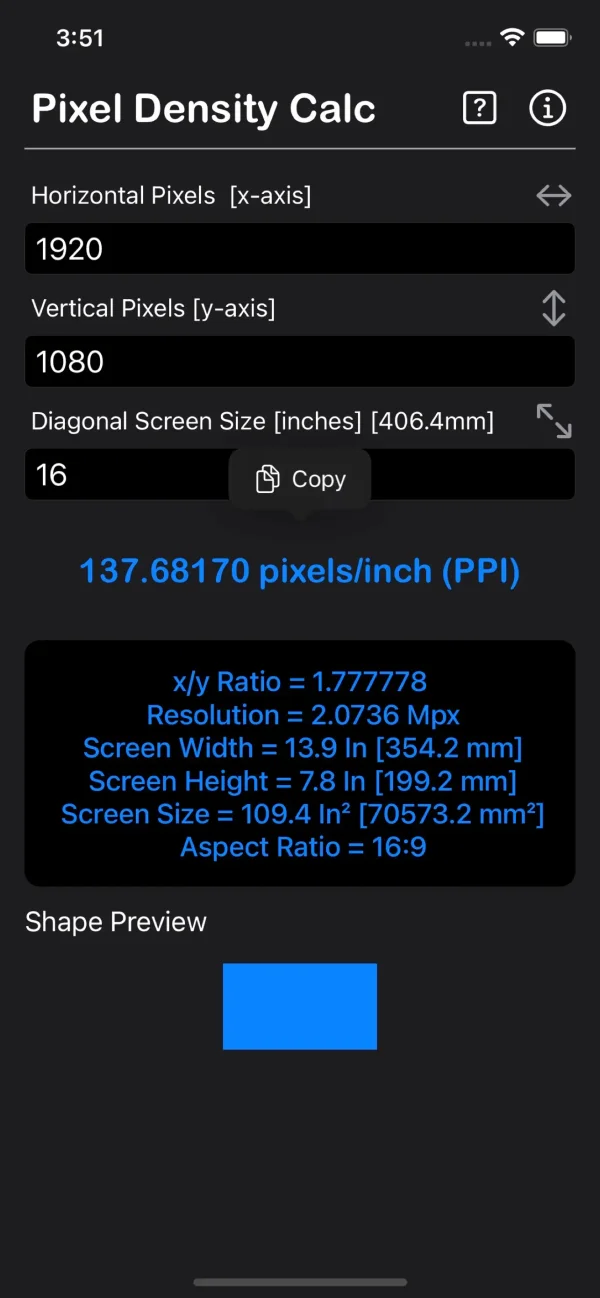
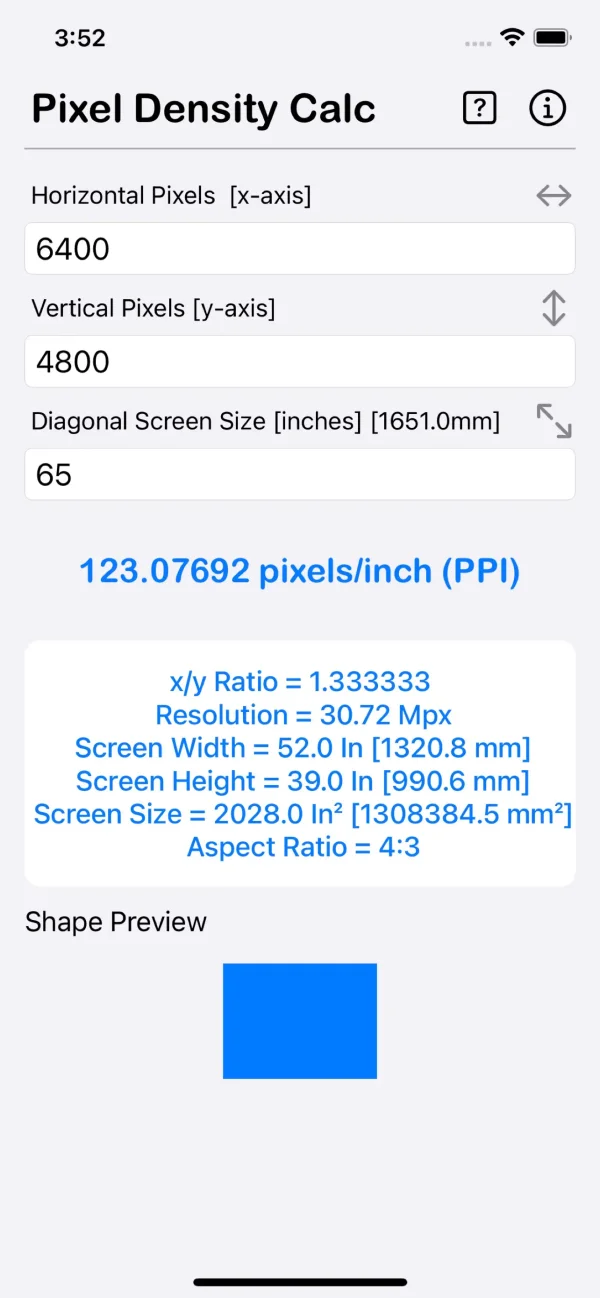
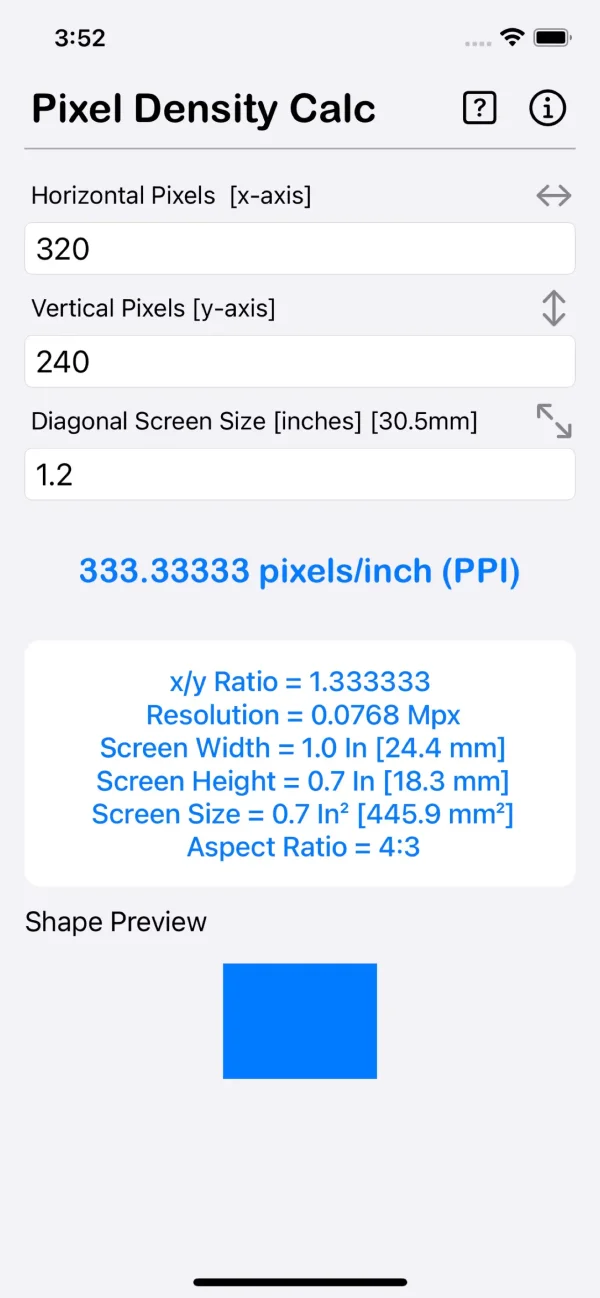
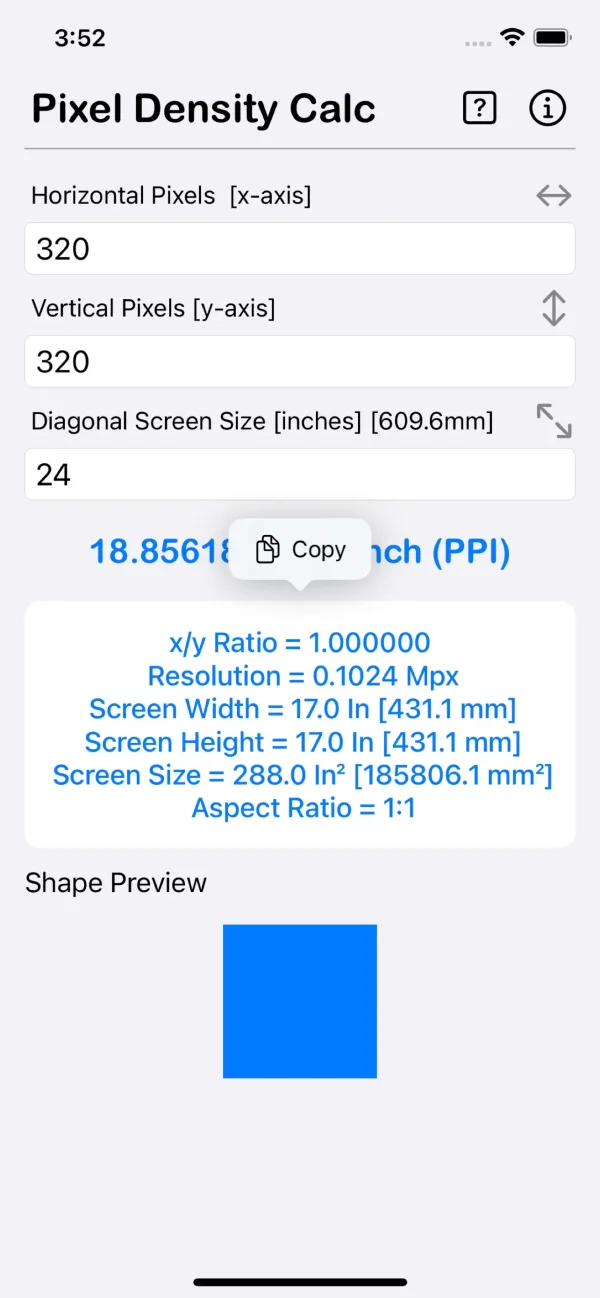
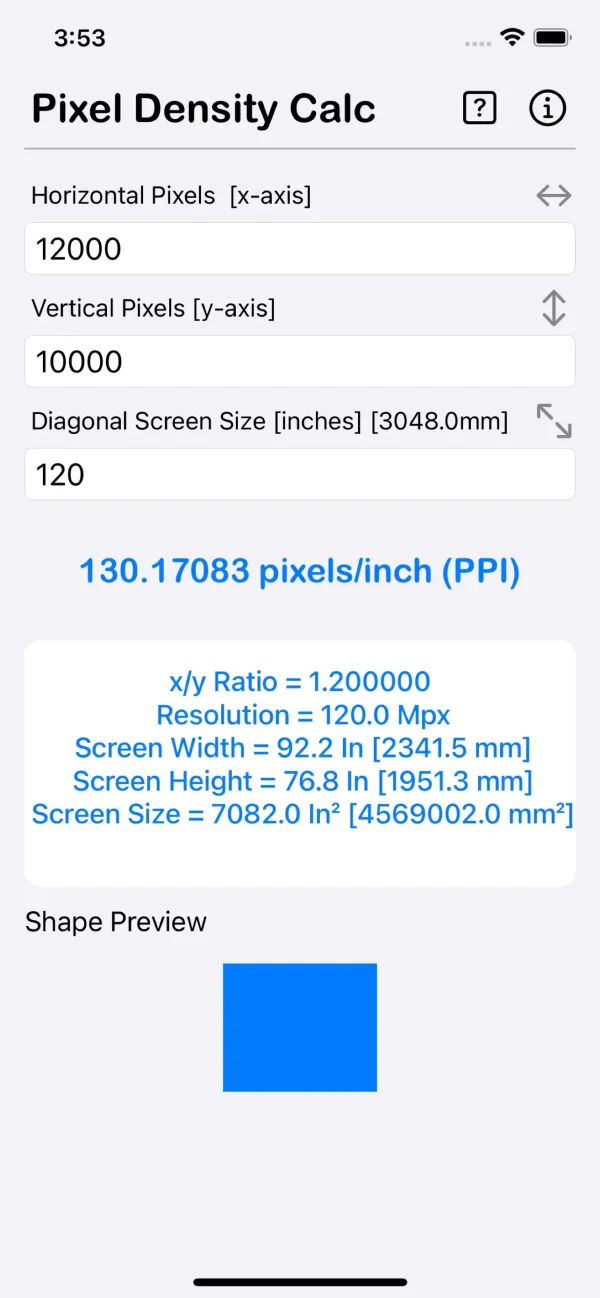
Pixel Density Calculator are used for calculating pixels per inch (PPI) or dots per inch (DPI) of any display based on its dimensions and the pixel count.
PPI is a measure of pixel density or resolution of a monitors, smartphones, tablets, smart watches, computer screen, notebooks, television screen or other display device.
Pixels per inch indicates how many pixels are in a 1 inch line on a display. Also calculated are screen size, screen width, screen height, aspect ratio and total number of megapixels. Calculation including shape preview.
The formula to calculate PPI from diagonal:
PPI = √(w² + h²)/d
where:
d – Diagonal screen size in inches.
w – Number of pixels along the horizontal line.
h – Number of pixels along the vertical line.
Calculate the number of pixels that fit on the diagonal:
d = √(w² + h²)
where:
w - Number of pixels along the horizontal line.
h - Number of pixels along the vertical line.
Then, calculate the PPI as the ratio between the number of pixels along the diagonal and the diagonal screen size:
PPI = d/di
where di is the diagonal screen size in inches.
Pixels per Inch Quality value
120 PPI - Low
120-160 PPI - Medium
160-213 PPI - Medium High
213-240 PPI - High
240-320 PPI - eXtra High
320-480 PPI - eXtra x2 High
480-640 PPI - eXtra x3 High
What is pixel density:
Pixels per inch (PPI) are a measurement of the pixel density (resolution) of devices in various contexts: typically computer LCD or OLED displays, image scanners, and digital camera image sensors. The PPI of a computer display is related to the size of the display in inches and the total number of pixels in the horizontal and vertical directions. The PPI and DPI definitions are essentially equivalent. Dots per inch, or DPI, is comparable to pixels per inch.
Thanks for your support and do visit nitrio.com for more apps for your iOS devices.
Có gì mới
Phiên bản 1.1 · 30/12/2025
- Updated for the newest devices.
- Minor bugs fixed.
Quyền riêng tư của ứng dụng
Những gì Heng Jia Liang khai báo trên App Store về cách ứng dụng này xử lý dữ liệu.
-
Dữ liệu không được thu thập
Nhà phát triển không thu thập bất kỳ dữ liệu nào từ ứng dụng này.
Phương thức đảm bảo quyền riêng tư có thể khác nhau, chẳng hạn như tuỳ theo các tính năng bạn sử dụng hoặc độ tuổi của bạn.
Thông tin
- Người bán
- Heng Jia Liang
- Danh mục
- Tiện Ích
- Phiên bản
- 1.1
- Cập nhật
- 30/12/2025
- Phát hành
- 07/11/2022
- Kích thước
- 3,0 MB
- Yêu cầu
- iOS 13 trở lên
- Độ tuổi
- 4+
- Giá
- 99.000đ
- Ngôn ngữ
- Tiếng Anh
- Bản quyền
- © Heng Jia Liang
Có thể bạn cũng thích
-
 Sensi Aim Booster MaxAim Test & độ nhạy cá nhân
-
 4K MAESTRO Total ControlTiện Ích
-
 Megapixel CalculatorTiện Ích
-
 Scope & RedDot Adjustment ToolTiện Ích
-
 Ping Test: Gaming SpeedTiện Ích
-
 Unit Converter: UniverterMetric Measure Calculator
-
 DPI610ETiện Ích
-
 FFH4X ProTiện Ích
-
 LensitTiện Ích
-
 Perspective PixelsTiện Ích