RemoteDisk
S3 & SFTP drives in Files app
Được thiết kế cho iPhone, iPad
Miễn phí · Mua hàng trong ứng dụng
- Độ tuổi4+
- Danh mụcTiện Ích
- Nhà phát triển晓良 张
- Ngôn ngữTiếng Anh
- Kích thước51,2 MB
Liên kết đến trang App Store chính thức
Download.org không lưu trữ tệp nào của RemoteDisk. Nút này mở trang ứng dụng trên App Store, nơi 晓良 张 phát hành ứng dụng. Trang được kiểm tra lần cuối: 12/11/2026.
Ảnh chụp màn hình

Giới thiệu
Nhà phát triển chưa cung cấp nội dung này bằng ngôn ngữ của bạn.
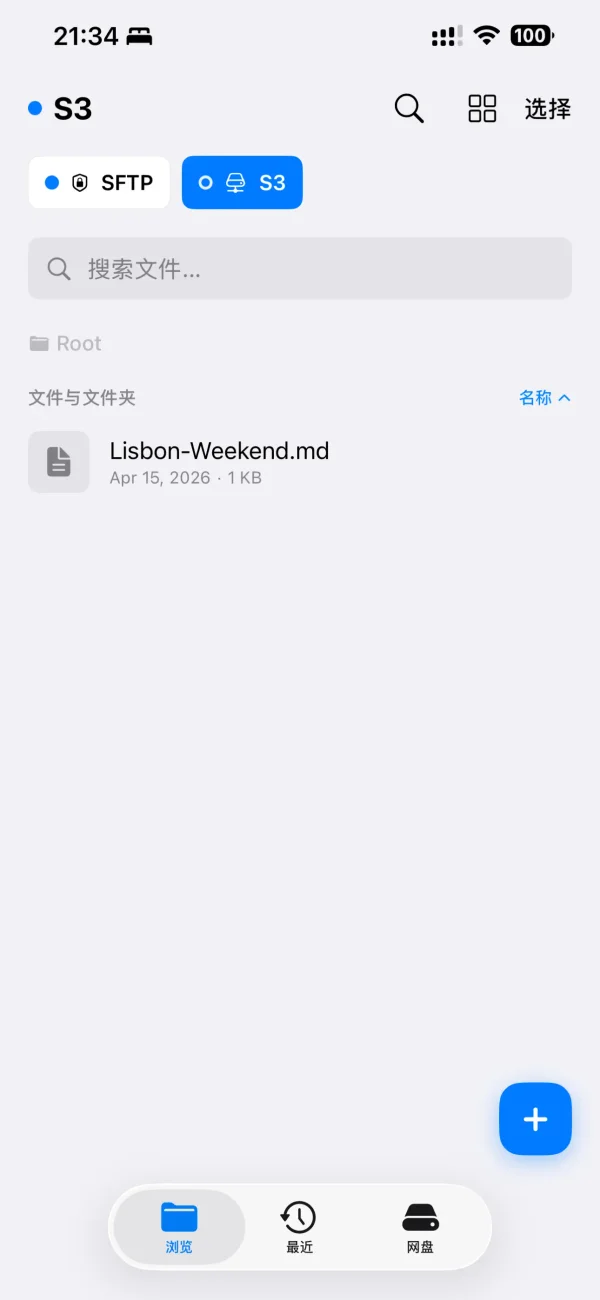
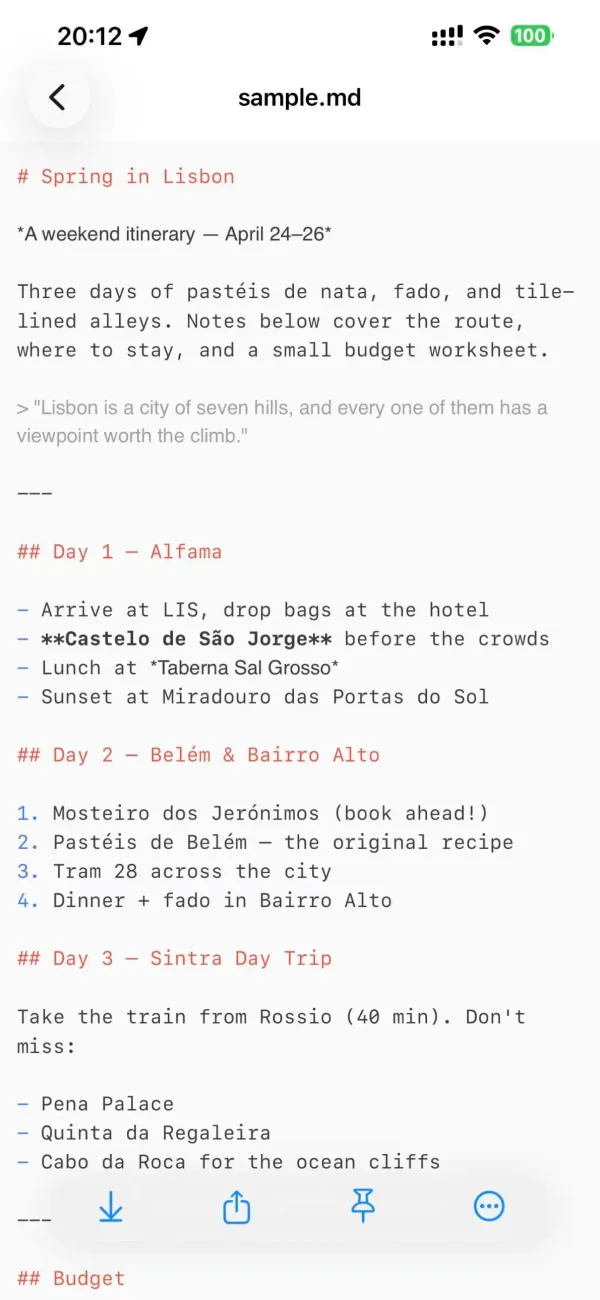
RemoteDisk turns any S3-compatible bucket or SFTP server into a native drive inside the iOS Files app. Browse, open, edit, and share your remote files from any app that supports Files — no separate viewer, no copy-paste workflow.
Built natively for iOS 17+ with SwiftUI and Apple's File Provider framework, RemoteDisk feels like iCloud Drive for your own storage.
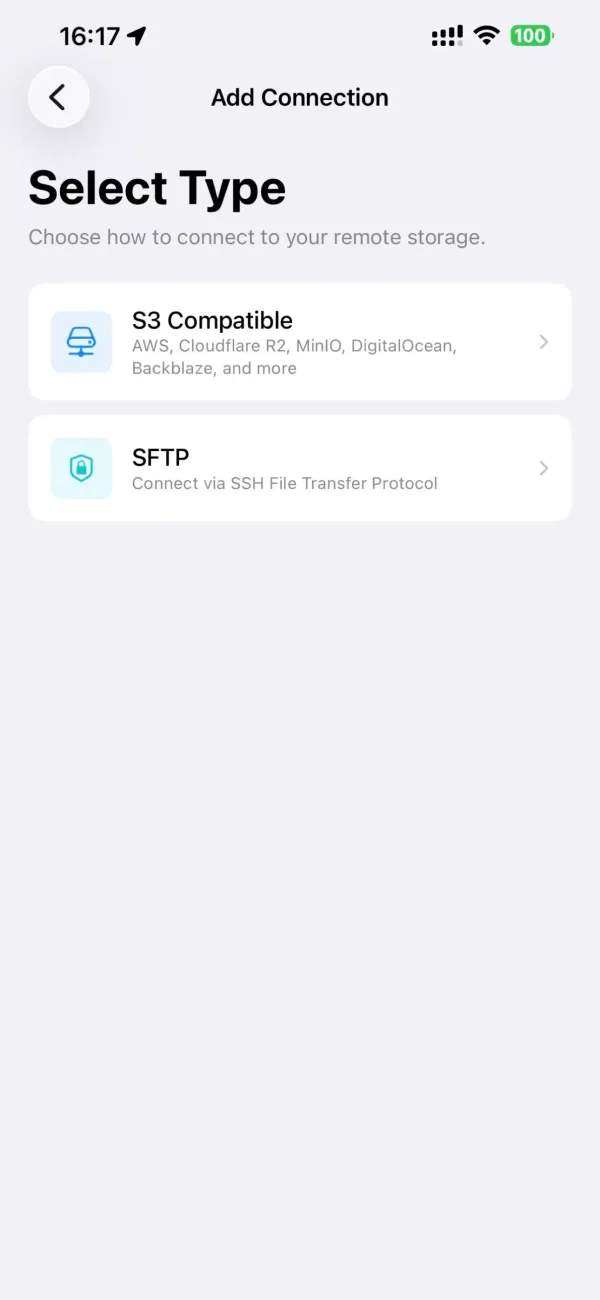
— SUPPORTED BACKENDS —
• Amazon S3
• Cloudflare R2
• Backblaze B2
• DigitalOcean Spaces
• MinIO (self-hosted)
• Wasabi, Storj, and any S3-compatible endpoint
• SFTP servers (password authentication)
— FILES APP INTEGRATION —
Every connection appears as a drive in the Files app. Tap a file to stream it, long-press to pin it offline, or drag it between connections. Works with Preview, Markup, Quick Look, and every third-party app that reads from Files.
— SMART SYNC —
• On-demand streaming — files download only when opened
• Pin files and folders for guaranteed offline access
• Conflict detection with configurable strategies: server wins, local wins, keep both, or manual resolution
• LRU cache eviction keeps your device from filling up
• Background refresh keeps metadata current
— CELLULAR-AWARE —
Set per-connection policies for cellular data: block sync on cellular, cap file sizes, or allow everything. Never worry about a 2 GB upload draining your plan.
— SHARE SHEET UPLOADS —
Send files to a RemoteDisk connection from any app via the iOS share sheet. Upload photos, PDFs, documents, or anything else directly to the destination folder you choose.
— SECURITY FIRST —
• Credentials stored in the iOS Keychain, never in plain text
• Shared keychain access group so extensions authenticate without re-entering secrets
• No telemetry, no analytics, no third-party servers — your data goes only between your device and your storage
— POWER USER FEATURES —
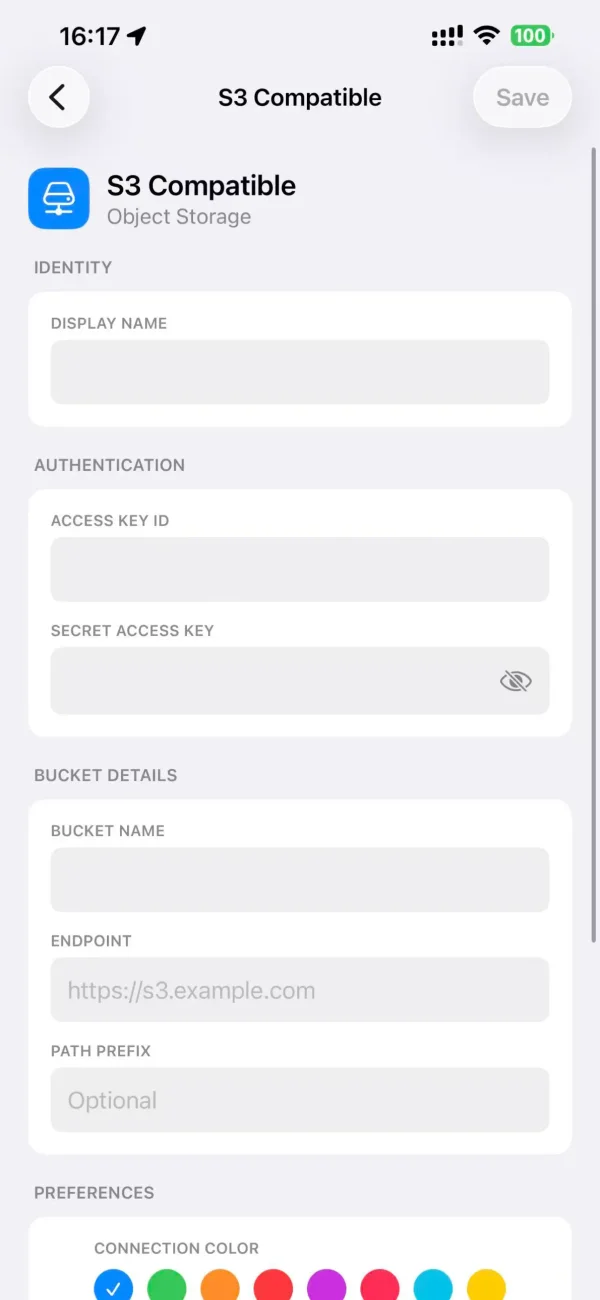
• Custom endpoint URLs for self-hosted deployments
• Multiple connections to the same provider with different credentials
— LOCALIZATION —
Full English and Simplified Chinese support with in-app language switching.
— WHO IT'S FOR —
• Developers who keep assets in R2 or S3 and want to edit them on iPad
• Photographers backing up to B2 or Wasabi who need to preview shots on the go
• Homelab users with MinIO or a self-hosted server exposed via SFTP
• Anyone who wants their own storage to feel as native as iCloud
Quyền riêng tư của ứng dụng
Những gì 晓良 张 khai báo trên App Store về cách ứng dụng này xử lý dữ liệu.
-
Dữ liệu không được thu thập
Nhà phát triển không thu thập bất kỳ dữ liệu nào từ ứng dụng này.
Phương thức đảm bảo quyền riêng tư có thể khác nhau, chẳng hạn như tuỳ theo các tính năng bạn sử dụng hoặc độ tuổi của bạn.
Thông tin
- Người bán
- 晓良 张
- Danh mục
- Tiện Ích
- Phiên bản
- 1.0
- Cập nhật
- 17/04/2026
- Phát hành
- 16/04/2026
- Kích thước
- 51,2 MB
- Yêu cầu
- iOS 18.6 trở lên
- Độ tuổi
- 4+
- Giá
- Miễn phí
- Mua hàng trong ứng dụng
- Có
- Ngôn ngữ
- Tiếng Anh
- Bản quyền
- © 2026 Xiaoliang Zhang