Smart Adding Machine
Tape can be edited and printed
Được thiết kế cho iPhone, iPad, Mac
119.000đ
- Độ tuổi4+
- Danh mụcTiện Ích
- Nhà phát triểnHarry Detrick
- Ngôn ngữTiếng Anh
- Kích thước455,0 KB
Liên kết đến trang App Store chính thức
Download.org không lưu trữ tệp nào của Smart Adding Machine. Nút này mở trang ứng dụng trên App Store, nơi Harry Detrick phát hành ứng dụng. Trang được kiểm tra lần cuối: 16/11/2026.
Ảnh chụp màn hình
Giới thiệu
Nhà phát triển chưa cung cấp nội dung này bằng ngôn ngữ của bạn.
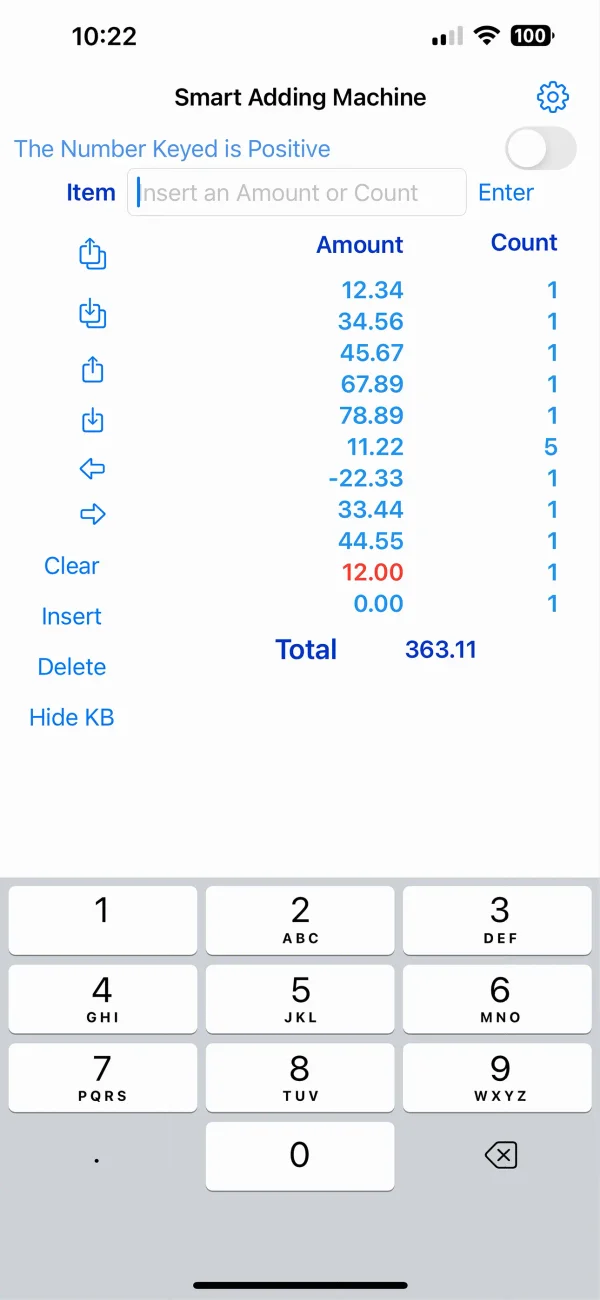
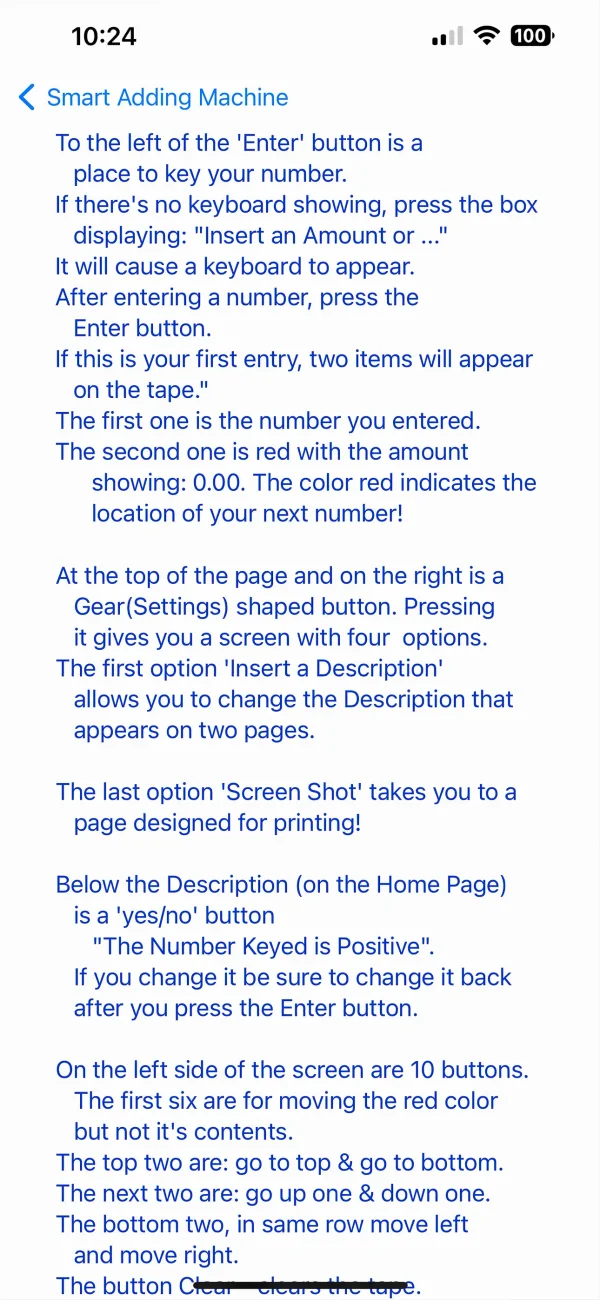
This app has a numeric keyboard. It may not always be visible.
If it is not visible, pressing the input button that has the text
'Insert an Amount or ...', will cause one to appear. If you want to
hide it, select the button on the left titled 'Hide KB'.
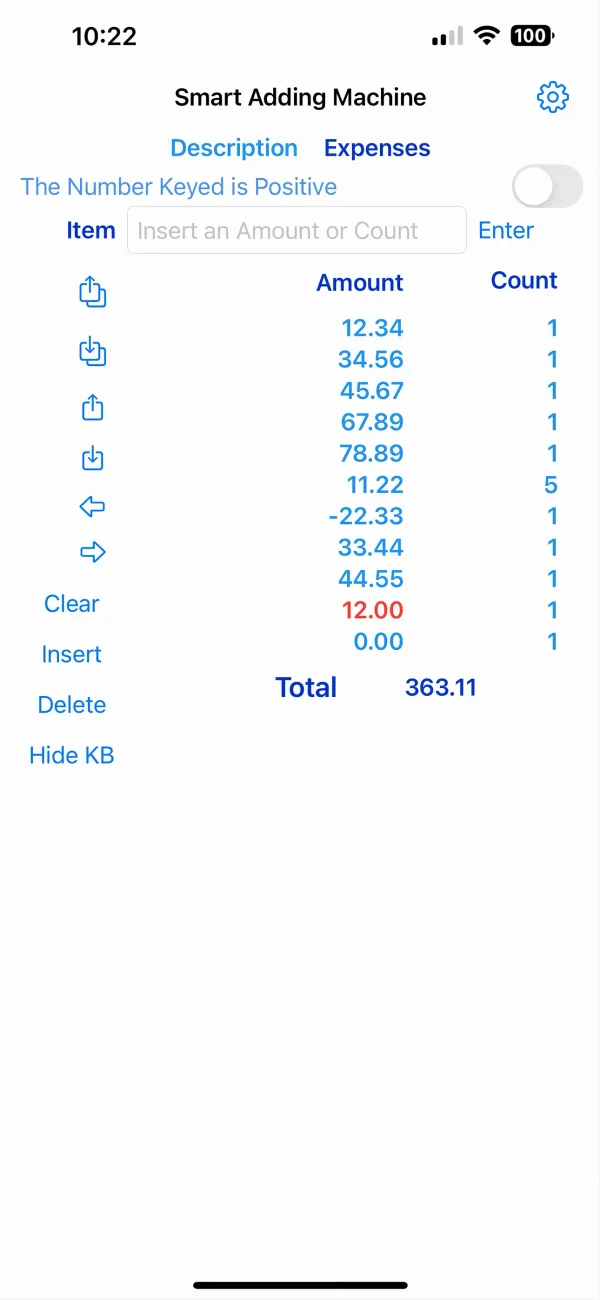
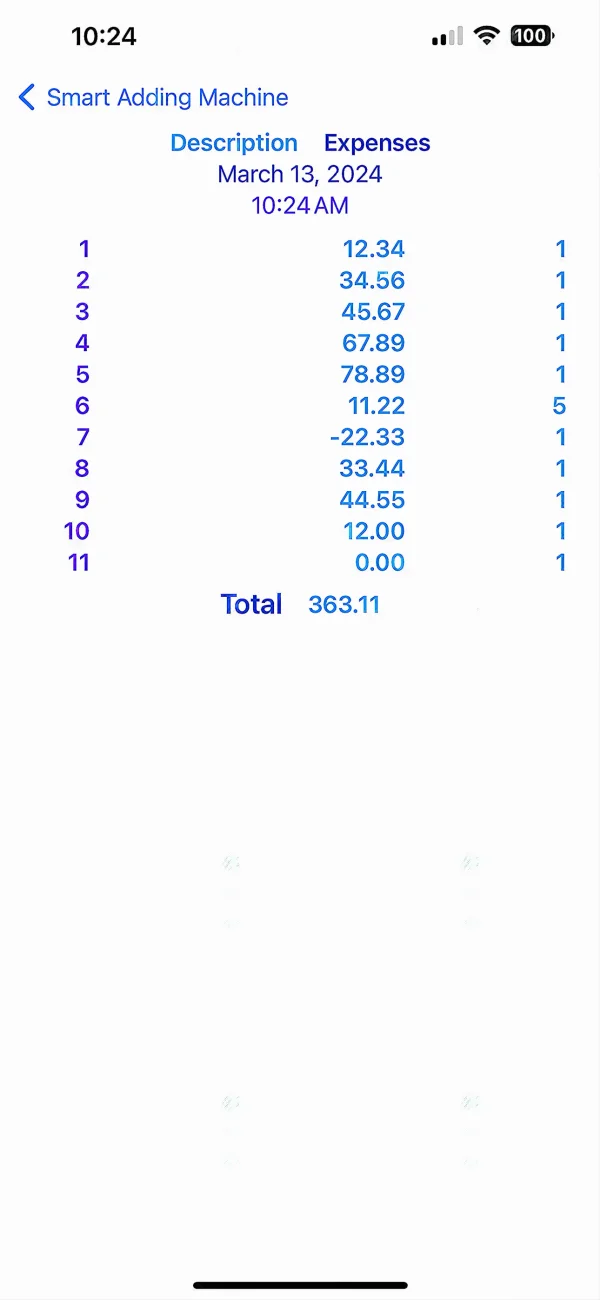
The Adding Machine contains a visual tape with two columns of numbers.
The left is the amount you keyed. The right column has in a '1' which is
the count. The system puts in a '1' for you. As you add items, the tape
grows. The last item is always followed by an empty item colored red.
This color red is important because it indicates where your next entry will be placed!!!
After entering a number, press the 'Save' button. If this is your
first entry, two items will appear on the tape. The first one will
contain the number you keyed. The second will be red with the
amount showing: 0.00 and a count showing 1. This pattern will continue as
you add items
On the left side of the screen are 11 buttons in a column. The first
six are for moving the red color - but not its contents. This allows for
the correction of errors.
The first two are: first - go to tape start & second to tape end (red item).
The second two go up one item and down one item on the tape.
The last of the group switch between amount & count
- usually used to change the count from 1.
There a 4 named buttons the effect the tape: Clear, Insert (an empty row where the red is, Delete(the row that a red item) and Hide KB.
The keyboard has no minus sign. There is a slider button that can be used to cause an number to be negative. It is red for emphasis
At least 50 items can be entered. The tape can be scrolled by using
your finger to see the entire tape.
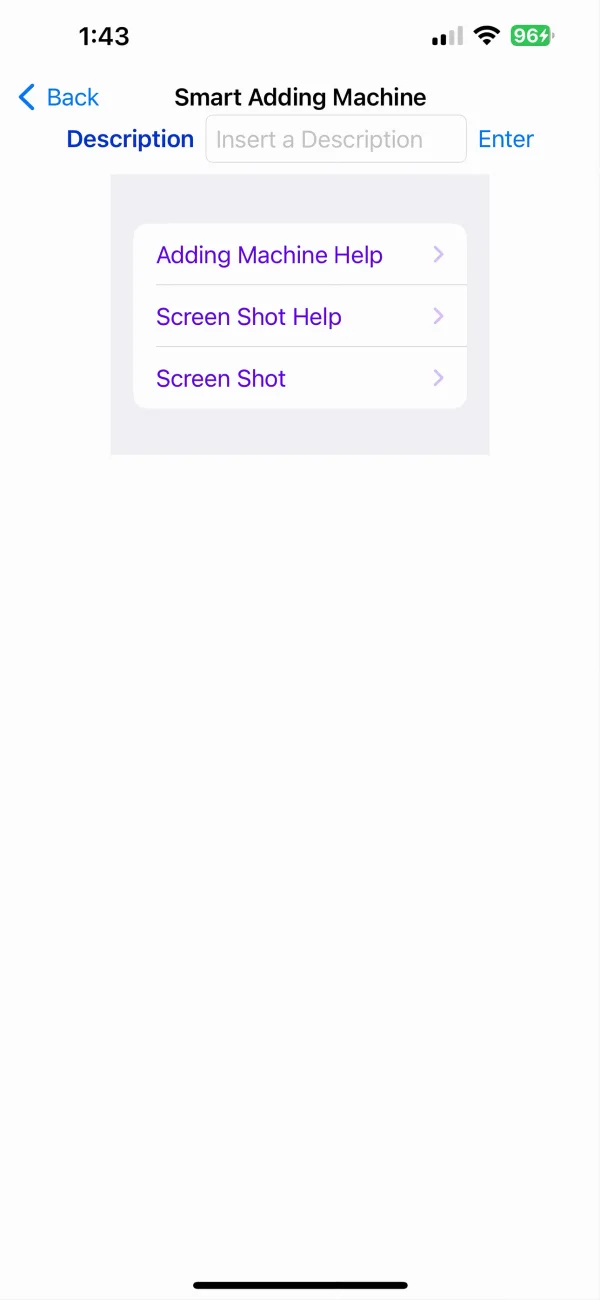
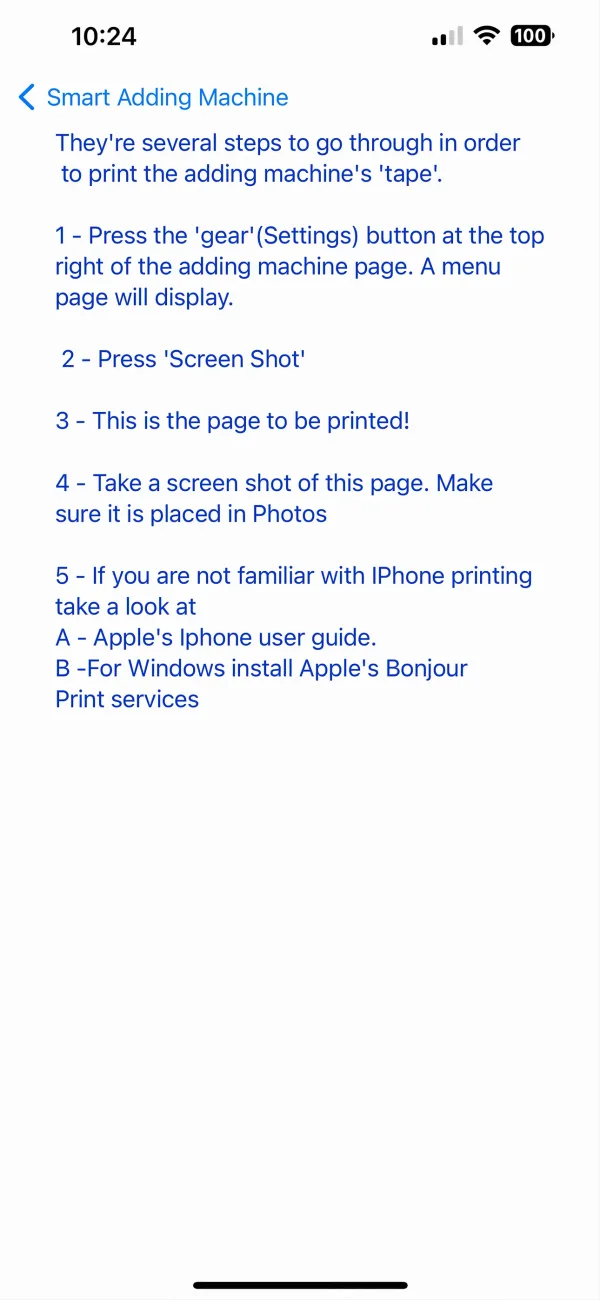
At the very top of the screen is a 'Help' chevron that switches to a
page of help text.
Có gì mới
Phiên bản 4.0 · 15/03/2024
To make data entry more easier, we've added a text which proceeds the data entry control.
Quyền riêng tư của ứng dụng
Những gì Harry Detrick khai báo trên App Store về cách ứng dụng này xử lý dữ liệu.
-
Dữ liệu không được thu thập
Nhà phát triển không thu thập bất kỳ dữ liệu nào từ ứng dụng này.
Phương thức đảm bảo quyền riêng tư có thể khác nhau, chẳng hạn như tuỳ theo các tính năng bạn sử dụng hoặc độ tuổi của bạn.
Thông tin
- Người bán
- Harry Detrick
- Danh mục
- Tiện Ích
- Phiên bản
- 4.0
- Cập nhật
- 15/03/2024
- Phát hành
- 01/11/2023
- Kích thước
- 455,0 KB
- Yêu cầu
- iOS 17.0 trở lên
- Độ tuổi
- 4+
- Giá
- 119.000đ
- Ngôn ngữ
- Tiếng Anh
- Bản quyền
- © 2024 Fox Hills Micro
Có thể bạn cũng thích
-
 BigCalcMiniTiện Ích
-
 Tip Calculator - Tap Tip ProTiện Ích
-
 Typster - Big Keys KeyboardTiện Ích
-
 Print CalculatorTiện Ích
-
 TinyMath Máy tính + Lịch sửĐơn giản, không quảng cáo
-
 HP 15c CalculatorTiện Ích
-
 HP15C: Scientific CalculatorTiện Ích
-
 ZeturnTiện Ích
-
 Calculator: History & PercentTiện Ích
-
 Bed Time | Large ClockTiện Ích