GIMP
UserLAnd Technologies- EveryoneAge rating
- Art & DesignCategory
- Nov 17, 2026Updated
- $1.99Price
Links to the official Google Play listing of tech.ula.gimp. Last checked on Nov 19, 2026.

Screenshots
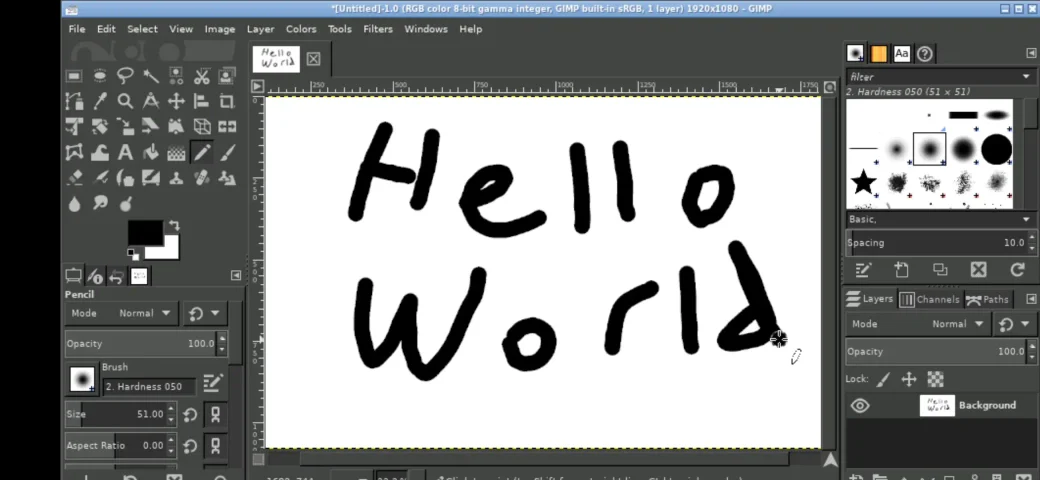
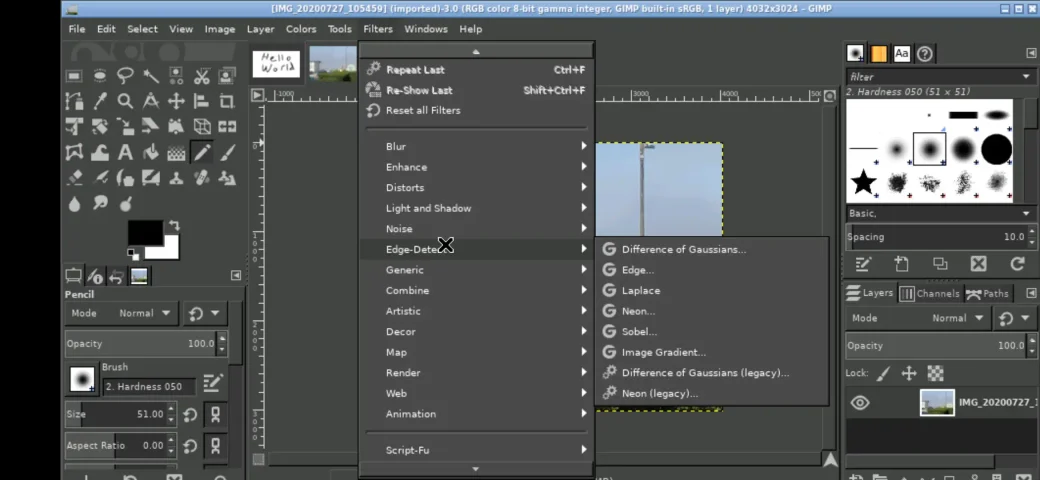
About this app
Retouch photos. Create or edit images. Endless capabilities.
This really is GIMP, the amazingly capable GNU Image Manipulation Program, running on your device. It is full featured and professionally supported.
Features of GIMP:
GIMP has too many feature to list here. Please checkout the GIMP site: https://www.gimp.org/about/introduction.html
The short version of this, is that it has everything you would want from a professional photo and image editing and authoring program.
How to use this GIMP Android app:
Use it just like normal. But here are some specifics to the Android interface.
* Tap with one figure to left click.
* Move mouse by sliding around one finger.
* Pinch to zoom.
* Press and hold and then slide one finger to pan (useful when zoomed in).
* Slide two fingers up and down to scroll.
* If you want to bring up a keyboard, tap on the screen to get a set of icons to appear and then click the keyboard icon.
* If you want to do the equivalent to a right click, tap with two fingers.
* If you want to change the desktop scaling, find the service android notification and click the settings. You have to stop and restart the app after changing this settings for it to take effect.
This is all easier to do on a tablet and with a stylus, but it can be done on a phone or using your finger as well.
To access files from the rest of Android, there are many useful links in your home directory (/home/userland) to places like your Documents, Pictures, etc. No need to import or export files.
If you don't want to, or cannot pay the cost of this app, you can run GIMP via the UserLAnd app.
The icon, Wilber, the GIMP mascot, comes from a vector image source (SVG) made available by Jakub Steiner, available as Creative Commons by-sa 3.0.
This app is not created by the main GIMP development team. Instead it is an adaptation that allows the Linux version to run on Android.
Data safety
What UserLAnd Technologies declares on Google Play about the data this app collects and shares.
- No data shared with third partiesLearn more about how developers declare sharing
- No data collectedLearn more about how developers declare collection
What’s new
Version 26.11.17 · Nov 17, 2026
Your app's Linux system is now built fresh from our new image pipeline, with up-to-date packages and a faster, more reliable download. Opening files in your phone's shared storage no longer fails the first time, and more programs run correctly. Already installed? Your existing setup is kept; reinstall to get the new system.
Developer contact
- Websiteuserland.tech
- Emailsupport@userland.tech
- Privacy policyuserland.tech
- Address10258 SW 67th Ave Portland, OR 97223 United States
Information
- Offered by
- UserLAnd Technologies
- Category
- Art & Design
- Version
- 26.11.17
- Updated
- Nov 17, 2026
- Released
- Apr 7, 2022
- Requires
- Android 7.0 or later
- Age rating
- Everyone
- Price
- $1.99
- Package name
- tech.ula.gimp
Similar apps
-
 Sketch Pro: Draw & Create Art
Art & Design
-
 Pixilart - Make Pixel Art
Art & Design
-
 Sketchar AR Drawing Sketchpad
Art & Design
-
 Picture Scan App by Photomyne
Photography
-
 Moblo - 3D Furniture Design
Art & Design
-
 Likcut
Art & Design
-
 Thingiverse MakerWorld | 3Drop
Tools
-
 Figma: view. comment. mirror.
Art & Design
-
 Nomad Sculpt
Art & Design
-
 Posters Design! Picture layout
Art & Design
-
 DesignEvo - Logo Maker
Business
-
 Coding Python
Tools