TOS Launcher Lite
LuuTinh DeveloperContains ads
- EveryoneAge rating
- PersonalizationCategory
- Nov 18, 2026Updated
- FreePrice
Links to the official Google Play listing of com.luutinhit.launcherios17. Last checked on Nov 26, 2026.

Screenshots

About this app
Fast, lightweight launcher by TOS with custom widgets, themes & wallpapers.
Transform your Android device with TOS Launcher Lite – a fast, clean, and lightweight home screen replacement designed to provide a smooth and modern interface experience.
Developed by LuuTinh Developer, the TOS ecosystem delivers an intuitive, beautifully crafted launcher packed with powerful features to simplify your daily smartphone usage while keeping resource consumption minimal.
Key Features of TOS Lite:
• Clean & Elegant Layout: Enjoy a sleek home screen, fluid transitions, and elegant icon styling designed for maximum clarity.
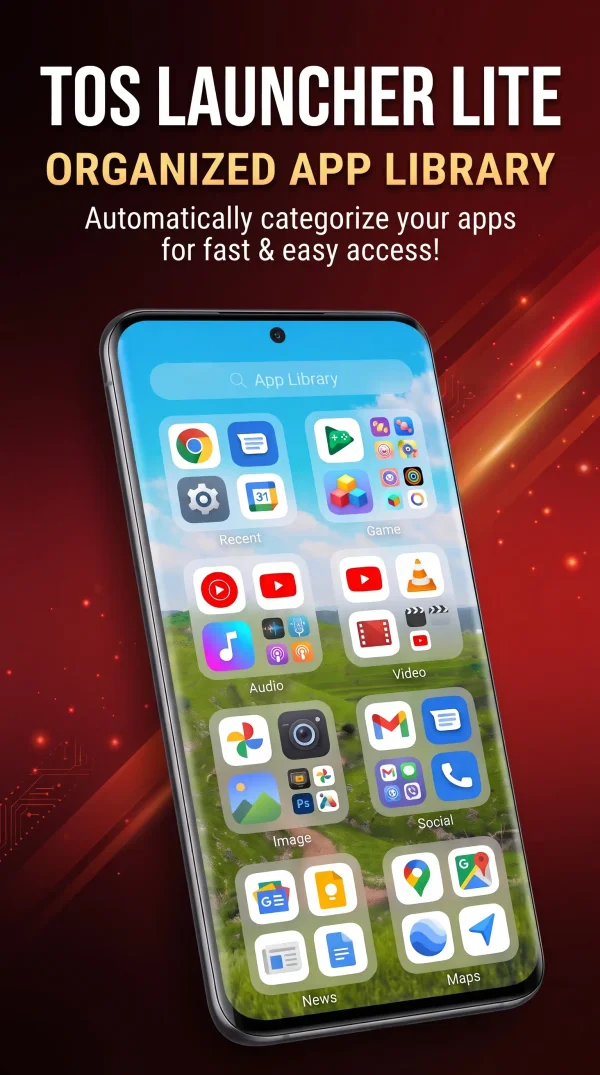
• Smart App Library: Automatically organise your applications into intelligent categories for fast and effortless access.
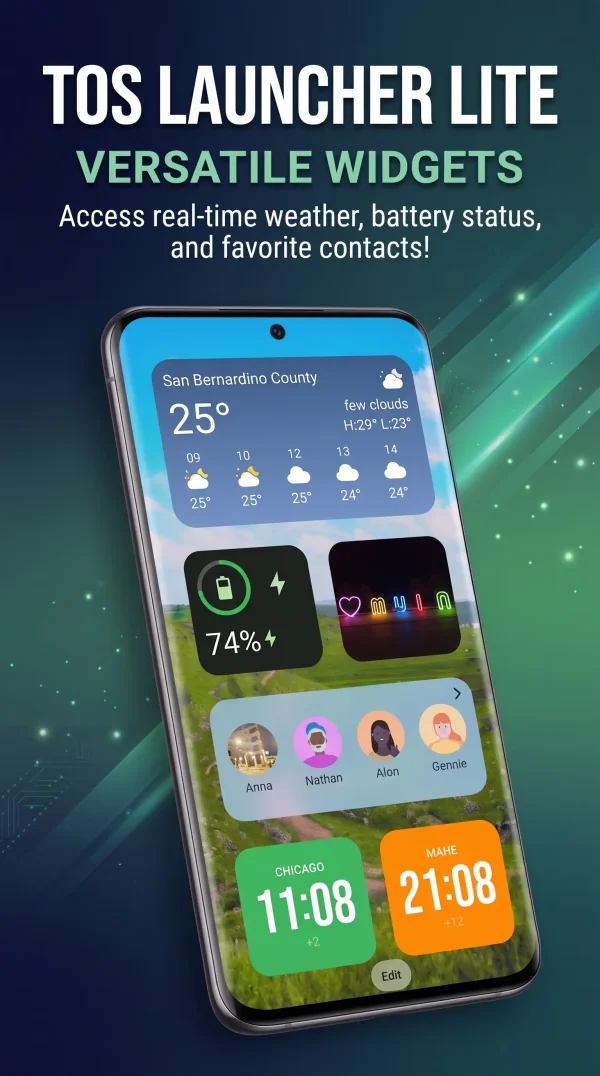
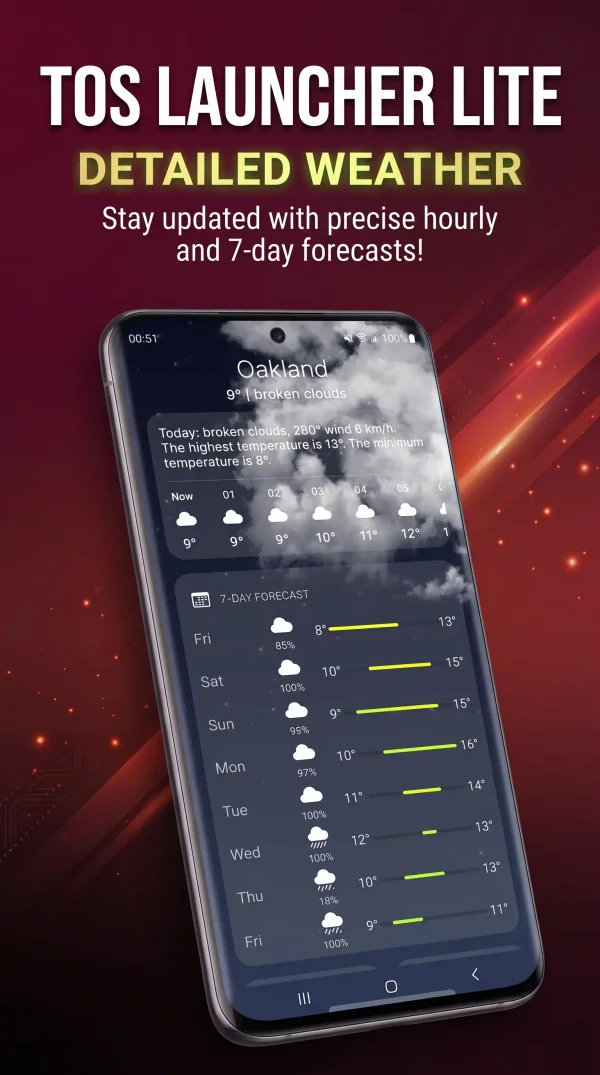
• Advanced Custom Widgets: Add Clock, Weather, Battery, Photo, and Calendar widgets directly to your home screen.
• Instant Fast Search: Swipe down anywhere to quickly search for apps, contacts, web shortcuts, and settings.
• Icon Changer & Personalisation: Customise app icons, adjust grid layouts, and choose from high-definition wallpapers.
• Fluid Visual Effects: Smooth animations, dynamic blur styling, and seamless dark and light mode support.
• Fast, Lightweight & Battery Friendly: Highly optimised for minimal RAM usage, tiny storage footprint, and extended battery life across all Android devices.
The TOS Ecosystem:
Combine TOS Launcher Lite with Control Center and Assistive Touch by LuuTinh Developer for a cohesive, unified personalisation setup.
Accessibility Service API Disclosure:
TOS Launcher Lite utilises the Android AccessibilityService API strictly to provide essential shortcut gestures, such as locking the screen, returning to the home screen, opening the recent apps overview, or toggling quick control panels.
- This service is used solely to execute user-requested navigation gestures when explicitly enabled.
- TOS Launcher Lite does NOT monitor keystrokes, read screen content, or collect, store, or transmit any personal or sensitive user data.
Disclaimer:
All product names, logos, brands, and registered trademarks belong to their respective owners. TOS Launcher Lite is an independent personalisation launcher developed by LuuTinh Developer for Android devices and is not affiliated with, sponsored by, or endorsed by any other company or operating system developer.
Contact & Support:
Have questions, suggestions, or feedback? We would love to hear from you!
Email LuuTinh Developer at: andywill.itplus@gmail.com
Download TOS Launcher Lite today to enjoy a fast, lightweight, and stylish Android experience!
Data safety
What LuuTinh Developer declares on Google Play about the data this app collects and shares.
- No data shared with third partiesLearn more about how developers declare sharing
- No data collectedLearn more about how developers declare collection
- Data is encrypted in transit
- Data can’t be deleted
What’s new
Version 8.2.2 · Nov 18, 2026
This update:
- Fixes issues report by user.
- Improve performance.
Next update:
- Optimization performance
- Add new widgets
TO CONTINUE TO DEVELOP AND SUPPORT USERS WE HAVE TO ADD SOME ADS IN MY APP. WE WISH FOR YOUR UNDERSTANDING.
THANK YOU SO MUCH FOR USING MY APP :)
Developer contact
- Websiteluutinhdeveloper.com
- Emailandywill.itplus@gmail.com
- Privacy policyluutinhdeveloper.com
- AddressTổ Dân Phố Số 3 Miêu Nha, Phường Tây Mỗ, Quận Nam Từ Liêm Hà Nội 10000 Vietnam
Information
- Offered by
- LuuTinh Developer
- Category
- Personalization
- Version
- 8.2.2
- Updated
- Nov 18, 2026
- Released
- Aug 10, 2023
- Requires
- Android 5.0 or later
- Age rating
- Everyone
- Price
- Free
- Package name
- com.luutinhit.launcherios17
Similar apps
-
 Color Widgets, Theme: iWidgets
Lifestyle
-
 Move to iOS
Tools
-
 Volume Styles - Custom control
Personalization
-
 HryFine
Tools
-
 Cool Mi Launcher - CC Launcher
Personalization
-
 StandBy Mode: Clock & Widgets
Personalization
-
 MyICON - Icon Changer, Themes
Personalization
-
 Super S9 Launcher for Galaxy S
Tools
-
 Folder Widget - Large Folders
Personalization
-
 DNA Launcher ‧ Home Screen
Personalization
-
 Widget Lab:Wallpapers & Themes
Personalization
-
 Square Home Launcher - Tile UI
Personalization