Widgeet-Color Widgets(Widget)
Hello WidgetContains ads · In-app purchases
- EveryoneAge rating
- PersonalizationCategory
- Nov 18, 2026Updated
- FreePrice
Links to the official Google Play listing of art.widgeet.android. Last checked on Nov 26, 2026.

Screenshots

About this app
Personalise your Android screen with widgets. Endless styles await!
Widgeet: 🏠✨ Your Ultimate Widget Toolkit for the Home Screen
😩 Tired of a cluttered, uninspired home screen? Transform it completely with Widgeet! 🎉 Widgeet is a feature-rich Android widget application on the Play Store, already used by millions. It supports home screen beautification and various customization tools, unlocking endless customization options and powerful widgets to truly enhance your smartphone experience. 📱💡
🌟 Seamless Integration & Easy Customization 🌟
- 👍 Add widgets to your Android home screen with just one click, achieving a personalized and beautiful home screen.
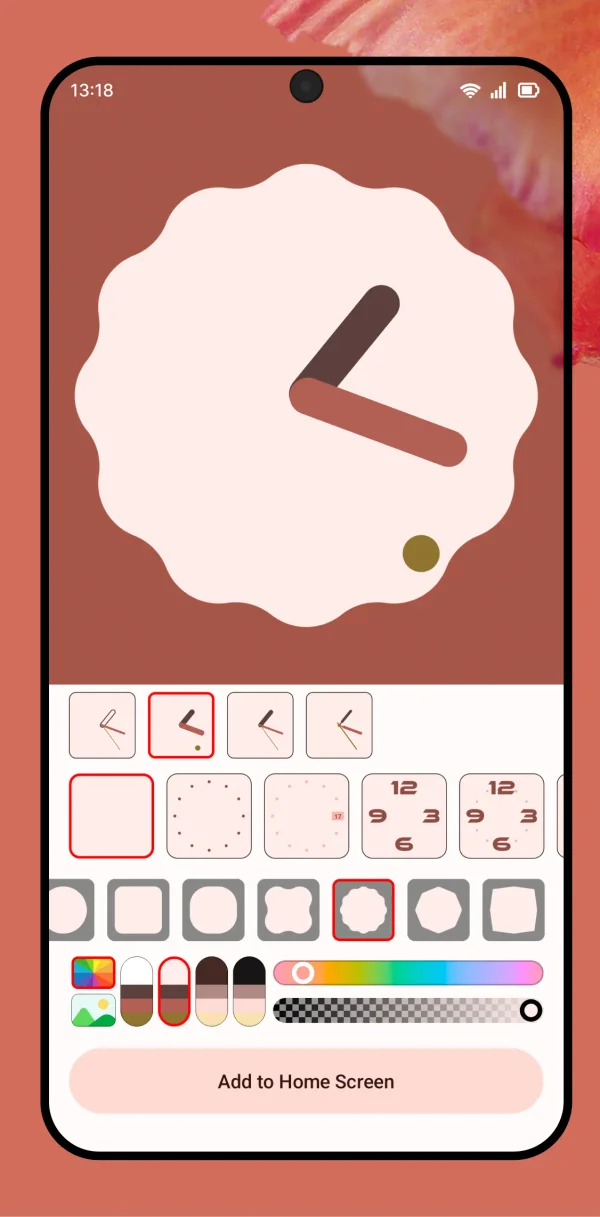
- 🎨 Choose from tens of thousands of vibrant colour schemes to match your personal style.
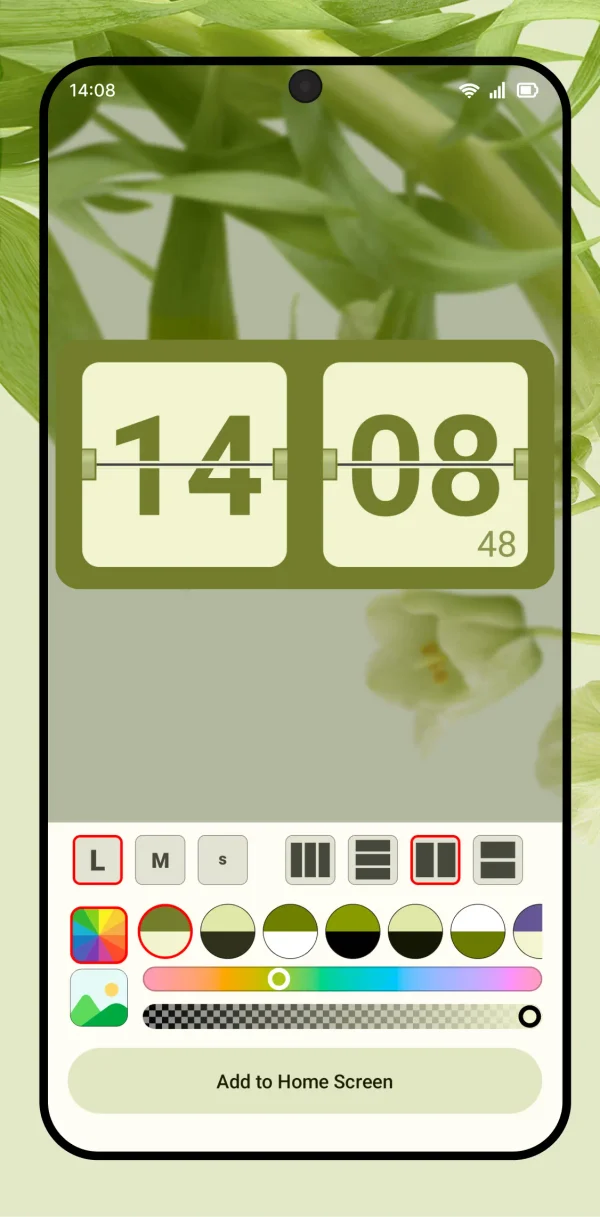
- 🔲 Adjust widgets to any size easily to fit any space on your screen, providing the most flexible customization experience.
🌈 🔆 Diverse Collection of Android Home Screen Widgets 🔆 🌈
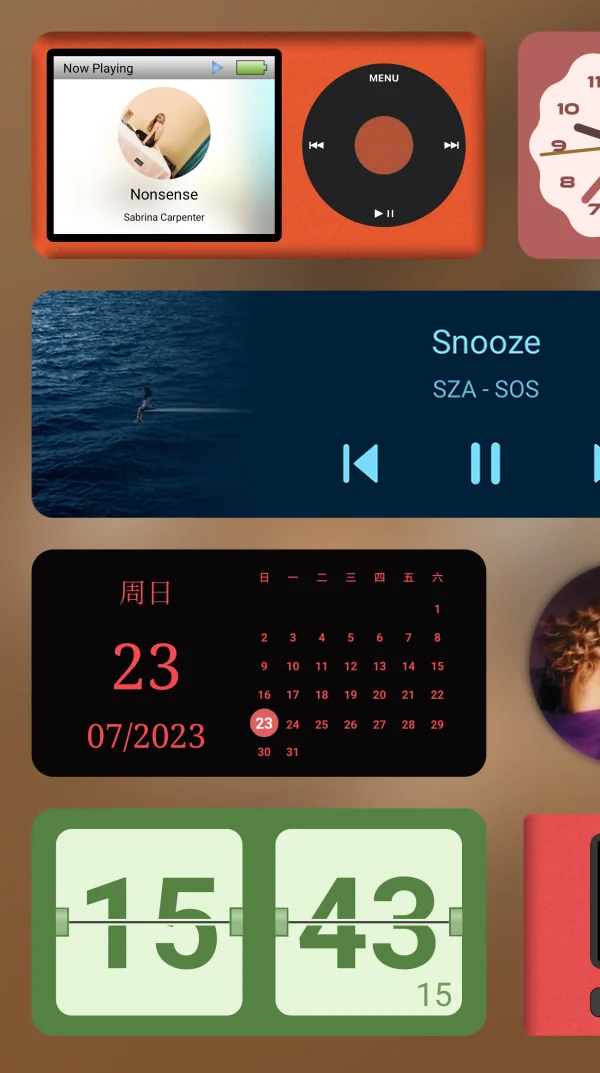
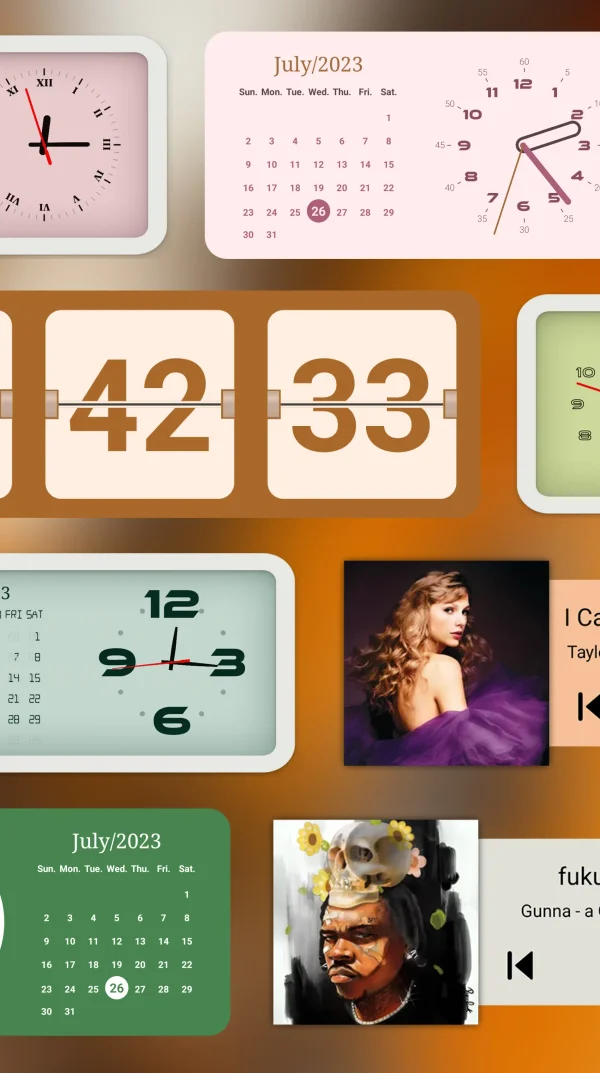
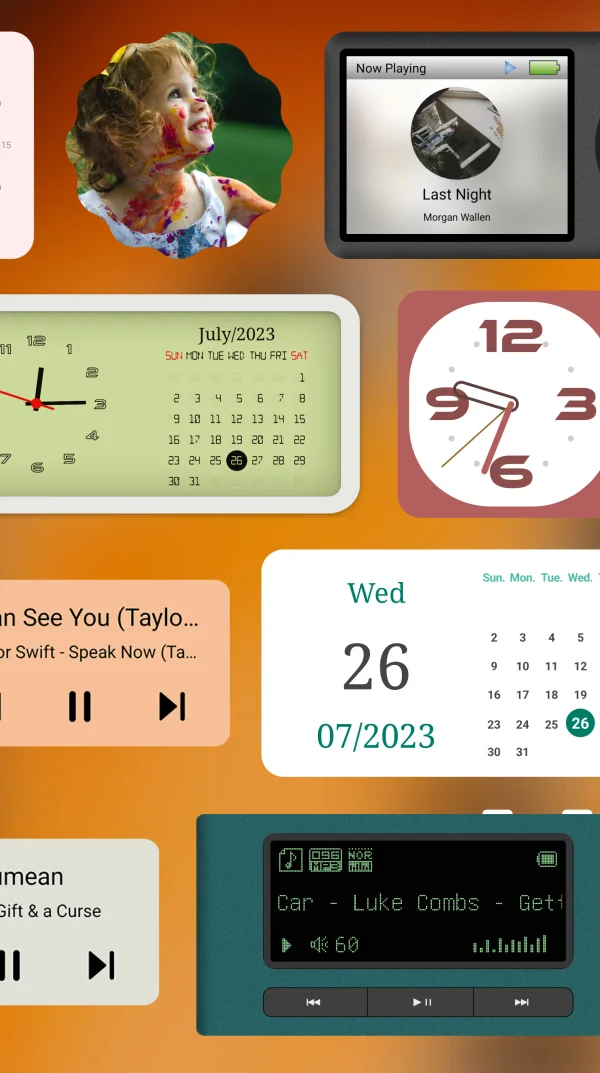
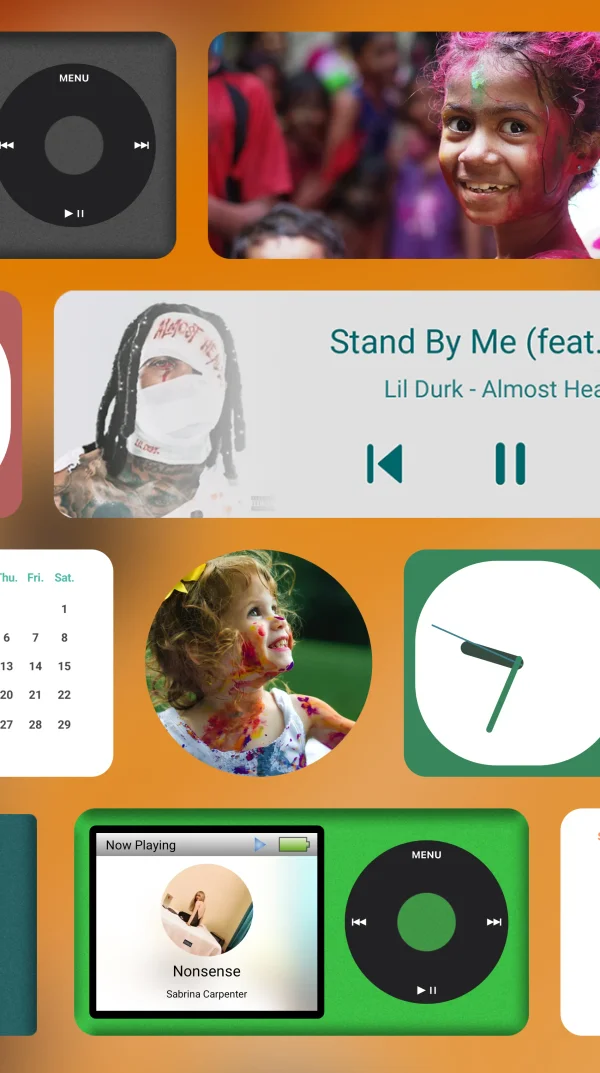
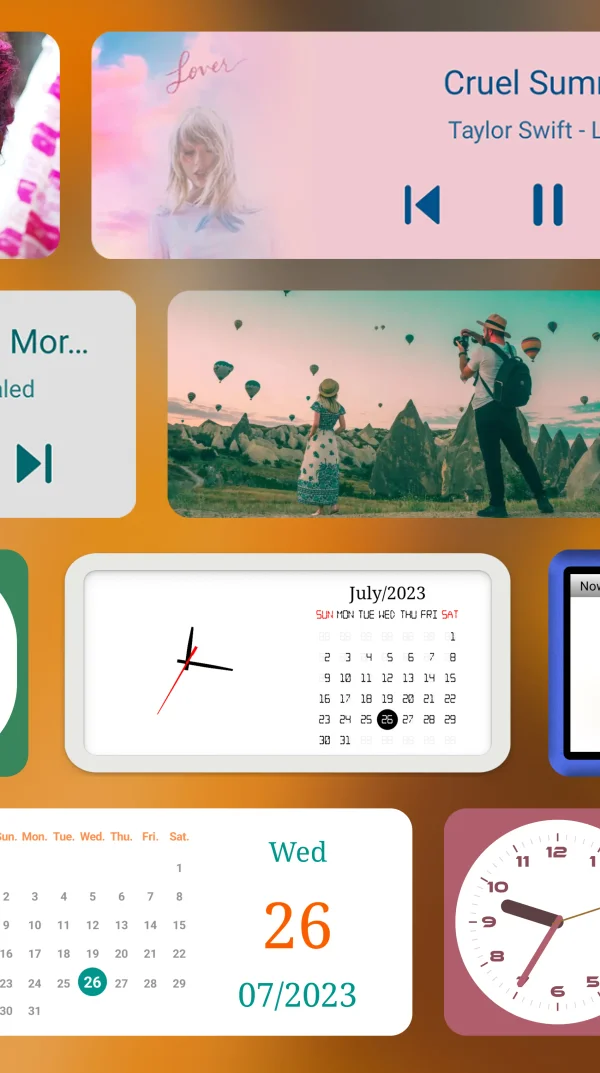
- 🎶 Music Player Widget: Control your music directly from the home screen—pause, play, skip tracks, and view rich song information, including album cover. Available in multiple design styles such as classic iPod style, minimalist modern style, and retro MP3 player style, to suit your preferences. Choose from universal mode (supports all players) or specific players (like Spotify, YouTube Music, Apple Music, Amazon Music, Deezer, Tidal).
- ⏰ Analog Clock Widget: Keep track of time in style—choose from various beautiful clock faces and colour combinations, always synchronised with your system time.
- 🕰️ Flip Clock Widget: Enjoy a retro look with customizable flip display options, second hand display, and adjustable orientation. Supports horizontal, vertical, and two or three-column display layouts for a nostalgic touch. Easily switch between 12-hour and 24-hour formats.
- 📅 Calendar Widget: An elegantly designed calendar widget keeps your schedule at your fingertips and seamlessly integrates with clock widgets to help you stay organised.
- 📊 Device Information Widget: Monitor your phone’s performance in real-time, including app usage, storage, and memory health. Comes with 24-hour app usage widgets, storage info, and memory info to help you manage your phone usage effectively.
- 🖼️ Photo Widget: Showcase your favourite memories with custom slideshow photo widgets that add warmth to your home screen.
🚀 Unmatched Performance & Efficiency 🚀
- 🔋 Super-efficient, power-saving design ensures your battery life is unaffected, helping achieve optimal power efficiency.
🌟 Easy Personalisation 🌟
Personalisation has never been easier with Widgeet. Simply click to add widgets to your home screen and adjust their size to suit your needs. Choose from a wide array of colour schemes to create a truly unique style.
🔄 Constant Improvement 🔄
We are committed to keeping Widgeet fresh and functional—regularly adding new widgets and features to help you create a unique, personalised home screen. 💯
🚀📱✨ Join millions of users today and upgrade your Android smartphone experience with Widgeet—the ultimate widget toolkit for a stylish, organised, and personalised home screen!
Data safety
What Hello Widget declares on Google Play about the data this app collects and shares.
- No data shared with third partiesLearn more about how developers declare sharing
- This app may collect these data typesApp info and performance and Device or other IDs
- Data is encrypted in transit
- Data can’t be deleted
Developer contact
- Websitewidgeet.art
- Emailsy535425@gmail.com
- Privacy policywidgeet.art
- Address中国 北京市海淀区 海淀区中关村大街18号6层6层62288 邮政编码: 100000
Information
- Offered by
- Hello Widget
- Category
- Personalization
- Version
- 1.1.3.9
- Updated
- Nov 18, 2026
- Released
- Jan 10, 2023
- Requires
- Android 8.0 or later
- Age rating
- Everyone
- Price
- Free
- In-app purchases
- $1.99 - $9.99 per item
- Package name
- art.widgeet.android
Similar apps
-
 DNA Launcher ‧ Home Screen
Personalization
-
 Minimal Widgets
Personalization
-
 Ratio: Productivity Homescreen
Productivity
-
 Facemoji AI Emoji Keyboard
Personalization
-
 Quikshort: Shortcut Creator
Tools
-
 heyUp: Custom Lock Screen
Personalization
-
 MyICON - Icon Changer, Themes
Personalization
-
 Cool Mi Launcher - CC Launcher
Personalization
-
 Volume Styles - Custom control
Personalization
-
 Widgify - DIY Phone Screen
Personalization
-
 Folder Widget - Large Folders
Personalization
-
 Widget Lab:Wallpapers & Themes
Personalization